
- Инструкции и руководства
- Бренды
- Harman Kardon
- Soho Wireless
- Инструкции Пользователя

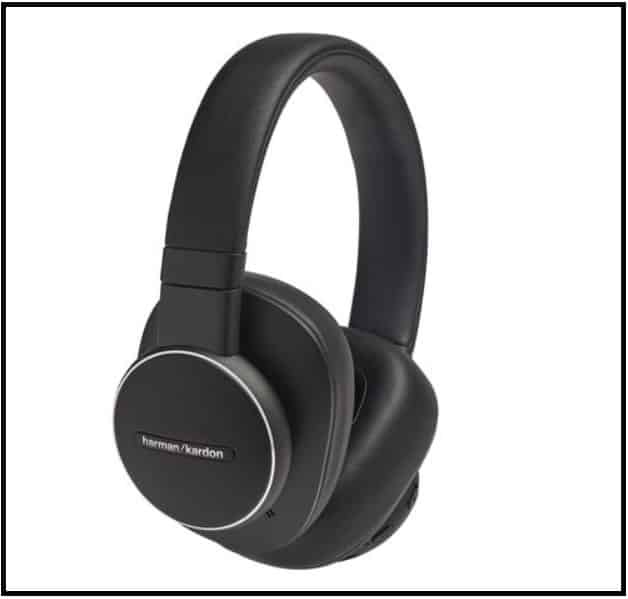
Harman Kardon FLY ANC Wireless Headphone User Manual : It is a over ear NC Headphones. Let’s see the manual here.
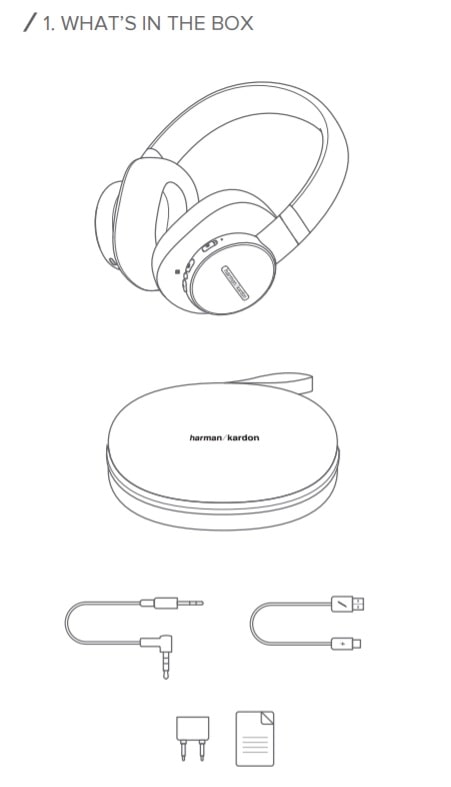
WHAT’S IN THE BOX
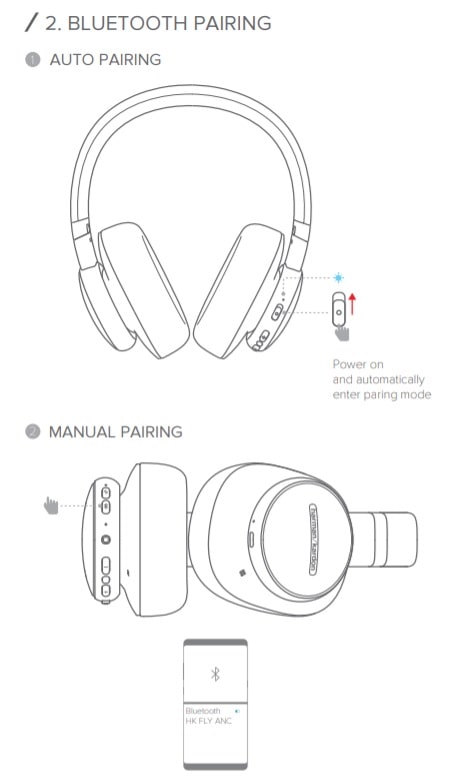
BLUETOOTH PAIRING
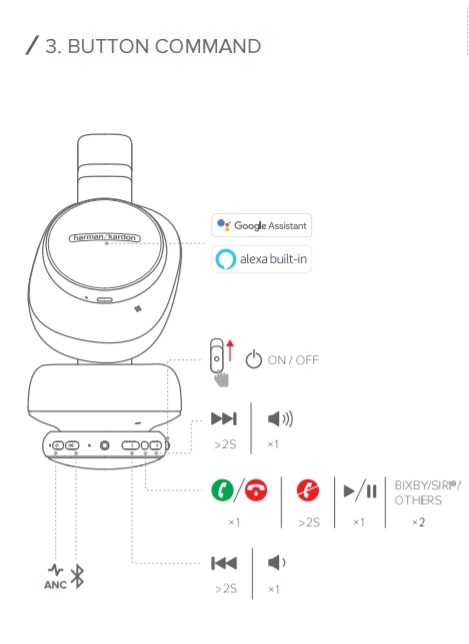
BUTTON COMMAND
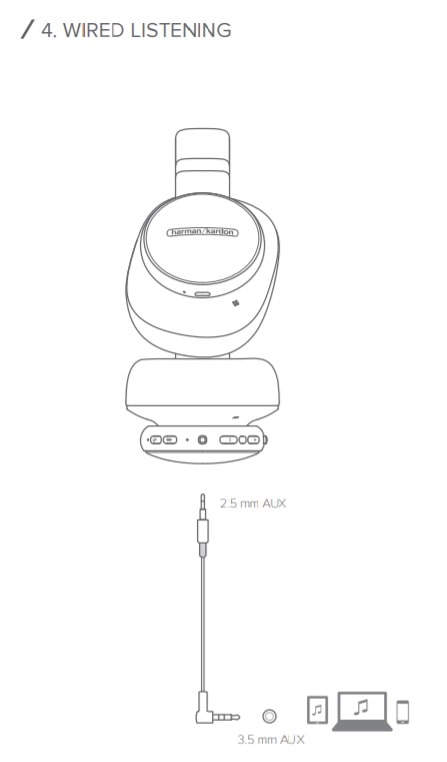
WIRED LISTENING
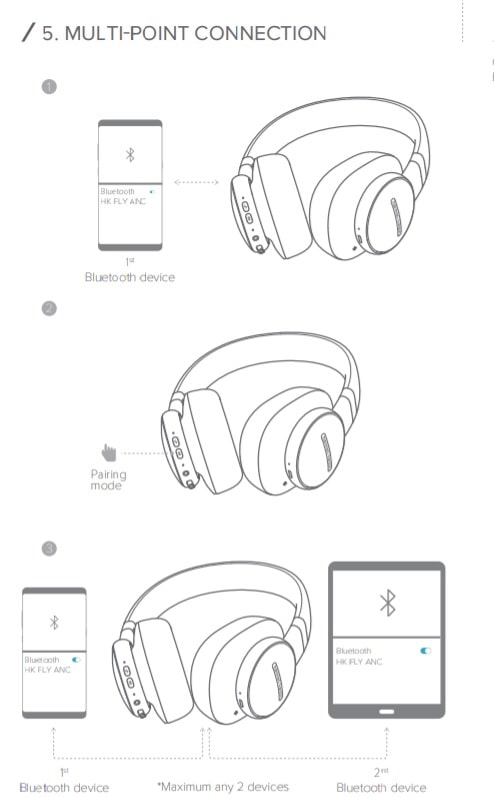
MULTI-POINT CONNECTION
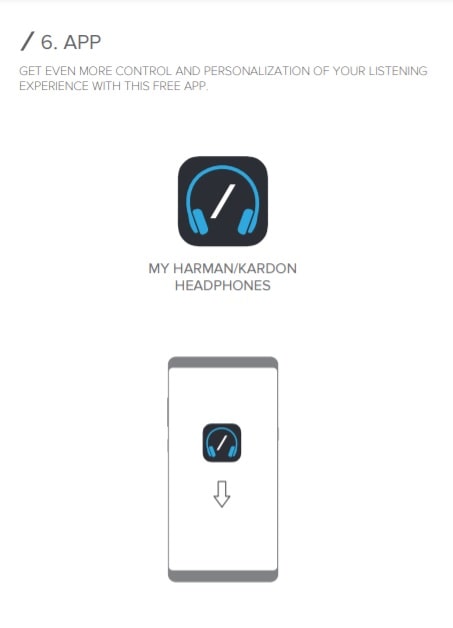
APP
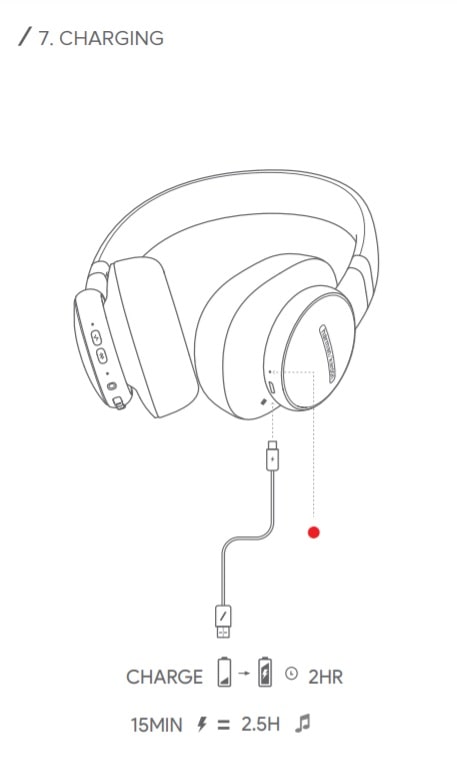
CHARGING
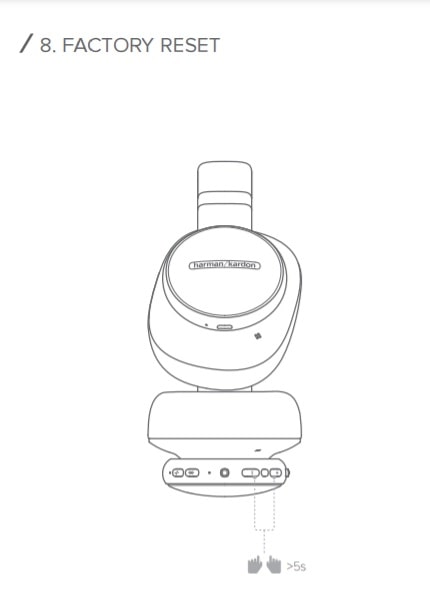
FACTORY RESET
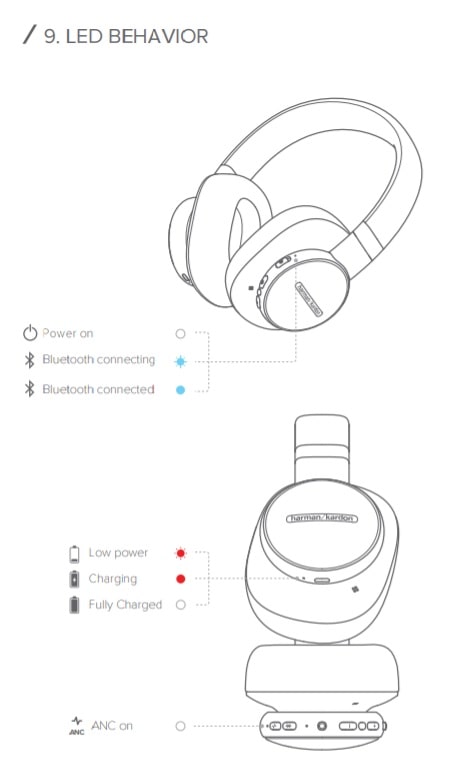
LED BEHAVIOR
TECH SPEC
- Driver size: 40 mm
- Frequency response (Wireless): 16 Hz – 22 kHz
- Frequency response (Aux-in): 16 Hz – 22 kHz
- Sensitivity: 100 dB SPL@1kHz/1mW
- Maximum Input Power: 30 mW
- Microphone sensitivity: -21 dBV@1kHz/Pa
- Impedance: 32 ohm
- Bluetooth transmitted power: <8 dBm
- Bluetooth transmitted modulation: GFSK, π/4 DQPSK, 8DPSK
- Bluetooth frequency: 2.402 GHz-2.480 GHz
- Bluetooth profile version: A2DP 1.3, AVRCP 1.5, HFP 1.6
- Bluetooth version: V4.2
- Battery type: Lithium Ion Polymer Battery ( 3.7 V/700 mAh)
- Power supply: 5V 1A
- Charging time: <2 hrs
- Music playtime with BT on and ANC on: 20 hrs
- Music playtime with BT on and ANC off: 30 hrs
- Product net weight: 281 g (just for bare unit without cable)
THE GOOGLE ASSISTANT
a. To set up your Google Assistant
- Connect your headphones to your mobile device
- Set up your Google Assistant using your mobile device: On your Android device, press and hold the home button to open the
Google Assistant and follow the on-screen instructions.
On your iOS devices, open or download the Google Assistant app and
follow the app instructions.
Note:
- The Google Assistant is available on eligible Android 5.0 devices or later.
- For iOS devices, the Google Assistant app needs to be downloaded. Works on Lollipop, Marshmallow and Nougat Android Phones with Google Play Services, >1.5GB of memory and 720p or higher screen resolution.
- For more information on what your Google Assistant can do, visit: assistant.google.com/platforms/headphones
b. To use your Google Assistant
| Function | What to do |
| Talk to your Google Assistant | Press and hold the Action button with four fingers to begin. Requires pairing with eligible phone and internet connection. For examples of questions and things you can do, visit: g.co/assistant/explore |
| Get your notifications | Double press the Action button with four fingers. |
| Stop your Google Assistant | Press the Action button with four fingers. |
| Reply to a message (where available) |
After receiving a message notification, press and hold the Action button with four fingers. When you’re done, release the button. |
Note:
- Google, Android and Google Play are trademarks of Google LLC.
- The Google Assistant isn’t available in certain languages and countries.
- If you want to turn on or off the Google Assistant, please download our My JBL Headphones App. You can select under Settings > Voice assistant >
Google Assistant.
AMAZON ALEXA
- Connect your headphones to your mobile device.
- On your mobile device, open the Amazon Alexa App or download it from
the App Store on your Apple device or Google Play on your Android device. - Open the Alexa App and navigate to the Device Page.
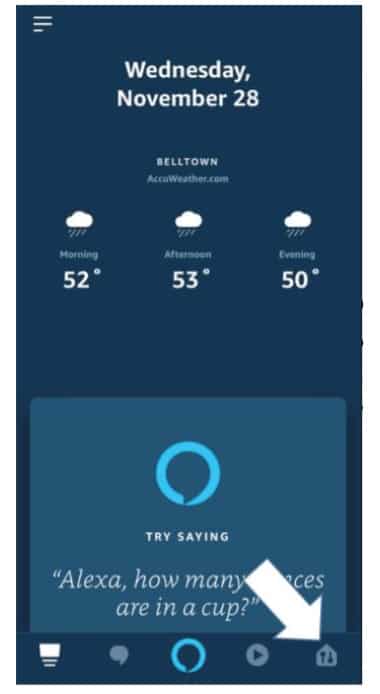
- Click the Plus (+) button on the top right of the screen and select ‘Add Device’.
- Select Headphones from the list and then choose your FLY Series Headphones in the Available Devices section. Follow the rest of the instructions in the Alexa App to complete set up.
- Alexa is now enabled on your device. Press the action button and try one of the utterances on the right
| Things to try | Example of What to say |
| Ask for the weather | “Alexa, What’s the weather?” |
| Play audio | “Alexa, Play Niall Horan.” Note: Amazon Music is set as the default music service, To change the default music service, use the Alexa app |
| Play audio from a specific music service |
“Alexa, Play NPR on IheratRadio.” |
| Discover more skills | “Alexa, What new skills do you have?” |
| Stop Alexa | While Alexa is talking, press and release the Action button then say “Stop” |
Note:
- For more information and things to try with Alexa, visit: www.amazon.com/alexadevices and select ‘Use Alexa’.
- If you want to turn on or off the Amazon Alexa, please download our JBL APP. You can select under Settings > Voice assistant > Amazon Alexa.
- Alexa is not available in all languages and countries
Source
- https://www.harmankardon.com/
- User Manual 1 – Download
- User Manual 2 – Download
- Spec Sheet – Download
Latest Post
- Harman Kardon Fly BT Earphones Quick Start Guide
- Harman Kardon Fly TWS Earbuds Quick Start Guide
-
Инструкции по эксплуатации
1

Harman-Kardon Soho Wireless инструкция по эксплуатации
(2 страницы)
- Языки:Русский
-
Тип:
PDF -
Размер:
5.84 MB -
Описание:
Беспроводные наушники
Просмотр
На NoDevice можно скачать инструкцию по эксплуатации для Harman-Kardon Soho Wireless. Руководство пользователя необходимо для ознакомления с правилами установки и эксплуатации Harman-Kardon Soho Wireless. Инструкции по использованию помогут правильно настроить Harman-Kardon Soho Wireless, исправить ошибки и выявить неполадки.
Перед вами файл pdf, где представлена инструкция (руководство) на русском для HARMAN KARDON Soho Wireless. Вы можете скачать ее либо изучить в онлайн режиме.
Подробные сведения об инструкции:
Устройство из раздела: беспроводные наушники
Бренд-производитель: HARMAN KARDON
Наименование модели: HARMAN KARDON Soho Wireless
Язык: Руководство на русском языке
Файл: pdf
Размер файла: 5,84 MB
Скачать инструкцию к HARPER HDT2-1110
ЗАГРУЗИТЬ
Просмотр инструкции онлайн