

- Manuals
- Brands
- Toyota Manuals
- Automobile
- Camry 2018
- Quick reference manual
-
Contents
-
Table of Contents
-
Bookmarks
Quick Links
CAMRY
2 0 1 8
QUICK REFERENCE GUIDE
Related Manuals for Toyota CAMRY 2018
Summary of Contents for Toyota CAMRY 2018
-
Page 1
CAMRY 2 0 1 8 QUICK REFERENCE GUIDE… -
Page 2
Owner’s Manual. Each box contains safe operating instructions to help you avoid injury or equipment malfunction. All information in this Quick Reference Guide is current at the time of printing. Toyota reserves the right to make changes at any time without notice. -
Page 3: Table Of Contents
Seat folding-Rear 46-48 PAIRING SECTION Seat heaters Seats-Head restraints Visit your Toyota dealer for information on customizing this feature. Programmable by customer. Refer to the Owner’s Manual for instructions and more information. ® HomeLink is a registered trademark of Gentex Corporation.
-
Page 4: Instrument Panel
OVERVIEW Instrument panel Dynamic Radar Cruise Control (DRCC) vehicle-to-vehicle distance Meter control switches button Paddle shift switches Dynamic Radar Cruise Control (DRCC) or Cruise control switch Steering wheel Audio remote control audio controls switches Steering wheel controls Voice command switch Lane Departure Alert with Steering Telephone switch Assist (LDA w/SA) switch…
-
Page 5
If equipped. For vehicles with Entune Premium Audio or Entune Audio Plus, refer to the “Navigation System Owner’s Manual” and “2018 Entune™ Audio Quick Reference Guide.” Emergency flasher switch Audio system/navigation system Air conditioning controls Wireless charger switch Seat heater controls Driving mode select switches Electric parking brake switch Brake hold switch… -
Page 6: Instrument Cluster
Airbag SRS warning Anti-lock Brake System warning If indicator does not turn off within a few seconds of starting the engine, there may be a malfunction. Have vehicle inspected by your Toyota dealer. Light flashes to indicate a malfunction.
-
Page 7
Rear passenger seat belt reminder BSM w/Rear Cross Traffic Alert indicator Type A (RCTA) Indicator Rear passenger seat belt reminder BSM outside rear view mirror indicator Type B indicators Slip indicator Brake system warning Cruise control Sport mode driving indicator indicators Driver seat belt reminder and front Theft deterrent/ Engine Immobilizer… -
Page 8
OVERVIEW Keyless (and remote) entry UNLOCKING OPERATION Smart Key Carry remote Smart Key feature Driver door unlock* Grasp Push ONCE: Driver door TWICE: All doors NOTE: If a door is not opened within 60 seconds of unlocking, all doors will relock for safety. -
Page 9: Fuel Tank Door Release & Cap
Smart key system START FUNCTION Carry remote Depress to start brake pedal Push NOTE: Gear shift lever must be in Park and brake pedal depressed. Without depressing the brake pedal, pressing the “POWER” button will change All systems OFF; emergency flashers can be used. Accessories such as the audio will operate.
-
Page 10: Engine Maintenance
OVERVIEW Hood release Pull Pull up latch and raise hood Engine maintenance Engine oil filler cap Engine oil level dipstick Windshield washer fluid tank Engine coolant reservoir Engine oil level dipstick Engine oil filler cap Windshield washer fluid tank Engine coolant reservoir NOTE: Regularly scheduled maintenance, including oil changes, will help extend the life of your vehicle and maintain performance.
-
Page 11: Automatic Transmission
FEATURES & OPERATIONS Automatic transmission + (“S” mode) Park* Reverse Neutral Drive “S” mode — (“S” mode) * The “POWER” switch/ignition switch must be “ON” and the brake pedal depressed to shift from Park. Shift the shift lever to “S” position from “D” position. Downshifting increases power going uphill, or provides engine braking downhill.
-
Page 12: Steering Lock Release
FEATURES & OPERATIONS Steering lock release Smart Key Without Smart Key Turn Turn Turn Push Tilt and telescopic steering wheel Angle Length Lock release lever Hold wheel, push lever down, set angle and length, and return lever NOTE: Do not attempt to adjust while the vehicle is in motion.
-
Page 13: Electric Parking Brake
Electric parking brake (if equipped) Driver side Automatic mode Manual mode (Brake HOLD switch) Automatic (shift lever operation) To turn automatic mode ON, while vehicle is stopped, pull and hold switch and until While depressing brake, shifting into P position will automatically set the brake and turn indicator on in meter.
-
Page 14: Driving Mode Select Switches
FEATURES & OPERATIONS Driving mode select switches (if equipped) Normal — Suitable for normal driving. SPORT mode — Use when a higher level of response is desired, such as when driving in mountainous regions. ECO MODE — Helps achieve lower fuel consumption during trips that involve frequent accelerating and braking.
-
Page 15: Seat Adjustments-Front
Seat adjustments — Front MANUAL SEAT Seatback angle Seat position (forward/backward) Height crank (driver side only) Seat position (forward/backward) Seatback angle Lumbar support (driver side only) Seat cushion angle Height crank (driver side only) Seat folding — Rear (if equipped) Pull Fold down Tip: To fold rear seats, the release button is located in the trunk.
-
Page 16
Automatically switches between high -Automatic High Beam (AHB) system and low beams as appropriate to provide the most light possible and enhance forward visibility. Refer to Toyota Safety Sense ™ P (TSS-P) in this guide or the Owner’s Manual for more details on the Automatic High Beam feature. -
Page 17: Seat Heaters
Windshield wipers & washers Mist Adjust frequency* Interval wipe Slow Pull to wash and wipe Fast Rotate to increase/decrease * Intermittent windshield wiper frequency adjustment wipe frequency. Refer to the Owner’s Manual for more details. Seat heaters (if equipped) Driver seat Front passenger seat…
-
Page 18
FEATURES & OPERATIONS Air conditioning/heating Without “SYNC” button Airflow mode display Temperature selector Fan speed Air Conditioning ON/OFF Automatic climate control ON — Adjusting the temperature setting will cause the airflow vents, air intake and Rear window defogger* fan to adjust automatically. Climate control OFF Outside rearview mirror/ Airflow vent mode — In “… -
Page 19
With “SYNC” button (continued) “SYNC” button — Indicator ON: Synchronized temperature settings for driver and pas- Type B sengers. Indicator OFF: Separate temperature settings for driver and passengers. Temperature selector Temperature selector (passenger side) Airflow mode display (driver side) Outside rearview mirror/ Windshield airflow/defogger rear window defogger* Automatic climate control ON -… -
Page 20
FEATURES & OPERATIONS Blind Spot Monitor with Rear Cross Traffic Alert (BSM w/RCTA) (if equipped) Outside rear view mirror indicators Indicators Rear Cross Traffic Alert buzzer RCTA function display Indicators The Blind Spot Monitor is a system that has two functions: The system is designed to use radar sensors to detect vehicles traveling in the Camry’s blind spot and advises the driver of the vehicles’… -
Page 21
Note: Use of the meter control switches to select in the Multi-Information Display (MID) to change settings. The system will continue in the last state it was in (ON or OFF) when the engine is started again. Refer to the Owner‘s Manual for more details on this system. Front center sensor Corner sensors… -
Page 22: Bird’s Eye View Camera With Perimeter Scan Function
FEATURES & OPERATIONS Rear view monitor system The rear view monitor system displays an image of the view from the bumper of the rear area of the vehicle. The camera for the rear view monitor system is located above the license plate. To adjust the image on the rear view monitor screen, press the “MENU”…
-
Page 23: Multi-Information Display (Mid) 1
Multi-Information Display (MID) Indicators Shift position Menu icons Display area Previous screen Odometer/trip meter control Enter/Select display Scroll/search Indicators screens Odometer/trip meter control Push “meter control switches” to change information in the following: Full-Speed DRCC and Lane Departure Alert display Speed limit display Indicators (with navigation system)
-
Page 24: Power Outlets-12V Dc
FEATURES & OPERATIONS Color Head-up display (HUD) (if equipped) Shift position/speed limit display area Driving assist system status/ navigation system-linked display area Vehicle speed display Information display area ECO driving indicator/Tachometer The head-up display can display the current vehicle speed and ECO driving indicator in front of the driver.
-
Page 25: Moonroof
USB/AUX port Open lid By connecting a USB-compatible portable audio device or USB memory to the USB port, you can listen to music from the portable audio device or USB memory through the vehicle’s speaker system. By inserting a mini plug into the AUX port, you can listen to music from a portable audio device through the vehicle’s speaker system while in AUX mode.
-
Page 26: Panoramic Glass Roof With Front Moonroof
FEATURES & OPERATIONS Panoramic glass roof with front moonroof (if equipped) SLIDING OPERATION Open and closing the electronic sunshade Open — Slide and hold the switch backward. The panoramic moonroof and electronic sunshade will open fully automatically.* Close — Slide and hold the switch forward.
-
Page 27: Door Locks
Windows-Power Driver side Window lock switch Down Push the switch completely down or pull it completely up and Automatic operation release to fully open or close. To stop the window partway, operate the switch in the opposite direction. Deactivates all passenger windows. Driver’s window remains Window lock switch operable.
-
Page 28
FEATURES & OPERATIONS Audio ™ ENTUNE 3.0 AUDIO WITH CONNECTED NAVIGATION & APP SUITE TRACK Button Seek station/CD track select HOME Button SEEK Button Access to Home screen. Seek station/CD track select Push to turn ON/OFF Touch screen display and volume Turn to change radio station or skip to next or… -
Page 29: Steering Wheel Switches
Steering wheel switches (Audio, MID & phone: Bluetooth ® Audio switches “MODE” Push to turn audio ON and select an audio mode. Push and hold to turn the audio OFF. Volume controls Seek Multi-Information Display (MID) control switches Return to previous screen Select/enter “…
-
Page 30: Bottle Holders/Cup Holders
FEATURES & OPERATIONS Wireless Charging (if equipped) Operation indicator light Charge area Power switch Press When the engine is turned off, the last state (ON/ OFF) of the charger is memorized. Place Place device nearest the center of charging area for best results.
-
Page 31: Clock
Clock Select to change time zone Select to daylight savings time ON/OFF/AUTO. Select to set to automatic GPS adjustment of clock. Select to set hour display to 12 or 24 hour time. MENU” button next to the screen. Setup” or “General” in the touch screen to access the general settings screen.
-
Page 32: Quick Overview Toyota Safety Sense
™ TOYOTA SAFETY SENSE Quick overview-Toyota Safety Sense™ P (TSS-P) ™ Toyota Safety Sense to help mitigate or prevent collisions across a wide range of traffic situations, in certain conditions. TSS-P is designed to help support the driver’s awareness, decision making and vehicle operation contributing to a safe driving experience.
-
Page 33
Refer to a Toyota Owner’s Manual for a list of additional situations in which the system may not operate properly. Pre-Collision Warning… -
Page 34
PEDESTRIAN DETECTION FUNCTION In certain conditions, the PCS system included with the TSS-P package may also help to detect a pedestrian in front of your vehicle. With Toyota Safety Sense™ P, PCS uses an in-vehicle camera and front-grill mounted millimeter-wave radar to help detect a pedestrian in front of your vehicle in certain conditions. -
Page 35
Note: The system is enabled each time the power switch is turned to ON mode. Refer to a Toyota Owner’s Manual for additional information on PCS operation, settings adjustments, limitations, and precautions before attempting to use it. Lane Departure Alert with… -
Page 36
Ignition cycle until changed by the driver or the system is reset. Refer to a Toyota Owner’s Manual for additional information on LDA operation, settings adjustments, limitations, and precautions before attempting to use it. LDA FUNCTIONS… -
Page 37
For example, LDA may not function on the side(s) where white/yellow lines are not detectable. Refer to a Toyota Owner’s Manual for additional information on LDA operation, settings adjustments, limitations, and precautions before attempting to use it. -
Page 38
™ TOYOTA SAFETY SENSE Continuous lane deviations from swaying. Gentle swaying from driver’s inattentiveness. Acute steering wheel operation after the number of operations decrease due to driver’s inattentiveness. SWS is a function of LDA and is designed to detect swaying based on the vehicle location in the lane and the driver’s steering wheel operation. -
Page 39
Dynamic Radar Cruise Control (DRCC) or Full-Speed Range* DRCC DRCC helps maintain a pre-set distance to a preceding vehicle when the preceding vehicle is traveling at a lower speed. This mode is always selected first when the cruise control button is depressed. Constant speed cruise control mode is also available. Full-Speed Range* DRCC is designed to function at speeds between 0 to approximately 110 MPH and is intended for highway use. -
Page 40
™ TOYOTA SAFETY SENSE Preceding To change the vehicle-to- vehicle mark vehicle distance Push the “ ” button to cycle through the settings, which will change progressively. LONG MIDDLE SHORT (default setting) This mode employs a radar sensor to detect the presence of a preceding vehicle following distance and operates to maintain a suitable following distance from the vehicle ahead. -
Page 41
To adjust speed or cancel, see steps (2) and (3) of ADJUSTING SET SPEED on page 37. The set speed may also be cancelled by depressing the brake pedal. Refer to a Toyota Owner’s Manual for additional information on DRCC operation, settings adjustments, limitations, and precautions before attempting to use it. -
Page 42
By using high beams more frequently, the system may allow earlier detection of pedestrians and obstacles. Refer to a Toyota Owner’s Manual for additional information on AHB operation, settings adjustments, limitations, and precautions before attempting to use it. ACTIVATING THE AHB SYSTEM “AUTO”… -
Page 43: Rear Door Child Safety Locks
SAFETY & EMERGENCY FEATURES Rear door child safety locks Rear door Unlock Lock Moving the lever downward will allow the door to be opened only from the outside. Seat belts Take up slack Too high Keep as low on hips as possible the Automatic Locking Retractor (ALR) will prevent it from being re-extended beyond that point, unless fully retracted again.
-
Page 44: Safety Connect
If the tire pressure indicator flashes for more than 60 seconds and then remains on, take the vehicle to your local Toyota dealer. * Refer to load label on door jamb or the Owner’s Manual for tire inflation…
-
Page 45: Spare Tire & Tools
Spare tire & tools TOOL LOCATION Luggage floor cover Jack handle Wheel nut wrench Jack Spare tire REMOVING THE SPARE TIRE (2) Loosen the center fastener that (1) Remove the tool tray. secures the spare tire. Refer to the Owner’s Manual for tire changing and jack positioning procedures. Trunk-Internal release Pull up…
-
Page 46: Star Safety System
Your vehicle comes standard with the Star Safety System , which combines Anti- Toyota’s ABS sensors detect which wheels are locking up and limits wheel lockup by “pulsing” each wheel’s brakes independently. Pulsing releases brake pressure repeatedly for fractions of a second. This helps the tires attain the traction that current road conditions will allow, helping you to stay in directional control.
-
Page 47: Floor Mat Installation
Traction Control helps maintain traction on loose gravel and wet, icy, or uneven Toyota’s TRAC sensors are activated when one of the drive wheels starts to slip. TRAC limits engine output and applies the brakes to the spinning wheel. This transfers power to the wheels that still have traction to help keep you on track.
-
Page 48: Pairing Section
® BLUETOOTH DEVICE PAIRING SECTION ® Do not attempt the Bluetooth Pairing process while driving.
-
Page 49
Pairing for your phone ® Pairing your phone is the first step in connecting with your Toyota for hands-free calling and for audio streaming via Bluetooth. This pairing process is quick and easy. All you have to do is setup the phone and multimedia system to form a connection. -
Page 50
BLUETOOTH ® DEVICE PAIRING Bluetooth Pairing for your phone (cont.) ® «Connecting» displays while STEP 6 STEP 7 device is forming the connection to your multimedia system. «You may need to allow message access on your phone». «Skip» on display screen to skip enabling notifications. -
Page 51
NOTES… -
Page 52
CUSTOMER EXPERIENCE CENTER 1-800-331-4331 Printed in U.S.A. 7/17 00505QRG18CAM2 17-MKG-10098…
Всем салют! Для удобства и быстрого доступа, создаю себе небольшой каталог электронных версий. Может и кому-то из вас пригодиться.
Электронная версия мануала — то что нашел в приложении MyT Toyota.
Руководство для владельца Toyota Camry XV70.
Ссылка на Англоязычную версию Руководство пользователя — любезно предоставленную Temeke
Руководство по эксплуатации навигационной и мультимедийной системы на платформе Android Toyota Camry XV70.
Руководство по ремонту и обслуживанию Camry xv70
Ремонт кузова и геометрия — взято у OKGV
Ссылка на инструкции для других моделей Toyota
Для всех машин Toyota можно посмотреть мануал ЗДЕСЬ.
Форум Toyota Camry — ЗДЕСЬ.

- Форум
- Общий форум
- Руководства, инструкции и чертежи
- Руководство по эксплуатации V70 (2018-2019…)

-
12.10.2012 23:02
#1
Братство Стали
Array
Руководство по эксплуатации V70 (2018-2019…)
-
4 пользователя(ей) сказали cпасибо:
cobalt (22.06.2020), Damo UFA (22.11.2019), Дед Эндрю (23.03.2019), Лик (05.02.2020)


 Руководство по эксплуатации V70 (2018-2019…)
Текущее время: 06:19. Часовой пояс GMT +3.
© ToyotaCamry.ru. При перепечатке материалов помните, активная ссылка на toyotacamry.ru обязательна, от якудзы не скрыться.
Powered by vBulletin™. Copyright © vBulletin Solutions, Inc.
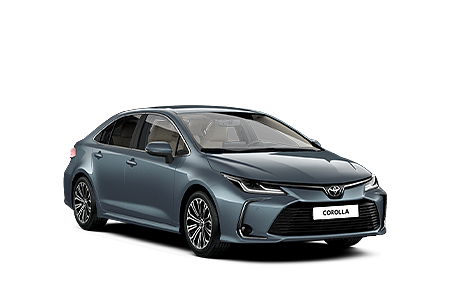
Corolla
Руководство для владельца
Руководство по эксплуатации навигационной и мультимедийной системы
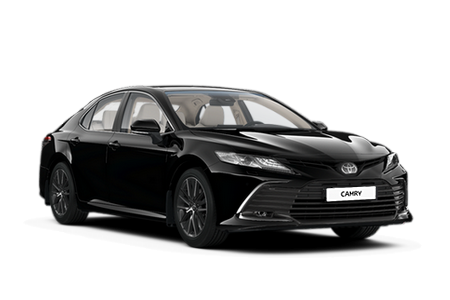
Camry
Руководство для владельца
Руководство по эксплуатации навигационной и мультимедийной системы

C-HR
Руководство для владельца
Руководство по эксплуатации навигационной и мультимедийной системы

RAV4
Руководство для владельца
Руководство по эксплуатации навигационной и мультимедийной системы

Highlander
Руководство для владельца
Руководство по эксплуатации навигационной и мультимедийной системы
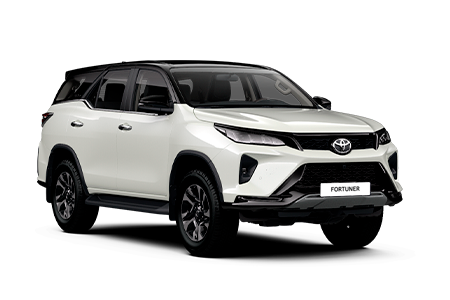
Fortuner
Руководство для владельца
Руководство по эксплуатации навигационной и мультимедийной системы

Land Cruiser Prado
Руководство для владельца
Руководство по эксплуатации навигационной и мультимедийной системы
Руководство по вождению в условиях бездорожья
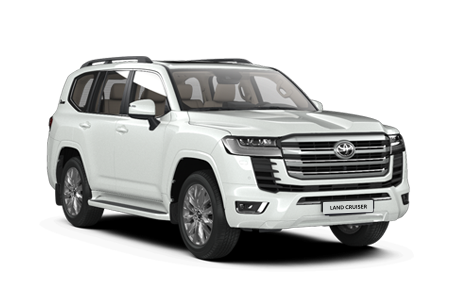
Land Cruiser 300
Руководство для владельца

Руководство для владельца
Руководство по эксплуатации навигационной и мультимедийной системы

Hilux
Руководство для владельца
Руководство по эксплуатации навигационной и мультимедийной системы
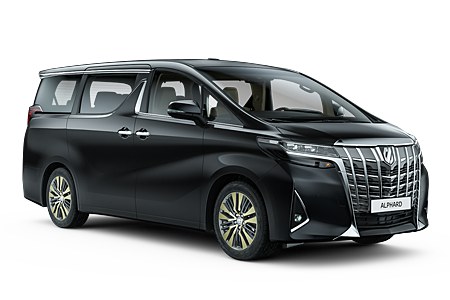
Alphard
Руководство для владельца
Руководство по эксплуатации навигационной и мультимедийной системы
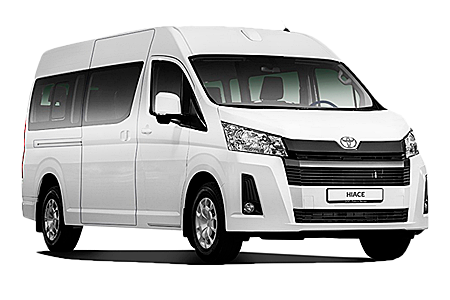
Hiace
Руководство для владельца
Руководство по эксплуатации навигационной и мультимедийной системы
Смотрите также:

Указатель иллюстраций
19
4
Стояночный тормоз
стр. 260
Затягивание/отпускание
стр. 260, 261
Меры предосторожности зимой
стр. 382
Сигнальная лампа/предупреждающий
зуммер/предупреждающее сообщение
стр. 263, 583
5
Рычаг переключателя указателей поворота
стр. 259
Переключатель фар
стр. 267
Фары/передние габаритные фонари/задние фонари/задние
боковые габаритные фонари*1/фонари освещения
регистрационного знака/дневные ходовые фонари
стр. 267
Передние противотуманные фары*1/задний противотуманный
фонарь*1
стр. 278
6
Переключатель передних стеклоочистителей и
омывателя
стр. 280
Использование
стр. 280
Добавление жидкости омывателя
стр. 522
Очистители фар головного света*1
стр. 281
7
Выключатель ламп аварийной сигнализации
стр. 572
8
Рычаг разблокировки капота
стр. 505
9
Рычаг регулировки угла наклона и вылета рулевой
колонки*1
стр. 200
0
Переключатель регулировки угла наклона и вылета
рулевой колонки*1
стр. 200
Регулировка
стр. 200
Функция памяти положения сиденья водителя*1
стр. 192
1
Система кондиционирования воздуха
стр. 424, 430
Использование
стр. 424, 430
Обогреватель заднего стекла
стр. 426, 434
2
Аудио-/видеосистема*1, 2
стр. 390
Часы*2
стр. 459
*1: При наличии
*2: Для автомобилей с системой навигации или мультимедийной системой см.
“Инструкция для владельца по системе навигации и мультимедийной системе”.

20
Указатель иллюстраций
■ Переключатели (автомобили с левосторонним управлением)
1
Переключатель системы автоматического включения
дальнего света*1
стр. 272
2
Выключатель VSC OFF
стр. 354
3
Переключатель камеры*1, 2
4
Переключатель механизма открывания багажника
стр. 171
5
Переключатель привода лючка топливного бака
стр. 290
6
Обогреватель рулевого колеса*1
стр. 443
7
Антиобледенитель передних стеклоочистителей*1
стр. 435
Переключатель обогревателя ветрового стекла с
обогревом*1
стр. 435
8
Переключатель “ODO/TRIP”
стр. 106, 121
9
Переключатель управления подсветкой приборной
панели
стр. 103
0
Переключатели функции памяти положения сиденья
водителя*1
стр. 192
1
Переключатель наружных зеркал заднего вида
стр. 206
2
Переключатели блокировки дверей
стр. 164
3
Переключатели управления
электростеклоподъемниками
стр. 210
4
Переключатель блокировки стекол
стр. 210

Указатель иллюстраций
21
1
Переключатели управления приборами
стр. 106, 121
2
Подрулевые переключатели*1
стр. 252
3
Кнопка поддержания дистанции между транспортными
средствами*1
стр. 339
4
Переключатели круиз-контроля*1
Динамический радарный круиз-контроль с полным
скоростным диапазоном*1
стр. 331
Круиз-контроль*1
стр. 347
5
Переключатели дистанционного управления
аудиосистемой*3
стр. 391
6
Переключатель системы LDA (система предупреждения о
выходе из полосы движения с функцией рулевого
управления)*1
стр. 314
7
Переключатель управления телефоном*1, 2
8
Переключатель голосового управления*1, 2
*1: При наличии
*2: См. “Инструкция для владельца по системе навигации и мультимедийной
системе”.
*3: Для автомобилей с системой навигации или мультимедийной системой см.
“Инструкция для владельца по системе навигации и мультимедийной системе”.

22
Указатель иллюстраций
1
Переключатель беспроводного зарядного устройства* . . . стр. 463
2
Переключатели обогревателей сидений*
стр. 443
Переключатели вентиляторов сидений*
стр. 445
3
Переключатель системы удержания тормозов
стр. 264
4
Селекторы режимов движения*
стр. 379
*: При наличии

Указатель иллюстраций
23
■Салон (автомобили с левосторонним управлением)
1
Подушки безопасности системы SRS
стр. 43
2
Напольные коврики
стр. 34
3
Передние сиденья
стр. 187
Функция памяти положения сиденья водителя*1
стр. 192
4
Подголовники
стр. 197
5
Ремни безопасности
стр. 38
6
Отделение в центральном подлокотнике
стр. 451
7
Внутренние кнопки блокировки
стр. 164
8
Подстаканники
стр. 453
9
Задние сиденья
стр. 189
0
Поручни
стр. 474
1
Задняя панель управления*1
Положение заднего сиденья
стр. 190
Система кондиционирования воздуха для задних
пассажиров*1
стр. 431
Обогреватели задних сидений*1
стр. 444
Задняя солнцезащитная шторка
стр. 470
Аудио-/видеосистема*2
*1: При наличии
*2: См. “Инструкция для владельца по системе навигации и мультимедийной
системе”.

24
Указатель иллюстраций
1
Фонари освещения салона/фонари персонального
освещения*1
стр. 446
2
Переключатели электропривода потолочного люка*2
стр. 216
Переключатели электропривода панорамного потолочного
люка*2
стр. 220
3
Кнопка “SOS”*2
стр. 475
4
Косметические зеркала
стр. 458
5
Солнцезащитные козырьки*3
стр. 458
6
Внутреннее зеркало заднего вида
стр. 203
*1: На иллюстрации представлено переднее сиденье, но они также могут
быть установлены сзади.
*2: При наличии
*3: ЗАПРЕЩАЕТСЯ
использовать
направленное назад детское
сиденье на сиденье, защищенном
АКТИВНОЙ
ПОДУШКОЙ
БЕЗОПАСНОСТИ, перед ним, т.к.
это может стать причиной СМЕРТИ
или
СЕРЬЕЗНОЙ ТРАВМЫ
РЕБЕНКА. (стр. 68)

Указатель иллюстраций
25
■ Приборная панель (автомобили с правосторонним управлением)
1
Замок запуска двигателя
стр. 246
Пуск двигателя/изменение режимов
стр. 246
Аварийное выключение двигателя
стр. 573
Когда двигатель не запускается
стр. 612
2
Рычаг переключения передач
стр. 252
Переключение включенной передачи
стр. 252
Меры предосторожности при буксировке
стр. 575
Когда рычаг переключения передач не перемещается
стр. 257
3
Приборы
стр. 102
Показания приборов/регулировка подсветки приборной
панели
стр. 102
Сигнальные лампы/индикаторы
стр. 96
Когда загорается сигнальная лампа
стр. 583
Многофункциональный информационный дисплей
стр. 119
Дисплей
стр. 119
Когда отображаются предупреждающие сообщения
стр. 592

26
Указатель иллюстраций
4
Стояночный тормоз
стр. 260
Затягивание/отпускание
стр. 260, 261
Меры предосторожности зимой
стр. 382
Сигнальная лампа/предупреждающий
зуммер/предупреждающее сообщение
стр. 263, 583
5
Рычаг переключателя указателей поворота
стр. 259
Переключатель фар
стр. 267
Фары/передние габаритные фонари/задние фонари/задние
боковые габаритные фонари/фонари освещения
регистрационного знака/дневные ходовые фонари
стр. 267
Передние противотуманные фары
стр. 278
6
Переключатель передних стеклоочистителей и
омывателя
стр. 280
Использование
стр. 280
Добавление жидкости омывателя
стр. 522
Очистители фар
стр. 281
7
Выключатель ламп аварийной сигнализации
стр. 572
8
Рычаг разблокировки капота
стр. 505
9
Рычаг регулировки угла наклона и вылета рулевой
колонки
стр. 200
0
Система кондиционирования воздуха
стр. 430
Использование
стр. 430
Обогреватель заднего стекла
стр. 434
91
Аудио-/видеосистема*
Часы*
*: См. “Инструкция для владельца по системе навигации и мультимедийной
системе”.

Указатель иллюстраций
27
■ Переключатели (автомобили с правосторонним управлением)
1
Переключатель привода лючка топливного бака
стр. 290
2
Переключатель механизма открывания багажника
стр. 171
3
Выключатель VSC OFF
стр. 354
4
Переключатель “ODO/TRIP”
стр. 121
5
Переключатель управления подсветкой приборной
панели
стр. 103
6
Переключатели наружных зеркал заднего вида
стр. 206
7
Переключатели блокировки дверей
стр. 164
8
Переключатели управления
электростеклоподъемниками
стр. 210
9
Переключатель блокировки стекол
стр. 210

28
Указатель иллюстраций
1
Переключатели управления приборами
стр. 121
2
Переключатели круиз-контроля
Круиз-контроль
стр. 347
3
Переключатели дистанционного управления аудиосистемой*1, 2
4
Переключатель управления телефоном*1, 2
5
Переключатель голосового управления*1, 2