
 |
[Page 1] Moneual RYDIS MR7700 RYDIS MR7700 User Manual Copyright ⓒ 2012 MONEUAL Inc. All rights reserved. The MONEUAL, MONCASO, MiNEW, RYDIS, SONAMU are trademarks, or registered trademarks of MONEUAL Inc. in the Republic of Korea and/or other counties. Version 1.0 |
 |
[Page 2] Moneual RYDIS MR7700 RYDIS MR7700 |
 |
[Page 3] Moneual RYDIS MR7700 RYDIS MR7700 User Manual |
 |
[Page 4] Moneual RYDIS MR7700 4 RYDIS MR7700 User Manual ENGLISH Table of Contents Product features 5 Cautions for safety 7 Product composition 11 Cautions before using the product 12 Name of each part of the product 13 Robot cleaner 13 Indicator 14 Charger 15 … |
 |
[Page 5] Moneual RYDIS MR7700 RYDIS MR7700 User Manual 5 ENGLISH Product features This system divides cleaning areas into up to five areas for select cleaning of specified areas. Each indicator can help you set one room, and works as a guide for establishing cleaning area… |
 |
[Page 6] Moneual RYDIS MR7700 6 RYDIS MR7700 User Manual ENGLISH The cleaner can clean floors in the dark with no lights needed. It can clean every part underneath furniture, which cannot be cleaned with existing cleaners. This function enables the user to manually save the mo… |
 |
[Page 7] Moneual RYDIS MR7700 RYDIS MR7700 User Manual 7 ENGLISH Meanings of caution icons Before using the product Warning Refers to important information, definitions, general knowl- edge and references. If you do not follow the instruction with this warning icon, a seri… |
 |
[Page 8] Moneual RYDIS MR7700 8 RYDIS MR7700 User Manual ENGLISH In using the product Do not stand or sit on the product. Movement of the product may cause an injury or the product can be damaged. Do not use the product on a narrow and elevated space such as on a desk. The prod… |
 |
[Page 9] Moneual RYDIS MR7700 RYDIS MR7700 User Manual 9 ENGLISH Electrical cautions Make sure to use only the specified voltage and current. Power supplies outside the specification ranges may cause a serious damage to the product. The battery can become discharged if the … |
 |
[Page 10] Moneual RYDIS MR7700 10 RYDIS MR7700 User Manual ENGLISH In product management Others Danger Use the standard filter only. No warranty service will apply to any error or failure of the product caused due to a substandard filter. If cleaning the product, make sure powe… |
 |
[Page 11] Moneual RYDIS MR7700 RYDIS MR7700 User Manual 11 ENGLISH Parts Main body Battery (Inserted into the main body) Charger Charger adapter Charger adapter power cord Indicator Indicator adapter (Not supplied with the product) Indicator battery (Not supplied with… |
 |
[Page 12] Moneual RYDIS MR7700 12 RYDIS MR7700 User Manual ENGLISH Before using the product Install the left and right side brushes onto the robot cleaner. Use the screwdriver and screws delivered with the product to attach the side brushes. Make sure to prevent the product and… |
 |
[Page 13] Moneual RYDIS MR7700 RYDIS MR7700 User Manual 13 ENGLISH Name of parts Robot cleaner(Top) Robot cleaner(Rear) ① Obstacle- and signal-detecting sensor ② Bumper ③ Control buttons and operation lamps ① Start/Stop button ② Mode setup button ③ Power button … |
 |
[Page 14] Moneual RYDIS MR7700 14 RYDIS MR7700 User Manual ENGLISH Robot cleaner(Bottom) Indicator(Top) Indicator(Bottom/Rear) ① Falling point-detecting sensor ② Wheels ③ Charging terminal ④ Side brush mounting pin ⑤ Dust intake ⑥ Dust cloth guard mounting holes ①… |
 |
[Page 15] Moneual RYDIS MR7700 RYDIS MR7700 User Manual 15 ENGLISH Charger(Front) Charger(Rear) ① Operation lamp ② Guide signal transmission sensor ③ Charging terminal ① Adapter compartment ② Adapter jack ③ Sensor Signal Distance Adjustment Switch. |
 |
[Page 16] Moneual RYDIS MR7700 16 RYDIS MR7700 User Manual ENGLISH Installing Product 01. Plug the adapter power cord in the adapter and connect to a power outlet. 02. Connect the charger adapter with the charger. Once the power is connected, the blue lamp will turned on at the… |
 |
[Page 17] Moneual RYDIS MR7700 RYDIS MR7700 User Manual 17 ENGLISH 05. Turn on the power switch of the robot cleaner (located to the left of the dust box in the back side). 06. Put the robot cleaner in the charger with your both hands and activate manual charging Whe… |
 |
[Page 18] Moneual RYDIS MR7700 18 RYDIS MR7700 User Manual ENGLISH 07. Insert batteries into the remote controller and the indicator. 08. Install the indicator in the desired position. The product is fully capable of cleaning, functions even without an indicator installed. For … |
 |
[Page 19] Moneual RYDIS MR7700 RYDIS MR7700 User Manual 19 ENGLISH Descriptions for remote controller buttons Functions available only with the remote controller: Setup of current time, setup of reservation, selection of rooms, under the bed cleaning mode, macro setup and … |
 |
[Page 20] Moneual RYDIS MR7700 20 RYDIS MR7700 User Manual ENGLISH ⑪ MACRO SET button ⑫ MACRO SEL. button ⑬ MUTE button ⑭ TIME SET button ⑮ RESERVE button MS(motion control) button Starts/cancels macro setup. Selects a macro number to be set or executed. Turns on/off … |
 |
[Page 21] Moneual RYDIS MR7700 RYDIS MR7700 User Manual 21 ENGLISH 4. While pressing the OK button from the remote controller, re-insert the battery in. 5. Pull out and then re-insert the battery of the remote controller. 3. Pull out one battery from the remote controller. T… |
 |
[Page 22] Moneual RYDIS MR7700 22 RYDIS MR7700 User Manual ENGLISH ■ You can select a language for the audio announcements made by the product. ■ Voice announcements in certain foreign languages may not be available depending product sales region. 01. Turn off the power… |
 |
[Page 23] Moneual RYDIS MR7700 RYDIS MR7700 User Manual 23 ENGLISH ■ Basic cleaning mode. ■ Without the indicator installed, the robot cleaner will just clean all open spaces. With the indicator installed, the robot cleaner detects the signal from the indicator and … |
 |
[Page 24] Moneual RYDIS MR7700 24 RYDIS MR7700 User Manual ENGLISH ■ Randomly cleans without any specific pattern. ■ Cleans first the area where the indicator is installed. ■ When power is low, the cleaner moves to the charger for automatic charging. 01. Turn the power o… |
 |
[Page 25] Moneual RYDIS MR7700 RYDIS MR7700 User Manual 25 ENGLISH 01. Select the focused cleaning mode. 02. When cleaning is complete, the cleaner will stop at its current location. Using advanced cleaning functions The product can perform cleaning of sites, which cannot be… |
 |
[Page 26] Moneual RYDIS MR7700 26 RYDIS MR7700 User Manual ENGLISH 01. Select the corner-cleaning mode. 02. Press the [START/STOP] button. The screen on the main body should show that the [Cleaning corners] mode has been. After cleaning is completed, the product will automatical… |
 |
[Page 27] Moneual RYDIS MR7700 RYDIS MR7700 User Manual 27 ENGLISH 01. Place the robot cleaner under the bed. 03. After cleaning is completed, the product will return to the charger. 02. Select the mode for cleaning under the bed. Product may not perform shadow cleaning corr… |
 |
[Page 28] Moneual RYDIS MR7700 28 RYDIS MR7700 User Manual ENGLISH The product will directly move to the room where the indicator is installed to perform cleaning there. Up to five (5) indicators can be purchased separately and installed additionally. This function can be activa… |
 |
[Page 29] Moneual RYDIS MR7700 RYDIS MR7700 User Manual 29 ENGLISH With the dust cloth attached, the cleaner is able to mop clean the floor. In this mode, the robot cleaner does not go onto carpeted areas or, thresholds. Mop cleaning 01. Put a mop made of superfine fibers o… |
 |
[Page 30] Moneual RYDIS MR7700 30 RYDIS MR7700 User Manual ENGLISH 01. Press the [START/STOP] button to stop the robot cleaner if it is in operation. 02. Press the [OK/MANUAL] button on the remote controller. 03. Operate the robot cleaner as you like with the direction keys of t… |
 |
[Page 31] Moneual RYDIS MR7700 RYDIS MR7700 User Manual 31 ENGLISH 01. If the main power switch of the robot is turned off, turn it on. 02. Press the [START/STOP] button to stop the robot cleaner if it is in operation. 03. Press the button seen below to enter the remote cont… |
 |
[Page 32] Moneual RYDIS MR7700 32 RYDIS MR7700 User Manual ENGLISH Turning on/off cleaning mode — (equivalent to [OK/MANUAL] button on the remote controller) Adjusting the suction power — (equivalent to [VACUUM] button on the remote controller) Turning on/off the power — (equi… |
 |
[Page 33] Moneual RYDIS MR7700 RYDIS MR7700 User Manual 33 ENGLISH Moving the robot forward or backward (Equivalent to [UP/DOWN] button on the remote controller) Moving the robot left or right (Equivalent to [LEFT/RIGHT] button on the remote controller) Bend your wrist with… |
 |
[Page 34] Moneual RYDIS MR7700 34 RYDIS MR7700 User Manual ENGLISH OK MANUAL 01. If the robot cleaner is in operation, press the [START/STOP] button to stop it before proceeding. 02. Press the [TIME SET] button. 03. Use the up and down direction keys to set the hour…. |
 |
[Page 35] Moneual RYDIS MR7700 RYDIS MR7700 User Manual 35 ENGLISH 01. Press the [RESERVE] button. 02. When the time setup is complete, press the [OK/Manual cleaning]. 03. Repeat steps 01~02 to set the time for each day of the week. 04. After all the settings for the day of… |
 |
[Page 36] Moneual RYDIS MR7700 36 RYDIS MR7700 User Manual ENGLISH Setup and execution of macros (To save moving lines) With several manual operations, you can make the robot move as you like and save the movements, then have the robot follow the same pattern for future cleanin… |
 |
[Page 37] Moneual RYDIS MR7700 RYDIS MR7700 User Manual 37 ENGLISH 08. Press the [MACRO SET] button on the remote controller during set up to cancel macro setup. 01. Press the [MACRO SEL.] button on the remote controller. 02. Select a macro number you want to execute, … |
 |
[Page 38] Moneual RYDIS MR7700 38 RYDIS MR7700 User Manual ENGLISH Check the indicator battery status. The indicator is not included with the standard package but can be purchased separately if needed. Press any button to check if the lamp blinks; if so, it means the indicator … |
 |
[Page 39] Moneual RYDIS MR7700 RYDIS MR7700 User Manual 39 ENGLISH 04. Press the [Indicator number] button to set a room number. 05. Leave the door open. Every time you press the button, the lamps are turned on in the order of “1-2-3-4-5”. When two or more indicators are… |
 |
[Page 40] Moneual RYDIS MR7700 40 RYDIS MR7700 User Manual ENGLISH 02. Press the [Distance] button and adjust the distance of signals to set cleaning areas. 03. Calculate the signal distance to arrange the indicator in the appropriate position. Repeat the pressing of the button … |
 |
[Page 41] Moneual RYDIS MR7700 RYDIS MR7700 User Manual 41 ENGLISH If the emitting signals of each indicator get overlapped, no setup for cleaning area will be made. It is recommended that you not install indicators in a place with the charger in it. In this case, it will … |
 |
[Page 42] Moneual RYDIS MR7700 42 RYDIS MR7700 User Manual ENGLISH Cleaning the dust box If the robot cleaner is in operation, press the [Start/Stop] button or the [Power] button to turn off the power before proceding. Managing the product 01. Grasp the dust box and remove it f… |
 |
[Page 43] Moneual RYDIS MR7700 RYDIS MR7700 User Manual 43 ENGLISH 05. Insert the filter back into the dust box. 04. Empty the dust box. 06. Replace the cover of the dust box. 07. Insert the dust box back into the robot cleaner. If the filter is water-cleaned, wait until it … |
 |
[Page 44] Moneual RYDIS MR7700 44 RYDIS MR7700 User Manual ENGLISH To reuse the filter, you must water-clean it after removing it from the dust box. For removal of the filter, see Step 3 in the “Cleaning the dust box”section. Replace the filter every three to six months. An … |
 |
[Page 45] Moneual RYDIS MR7700 RYDIS MR7700 User Manual 45 ENGLISH Cleaning the dust intake 01. Turn the robot cleaner over. 02. Lift the cover off the dust intake vent. Cleaning wheels 01. Turn the robot cleaner over. 02. Clean the wheels using the brush. Use only the inclu… |
 |
[Page 46] Moneual RYDIS MR7700 46 RYDIS MR7700 User Manual ENGLISH 03. Gras the fixing pin of the rubber brush and lift it to remove it. 04. Clean the removed brush with the cleaning brush. 05. Insert the rubber brush back into the main body. Check the groove shape and insert it… |
 |
[Page 47] Moneual RYDIS MR7700 RYDIS MR7700 User Manual 47 ENGLISH Battery usage and management Batteries are consumables. The longer they are used, the shorter the usage time becomes. Life span of the battery Usage time of the battery Replacing the battery Replacing the bat… |
 |
[Page 48] Moneual RYDIS MR7700 48 RYDIS MR7700 User Manual ENGLISH 02. Loosen the four screws of the battery cover and lift the cover. 03. Remove the battery and pull out the battery pin. 04. Fix the battery pin of the new battery in and then insert the battery. Remove the batte… |
 |
[Page 49] Moneual RYDIS MR7700 RYDIS MR7700 User Manual 49 ENGLISH 05. Close the battery cover and tighten the screws. Using the battery for a long time Turn off the power switch if the robot cleaner will not be used for a long period of time, in order to protect the battery… |
 |
[Page 50] Moneual RYDIS MR7700 50 RYDIS MR7700 User Manual ENGLISH Voice announcement list The list shows basic voice announcements, which is subject to change for users’convenience. Voice announcement functions Check the message function Start the automatic cleaning. Start th… |
 |
[Page 51] Moneual RYDIS MR7700 RYDIS MR7700 User Manual 51 ENGLISH System error codes list If the product stops working with error codes displayed, you can resume operation by pressing the [POWER] button. If the problem persists even after the following steps … |
 |
[Page 52] Moneual RYDIS MR7700 52 RYDIS MR7700 User Manual ENGLISH Checkpoints before request for after-sales service Error details Checkpoints and actions to be taken Q. The robot does not work. (1) Turn on power switch at the rear of robot. (2) Check if the battery is discharg… |
 |
[Page 53] Moneual RYDIS MR7700 RYDIS MR7700 User Manual 53 ENGLISH Specifications Model Dimension Weight Max. speed Operating noise Power consumption Battery Capacity of the dust box Charging time Operating time RYDIS MR7700 320 x 79.7mm (DxH) 3.2kg Cleaning mode : 30cm/sec… |
 |
[Page 54] Moneual RYDIS MR7700 54 RYDIS MR7700 User Manual ENGLISH Model Dimension Weight Power source Battery life Signal transmission distance (IR) RC-750 132.7 x 23.4 x 46.9mm (LxHxW) 0.06kg AAA alkaline batteries (LR03) ; 2EA 6 months 10m Remote control |
 |
[Page 55] Moneual RYDIS MR7700 PRODUCT WARRANTY The warranty service to our consumers is based on the customer compensation regulation. By the request for the warranty service, MONEUAL will provide the service. The company will let the customer notified of whether to be compensat… |
 |
[Page 56] Moneual RYDIS MR7700 MEMO |
 |
[Page 57] Moneual RYDIS MR7700 MEMO |
 |
[Page 58] Moneual RYDIS MR7700 MEMO |
 |
[Page 59] Moneual RYDIS MR7700 … |
 |
[Page 60] Moneual RYDIS MR7700 Copyright ⓒ 2012 MONEUAL Inc. All rights reserved. The MONEUAL, MONCASO, MiNEW, RYDIS, SONAMU are trademarks, or registered trademarks of MONEUAL Inc. in the Republic of Korea and/or other counties. |

Русский
- Bedienungsanleitung Moneual RYDIS MR7700
- Moneual RYDIS MR7700 User Manual
- Manual Usuario Moneual RYDIS MR7700
- Mode d’emploi Moneual RYDIS MR7700
- Istruzioni Moneual RYDIS MR7700
- инструкция Moneual RYDIS MR7700
- Moneual RYDIS MR7700の取扱説明書
- Handleiding Moneual RYDIS MR7700
- Manual de uso Moneual RYDIS MR7700
Вам нужна инструкция? Мы поможем Вам ее найти и сэкономить Ваше время.
- 56 stron
- 6.28 mb
Изделие Moneual RYDIS MR7700, а также другие, которыми Вы пользуетесь ежедневно, наверняка вы получили в комплекте с инструкцией обслуживания. Из опыта наших пользователей мы знаем, что большинство из Вас не уделили этому особого внимания. Большая часть инструкций, сразу же после покупки попадает в корзину для мусора вместе с коробкой — это ошибка. Ознакомьтесь с информацией, касающейся инструкции Moneual RYDIS MR7700, которая поможет Вам в будущем сэкономить нервы и избежать головной боли.
Важная подсказка — не забывайте хотя бы раз прочитать инструкцию Moneual RYDIS MR7700
Если вы не хотите каждый раз читать информационные брошюры, касающиеся, тех или Moneual RYDIS MR7700 иных изделий, достаточно, прочитать их раз — сразу же после покупки устройства. Вы получите основное знания, касающиеся поддержания изделия Moneual RYDIS MR7700 в хорошем эксплуатационном состоянии, так, чтобы без проблем достигнуть его планируемого цикла работы. Затем инструкцию можно отложить на полку и вернуться к ней только в случае, если вы не уверены, правильно ли проводится техобслуживание изделия. Правильный уход является необходимым элементом Вашего удовольствия Moneual RYDIS MR7700.
Раз в году пересмотрите шкафчик, в котором держите инструкции для всех устройств, — выбросите те, которыми вы уже не пользуетесься. Это поможет Вам сохранять порядок в своей домашней базе инструкций обслуживания.
Summary of Contents for Moneual RYDIS MR7700
Что находится в инструкции Moneual RYDIS MR7700? Почему стоит ее прочитать?
- Гарантия и подробности, касающиеся техобслуживания изделия
Хорошей идеей будет прикрепить чек к странице инструкции. Если что-то плохое случится во время использования Moneual RYDIS MR7700, у вас будет комплект документов, необходимый для гарантийного ремонта. В этой части инструкции вы найдете информацию об авторизованных сервисных центрахMoneual RYDIS MR7700 а также, как самостоятельно правильно ухаживать за оборудованием — так, чтобы не потерять гарантийных прав. - Указания по монтажу и Setup
Не терять нервов и времени на самостоятельную попытку установки и первого запуска изделия. Воспользуйтесь рекомендациями производителя Moneual RYDIS MR7700 чтобы правильно запустить изделие, без лишнего риска повреждения оборудования. - Информация, касающаяся дополнительных запчастей (входящих в комплект а также являющихся опцией)
Пересматривая эту часть документа вы сможете проверить, доставлен ли ваш Moneual RYDIS MR7700 с полним комплектом аксессуаров. Вы также сможете узнать, какие дополнительные запчасти или аксессуары для Moneual RYDIS MR7700 Вы сможете найти и докупить к своему устройству. - Troubleshooting
Самые частые проблемы, касающиеся Moneual RYDIS MR7700 и методы их решения. Это очень полезная часть руководства по обслуживанию — она позволит Вам сэкономить много времени на поиск решений. 90% проблем с Moneual RYDIS MR7700 повторяется у многих пользователей. - Требования, касающиеся питания и энергетический класс
Информация, касающаяся количества потребляемой энергии, а также рекомендации, касающиеся установки и питания Moneual RYDIS MR7700. Прочитайте, чтобы оптимально пользоваться Moneual RYDIS MR7700 и не использовать большего количества ресурсов, нежели это необходимо для правильной работы изделия. - Специальные функции Moneual RYDIS MR7700
Здесь вы можешь узнать, как персонализировать изделие Moneual RYDIS MR7700. Вы узнаете, какие дополнительные функции могут помочь Вам удобно использовать продукт Moneual RYDIS MR7700 а также, какие функции Вашего устройства оптимальны для выполнения конкретной деятельности.
Как видите в инструкции вы найдете информацию, которая реально поможет Вам в использовании Вашего изделия. Стоит с ней ознакомиться, чтобы избежать разочарований, возникающих из более короткого, нежели предусматривалось, периода исправности изделия Moneual RYDIS MR7700. Если все же вы не хотите копить инструкции в своем доме, наш сайт поможет Вам в этом — вы должны найти у нас руководство по обслуживанию большинства из своих устройств, а также Moneual RYDIS MR7700.
Комментарии (0)
Moneual RYDIS MR7700 Operation & user’s manual
- Moneual
- Vacuum Cleaner
- Operation & user’s manual for Moneual RYDIS MR7700
- moneual-rydis-mr7700-operation-user-s-manual-60_manual.pdf
- 60 |
Pages Preview:


Document Transcription:
See Details
Download
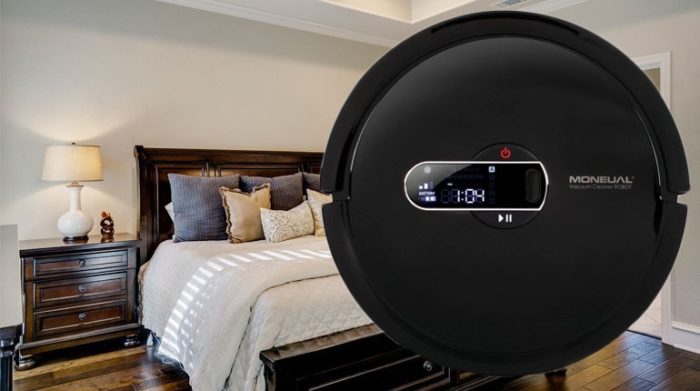
Корейская разработка – роботизированный пылесос Moneual MR7700 предназначена для очистки различных твердых покрытий от мусора, пуха, шерсти животных. Модель получила новые возможности, поэтому очищает лучше многих аналогов.
Содержание:
- Дизайн
- Боковая часть
- Днище
- Комплектность
- Пульт
- Паспортные показатели
- Полотер
- Управление
- Алгоритмы движения
- Преодоление препятствий
- Программирование
- Плюсы
- Минусы
- Режимы
- Отзывы
- Инструкция
- Стоимость
Дизайн
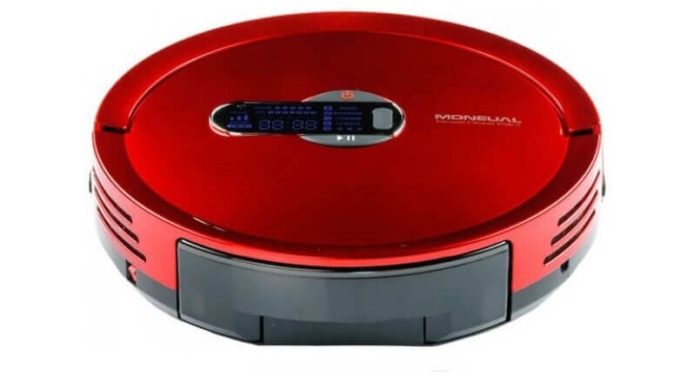
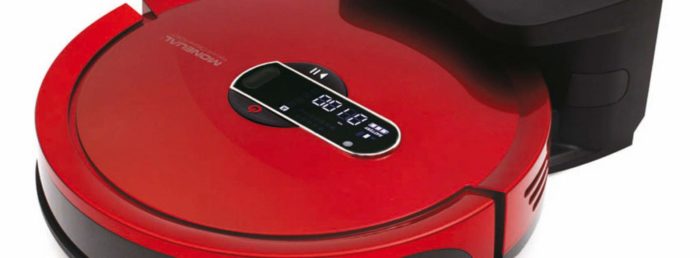
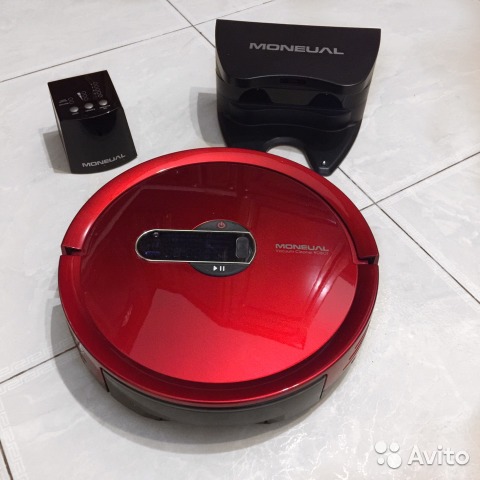
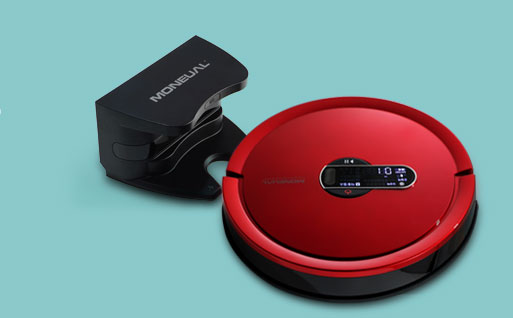
Пользователь может выбирать из двух расцветок – красной и классической черной. Робот пылесос Moneual MR7700 изготовлен из ABS пластика высокого качества.
В то же время дизайн отличается строгостью: ни одной лишней детали не найти в его внешности. Значительно упрощают очистку под низкими предметами небольшие размеры Moneual MR7700.
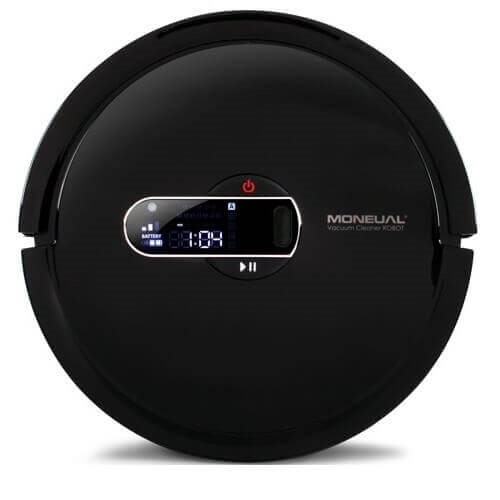
Сверху у Moneual MR7700 находятся только кнопки, сенсорный экран, на котором отображается время, активированный режим, возникшие ошибки при выполнении работы, уровень оставшейся зарядки и логотип изготовителя.
Под большой крышкой, расположенной здесь же, находится пылесборник. Чтобы его извлечь для очистки, достаточно приложить небольшое усилие к крышке, продев пальцы в специальное отверстие, и достать контейнер.
Боковая часть
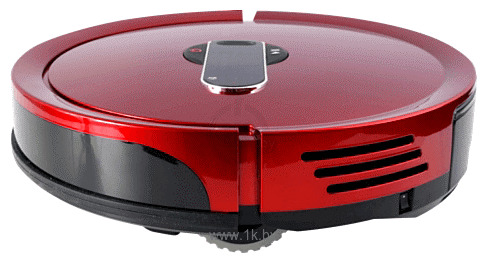
Сбоку, точнее в передней части Moneual MR7700, находится защитный прорезиненный бампер, оберегающий от повреждений при случайном физическом контакте как сам гаджет, так и предметы мебели. На стороне противоположной находится отверстие вентиляционное, сквозь которое проходит очищенный воздух, разъем для подключения адаптера и кнопка включения устройства.
Днище
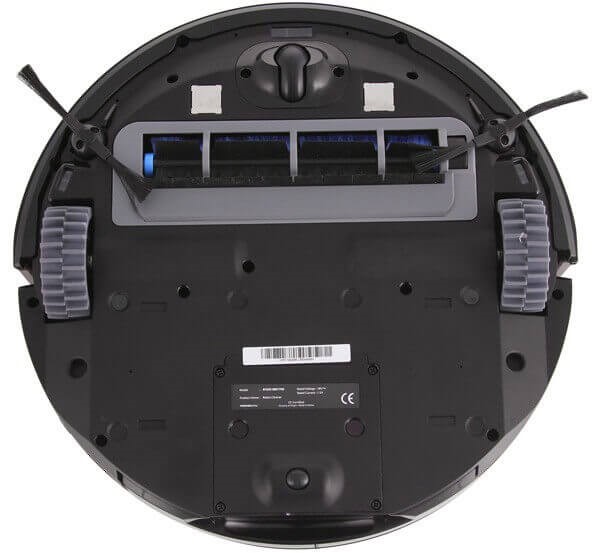
Центральное место на тыльной стороне Moneual MR7700 отведено турбощетке. По обе стороны от нее крепятся колеса, обеспечивающие движение гаджета.
Чуть выше колес расположены две щетки боковые и направляющий ролик, благодаря которому пылесос, не выходя за границы занимающей площади, может разворачиваться на мете.
Под крышкой находится отсек для батарей и место для установки салфетки.
Комплектность
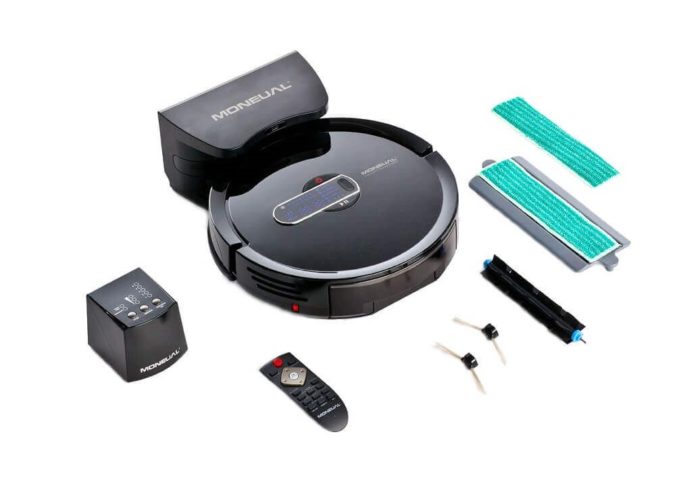
- Робот;
- Пара щеток боковых и центральная турбо;
- Пульт с элементами питания для управления на расстоянии;
- Запасной фильтр антибактериальный HEPA;
- База для восполнения растраченного заряда;
- Инструмент для очистки;
- Салфетки для влажной уборки – 2;
- Барьер виртуальный;
- Мусорный контейнер;
- Документация.
Пульт
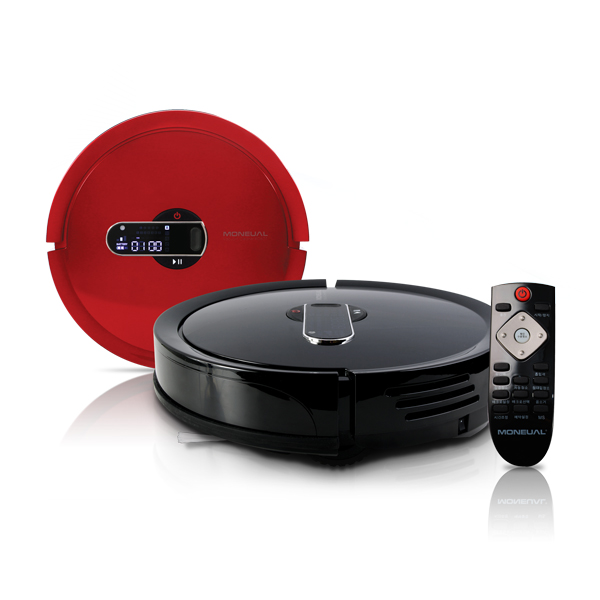
Внутри у него расположен гироскоп, позволяющий получить контроль над пылесосом Moneual MR7700 проводимыми пользователем взмахами рук. Опция без сомнения интересная, по пользоваться ею хозяин робота вряд ли станет, поскольку убрать помещение робот может без присутствия последнего.
С помощью кнопок пульта с четкими надписями и высокой отзывчивостью, задают оптимальный режим, направляют пылесос в ручном режиме в нужное время.
Паспортные показатели
- Тип проводимой уборки –сухая чистка, влажная протирка;
- Предусмотрен вывод робота на работу в назначенное время;
- Габариты (Д/В) – 320/79 мм;
- Размер очищаемой без дозарядки территории – 60 квадратов;
- Масса – 3,2 кг;
- Аккумулятор литий-ионный – 1280 мАч;
- Продолжительность работы/зарядки – 1 час;
- Пылесборник без мешка (циклонный фильтр) – объем 800 мл;
- Режимов- 6;
- Шумность – 55 дБ;
- Мощность номинальная/всасывания – 80/20 Вт;
- Оповещение – светодиодное и голосовое;
- Ограничитель пространства – стена виртуальная;
- Скорость – 6 м/мин.
Полотер
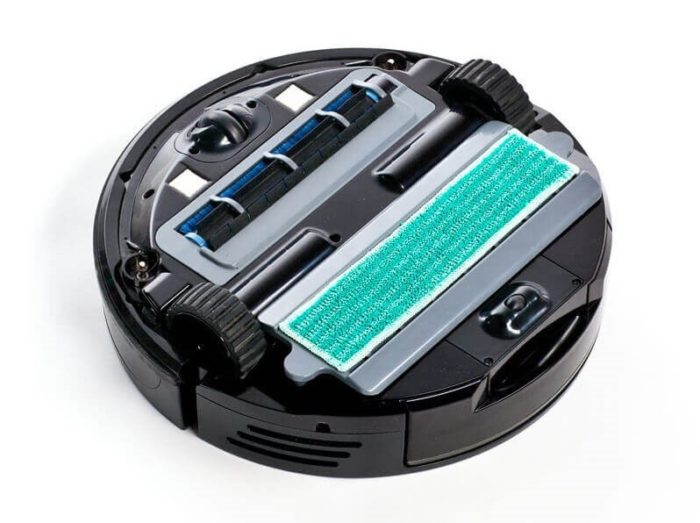
Робот Moneual MR7700 может выполнять функции пылесоса и полотера. В последнем варианте к его днищу необходимо прикрепить салфетку, которая поставляется в комплекте с гаджетом.
Управление
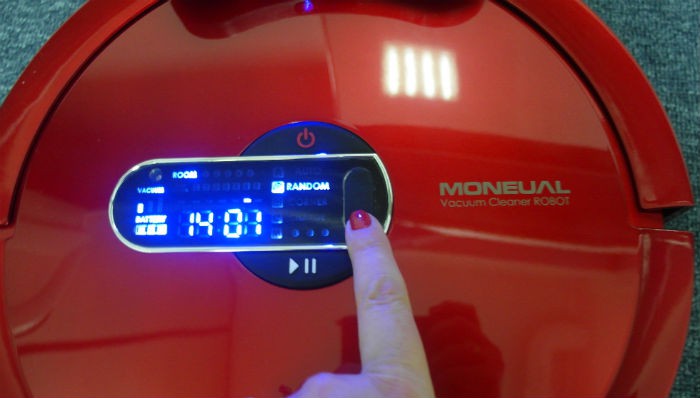
Чтобы контролировать пылесос Moneual MR7700, на его корпусе имеются кнопки. Но, удобнее это делать, используя входящий в комплект дистанционный пульт, оснащенный гироскопом. Это позволяет управлять аппаратом с помощью взмахов рук. С одной стороны – это хорошо, с другой требует постоянного присутствия человека, а приобретается робот, чтобы последнего освободить от участия в процессе.
Алгоритмы движения
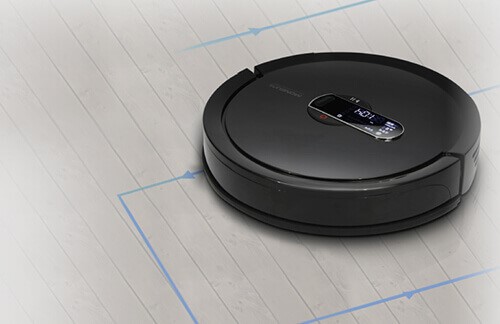
Поскольку камерой прибор не оснастили, делать обзор комнаты и выстраивать карты оптимальных маршрутов движения он не способен. Но, в пространстве он ориентируется прекрасно благодаря многочисленным сенсорам, закрепленным по всей его поверхности. Moneual MR7700 не натыкается на предметы декора и мебели, притормаживая, обнаружив их и аккуратно объезжая.
Его можно оставлять на втором этаже, не опасаясь за сохранность. Робот Moneual MR7700 не упадет со ступеней, которые заблаговременно будут обнаружены датчиками, стоящими на днище, т.е. устройство успеет остановиться перед лестницей и скорректировать маршрут.
Важно: У робота 6 режимов, выбираемых им самостоятельно. Вначале работы он перемешается по прямой, но, столкнувшись с предметом на своем пути, начинает двигаться хаотично, что снижает скорость уборки, давая возможность роботу очистить не более 60 квадратных метров площади.
Преодоление препятствий
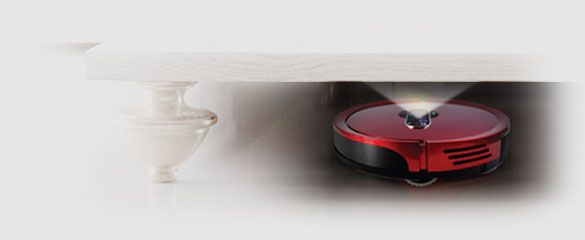
В этом показателе модель Moneual MR7700 не самая лучшая и уступает многим аналогам. Преграды выше 10 мм он преодолевает с большим трудом.
Программирование
Пылесос Moneual MR7700 оснащена таймером, поэтому выходить на работу устройство буде в нужный день и строго запланированный час. Функция полезная и необходимая, позволяющая всегда содержать в порядке дом, причем заниматься наведением порядка устройство может в отсутствие хозяев.
Плюсы
- Усовершенствованная система навигации;
- Вместительный мусоросборник;
- Малые габариты, не мешающие убирать под низкими предметами;
- Низкий издаваемый шум;
- Большое число режимов;
- Автоматическое пополнение заряда.
Минусы
- Высокая стоимость (порядка 30 тыс. руб.);
- Небольшая высота легко преодолеваемых препятствий;
- Сложности с поиском запасного фильтра;
- При редком использовании сложно справляется с очисткой (неплохо убирает при ежедневном запуске).
Рекомендуем:
- iRobot Roomba 651 – красивый, умный и продуктивный: цена, особенности, где купить
- Clatronic BSR 1283: цена, где лучше купить, характеристики
- Ecovacs DeeBot N78: режимы, особенности, дизайн пылесоса робота, где недорого купить
Режимы
- Автоматический. Предназначен для очистки аппаратом всей площади;
- Интенсивный. Применяется для удаления большого количества мусора с ограниченной по площади зоны;
- Уборка углов;
- Ручной;
- Ночной (уборка в темное время суток);
- Протирка салфеткой микрофибровой.
Отзывы
Пользователи, которые о Moneual MR7700 судят не понаслышке, оставили свое мнение на https://naobzorah.ru/pilesos/moneual_mr7700
Нравится робот за приятный внешний вид, неплохую очистку (во всяком случае, пользователю не приходится самому наводить порядок), возвращение на место прерванной уборки после подзарядки, вместительный контейнер для мусора, очищать который требуется не часто, хорошее взаимодействие с виртуальным ограничителем пространства, звуковое оповещение, распознавание сильно загрязненных мест, которым для очистки робот уделяет больше внимания, возможность выхода на работу по расписанию.
Недостатки они тоже отмечают. Их у Moneual MR7700 немало:
- не всегда быстро находит станцию;
- справляется только с небольшими перепадами высот. Проблемой часто становится даже заезд с гладкого покрытия на ковровое.
Познакомиться с отзывами можно и на сайте https://peredpokupkoy.ru/otzyvy-moneual-mr7700/.
Инструкция
С инструкцией по эксплуатации можно ознакомиться здесь
Стоимость
| Где купить в России | Цена |
| https://naobzorah.ru/pilesos/moneual_mr7700 | 29900 |
| http://irobot66.ru/catalog/roboty_pylesosy/moneual/robot_pylesos_moneual_mr7700_krasn_/?r1=yandext&r2=&ymclid=15456037298262241074900001 | 29900 |
| https://www.avito.ru/sankt-peterburg/bytovaya_tehnika/robot_pylesos_moneual_mr7700_1391032217 | 15000 |
| https://www.technopark.ru/pylesos-moneual-mr7700-red/ | уточнять |
| http://0s.nvqxe23foq.pfqw4zdfpaxhe5i.cmle.ru/product–pylesos-moneual-mr7700/8539064 | уточнять |
Видео: Moneual MR7700