
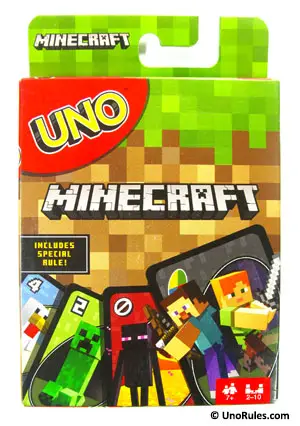
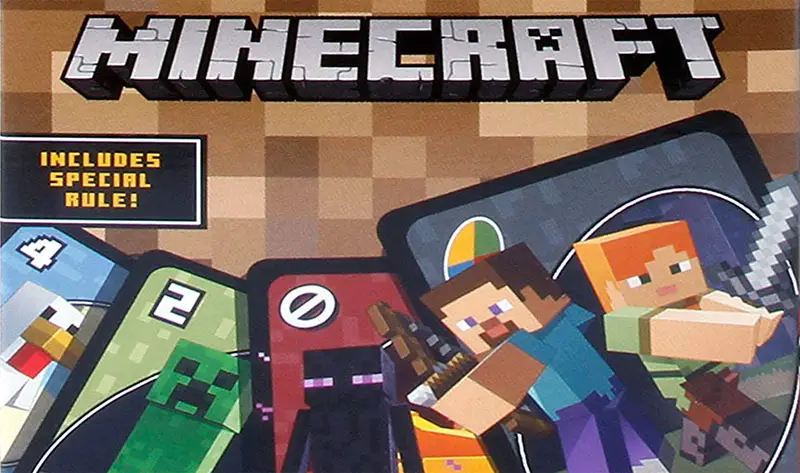
 Love Uno and Minecraft? How about playing Uno with a special Minecraft theme? Check out this Uno edition called Uno Minecraft. Created in collaboration with Mojang (the publishers of the game), Uno Minecraft has specially designed cards that display characters unique to Minecraft as well as its own unique Action card – the Creeper card.
Minecraft itself is a highly popular video game, first published by Swedish game developer Markus Persson through his company, Mojang in 2011, and subsequently bought over by Microsoft later on. Since its release, Minecraft has been played by people from all around the world just like Uno, and now we get to play the Minecraft version of Uno!
Well, how different is Uno Minecraft from the standard Uno? Read on to find out.
Starting Up
Uno Minecraft has 112 cards in total, which is a bit more than the usual. 2-10 players may take part in the game. The goal of the game is to discard all your cards before the other players do, and to accumulate a score of 500 points (or a number that everyone is ok with).
Before starting, select a dealer by having each player draw a card from the deck. The one with the highest number (Action cards count as zero) will become the dealer.
The dealer will then give the cards a good shuffle, and deal out 7 cards to each player. The remaining cards become the Draw pile, and the deck is placed face down. The top card is turned over to form the Discard pile and the game will now begin. If that first card is an Action card, refer below on what to do.
Gameplay
The first player to kick things off is usually the player beside the dealer’s left. That player begins by matching his or her cards in hand with the card on the Discard pile through color, number, or symbol (for Action cards). For example, if the card on the Discard pile is a blue 3, then the player needs to have either a blue card, or a number 3 card (of any color) to put down on top of that card in the Discard pile. A blue Action card can be played as well. If there is no suitable card, that player needs to draw a new card from the Draw pile, and that card can be played if it’s a match.
It is important to note that you do not have to play any card at all, even if you do have a match. But in that event, you must draw a new card from the Draw pile (as stated above). You do not have to play that drawn card, even if it’s playable. Once you have drawn or discarded/played a card, your turn is over, and it is the next player’s turn to play. In this manner, play proceeds along a clockwise direction, unless changed by a Reverse card.
The goal of every player is to discard all their cards before anyone else, and the general strategy is to impede or slow down other players from doing so.
Action cards
The Action cards are what makes Uno fun, and they are usually used to slow down other players from discarding their cards. Uno would be boring if all the cards were just colored cards with a number, so let’s look at the functions of these Action cards.
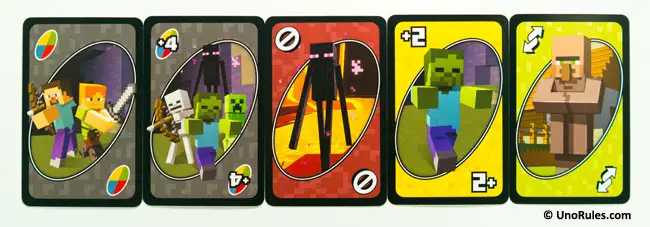
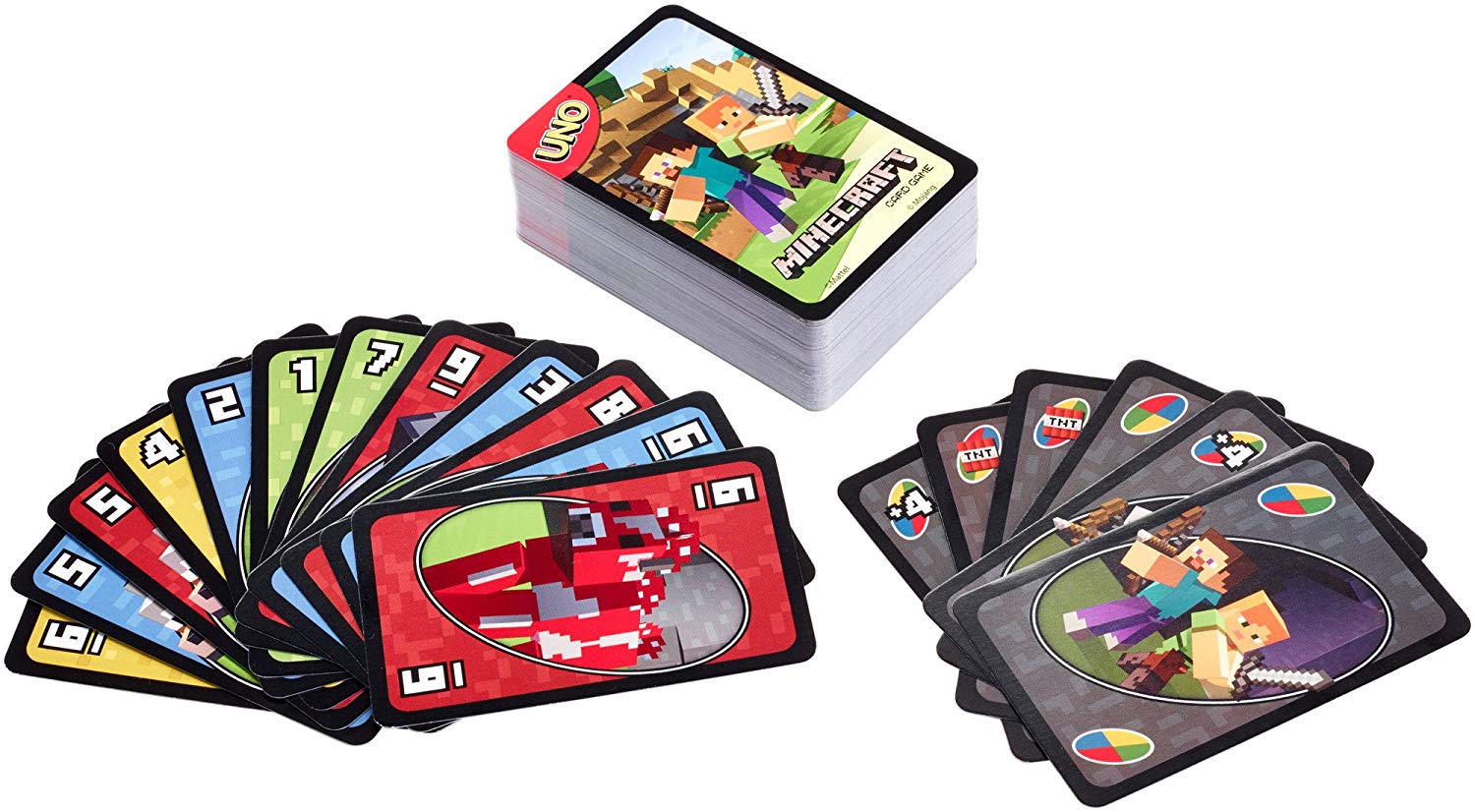
From left to right: Wild card, Wild Draw Four card, Skip card, Draw Two card, and Reverse card.
Skip card – This card can only be played on a card of similar color or symbol (another Skip). When you play this card, the next player loses their turn, and play moves on to the following player, who must then match your Skip card with a card of the same color, or another Skip card. If turned up at the start of the game, the first player becomes “skipped” and loses his/her turn.
Reverse card – This card can only be played on a card of similar color or symbol (another Reverse). When you play this card, the direction of play reverses. Clockwise to counter-clockwise (and vice versa). If turned up at the start of play, the first player on the dealer’s left who is supposed to play first, misses their turn and the dealer goes first. Play then continues in a counter clockwise fashion until the direction is changed again with another Reverse.
Draw Two card – This card can only be played on a same color card or another Draw Two card. When you play this card, the next player must draw two cards from the Draw pile and miss their turn. If turned up at the start of play, the first player must draw two cards and skip their turn.
Wild card – This card can be played in place of any color, and you get to pick any color you would like the Wild card to represent. You can play the Wild card even though you have other playable cards. Likewise, if you don’t have any playable card except for a Wild card, you may use it instead. If turned up at the start of play, the first player chooses what color the Wild card will represent, and play continues with that color.
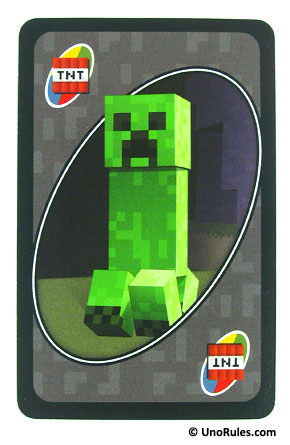
Uno Minecraft Creeper card
Wild Draw 4 card – This card can be played in place of any color just like a Wild card, but there is a caveat. You are not “supposed” to play this card if you have other cards of the same color as the card on the Discard pile. When played legally, the next player must draw 4 cards from the Draw pile and skip their turn. If played illegally, and the next player suspects so, he or she can challenge you to show your hand. If it is proven that you played this card illegally, you must draw 4 cards instead as a penalty. But if the challenger is wrong, the challenger needs to draw 6 cards instead. If turned up at the start of play, return it to the deck, shuffle it, and turn up another card instead.
Creeper card – This card is the unique card for Uno Minecraft. It is considered as a Wild card too, and functions as one. But its function is a little weird. If you draw this card from the Draw pile, you must inform all the other players by showing it to them. After that, you must draw 3 cards from the Draw pile. If one of these cards is also a Creeper card, then you must not show it to anyone – use it as a typical Wild card (use it in place of any color and/or change the color of play). If you already have a Creeper card as one of the initial 7 cards when the game begins, treat it as a Wild card too. If turned up at the start of play, the first player chooses the color to kick off play, just like any normal Wild card.
Don’t forget to say Uno!
When you are about to play your penultimate/second last card, you must yell “Uno” so that the others know that you are about to go out. If you don’t yell “Uno” and someone notices it and catches you before the next player plays anything, you have to draw 2 cards as a penalty.
The round is over when someone discards all their cards. Take note, if that last card played is a Draw Two or Draw Four, the next player must still draw those cards even though the game has ended.
Points are scored as per the scoring system below, by adding up all the card values from the other players.
- All number cards (0-9) – Face value
- Draw 2/Reverse/Skip – 20 points each
- Wild/Wild Draw 4 – 50 points each
- Creeper – 50 points each
The general rule of thumb is to play as many rounds as needed in order to score 500 points, but this is not set in stone, and you can change it to whatever figure you desire, as long as the others agree. The first player to hit 500 points or more is declared the winner.
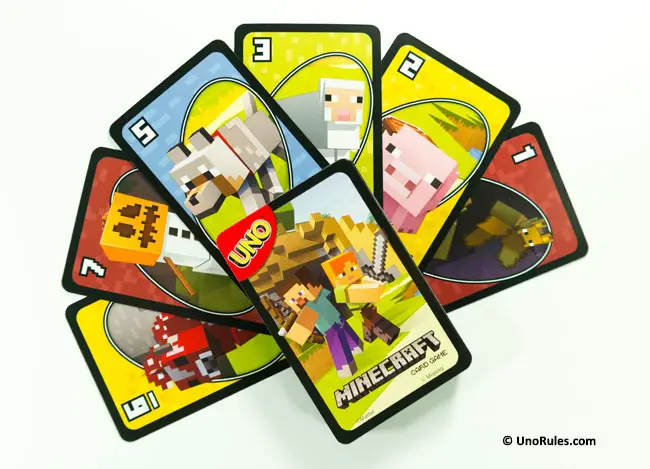
Uno Minecraft cards
Alternative Scoring System
An alternative scoring system proposed by Mattel is to keep a running tally of the points for each player at the end of every round. When someone hits 500 points, the player with the lowest points is the winner instead.
Components
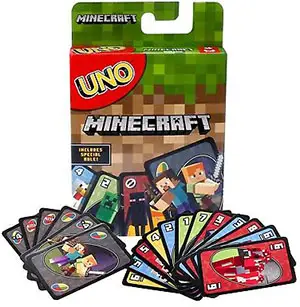
- 19 Blue cards
- 19 Green cards
- 19 Red cards
- 19 Yellow cards
- 8 Draw Two cards
- 8 Reverse cards
- 8 Skip cards
- 4 Wild cards
- 4 Wild Draw Four cards
- 4 Creeper Cards
Object of the Game
Be the first player to get rid of all of your cards in each round and score points for the cards your opponents are left holding. Points in rounds accumulate and the first player to reach 500 points wins.
Setup
1. Each player draws a card; the player that draws the highest number deals (count any card with a symbol as zero).
2. The dealer shuffles and deals each player 7 cards.
3. Place the remainder of the deck facedown to form a DRAW pile.
4. The top card of the DRAW pile is turned over to begin a discard pile.
Let’s Play
The person to the left of the dealer starts play.
On your turn, you must match a card from your hand to the card on the top of the DISCARD pile, either by number, color or symbol (symbols represent Action Cards).
Example: If the card on the discard pile is a blue 7, the player must put down a blue card OR any color 7. Alternatively, the player can put down a Wild card.
If you don’t have a card that matches the one on the discard pile, you must take a card from the DRAW pile. If the card you picked up can be played, you are free to put it down in the same turn. Otherwise, play moves on to the next person in turn.
You may also choose NOT to play a playable card from your hand. If so, you must draw a card from the DRAW pile. If playable, that card can be put down in the same turn, however you may not play any other card from your hand after the draw.
Functions of Action Cards
Draw Two Card

When you play this card, the next player must draw 2 cards and miss their turn. This card may only be played on a matching color or on another Draw Two card. If turned up at the beginning of play, the same rule applies.
Reverse Card

When you play this card, the direction of play reverses (if play is currently to the left, then play changes to the right, and vice versa). This card may only be played on a matching color or on another Reverse card.
If this card is turned up at the beginning of play, the dealer goes first, then play moves to the right instead of the left.
Skip Card

When you play this card, the next player is «skipped» (loses their turn). This card may only be played on a matching color or on another Skip card.
If a Skip card is turned up at the beginning of play, the player to the left of the dealer is «skipped», hence the player to the left of that player starts play.
Wild Card

When you play this card, you get to choose the color that continues play (any color including the color in play before the Wild card was laid down).
You may play a Wild card on your turn even if you have another playable card in your hand. If a Wild card is turned up at the beginning of play, the person to the left of the dealer chooses the color that continues play.
Wild Draw 4 Card

When you play this card, you get to choose the color that continues play PLUS the next player must draw 4 cards from the DRAW pile and lose their turn.
However, there is a hitch! You may only play this card when you do NOT have another card in your hand that matches the COLOR on the DISCARD pile (but it is acceptable to play this card if you have matching number or Action Cards). If turned up at the beginning of play, return this card to the deck and pick another card.
Note: If you suspect that a Wild Draw 4 card has been played on you illegally (i.e. the player has a matching card), then you may challenge that player. The challenged player must show you (the challenger) their hand.
If guilty, the challenged player must draw the 4 cards instead of you. However, if the challenged player is innocent, you must draw the 4 cards PLUS an additional 2 cards (6 total)!
Creeper Card
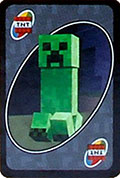
When you draw this card from the Draw Pile, you must immediately show it all the other players. Next, you have to draw 3 additional cards from the draw pile and add them to your hand.
If one of these 3 additional cards is also a creeper card, do not show it to the other players, simply keep it in your hand and use it as you would a regular wild card. The Creeper Card is also a wild card, so you choose the color that resumes play.
If this card is turned up at the beginning of play, the person to the left of the dealer chooses the color that begins play.
Going Out
When you play your next-to-last card, you must yell «UNO» (meaning «one») to indicate that you have only one card left. If you don’t yell «UNO» and you are caught before the next player begins their turn, you must draw two cards.
Once a player has no cards left, the round is over. Points are scored (see SCORING) and play starts over again.
If the last card played in a round is a Draw Two or Wild Draw Four card, the next player must draw the 2 or 4 cards respectively. These cards are counted when the points are totaled.
If no player is out of cards by the time the DRAW pile is depleted, the discard pile is reshuffled and play continues.
Scoring
The first player to get rid of their cards in a round receives points for all of the cards left in their opponents’ hands as follows:
- All number cards (0-9) :Face Value
- Draw Two: 20 Points
- Reverse: 20 Points
- Skip: 20 Points
- Wild: 50 Points
- Wild Draw Four: 50 Points
- Creeper: 50 Points
Once the score for the round has been tallied, if no player has reached 500 points, reshuffle the cards and begin a new round.
End of the Game
The winner is the first player to reach 500 points.
Other Uno Games
- UNO Angry Birds
- UNO Attack
- UNO Blast
- UNO Boom-o
- UNO BTS
- UNO ColorAdd
- UNO Emoji
- UNO Dare
- UNO Dice
- UNO Chicago Cubs
- UNO Flash
- UNO Flip
- UNO Frozen II
- UNO Harry Potter
- UNO Monster High
- UNO MOD
- UNO Moo
- My First UNO
- UNO Original
- UNO Power Grab
- UNO Roboto
- UNO Royal Revenge Game
- UNO The Lion King
- UNO Spin
- UNO Splash
- UNO Stacko
- UNO Super Mario
- UNO Tippo
- UNO Unocorns
- UNO Wild Jackpot
Continue Reading
Uno Minecraft Rules is a themed version of the popular card game Uno featuring characters and items from the hit video game Minecraft. Players use Minecraft-inspired cards to match numbers and colors, with unique Mob, Tool, and Block cards adding unique twists. Uno Minecraft combines the familiar fun of Uno with the blocky world of Minecraft for an engaging experience for fans of either game.
How to Play Uno Minecraft
The goal of Uno Minecraft is the same as classic Uno is to get rid of all your cards first by matching the current card shown on the discard pile. But Uno Minecraft adds thematic Minecraft cards that give players special abilities and change the rules, making for more interactive gameplay. Strategy and luck both come into play in this mashup of beloved games.
Uno Minecraft Components
The key components of Uno Minecraft are:
- A deck of 112 custom Uno Minecraft cards consisting of:
- Number cards from 0 to 9 in 4 colors (red, blue, green, yellow)
- Draw 2 cards
- Reverse cards
- Skip cards
- Wild cards
- 4 different Mob cards (Zombie, Skeleton, Creeper, Enderman)
- 4 different Tool cards (Sword, Pickaxe, Axe, Shovel)
- 4 different Block cards (Dirt, Stone, Wood, TNT)
- Instructions sheet with details on all special cards
There are typically 108 cards in the Uno Minecraft deck totals around 108 Minecraft Uno cards (40 + 14 + 12 = 66 set cards) on the Minecraft Uno cards deck. The variable weapon and resource cards add to this base count, but the exact deck size can range from around 100 to 120 cards, depending on how many variable cards are included.
Block Color Cards
These are the standard number cards 0-9 but themed after Minecraft block colors instead of the standard Uno colors. There are 10 cards for each number in 4 block colors:
- Stone
- Diamond
- Wood
- Gravel
These Uno Minecraft Cards are total 40 in the deck (10 cards x 4 block colors = 40 cards)
Minecraft Uno Action Cards
The action cards are themed after Minecraft items instead of standard Uno action cards.
Examples of action cards include:
- Pickaxe Draw 2
- Ender Pearl Skip
- TNT Wild
There are typically 14 action cards on the deck, though the exact number can vary.
Minecraft Uno Mob Cards
- The mob cards represent various mobs found in Minecraft like zombies, creepers, spiders, etc.
- When a mob card is played, the targeted player must defeat the mob using a matching weapon card.
- If the mob is defeated, the player receives a bonus resource reward.
- There are 12 mob cards in the Uno Minecraft deck.
Minecraft Uno Weapon Cards
- Players need matching weapon cards to defeat mob cards when they are played.
- Examples of weapon cards include swords, bows and arrows, and TNT.
- There is no set number of weapon cards – they are included as needed to match the mob cards.
Bonus Resource Cards
- Players receive these after defeating a mob card.
- Examples of rewards include XP levels, diamonds, emeralds, etc.
- Like weapon cards, there is no set number of resource cards – they are included to match the mob cards.
Uno Minecraft Set up
To set up Uno Minecraft, shuffle the full deck of 112 cards thoroughly. Deal 7 cards to each player and place the remaining deck face down – this is the draw pile. Flip over the top card of the draw pile to begin the discard pile.
Review the functions of the Mob, Tool and Block cards so all players understand their unique effects. Otherwise, normal Uno rules apply. Discard and draw piles are used until someone wins by playing their last card.
Uno Minecraft Rules OR Minecraft Uno Rules
Uno minecraft rules easy follows the basic rules of Uno but adds Minecraft-themed block colors, action cards, mob cards, weapon cards, and resource rewards to create a blocky adventure within each game. The first player to yell “Minecraft Uno!” after emptying their hand wins.
Here are the rules to play Uno minecraft card game:
- Shuffle the deck and deal 7 cards to each player. Place the remaining cards face down to form the draw pile. Flip over the top card to start the discard pile.
- The objective is the same as standard Uno – match cards by block color or number and be the first player to discard all cards in your hand.
- On your turn, play a card that matches either the block color or a number of the top discard pile card.
- When unable to make a match, you can choose to play an action card or draw a card from the draw pile, which will bring your turn to a close.
- Action cards work similarly to standard Uno but have Minecraft-themed effects:
Pickaxe Draw 2: The next player draws 2 cards
Ender Pearl Skip: Skips the next player’s turn.
TNT Wild: Acts as any block color of your choice.
- When a mob card is played, the targeted player must defeat it by playing a matching weapon card.
- If the mob is defeated, that player receives a bonus resource card as a reward.
- The game continues until one player successfully discards all their cards and yells “Minecraft Uno!”
- That player wins any bonus resource cards still in other players’ hands.
The strategy involves managing weapons and resource cards to defeat mobs and acquire valuable resources.
Additional Details
Uno Minecraft TNT card
The TNT card in Uno Minecraft acts like a Wild card, allowing the player to choose any block color. It has an explosive TNT Minecraft theme.
Uno Minecraft Creeper Card
The Creeper card represents the Creeper mob from Minecraft. When played, the targeted player must defeat the Creeper using a matching weapon card to avoid it “blowing up”.
Uno Minecraft Map
Some versions of Uno Minecraft include custom Minecraft-themed gameboards shaped like in-game maps. Players move their tokens along the map as they match cards.
TNT Uno Minecraft
TNT cards in Uno Minecraft act as Wild cards, letting the player choose any block color. They represent the block-destroying TNT items commonly used in Minecraft for explosive purposes.
Uno Minecraft Ender Dragon
Some versions of Uno Minecraft include an Ender Dragon mob card. When played, all players must work together to defeat the Ender Dragon using weapon cards in order to prevent the player’s hands from burning.
Uno Minecraft Instructions
Gameplay in Uno Minecraft follows standard Uno rules with some key additions from the themed cards with the given minecraft instructions:
- Play cards of matching numbers or colors on the discard pile. If no match, draw from the draw pile.
- Special cards have unique effects:
- Mobs allow you to swap hands with another player or draw 2 cards.
- Tools let you draw new cards or play out of turn.
- Blocks change the rules by reversing the direction of play or choosing a new color or number needed to play.
- Wild cards functions the same, allowing you to choose a new color or number of plays.
- Draw 2, Reverse and Skip cards work as in classic Uno.
- When the draw pile empties, reshuffle the discard pile to form a new draw pile.
- First player to discard all their cards wins!
The themed Mobs, Tools, and Blocks cards add extra interactivity and chaos to Uno Minecraft. Players can disrupt each other using Mobs and Tools, while Blocks create rule changes that all must follow. The strategy involves using special cards at the right time to help yourself and hinder opponents. But with so much potential disruption, luck also plays a key role.
Winning at Uno Minecraft
The first player to successfully get rid of all their cards by playing correct matches and following any rules changes wins the game. By following the gameplay instructions and rules and Proper use of special Mobs, Tools, and Blocks cards is key to victory in Uno Minecraft!
My Thoughts on Uno Minecraft
Uno Minecraft Cards combines the familiar fun of Uno with the popular world of Minecraft. The special themed cards add extra interactivity and chaos that generates more laughs and engagement around the table. The mix of strategy and luck means players of all skill levels can enjoy and win at Uno Minecraft.
The extra chaos and disruption do come at the cost of a more advanced strategy, however. Experienced Uno players may miss more complex decision-making. And too much randomness could frustrate some after repeated plays. But in moderation, Uno Minecraft offers an amusing all-ages experience that brings people together.
Should You Buy Uno Minecraft?
Uno Minecraft offers a fun mashup of two beloved games at an affordable price. For Uno fans, Minecraft fans, or those looking for an all-ages party game, Uno Minecraft could be a great addition to your collection. The extra chaos and laughs it provides around the table are well worth the small investment.
However, if you already own classic Uno, you may not get enough added value from the Minecraft version for the cost. And experienced players looking for more strategic options may prefer other niche Uno decks. For the best experience, I would recommend Uno Minecraft primarily for casual players and as an alternate Uno option for occasional shakes up in gameplay.
Conclusion
Uno Minecraft succeeds as an amusing twist on a familiar classic Uno that brings people together. While extra chaos reduces strategy, the fun interactions and engagement the mashup generates are worthwhile. For an affordable family game or casual party option, Uno Minecraft could be ideal. But for advanced players seeking skill-based options, the classic Uno deck may be preferable as a primary choice.
Uno Versions
- Uno Attack
- Uno Flip
- Uno Flash
- Uno Splash
- Uno all Wild
- Uno Emoji
- Uno Spin
- Uno Moo
- Uno Dare
- Uno Spin
FAQs
How do you play minecraft uno?
You can play Minecraft Uno like standard Uno but with Minecraft-themed cards, objectives, and mechanics. The first player to discard all cards and yell “Minecraft Uno!” wins.
what does the tnt card mean in minecraft uno?
The TNT card acts like a Wild card, letting the player choose any block color. It represents the block-destroying TNT items used in Minecraft for explosive gameplay.
what does the creeper card do in minecraft uno?
The Creeper card represents the Creeper mob. When played, the targeted player must defeat the Creeper using a matching weapon card to avoid it “blowing up”.
what does tnt mean in minecraft uno?
TNT cards act as Wild cards, allowing the player to choose any block color. They represent TNT items commonly used in Minecraft for explosive purposes.
what does the creeper do in minecraft uno?
The Creeper card represents the Creeper mob from Minecraft. When played, the targeted player must defeat the Creeper using a matching weapon card.
What are resource cards?
Resource cards are rewards players get for defeating mob cards. They resemble Minecraft resources like XP, diamonds, and emeralds.
What are weapon cards?
Weapon cards are used to defeat mob cards. They resemble items that can damage mobs in Minecraft like swords, bows, and TNT.
What are mob cards?
Mob cards represent hostile mobs from Minecraft like Creepers, zombies, and spiders. When played, another player must defeat the mob using a weapon card.
What are the block color cards?
The block color cards are number cards 0-9 themed after Minecraft block colors instead of standard Uno colors.
What are the action cards?
The action cards resemble items from Minecraft and have effects like drawing cards, skipping turns, or acting as Wild cards.
What are the block color cards?
The block color cards are number cards 0-9 themed after Minecraft block colors instead of standard Uno colors.
What’s the objective of Uno Minecraft?
The objective is the same as standard Uno – match cards by block color or number and be the first player to discard all cards, yelling “Minecraft Uno!” to win.
Does Uno Minecraft use a gameboard?
Some versions include a Minecraft-themed gameboard shaped like an in-game map. Players move their tokens along it as they match cards.
UNO Minecraft How to Play Quick Links: | Objective | Playing the Game | Card Meanings | Calling UNO | Winning the Game | Optional Scoring
Objective of UNO Minecraft
The objective of UNO Minecraft is to be the first player to get rid of all of the cards from your hand.
- Choose a player to be the dealer. They will shuffle all of the cards.
- The dealer deals seven cards face down to each player. You can look at the cards that you are dealt, but you shouldn’t show them to the other players.
- Place the rest of the cards face down on the table to form the Draw Pile. Flip over the top card from the Draw Pile to form the Discard Pile. If the flipped card is an action card (not a number card), ignore it and flip over another card.
- The player to the left of the dealer starts the game. Play proceeds clockwise to start the game.
Playing UNO Minecraft
On your turn you are trying to play a card from your hand to the Discard Pile. In order to play a card it must match at least one of the following:
- Color
- Number
- Symbol
If a card matches one of the previous criteria, you can play it to the Discard Pile. You can only play one card on your turn. If you play an Action card, you will take the corresponding action. See the Cards of UNO Minecraft section below.


If you do not have any cards in your hand that match the card on the top of the Discard Pile, you cannot play a card. Instead you will draw the top card from the Draw Pile. If the card you just drew matches one of the criteria of the top card from the Discard Pile, you can play it immediately.
Should the Draw Pile run out of cards, you will shuffle the cards in the Discard Pile in order to form a new Draw Pile.
While you normally want to play a card whenever you can, you can choose to not play a card on your turn even if you have one that you can play. In this case you will draw a card from the Draw Pile. After you draw a card, the only card you can potentially play on your turn is the card that you just drew.
After you have drawn or played a card, your turn ends. The next player in turn order takes their turn.
The Cards of UNO Minecraft

Number Cards
Number cards do not have any special abilities. You can only play the cards if they either match the color or number of the top card from the Discard Pile.

Draw Two
When you play a Draw Two card the next player in turn order draws two cards from the Draw Pile. They will also lose their turn.

Reverse
Playing a Reverse card reverses the direction of play. If turn order was moving clockwise, it will now move counter-clockwise. If it was moving counter-clockwise, it will now move clockwise.

Skip
When you play a Skip card, the next player in turn order loses their turn.

Wild
Wild cards match every other card in the game. Therefore you can play them at any time. Additionally the player that plays a Wild card gets to choose the color of the Discard Pile.

Wild Creeper (TNT)
Whenever you draw a Wild Creeper card (TNT) from the Draw Pile you must immediately show it to the other players. As a punishment for drawing the card, you must draw three additional cards from the Draw Pile. If any of these additional cards are also Wild Creeper Cards (TNT), you do not have to show them to the other players or draw additional cards.

After the Wild Creeper card is in your hand, it acts like a normal Wild card.

Wild Draw Four
A Wild Draw Four acts like a Wild card. It matches every color and you get to choose the color of the Discard Pile when you play it.
The Wild Draw Four does differ from a normal Wild in a couple ways though. While the card matches every other card in the game, you can only play the card when you have no other cards in your hand that match the color of the Discard Pile. Wild cards count as matching the Discard Pile’s color.
When a Wild Draw Four card is played, the next player in turn order has two options.
First they can accept the play of the card. They will draw four cards from the Draw Pile and they will lose their turn.
Challenging A Wild Draw Four
Otherwise they can challenge the play of the card. If they decide to challenge the play of the card, the player who played the Wild Draw Four shows them all of the cards from their hand. What happens next depends on whether the Wild Draw Four was played correctly.
If the player played the card correctly (they had no cards in their hand that matched the color of the Discard Pile), the challenge fails. The challenging player has to draw six cards instead of four. They also lose their turn.

If the player played the card incorrectly (they had a card in their hand that matched the Discard Pile’s color), the challenge is successful. The player that played the Wild Draw Four card is forced to draw the four cards. The next player in turn order does not have to draw any cards, and they do not lose their turn.

Calling UNO
Whenever you only have one card left in your hand, you need to call out “UNO”. This is to let the other players know that you are close to winning the game.

If you do not say UNO and another player catches you not saying it, you will be forced to draw two cards from the Draw Pile. To challenge a player you must call them out before the next player starts their turn.
Winning UNO Minecraft
The first player to play all of the cards from their hand, wins UNO Minecraft.
Optional Scoring
If you would like to play multiple hands of UNO Minecraft, you can choose to use the optional scoring rules.
When a player wins a hand, they will collect all of the cards left in the other players’ hands. The winner of the hand then scores points for each card:
- Number Cards: Face Value
- Skip, Reverse, Draw 2: 20 points
- Wild, Wild Draw 4, Wild Creeper: 50 points

Each player keeps a running total of the points they have earned from previous hands. The first player to reach 500 or more points wins the game.

UNO Minecraft
Year: 2017 | Publisher: Mattel
Genres: Card, Family
Ages: 7+ | Number of Players: 2-10 | Length of Game: 5-60 minutes
Difficulty: Light | Strategy: Light | Luck: High
Components: 19 Blue Number Cards (1-0, 2 of each 1-9), 19 Green Number Cards (1-0, 2 of each 1-9), 19 Red Number Cards (1-0, 2 of each 1-9), 19 Yellow Number Cards (1-0, 2 of each 1-9), 8 Draw Two Cards (2 of each color), 8 Reverse Cards (2 of each color), 8 Skip Cards (2 of each color), 4 Wild Cards, 4 Wild Draw Four Cards, 4 Wild Creeper Cards, Instructions
Where to Purchase: Amazon, eBay Any purchases made through these links (including other products) help keep Geeky Hobbies running. Thank you for your support.
For more board and card game how to plays/rules and reviews, check out our complete alphabetical list of board game posts.
Love Uno and Minecraft? How about playing Uno with a special Minecraft theme? Check out this Uno edition called Uno Minecraft. Created in collaboration with Mojang (the publishers of the game), Uno Minecraft has specially designed cards that display characters unique to Minecraft as well as its own unique Action card – the Creeper card.
Minecraft itself is a highly popular video game, first published by Swedish game developer Markus Persson through his company, Mojang in 2011, and subsequently bought over by Microsoft later on. Since its release, Minecraft has been played by people from all around the world just like Uno, and now we get to play the Minecraft version of Uno!
Well, how different is Uno Minecraft from the standard Uno? Read on to find out.
Starting Up
Uno Minecraft has 112 cards in total, which is a bit more than the usual. 2-10 players may take part in the game. The goal of the game is to discard all your cards before the other players do, and to accumulate a score of 500 points (or a number that everyone is ok with).
Before starting, select a dealer by having each player draw a card from the deck. The one with the highest number (Action cards count as zero) will become the dealer.
The dealer will then give the cards a good shuffle, and deal out 7 cards to each player. The remaining cards become the Draw pile, and the deck is placed face down. The top card is turned over to form the Discard pile and the game will now begin. If that first card is an Action card, refer below on what to do.
Gameplay
The first player to kick things off is usually the player beside the dealer’s left. That player begins by matching his or her cards in hand with the card on the Discard pile through color, number, or symbol (for Action cards). For example, if the card on the Discard pile is a blue 3, then the player needs to have either a blue card, or a number 3 card (of any color) to put down on top of that card in the Discard pile. A blue Action card can be played as well. If there is no suitable card, that player needs to draw a new card from the Draw pile, and that card can be played if it’s a match.
It is important to note that you do not have to play any card at all, even if you do have a match. But in that event, you must draw a new card from the Draw pile (as stated above). You do not have to play that drawn card, even if it’s playable. Once you have drawn or discarded/played a card, your turn is over, and it is the next player’s turn to play. In this manner, play proceeds along a clockwise direction, unless changed by a Reverse card.
The goal of every player is to discard all their cards before anyone else, and the general strategy is to impede or slow down other players from doing so.
Action cards
The Action cards are what makes Uno fun, and they are usually used to slow down other players from discarding their cards. Uno would be boring if all the cards were just colored cards with a number, so let’s look at the functions of these Action cards.
From left to right: Wild card, Wild Draw Four card, Skip card, Draw Two card, and Reverse card.
Skip card – This card can only be played on a card of similar color or symbol (another Skip). When you play this card, the next player loses their turn, and play moves on to the following player, who must then match your Skip card with a card of the same color, or another Skip card. If turned up at the start of the game, the first player becomes “skipped” and loses his/her turn.
Reverse card – This card can only be played on a card of similar color or symbol (another Reverse). When you play this card, the direction of play reverses. Clockwise to counter-clockwise (and vice versa). If turned up at the start of play, the first player on the dealer’s left who is supposed to play first, misses their turn and the dealer goes first. Play then continues in a counter clockwise fashion until the direction is changed again with another Reverse.
Draw Two card – This card can only be played on a same color card or another Draw Two card. When you play this card, the next player must draw two cards from the Draw pile and miss their turn. If turned up at the start of play, the first player must draw two cards and skip their turn.
Wild card – This card can be played in place of any color, and you get to pick any color you would like the Wild card to represent. You can play the Wild card even though you have other playable cards. Likewise, if you don’t have any playable card except for a Wild card, you may use it instead. If turned up at the start of play, the first player chooses what color the Wild card will represent, and play continues with that color.
Uno Minecraft Creeper card
Wild Draw 4 card – This card can be played in place of any color just like a Wild card, but there is a caveat. You are not “supposed” to play this card if you have other cards of the same color as the card on the Discard pile. When played legally, the next player must draw 4 cards from the Draw pile and skip their turn. If played illegally, and the next player suspects so, he or she can challenge you to show your hand. If it is proven that you played this card illegally, you must draw 4 cards instead as a penalty. But if the challenger is wrong, the challenger needs to draw 6 cards instead. If turned up at the start of play, return it to the deck, shuffle it, and turn up another card instead.
Creeper card – This card is the unique card for Uno Minecraft. It is considered as a Wild card too, and functions as one. But its function is a little weird. If you draw this card from the Draw pile, you must inform all the other players by showing it to them. After that, you must draw 3 cards from the Draw pile. If one of these cards is also a Creeper card, then you must not show it to anyone – use it as a typical Wild card (use it in place of any color and/or change the color of play). If you already have a Creeper card as one of the initial 7 cards when the game begins, treat it as a Wild card too. If turned up at the start of play, the first player chooses the color to kick off play, just like any normal Wild card.
Don’t forget to say Uno!
When you are about to play your penultimate/second last card, you must yell “Uno” so that the others know that you are about to go out. If you don’t yell “Uno” and someone notices it and catches you before the next player plays anything, you have to draw 2 cards as a penalty.
The round is over when someone discards all their cards. Take note, if that last card played is a Draw Two or Draw Four, the next player must still draw those cards even though the game has ended.
Points are scored as per the scoring system below, by adding up all the card values from the other players.
- All number cards (0-9) – Face value
- Draw 2/Reverse/Skip – 20 points each
- Wild/Wild Draw 4 – 50 points each
- Creeper – 50 points each
The general rule of thumb is to play as many rounds as needed in order to score 500 points, but this is not set in stone, and you can change it to whatever figure you desire, as long as the others agree. The first player to hit 500 points or more is declared the winner.
Uno Minecraft cards
Alternative Scoring System
An alternative scoring system proposed by Mattel is to keep a running tally of the points for each player at the end of every round. When someone hits 500 points, the player with the lowest points is the winner instead.
У́но — американская карточная игра. Название переводится с итальянского и испанского языков как «один». Игра была запатентована в 1971 году Мерлом Роббинсом, а на сегодняшний день права на эту торговую марку принадлежат компании Mattel.
Количество игроков: от 2 до 10. Лучше всего 6-8 игроков.
Время игры: от 20 минут.
Задача: первым скинуть свои карты. На этом данный тур заканчивается и идёт подсчёт очков по оставшимся на руках картам.
Определение победителя или проигравшего
Можно подсчитывать очки двумя способами — как вам больше нравится.
- Игроку, который первым избавился от своих карт, начисляется сумма очков, оставшихся на руках у всех остальных игроков. И так в каждом туре. Выигрывает тот, кто по результатам нескольких туров наберёт 500 очков. Этот вариант стимулирует именно выигрывать тур, то есть первым скидывать свои карты.
- Игрокам записываются очки, посчитанные по оставшимся у них на руках картам (игрок, который первым избавился от своих карт получает ноль очков). И так в каждом туре. Проигравшим считается тот, кто по результатам нескольких туров наберёт 200 очков, остальные выигравшие. Этот вариант стимулирует скорее скидывать наиболее «дорогие» карты.
Разновидности карт и их количество
Всего в колоде 108 карт.
Цифровые карты

«0», «1», «2», «3», «4», «5», «6», «7», «8», «9» четырех цветов.
Карты «0» по одной каждого цвета. Все остальные цифры в двойном количестве. Итого: 4 нуля + (9 цифр × 4 цвета × 2 штуки) = 76 карт.
Активные карты (карты с картинками)

- «Пропуск хода»;
- «+2 карты»;
- «Смена направления».
Каждая карта с картинкой 4-х цветов в двойном количестве. Итого: 3 картинки × 4 цвета × 2 штуки = 24 карты;
Чёрные активные карты

- «Смена цвета»;
- «Смена цвета и +4 карты».
По 4 карты каждого вида. Итого: 2 разновидности × 4 штуки = 8 карт.
«Стоимость» карт
- Цифровые карты — по номиналу 0, 1, 2, 3, 4, 5, 6, 7, 8 или 9 очков.
- Активные карты («Пропуск хода», «Смена направления», «+2 карты») — 20 очков.
- Черные активные карты («Смена цвета», «Смена цвета и +4 карты») — 50 очков.
Раздача карт
В начале игры каждому раздаётся по 7 карт (в тёмную, естественно). Последняя карта выкладывается раздающим в центр стола лицом вверх. Карта может быть только цифровая. Карты с картинками и черные карты на роль первой карты не годятся. При необходимости из колоды выкладывается следующая карта, а «негодная» карта кладется в колоду.
Игра
Игра начинается по часовой стрелке. Первым ходит игрок после раздающего (раздающий каждый тур меняется, обычно по часовой стрелке). Во время своего хода игрок имеет право выложить одну карту на центральную карту по следующим правилам:
- или карта должна быть того же цвета;
- или карта должна иметь ту же цифру или ту же картинку (быть активной картой);
- или быть чёрной активной картой.
При отсутствии подходящий карты игрок берёт одну карту из колоды (в тёмную). Если карта удовлетворяет указанным выше условиям — игрок может выложить карту на центральную карту, если не удовлетворяет — игрок оставляет карту себе, говорит «Пас» и ход переходит к следующему игроку.
Игра продолжается до тех пор, пока кто-то один из игроков не скинет все карты. После этого происходит подсчёт очков по оставшимся на руках картам («стоимость» карт была описана чуть выше).
Описание карт
Цифровые карты
Просто цифры.
Примечание. Для того, чтобы можно было отличить карты с цифрами «6» и «9», они выполнены с подчеркиванием цифры снизу.
Активные карты (карты с картинками)
«Пропуск хода»

Следующий игрок пропускает свой ход.
Игрок может «спастись» от действия этой карты только выложив точно такую же карту (тот же цвет, та же картинка), то есть, выполнив «Перехват хода» (описано ниже в специальных правилах).
«+2 карты»

Следующий игрок берёт из колоды две карты (в тёмную) и пропускает свой ход.
Игрок может «спастись» от действия этой карты выложив свою карту «+2 карты» любого цвета. Действия карт «+2 карты» не суммируются, и последний игрок, на котором закончилась цепочка, берёт из колоды всего две карты и пропускает свой ход.
«Смена направления»

Направление хода меняется на противоположное. Например, если было по часовой стрелке, после выкладывания карты «Смена направления» будет против часовой стрелки.
При выкладывании нескольких карт «Смена направления» (эта также может произойти при «Перехвате хода») их действия суммируются. Например, две карты «Смена направления» не оказывают никакого воздействия — ход продолжается в том же направлении что и раньше, три карты «Смена направления» меняют направление хода на противоположное и т.д.
Черные активные карты
«Смена цвета»

Позволяет поменять игроку текущий цвет (на любой, в том числе и на текущий цвет). Следующий игрок должен положить любую карту заданного цвета. Для того чтобы выложить карту «Смена цвета» игроку не требуется никаких специальных условий, в отличие от следующей карты «Смена цвета и +4 карты».
«Смена цвета и +4 карты»

Может быть выложена игроком только в свой ход и только в том случае, если у игрока (1) отсутствует текущий цвет (причём текущая цифра/активные карты/чёрная активная карта «Смена цвета» могут и присутствовать — это не важно, главное отсутствие текущего цвета). Одновременно с выкладыванием этой карты необходимо заказать цвет (может быть любой, в том числе и текущий цвет). Следующий игрок (2) берёт из колоды четыре карты (в тёмную) и пропускает ход.
Игрок 2 может «спастись» от действия этой карты только выложив карту «+2 карты» нового заказанного цвета (далее всё идёт как обычно со стандартным действием карты «+2 карты»).
Проверка на честность. Если игрок 2, на которого направлено действие «Смена цвета и +4 карты», подозревает, что его обманывают и у игрока 1, выложившего эту карту, на самом деле есть текущий цвет, он может попросить предъявить игрока 1 свои карты. Если подозрения обоснованы, игрок 1 забирает свою карту «Смена цвета и +4 карты» себе обратно, берёт четыре карты из колоды (в тёмную), пропускает ход (фактически на игрока 1 перешло действие карты «Смена цвета и +4 карты»). Если подозрения были напрасны, игрок 2 берёт полагающиеся ему четыре карты из колоды, а также ещё две карты за недоверие и пропускает ход.
Правило вежливости. Игра продолжается только после того, как игрок рассортирует свои новые четыре карты и скажет «Готов».
Игрок обязан предупредить, что у него осталась одна карта и возможно он скоро закончит игру. Выкладывая предпоследнюю карту (пока он её ещё не отпустил), игрок должен успеть сказать «УНО!» (что по-итальянски значит «один»). Если игрок этого не делает, «добрые друзья» (или один друг) могут заметить это и напомнить «УНО!». Друзья должны успеть это сделать от момента отпускания игроком своей предпоследней карты до начала хода следующего игрока (выкладывание карты или вытягивание карты из колоды). За забывчивость игрок, вовремя не сказавший «УНО!», берёт из колоды две карты (в тёмную).
Примечание. Игроки не имеют права скрывать количество карт в руке (то есть, собирать стопочкой или прятать под стол). Друзья должны быть всегда в курсе, чтобы помочь забывчивому игроку.
Штрафы
При большом количестве ошибок, ляпов, мухляжа, невнимательности может быть введено дополнительное правило — при любой ошибочно выложенной карте, ложном крике и т.п. игрок берёт из колоды две карты (в тёмную).
Специальные правила (дополнения к основным правилам)
Данные правила не являются обязательными и могут быть введены дополнительно, если стандартные правил оказалось недостаточно.
Перехват хода
Игрок может пойти вне очереди, если у него есть точно такая же карта, которая лежит верхней в колоде. Точно такая же карта — это значит одновременное соблюдение двух условий:
- Тот же цвет.
- Та же цифра, или та же картинка, или чёрная карта «Смена цвета».
Далее ход продолжается в текущем направлении, начиная от игрока, перехватившего ход.
Внимание! Эти условия не распространяются на карту «Смена цвета и +4 карты» — она выкладывается только в свой ход.
Примечание. Перехват хода не работает в начале игры, когда на центр выложена первая карта колоды. В начале игры право хода имеет только игрок, после раздающего.
Выкладывание двух одинаковых карт
Если у игрока есть две одинаковые карты, игрок в свой ход может выложить первую из одинаковых карт и сразу же сам выполнить «Перехват хода» точно такой же картой.
Но две одинаковые карты нельзя выкладывать сразу одним движением руки, только поочерёдно: одну карту, потом другую карту. Соответственно, у следующего игрока будет возможность положить карту в свой ход, не дав игроку выполнить «Перехват хода».
«Семь-ноль»
- Каждый раз, когда выпадает «0», все участники передают свои карты соседним игрокам по направлению игры.
- Каждый раз, когда выпадает «7», игрок, который положил «7», обменивается картами с одним из игроков по своему выбору.
UNO с накоплением
- Когда игрок кладёт карту «+2 карты», следующий игрок тоже может положить карту «+2 карты», и тогда третий по счёту игрок должен взять четыре карты.
- Те же правила применяются к картам «Смена цвета и +4 карты»: когда один игрок кладёт карту «Смена цвета и +4 карты», следующий игрок тоже может положить карту «Смена цвета и +4 карты», и тогда третий по счёту игрок должен взять восемь карт. Последний из игроков, который положил очередную карту «Смена цвета и +4 карты», заказывает цвет. Если игрок положил карту «Смена цвета и +4 карты» не по правилам и его «поймали», применяются обычные правила, но сумма штрафа возрастает в зависимости от числа использованных карт.
- Играющие могут класть карты «+2 карты» или «Смена цвета и +4 карты» до тех пор, пока они у них не закончатся. Например, если 4 игрока подряд положили карты «+2 карты», следующий игрок (у которого нет карты «+2 карты») должен взять восемь карт.
- Игрок может положить за один ход только одну карту «+2 карты» или «Смена цвета и +4 карты», даже если у него на руках несколько таких карт.
Silent Two’s
Каждый раз когда кто-то выкладывает «2», все должны сохранять молчание до тех пор, пока ход опять не вернется к тому же человеку, который выложил эту двойку. Тот кто нарушил молчание — берет две карты в руку, сразу после этого молчание считается прерванным.
Существует небольшое усовершенствование этого правила, так как не все могут четко следить, когда выкладывается «2», а потом и вовсе бывает, что все забывают — кто ее собственно положил и когда можно начать говорить. Поэтому, роль двойки могут взять на себя черные карты. Каждый раз, когда игрок выкладывает черную карту (простую или +4) и заказывает цвет, все должны сохранять молчание до тех пор, пока этот заказанный цвет кто-нибудь не сменит, или пока кто-нибудь не нарушит молчание и не возьмет две штрафные карты. Кашель, смех, крики «УНО!» и оспаривание карты «+4» не считаются нарушением тишины.
Обмен карты
Игрок, положивший «5», может (по своему желанию) поменяться одной картой с любым игроком. Причём каждый из меняющихся выбирает какую карту отдать.
«Ленивый» подсчёт очков
Победителя и проигравшего вычисляют при каждом туре игры. Победителем считается тот, кто первым скинул свои карты — и он начинает ход в следующем туре. Проигравшим считается тот, у кого на руках остались карты на максимальное количество очков — он сдаёт карты для следующего тура.
Плюсы такого подсчёта:
- не нужна ручка-бумажка, чтобы подсчитывать сумму для каждого игрока по каждому туру;
- очки по оставшимся на руках картам считают только те, у кого их явно много;
- прерваться можно после каждого тура, не дожидаясь когда сумма очков у кого-то достигнет определённой отметки.
UNO в центр
Тот, кто кладёт предпоследнюю карту и кричит «УНО!», не убирает руку с положенной карты. Другие игроки должны успеть положить свои руки поверх руки крикнувшего «УНО!». Последний берёт 2 карты.
Смена цвета по кругу
При выкладывании чёрных карт («Смена цвета» и «Смена цвета и +4 карты») смена цвета происходит автоматически на тот цвет, который нарисован на этих картах следующим по кругу после текущего. Например, игра идёт по часовой стрелке, текущий цвет красный. После выкладывания чёрной карты, текущим цветом становится синий. Или, например, игра идёт против часовой стрелке, текущий цвет жёлтый. После выкладывания чёрной карты, текущим цветом становится зелёный.
+10
Запасным картам-пустышкам (которых в колоде 4 штуки) можно присвоить значение «+10 карт», соответственно, следующий игрок должен взять 10 карт. Подстава в этом случае в том, что человек берет 10 карт, а в них с высокой долей вероятности оказывается «+2», «+4» или такая же «+10». Этот человек заставляет уже другого взять много карт, и так по кругу. Однако закончить игру в таких условиях почти нереально.
Реверс
Карта «Смена направления» нужного цвета возвращает обратно действие активных карт и даже чёрной карты «Смена цвета и +4 карты»! Например, игрок (1) положил карту «+2 карты», другой игрок (2) картой «Смена направления» возвращает действие карты «+2 карты» на 1 игрока и уже тот должен взять 2 карты (или «спастись» каким-нибудь способом).
До последнего
После того, как 1 игрок скинет все карты, игра не заканчивается, а продолжается до последнего игрока. Соответственно, выигрывает 1-й игрок, а проигрывает последний игрок. И когда в конце игры остаются два игрока, можно применять красивые комбинации (например, при помощи карт «Пропуск хода» и «+2 карты» ходить дважды, трижды и т.д.).
UNO в 7 раундов
После того как какой-нибудь игрок избавился от своих первоначальных 7 карт, игра приостанавливается, он берёт в руку из колоды 6 новых карт и продолжает игру. В следующий раз, когда у него закончатся карты, он набирает в руку 5 карт и т.д. И так до тех пор пока он не возьмёт всего одну карту и не избавится от нее.
Сбрось ноль
Если при подсчёте очков у игрока на руках осталась единственная карта «0», то её стоимость не ноль очков, а 50. Это создаёт дополнительные сложности владельцам нулевых карт в конце игры.
Для игры UNO H2O: «+1» и «+2»
Правило для игры, основываясь на игре 101. Правило «+1» и «+2» (для колод UNO H2O, где есть «+1 карта» и «Смена цвета и +2 карты»). Если игрок кладет последнюю карту «+1», то от общего счета у него отнимается 20 очков, если «Смена цвета и +2 карты» — то от счета отнимается 40 очков.
Как и в обычном UNO, который вы наверняка любите, геймплей UNO Minecraft включает в себя гонки, чтобы быстрее остальных игроков избавиться от всех своих карт. Но в этой версии карты — с персонажами и изображениями локаций Minecraft, а еще есть специальное правило!
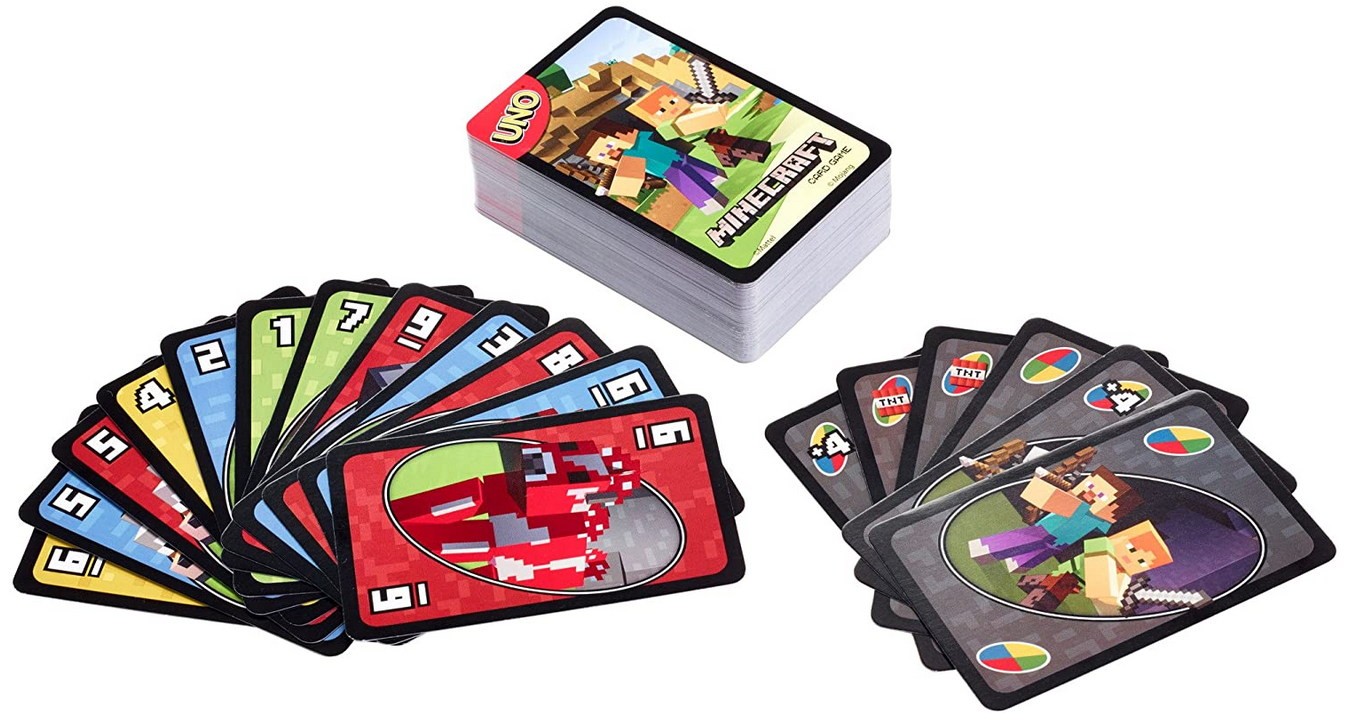
В UNO Minecraft есть и новый тип экшн-карты: когда вы получаете карту Creeper, покажите ее другим игрокам, и им придется взять еще три карты, и затем вы выбираете цвет!
Аспект Minecraft удерживает интерес и позволяет научить играть в Уно тех детей, кто раньше не интересовался играми.
- Все версии UNO
Вам нужно выкладывать карту с руки, соответствующую текущей карте в верхней части колоды на столе. Вы будете набирать очки за карты, которые остались у ваших оппонентов. Первый игрок, достигший 500 очков, побеждает.
Уно — это настольная игра от Mattel, версий которой существует на сегодня довольно много.
Когда у вас остается одна карта, не забудьте прокричать «УНО!» Иначе придется взять штрафных карт.
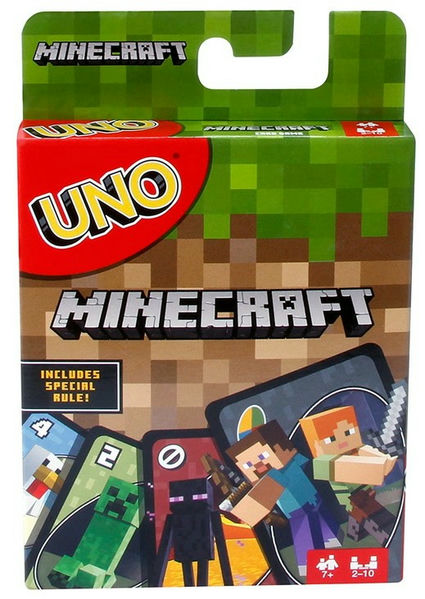
В целом, это обычное UNO, но с картинками Minecraft и добавленной картой Creeper. Карты крепкие, прочные, долговечные. Для поклонников Майнкрафта — наилучший вариант.
Конечно, UNO — это просто веселая карточная игра, но для многих родителей будет приятной возможностью послушать от ребенка разные истории про Minecraft. Новые возможности для семейного общения.
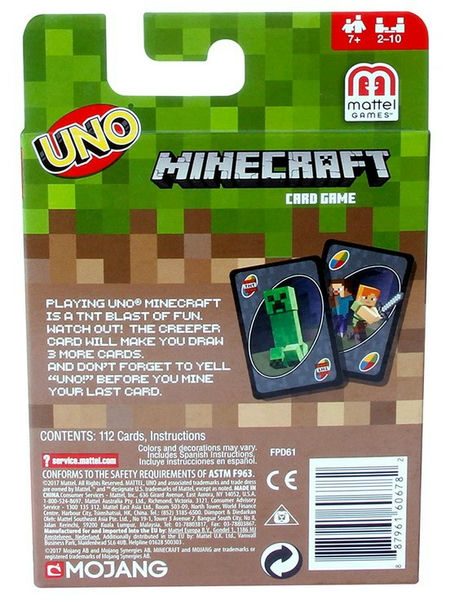
Игра для 2-10 игроков.
Возраст: 7+.
Содержание
- Как сделать уно в майнкрафт
- Что такое уно в майнкрафт
- Как получить материалы для создания
- Как построить уно
- Как запустить уно
- Как использовать уно
- Советы для использования уно
- Примеры использования уно в игре
- Вопрос-ответ
- Какие материалы нужны для создания уно в майнкрафт?
- Как правильно использовать уно в майнкрафт?
- Как создать уно без использования инструментов в майнкрафт?
- Как увеличить скорость движения на уно в майнкрафт?
- Как убить игрока, спускающегося на уно в майнкрафт?
Уно – это креативный блок в игре Minecraft, используемый для создания различных мастерских творений, таких как механизмы автоматической добычи, системы хранения и транспортировки предметов. В этой статье мы расскажем, как сделать уно в Minecraft и дадим несколько советов, которые помогут вам использовать этот блок максимально эффективно.
Первым шагом для создания уно в Minecraft является добыча необходимых ресурсов. Для создания уно вам понадобится камень-незеракт, который можно добыть в нижних слоях мира либо купить у жителей в деревнях. Также понадобится 7 кристаллов кварца, которые можно добыть в нижнем мире либо в рудных жилах в верхнем мире.
После добычи необходимых ресурсов можно приступать к созданию уно. Мастерская для создания уно состоит из одного блока камня-незеракт внизу и семи кристаллов кварца в форме буквы П сверху. При этом кристаллы кварца должны быть ориентированы вершинами вниз.
Когда уно создан, он может использоваться для построения самых разнообразных сооружений в игре Minecraft. Он может служить как убежищем, так и помещением для автоматической добычи ресурсов. Главное, не забывайте наслаждаться процессом творчества и экспериментировать со своими идеями!
Как сделать уно в майнкрафт
Уно – это вещь, которая может быть очень полезной в майнкрафте, если вам нужна быстрая транспортировка. Она позволяет перемещаться на большие расстояния в удобном для вас направлении.
Для создания уно вам понадобятся слузи, которые могут быть получены при убийстве слаймов. Из слаймов маленького размера вы можете получить слезы слайма, которые используются для создания уно.
Чтобы создать уно, вам нужно смешать 9 слез слайма в крафтинговом столе. Слезы слайма должны быть расположены в виде 3х3 квадрата в центре крафтингового стола. Затем уно появится в результате крафта.
Кроме того, вы также можете найти уно в некоторых подземных крепостях в майнкрафте. Вам нужно искать закрытые сундуки, которые могут содержать уно, а также другие полезные предметы.
Не забывайте, что уно может быть использовано только на твердых поверхностях, таких как земля, гравий, камень и прочие. Вы не сможете использовать уно на лаве, воде или в воздухе. Используйте уно с умом и осторожно, чтобы не попасть в опасную ситуацию.
Что такое уно в майнкрафт
Уно (англ. Elytra) — предмет в игре Minecraft, который позволяет игроку летать. Он появился в версии 1.9. Основные свойства уно:
- Позволяет пролетать на большие расстояния;
- Не обладает всеми функциями крыльев, но обеспечивает относительно безопасный полет;
- Дает возможность избежать падения с большой высоты.
Чтобы использовать уно, необходимо надеть его на спину игрока. Он появляется в инвентаре после победы над Королем Края.
Уно в Minecraft — очень полезный и популярный предмет. Игроки могут использовать его для исследования мира и перемещения в игре, а также для создания уникальных структур и летающих устройств.
Как получить материалы для создания
Для создания уна в Minecraft нужно собрать несколько материалов, которые можно найти по всему миру. Опытные игроки знают, что лучше всего искать эти материалы в глубине земли и на океанских дне.
Один из главных материалов, необходимых для создания уна, это железо. Железные руды можно найти в глубоких шахтах, которые расположены на всех уровнях мира, начиная от 1-го до 63-го. Также возможно найти железо при разрушении железных блоков, которые можно найти в деревнях и маленьких зданиях.
Другой важный материал для создания уна — это доски. Доски можно создать из бревен, которые можно получить, рубя деревья с помощью топора. Также доски можно найти в деревнях и других местах.
Если вы хотите создать корму для своего уна, вам понадобятся рыбы. Рыбы можно ловить, используя удочку. Рыбы можно найти в любых водоемах, но некоторые из них можно найти только в определенных условиях, например, карасей можно ловить только в пресных водах, а треску можно найти только в океанах.
Не забудьте, что вам также понадобятся красители и кожа для создания уна, которые можно получить из разных источников. Например, красители вы можете получить из цветов, а кожа — из убитых животных, таких как коровы или овцы.
Итак, чтобы создать уна в Minecraft, вам нужно собрать несколько различных материалов. Некоторые из них можно найти в глубине земли, а некоторые на поверхности. Ищите их везде, постоянно увеличивая свой запас, пока вы не соберете все, что нужно для создания уна.
Как построить уно
Уно – это типичное судно для японской культуры, которое используют для рыболовных и торговых целей. Постройка уно в майнкрафт может стать занимательным предприятием. Вот пошаговая инструкция, как построить уно в майнкрафт.
Шаг 1:
Выберите нужный размер кораблика и сделайте его каркас. Начертите на земле контуры судна, используя блоки из дерева или камня. Выровняйте каркас, чтобы он был максимально ровным.
Шаг 2:
Наполните каркас корабля блоками, чтобы создать основание судна. Используйте деревянные блоки, чтобы сделать дно, и блоки из камня, чтобы отделать борта.
Шаг 3:
Добавьте мачту и паруса на корабль. Используйте блоки из дерева, чтобы сделать мачту, и блоки из шерсти, чтобы сделать паруса. Вы можете добавить декоративные элементы на мачту, такие как флаги или фонарики.
Шаг 4:
Если вы хотите, чтобы ваш корабль был более функциональным в майнкрафте, добавьте якорь и лестницы. Якорь поможет вашему кораблю останавливаться, а лестницы помогут легче перемещаться по палубе.
В итоге, с помощью этих шагов вы построите стильный и функциональный уно в майнкрафт. Не забудьте поэкспериментировать с декоративными элементами, чтобы сделать свой корабль более заметным и впечатляющим!
Как запустить уно
Уно — это модификация Minecraft, которая предоставляет игрокам новые возможности и элементы для игры. Если вы хотите начать играть в Уно, вам понадобится установить мод и запустить его.
Первым шагом для запуска Уно является скачивание мода. Можно найти дистрибутивы мода на официальных сайтах и в каталогах модов. Убедитесь, что вы скачиваете файлы для версии Minecraft, которую используете.
После того, как вы скачали файлы мода, разархивируйте их в папку с модами в папке Minecraft. Эта папка находится в вашей директории Minecraft и называется «mods».
Когда вы закончили установку мода, запустите игру. Вы должны увидеть новую отправную точку в главном меню игры, которая называется «Уно». Нажмите на нее, чтобы начать играть в Уно.
- Скачайте мод для Уно
- Разархивируйте файлы в папку mods Minecraft
- Запустите игру Minecraft
- Выберите Уно в главном меню игры
Игра в Уно предоставит вам новые возможности и элементы, такие как новые блоки, предметы и возможности. Используйте их, чтобы создать удивительные строения и приключения в мире Minecraft.
Как использовать уно
Уно — это полезный предмет, который может ускорить передвижение по воде в Minecraft. Чтобы использовать уно, сделайте следующее:
- Изготовите уно: Сначала Вам необходимо сделать уно. Для этого Вам понадобится пять шкурок зверя и один блок обсидиана. Поставьте блок обсидиана на землю и используйте пять шкурок на пяти клетках сетки из шкурок, чтобы изготовить уно.
- Поставьте уно: Чтобы вставить уно в воду, встаньте на берег водоема и удерживая уно в руке, щелкните по воде. Уно появится в воде.
- Используйте уно: Когда уно установлено в воде, подойдите к нему и нажмите на клавишу передвижения вперед. Вы начнете двигаться со значительно большей скоростью по воде, чем при обычном плавании.
- Контролируйте движение: Чтобы изменять направление движения на уно, поверните свою камеру в нужном направлении. Однако, управление уно не так просто, как кажется. Вы сможете добиться большей эффективности, если потренируете свои навыки.
Теперь вы знаете, как использовать уно для быстрой перевозки в водной среде. Не забывайте контролировать свое движение и наслаждаться скоростью!
Советы для использования уно
Уно — это удобное и быстрое средство передвижения в Майнкрафте. Однако, чтобы использовать его максимально эффективно, нужно учитывать несколько особенностей.
- Выбирайте правильную траекторию: Уно летит в прямой линии, поэтому лучше использовать его на большие расстояния, чтобы не заблудиться. Если перед вами преграда, лучше обойти ее, чтобы не потерять направление.
- Набирайте скорость: Чтобы уно летел быстрее, нажимайте на него правой кнопкой мыши. Но не забывайте следить за здоровьем и голодом — при нулевых значениях вы можете упасть с уно и получить серьезные травмы.
- Используйте уно в узких пространствах: В узких каньонах, туннелях и других местах, где мало места для передвижения, уно может стать настоящей находкой. Однако, будьте осторожны — если стены будут слишком близко, вы можете застрять или получить урон.
- Не забывайте о строительстве: Уно может быть отличным инструментом для строительства — вы можете быстро перемещаться по большим постройкам и облегчить работу. Однако, будьте осторожны, если вам нужно точно попасть в нужное место — уно может несколько слишком быстро лететь.
Примеры использования уно в игре
1. Ускоренное передвижение
Уно является одним из самых быстрых транспортных средств в майнкрафте. Он способен перемещаться со скоростью до 40 блоков в секунду, что делает его идеальным средством передвижения на большие расстояния. С помощью уно, игрок может легко и быстро проехать через леса, города и даже пустыни.
2. Переноска предметов
Уно также может использоваться для переноски предметов из одного места в другое. Игрок может установить небольшой контейнер на уно, поместить в него предметы и отправиться в путь. Таким образом, игрок может быстро перевезти большое количество предметов без необходимости нескольких поездок.
3. Игровые гонки
Игроки могут использовать уно для устройства игровых гонок по дорогам на сервере. Это может быть отличным способом развлечения для игроков, которые желают испытать свои умения в управлении уно и посоревноваться с другими игроками на сервере.
4. Декорирование
Уно также может использоваться как элемент декора в игре. Игроки могут использовать уно, чтобы создать красивые и оригинальные сооружения, которые будут привлекать внимание других игроков. Один из способов это сделать — установить уно на вершине здания, создавая динамичный и эффектный образ мгновенно.
5. Бой на унаки
Наконец, уно может быть использован для устроения боев на унаках. Игроки могут создавать специальные арены для сражений, где они будут сражаться на унаках. Эта игровая активность может быть очень интересной для игроков, которые хотят почувствовать адреналин, находясь в центре увлекательных боев на унаках.
Вопрос-ответ
Какие материалы нужны для создания уно в майнкрафт?
Для создания уно вам понадобятся 5 палок и 1 блок шерсти или блок бриллианта. Палки можно получить из дерева, а шерсть — стрижкой овец. Блок бриллианта можно добыть в глубине шахт, но для этого нужно много удачи и крепкого железного инструмента.
Как правильно использовать уно в майнкрафт?
Чтобы использовать уно, следует нажать на него правой кнопкой мыши, залезть и поставить направление движения. Для ускорения скорости уно можно нажимать на предметы в пути, например, цветы. Важно помнить, что уно не умеет поворачиваться, поэтому следует выбирать маршрут заранее.
Как создать уно без использования инструментов в майнкрафт?
Для создания уно без инструментов вам понадобится 3 блока снега и 1 блок тыквы. Ставим два блока снега на землю, потом сверху ставим тыкву и наконец на неё ставим третий блок снега. Уно готово!
Как увеличить скорость движения на уно в майнкрафт?
Скорость движения на уно можно увеличить, если нажимать на предметы в пути. Например, цветы, пшеницу, кукурузу. Если у вас есть яблоко, то его можно использовать как привод уно — показать яблоко овце, и она будет вести уно самостоятельно.
Как убить игрока, спускающегося на уно в майнкрафт?
Если вы хотите убить игрока, спускающегося на уно, то стоит использовать длинный лук, поражающий врага даже на большом расстоянии. Ещё можно попробовать разрушить конструкцию уно, если у вас достаточно ядра термоядерного реактора.
Как играть в уно майнкрафт
Для начала, необходимо скачать мод «Uno» для Minecraft. Обычно, для этого нужно перейти на сайт, где представлены моды для Minecraft и выбрать нужный мод.
После этого, нужно установить мод на свой компьютер, для этого следуйте инструкциям, представленным вместе с модом.
После того, как мод установлен, можно начинать игру. Для этого откройте Minecraft и выберите режим игры «Одиночная игра».
Когда игра начнется, введите команду «/uno start», чтобы начать играть в Uno. Затем игрокам будет выдано стандартное количество карт, и каждый игрок должен будет по очереди начать ходить, выбирая карты с целью избавиться от всех карт в руке.
В игре Uno Minecraft есть ряд особых карт, которые могут изменять направление хода, пропускать ход следующего игрока или заставлять сменить цвет. Игрок, который первым избавится от всех карт в руке, победит.
Советы:
— Если у вас осталось только одно карт в руке, не забудьте кликнуть по карте, чтобы объявить «Uno».
— Постарайтесь запомнить, какие карты находятся в руках у других игроков, это поможет вам сделать правильный ход.
— Не забывайте использовать специальные карты, они могут вам очень пригодиться.

Uno + Minecraft = true!
Minecraft Uno is one of the most popular Uno versions of the top-rated card game. As you might already have noticed, Uno has a rich history of creating exciting, fun, and different themes of the Uno game, Minecraft Uno being one of them.
These theme games often come with new designs, additional special cards, and sometimes slightly different directions.
This article will explore Minecraft Uno rules, the cards, rules, and everything you need to know to start playing the Minecraft version of the game.
Ready? Let’s dig in.

Quick Navigation

The original Minecraft Uno rules, easy to read and understand with illustrations. Check them out!

Learn the Uno Minecraft rules how to start, and play in our simplified Uno Minecraft guide.

What do the cards mean in Uno Minecraft? Everything you need to know about the Minecraft cards.

Download the official rules of Uno Attack in a PDF or infographic made by our team.
Uno Minecraft
What do you get if you merge one of history’s best card games, together with one of the most popular and successful computer games in history?
The answer is Minecraft Uno! Mattel creates this game in collaboration with the creators of Minecraft, Mojang. Like most Uno theme games, the game has a unique design based on popular characters from Minecraft.
In fact, one of these characters, the scary-looking “Creeper,” has its own unique Uno Card! But more about that card in a bit.


What is Minecraft?
Minecraft is a very popular computer game created by a Swedish game developer named Markus Persson in 2011. It became trendy among young and old and took the world by storm. In fact, it became so popular that Microsoft decided to buy out Minecraft!
If you are familiar with the history of Uno, you might have spotted some similarities with another popular game.
Uno and Minecraft – A match in heaven.
If you ask us, Uno and Minecraft truly is a match made in heaven because of the similarities. Both games are:
- Very fun
- Easy to learn
- Have a flexible gameplay
- Popular among young and old
- Created by a visionary
- Bought up by a more prominent company
What more can you ask for?
Now that you have some background about the Minecraft Uno, you probably wonder, How different are the Minecraft Uno rules from the original Uno Rules?

Minecraft Uno rules
Just like the original Uno, the Minecraft version has 112 cards in total, and 2-10 players can play the game at once. If you are already familiar with the Uno Rules or the Uno Attack Rules, learning the Minecraft Uno rules will be very easy. This because the game is very similar.
The goal is to be the first person not to have any cards in your hands. Then the points are calculated, and in a game with several rounds, the player first to 500 wins! More about Uno Minecraft scoring further down.

Choosing a dealer
Everyone draws a card. The person with the highest value of the card is a dealer. If two players draw the same card, just draw new cards until a dealer is determined. Easy-peasy!
Starting the game
The cards are put back into the deck, and the dealer shuffles the cards. Each player starts with seven cards, and the remaining cards are placed face-down in a Draw pile. The dealer then flips the first card in the Draw pile and puts it face-up in a fresh pile that is called the Discard pile.
The player to the left of the dealer starts the game. If the first card is a special card, you can read more bout what to do in each in our Minecraft Uno special card section a little bit further down the page.

Uno Minecraft Gameplay
The player to the left of the dealer starts by matching the first card in the Discard pile. Like regular Uno, all players have to match the card’s number, color, or symbol.
- The special cards can only be placed upon a card with the same color, as long as it is your turn.
- The Wild cards can be played on any color, as long it is your turn.

Example: If the card in the discard pile is a yellow 5, the next player in line have to play:
- A yellow Minecraft Uno card
- A 5 card
- One of the special cards that match
- One of the Wild cards
If you don’t have a matching card, you draw a new card from the Draw pile. If you draw a card that matches, you can (but don’t have to) play it.
Remember that you never need to play a card, even though you have a matching one on your hand. But if you don’t play the card, you have to draw a new one from the pile (and play it or not play it as well).

Uno Minecraft action cards
The action cards make the game of Uno extremely exciting and fun! If you are familiar with the original Uno or any other version, the Minecraft Uno action cards will look familiar.
Granted, the design is different, based on Minecraft, but the action cards are basically the same. With the exception of one card that is added.
Let’s take a look at each one of the unique Uno Minecraft cards. If you want to learn more about each card, you can also check out our extensive Uno FAQ and, in particular, our special Uno FAQ special Uno card rules – section.

Uno Minecraft Skip card
When played, the skip card forfeits the next player’s turn. In other words, the next player loses his or her turn. You can not play another skip card upon a skip card. At least according to the official rules.
A popular house rule is that the player who is supposed to be skipped can play another Skip card on the first card. But as we already noted, if you play with the official rules, this is not allowed.
If the skip card is turned up as the first card, the first player is simply skipped.

Minecraft Uno Reverse card
The reverse card shifts the gameplay from going clockwise to going counter-clockwise and vice versa. This card can be played upon another Uno reverse card and any matching color, of course.
If the reverse card is turned up as the first card, the gameplay is reversed, and the dealer goes f

Draw 2 card
The Draw 2 card can force the next player in line to draw two cards from the draw pile and loses her or his turn.
A popular house rule is that the player who is supposed to draw 2 cards can play another Draw 2 cards on the first card. This is called “stacking” and is not allowed according to the official rules but is a popular way to modify the original Uno Rules. Read the Uno Rules PDF here.
If turned up as the first card, the first player draws two cards and loses their turn.

Minecraft Uno Wild card
The Wild card can be played on any color and allows the player who played the card to choose which color they want the card to represent. However, the player who plays the card can’t play a second card simultaneously; only select the color.
If the Wild card is turned up at the beginning as the first card, the first player chooses what color t

Wild Draw 4 card
Similar to the Wild card, this card can be played on top of all colors. But there is a twist, the next player also needs to draw four cards and loses their turn. Besides that, the player that plays the card gets to choose the color the card should represent, just like the Wild card.
Just remember: This card can only be played if a player has no other matching color cards on your hand. This rule is often disregarded in the house rules, but according to the official rules, you cannot play it if you have a matching color (matching symbols are ok).
If you suspect any player is playing the Wild Draw 4 card illegally in Minecraft Uno (as well as any other Uno game), you can request a challenge. If the card, in fact, was played unlawfully, the player who played the card must pick up four cards himself/herself. But if you are wrong, you have to pick up the four cards plus an additional two cards! Please note that it is only the player whose turn it is that can challenge!
As the only card, the Wild Draw 4 card is added back to the Draw pile, and the draw pile should be reshuffled if the card is turned up at the beginning of the play as the first card.

Uno Minecraft Creeper card
The Creeper card is a unique Minecraft Uno card specially added to the Minecraft Uno card deck. The card is considered a Wild card and can be played on any color.
What makes the Minecraft Uno creeper card so special is that it:
- Must be played at once if drawn from the draw pile.
- All other players must pick up three cards from the draw pile.
- You can choose the color the card is supposed to represent.
However, this special Uno Minecraft card does not have to be played if you are dealt it at the beginning of the game or when drawing it as a punishment (When a Draw 2 or Wild Draw 4 card is played or if you forget to say Uno and it is noticed).
If turned up as the first card, the first player chooses the color to start.

Going out
The Minecraft Uno rules for finishing the game are the same as in regular Uno. Before you play your second to the last card, you need to say or yell “Uno!” Which means “one” in Spanish and Italian.
If you don’t say Uno when playing the second to last card and someone notices and calls you out, before the next player starts their turn, you get a four-card penalty! However, many people play with a two-card penalty, but the official rules state four cards.
“Starts their turn” is when the player draws a card from their hand or the Draw pile.

The player who discards all their cards is declared the winner, and all points are calculated. The first to 500 points wins!
If the last card is a Draw 2 or Draw four or the Uno Minecraft Creeper card, the player or player needs to draw the remaining cards. This is important because it counts towards the scoring.
Which leads us to our next question, How do you score Minecraft Uno?

Uno Minecraft Scoring
Scoring is easy thanks to our scoring table. Just add up the value of all cards, and the winner gets all the points.
- All number cards (0-9) – Face value
- Draw 2 card – 20 points
- Reverse card – 20 points
- Skip card – 20 points
- Wild – 50 points
- Wild Draw 4 – 50 points
- Uno Minecraft Creeper card – 50 points
There you have it, folks, the official Uno Minecraft rules. If you like this guide, don’t forget to check out our official Uno rules guide and Uno Attack Rules. Other popular games that you can read about here on Unorules.org are the Dos card game (Uno’s funny cousin) and Uno Flip which puts the whole game on it’s head. You can also check out the Mattel website.
Don’t Forget to check out our Uno articles!
If you enjoy this article and guide, you might be interested in other versions of Uno. If that is the case, make sure to check out some of our other articles. In our article section, you can find all our articles in one place. You can read more about the Uno attack rules and exciting Uno game with a shooter, or if you are a fan of pixels and Minecraft, the Uno Minecraft rules might be of interest.
But that is far from all our articles; we also have a bunch of other Uno versions like Uno Flip, Dos card game, Uno Stacko, and Uno Spin. But if that is not enough, make sure to check out the Super Mario Uno Rules, Uno Emoji rules, or Uno Dare rules.
You will also find a bunch of articles about different subjects related to the game, like the history of Uno, why the Uno skip card has taken on a life of its own, and about the ancestor game of Uno Crazy Eights. Last but not least don’t forget to check out our articles about games similar to Uno, like Phase 10 and Skip-Bo as well. Still there is more so make sure to check out our other articles as well!