
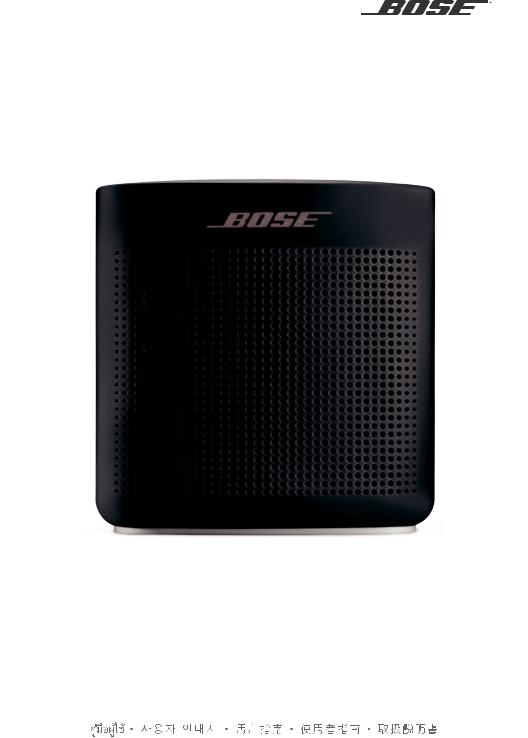
SOUNDLINK®
COLOR II
OWNER’S GUIDE • BRUGERVEJLEDNING
BEDIENUNGSANLEITUNG • GEBRUIKERSHANDLEIDING GUÍA DEL USUARIO • KÄYTTÖOHJE • NOTICE D’UTILISATION MANUALE DI ISTRUZIONI • KEZELÉSI ÚTMUTATÓ
BRUKERVEILEDNING • PODRĘCZNIK UŻYTKOWNIKA MANUAL DO PROPRIETÁRIO • BRUKSANVISNING
РУКОВОДСТВО ВЛАДЕЛЬЦА •  •
• 

I M P O R TA N T SA F E T Y I N S T R U C T I O N S
Please read and keep all safety and use instructions.
Important Safety Instructions
1.Read these instructions.
2.Keep these instructions.
3.Heed all warnings.
4.Follow all instructions.
5.Do not install near any heat sources such as radiators, heat registers, stoves, or other apparatus (including amplifiers) that produce heat.
6.Only use attachments/accessories specified by the manufacturer.
7.Unplug this apparatus during lightning storms or when unused for long periods of time.
8.Refer all servicing to qualified personnel. Servicing is required when the apparatus has been damaged in any way.
WARNINGS/CAUTIONS
This symbol means there are important operating and maintenance instructions in this guide.
•Use this product only with an agency approved power supply which meets local regulatory requirements (e.g., UL, CSA, VDE, CCC) in accordance with the manufacturer’s specifications.
•The product markings are located on the bottom and inside foot of the product.
•Do NOT place naked flame sources, such as lighted candles, on or near the product.
•Do NOT make unauthorized alterations to this product.
•If the battery leaks, do not allow the liquid to come in contact with the skin or eyes. If contact is made, seek medical advice.
•Do not expose products containing batteries to excessive heat (e.g. from storage in direct sunlight, fire or the like).
2 — E N G L I S H

R E G U L ATO RY I N FO R M AT I O N
NOTE: This equipment has been tested and found to comply with the limits for a Class B digital device, pursuant to Part 15 of the FCC Rules. These limits are designed to provide reasonable protection against harmful interference in a residential installation. This equipment generates, uses, and can radiate radio frequency energy and, if not installed and used in accordance with the instructions, may cause harmful interference to radio communications. However, there is no guarantee that interference will not occur in a particular installation. If this equipment does cause harmful interference to radio or television reception, which can be determined by turning the equipment off and on, the user is encouraged to try to correct the interference by one or more of the following measures:
•Reorient or relocate the receiving antenna.
•Increase the separation between the equipment and receiver.
•Connect the equipment into an outlet on a circuit different from that to which the receiver is connected.
•Consult the dealer or an experienced radio/TV technician for help.
Changes or modifications not expressly approved by Bose Corporation could void the user’s authority to operate this equipment.
This device complies with part 15 of the FCC Rules and with Industry Canada license-exempt RSS standard(s). Operation is subject to the following two conditions: (1) This device may not cause harmful interference, and (2) this device must accept any interference received, including interference that may cause undesired operation.
This device complies with FCC and Industry Canada radiation exposure limits set forth for general population. It must not be co-located or be operating in conjunction with any other antennas or transmitters.
This equipment should be installed and operated with a minimum distance of 8 inches (20 cm) between radiator and your body.
Meets IDA Requirements.
CAN ICES-3 (B)/NMB-3(B)
Management Regulation for Low-power Radio-frequency Devices
Article XII
According to “Management Regulation for Low-power Radio-frequency Devices” without permission granted by the NCC, any company, enterprise, or user is not allowed to change frequency, enhance transmitting power or alter original characteristic as well as performance to an approved low power radio-frequency devices.
Article XIV
The low power radio-frequency devices shall not influence aircraft security and interfere legal communications; If found, the user shall cease operating immediately until no interference is achieved. The said legal communications means radio communications operated in compliance with the Telecommunications Act.
The low power radio-frequency devices must be susceptible with the interference from legal communications or ISM radio wave radiated devices.
DON’T attempt to remove the rechargeable lithium-ion battery from this product. Contact your local Bose retailer or other qualified professional for removal.
Bose Corporation hereby declares that this product is in compliance with the essential requirements and other relevant provisions of Directive 1999/5/EC and all other EU directive requirements. The complete declaration of conformity can be found at: www.Bose.com/compliance
Please dispose of used batteries properly, following local regulations. Do not incinerate.
This symbol means the product must not be discarded as household waste, and should be delivered to an
appropriate collection facility for recycling. Proper disposal and recycling helps protect natural resources, human
health and the environment. For more information on disposal and recycling of this product, contact your local municipality, disposal service, or the shop where you bought this product.

E N G L I S H — 3

R E G U L ATO RY I N FO R M AT I O N
Names and Contents of Toxic or Hazardous Substances or Elements
Toxic or Hazardous Substances and Elements
|
Lead |
Mercury |
Cadmium |
Hexavalent |
Polybrominated |
Polybrominated |
||
|
Part Name |
Biphenyl |
diphenylether |
|||||
|
(Pb) |
(Hg) |
(Cd) |
(CR(VI)) |
||||
|
(PBB) |
(PBDE) |
||||||
|
PCBs |
X |
O |
O |
O |
O |
O |
|
|
Metal Parts |
X |
O |
O |
O |
O |
O |
|
|
Plastic Parts |
O |
O |
O |
O |
O |
O |
|
|
Speakers |
X |
O |
O |
O |
O |
O |
|
|
Cables |
X |
O |
O |
O |
O |
O |
|
|
This table is prepared in accordance with the provisions of SJ/T 11364. |
O:Indicates that this toxic or hazardous substance contained in all of the homogeneous materials for this part is below the limit requirement of GB/T 26572.
X:Indicates that this toxic or hazardous substance contained in at least one of the homogeneous materials used for this part is above the limit requirement of GB/T 26572.
Please complete and retain for your records
The serial and model numbers are located on the bottom and inside foot of the product.
Serial number: _______________________________________________________________________
Model number: ______________________________________________________________________
Please keep your receipt with your owner’s guide. Now is a good time to register your Bose product. You can easily do this by going to http://global.Bose.com/register
Date of Manufacture: The eighth digit in the serial number indicates the year of manufacture; “6” is 2006 or 2016.
China Importer: Bose Electronics (Shanghai) Company Limited, Part C, Plan 9, No. 353 North Riying Road, China (Shanghai) Pilot Free Trade Zone
EU Importer: Bose GP, Castleblayney Road, Carrickmacross, County Monaghan, Ireland
Taiwan Importer: Bose Taiwan Branch, 9F-A1, No.10, Section 3, Minsheng East Road, Taipei City 104, Taiwan. Phone Number: 886 2 2514 7977.
Mexico Importer: Bose de México, S. de R.L. de C.V. , Paseo de las Palmas 405-204, Lomas de Chapultepec, 11000 México, D.F. Phone Number: 001 800 900 2673
Apple, the Apple logo, and Siri are trademarks of Apple Inc., registered in the U.S. and other countries. App Store is a service mark of Apple Inc.
Android, Google Play and the Google Play logo are trademarks of Google Inc.
The Bluetooth® word mark and logos are registered trademarks owned by Bluetooth SIG, Inc. and any use of such marks by Bose Corporation is under license.
Google Now is a trademark of Google, Inc.
The N-Mark is a trademark or registered trademark of NFC Forum, Inc. in the United States and in other countries. Siri is a trademark of Apple Inc., registered in the U.S. and other countries.
©2016 Bose Corporation. No part of this work may be reproduced, modified, distributed or otherwise used without prior written permission.
4 — E N G L I S H

|
C O N T E N T S |
|
|
The Bose® Connect App |
|
|
Features………………………………………………………………………………………………………………… |
7 |
|
Getting Started |
|
|
Unpacking…………………………………………………………………………………………………………….. |
8 |
|
Placement guidelines…………………………………………………………………………………………. |
9 |
|
Connecting to power…………………………………………………………………………………………. |
10 |
|
Powering on your speaker………………………………………………………………………………… |
10 |
|
Control buttons…………………………………………………………………………………………………… |
11 |
|
Using the Multi-function button……………………………………………………………………….. |
12 |
|
Playback controls………………………………………………………………………………………… |
12 |
|
Speakerphone controls………………………………………………………………………………. |
12 |
|
Accessing voice control on your mobile device through |
|
|
your speaker…………………………………………………………………………………………………. |
13 |
|
Voice alerts…………………………………………………………………………………………………… |
13 |
|
Setting up voice prompts |
|
|
Pre-installed languages……………………………………………………………………………………… |
14 |
|
Selecting a language………………………………………………………………………………………….. |
14 |
|
Disabling voice prompts……………………………………………………………………………………. |
14 |
|
Changing the language……………………………………………………………………………………… |
14 |
|
Bluetooth® Technology |
|
|
Choosing your pairing method………………………………………………………………………… |
15 |
|
Pairing your mobile device……………………………………………………………………………….. |
16 |
|
Pairing a mobile device with NFC……………………………………………………………………. |
17 |
|
Pairing another mobile device………………………………………………………………………….. |
18 |
|
Disconnecting a mobile device………………………………………………………………………… |
18 |
|
Reconnecting a mobile device…………………………………………………………………………. |
18 |
|
Managing multiple connections |
|
|
Identifying the connected mobile devices……………………………………………………… |
19 |
|
Switching between two connected mobile devices……………………………………… |
19 |
|
Connecting to a mobile device stored in your speaker’s pairing list…………. |
19 |
|
Clearing your speaker’s pairing list………………………………………………………………….. |
19 |
|
Using the Bose® Connect app…………………………………………………………………………… |
19 |
E N G L I S H — 5

|
C O N T E N T S |
|
|
connecting a cabled device |
|
|
Using a cable to connect a mobile device……………………………………………………… |
20 |
|
Operating on battery power |
|
|
Battery protection mode…………………………………………………………………………………… |
21 |
|
Auto-off setting…………………………………………………………………………………………………… |
21 |
|
Disabling auto-off………………………………………………………………………………………… |
21 |
|
Getting system Information |
|
|
Status indicators…………………………………………………………………………………………………. |
22 |
|
Battery indicator………………………………………………………………………………………….. |
23 |
|
Bluetooth® indicator……………………………………………………………………………………. |
23 |
|
Input indicator……………………………………………………………………………………………… |
23 |
|
Care and maintenance |
|
|
Cleaning……………………………………………………………………………………………………………….. |
24 |
|
Customer service………………………………………………………………………………………………… |
24 |
|
Limited warranty…………………………………………………………………………………………………. |
24 |
|
Technical information…………………………………………………………………………………………. |
24 |
|
Troubleshooting |
|
|
Common solutions……………………………………………………………………………………………… |
25 |
|
Resetting your speaker……………………………………………………………………………………… |
27 |
6 — E N G L I S H
T H E B O S E ® C O N N E C T A P P
Download Bose® Connect to easily manage Bluetooth® connections, unlock features and access future updates.
Features
•Unlock the full potential of your speaker.
•Free app compatible with most Apple and Android™ systems.
•Easily connect to and switch between multiple mobile devices with a single swipe.
•Disable voice prompts.
•Keep your speaker up-to-date with the latest software.
•Customize speaker settings, like voice prompt language.
E N G L I S H — 7

G E T T I N G S TA R T E D
Unpacking
Carefully unpack the carton and confirm that the following parts are included:
|
SoundLink Color Bluetooth® speaker II |
USB charging cable |
If part of the speaker is damaged, do not use it. Contact your authorized Bose® dealer or Bose customer service. Refer to the contact sheet in the carton.
8 — E N G L I S H

G e t t i n g S ta r T E D
Placement guidelines
•For best Bluetooth® performance place your mobile device within 33 ft. (10 m) of your speaker, and make sure there is a clear line of sight between you and your speaker. Moving your mobile device further away, or not having a clear line of sight, may impact sound quality, and your mobile device may disconnect from your speaker.
•For optimal performance, place the back of your speaker near, but not directly against a wall. Bass response decreases as you move your speaker away from a wall.
•Keep other wireless equipment at least 3 ft. (1 m) away from your speaker.
•Place your speaker and your mobile device outside of and away from metal cabinets, other audio/video components and direct heat sources.
CAUTION: Stand your speaker on its base. Standing your speaker on any other side may cause damage to your speaker and affect sound quality.
E N G L I S H — 9
G e t t i n g S ta r T E D
Connecting to power
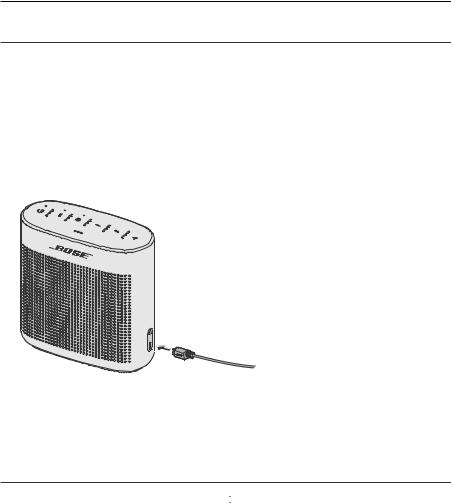
Your speaker ships with a partial charge. Before using your speaker for the first time, connect it to a USB wall charger or computer that is powered on. Your speaker does not need to be fully charged, but it does require the initial connection to activate the battery.
Note: Use a 1000 mA power source for the best speaker charging experience. Using a power source with less than 1000 mA may result in a slower charging time or your speaker may not be able to charge while playing audio.
1.Plug the small end of the USB charging cable into the micro-B USB connector on your speaker.
2.Plug the other end into a USB wall charger or computer that is powered on.
The battery indicator blinks amber, and your speaker emits a tone. When fully charged, the battery indicator glows green.
Powering on your speaker
On the button pad, press the Power button  .
.
•The first time the speaker is powered on, the Bluetooth® indicator blinks blue, and you hear a voice prompt to select a language (see page 14).
•When the speaker has been powered on previously and at least one mobile device has been paired, the Bluetooth® indicator blinks white and the speaker connects to the last two mobile devices.
You hear “Battery <low/medium/high>. Connected to <mobile device name>.” The Bluetooth® indicator glows solid white.
1 0 — E N G L I S H
G e t t i n g S ta r T E D
Control buttons
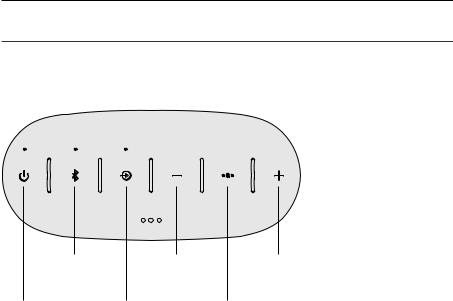
The button pad enables you to power on your speaker and control your speaker’s playback, volume and speakerphone.
Note: Certain mobile devices may not support these functions.
|
Bluetooth® |
Volume down |
Volume up button |
|
|
button |
button |
||
|
Power |
Input |
Multi-function button |
|
|
button |
mode |
||
|
button |
E N G L I S H — 1 1

G e t t i n g S ta r T E D
Using the Multi-function button
This button controls music sources and speakerphone calls on your mobile device from your speaker.
Playback controls
|
Play |
Press |
. |
|
|
Press |
. |
||
|
Pause |
Note: In Input mode, pressing |
mutes the audio |
|
|
(see page 20). |
|||
|
Skip forward to the next track |
Press |
twice. |
|
|
Skip backward to the previous track |
Press |
three times. |
|
Speakerphone controls
|
Press and hold |
to access voice control on your |
||||
|
Make a call |
mobile device. |
||||
|
Note: See page 13 for more information. |
|||||
|
Switch a call from speakerphone to |
Press and hold |
. |
|||
|
your mobile device, while on a call |
|||||
|
Answer a call |
Press |
. |
|||
|
Reject a call |
Press and hold |
. |
|||
|
End a call |
Press |
. |
|||
|
Mute a call |
Press and hold + and – simultaneously. |
||||
|
Press and hold again to unmute. |
|||||
|
Switch between calls |
While on a call, press |
to answer a second call. |
|||
|
Press |
twice to switch between the calls. |
||||
1 2 — E N G L I S H

G e t t i n g S ta r T E D
Accessing voice control on your mobile device through your speaker
The speaker microphone acts as an extension of the microphone in your smartphone. Using the Multi-function button 
 , you can access the voice control capabilities on your mobile device to make/take calls or ask Siri® or Google Now™ to play music, tell you the weather, give you the score of a game, and more.
Press and hold 
 to access voice control on your mobile device.
Voice alerts
Your speaker identifies incoming callers (when applicable). To disable this feature, see “Disabling voice prompts” on page 14.
E N G L I S H — 1 3

S E T T I N G U P VO I C E P R O M P T S
Voice prompts guide you through the Bluetooth® pairing and connecting processes.
Pre-installed languages
|
• |
English |
• |
Mandarin |
• |
Italian |
• |
Dutch |
|
• |
Spanish |
• |
Japanese |
• |
Portuguese |
• |
Russian |
|
• |
French |
• |
Korean |
• |
Swedish |
• |
Polish |
• German
To check for additional languages
Visit: global.Bose.com/Support/SLCII
You can also use the Bose Connect app (see page 7).
If your language preference is not available, see “Disabling voice prompts.”
Selecting a language
1.Press + or – to scroll through the languages.
2.When you hear your language, press and hold the Multi-function button 
 to select it.
You hear a beep and “Ready to pair.”
Disabling voice prompts
Press and hold + and – simultaneously until you hear “Voice prompts off.” Note: Repeat to re-enable voice prompts.
Changing the language
1.Press and hold  and + simultaneously until you hear the voice prompt for the first language option.
2.Press + or – to scroll through the languages.
3.When you hear your language preference press and hold 
 until you hear a beep and “Connected to <mobile device name>.”
1 4 — E N G L I S H

B LU E T O OT H ® T E C H N O LO GY
Bluetooth® wireless technology lets you stream music from Bluetooth smartphones, tablets, computers or other devices to your speaker. Before you can stream music from a mobile device, you must pair the device with your speaker.
Choosing your pairing method
You can pair your mobile device with your speaker using Bluetooth wireless technology or Near Field Communication (NFC).
You can also use the Bose Connect app to pair your mobile device (see page 7).
What is NFC?
NFC is a technology that enables mobile devices to establish wireless communication with each other by simply tapping the mobile devices together. Refer to your mobile device owner’s guide to see if your model supports NFC.
|
If your mobile device does not support |
Follow the instructions for “Pairing your |
|
|
Bluetooth |
pairing via NFC or if you are |
mobile device” on page 16. |
|
unsure: |
||
|
If your mobile device supports Bluetooth |
Follow the instructions for “Pairing a |
|
|
pairing using NFC: |
mobile device with NFC” on page 17. |
Note: If your mobile device supports Bluetooth pairing via NFC, you can use either pairing method.
E N G L I S H — 1 5
B LU E T O OT H ® T E C H N O LO GY
Pairing your mobile device
When you power your speaker on for the first time, the speaker automatically searches for your mobile device.
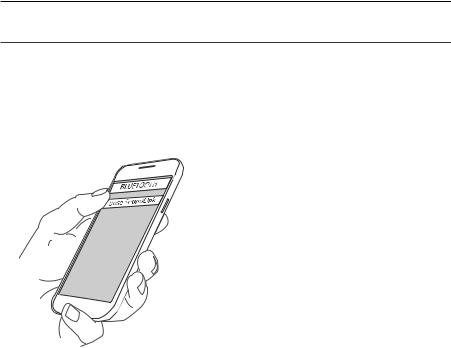
1.On your mobile device, turn on the Bluetooth® feature.
Tip: The Bluetooth feature is usually found in the Settings menu.
2.Select your Bose® SoundLink® speaker from the device list.
Once paired, you hear “Connected to <mobile device name>,” and the Bluetooth indicator glows solid white.
Note: To pair another mobile device, see page 18.
1 6 — E N G L I S H
B LU E T O OT H ® T E C H N O LO GY
Pairing a mobile device with NFC
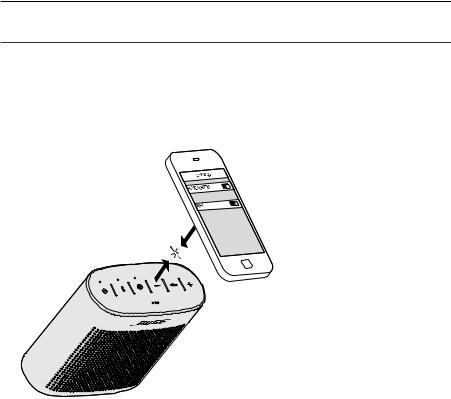
1.Unlock your mobile device and turn on the Bluetooth ® and NFC features. Refer to your mobile device owner’s guide to learn more about these features.
2.Tap the NFC touchpoint on your mobile device to the top of your speaker. Your device may prompt you to accept pairing.
Once paired, you hear “Connected to <mobile device name>,” and the Bluetooth indicator glows solid white.
E N G L I S H — 1 7

B LU E T O OT H ® T E C H N O LO GY
Pairing another mobile device
You can store up to eight paired mobile devices in the speaker pairing list.
•Press and hold the Bluetooth® button  until the Bluetooth indicator blinks blue, and you hear, “Ready to pair another device.” Pair your mobile device to the speaker (see page 16).
•If your mobile device supports pairing via NFC, see page 17.
Disconnecting a mobile device
•Turn off the Bluetooth feature on your mobile device.
•If your mobile device supports pairing via NFC, tap and hold the NFC touchpoint on your mobile device to the top center of your speaker.
Reconnecting a mobile device
When powered on, your speaker tries to reconnect with the two most recently connected mobile devices.
Note: The mobile devices must be within range and powered on.
If your mobile device supports pairing via NFC, tap the NFC touchpoint on your mobile device to the top of your speaker.
1 8 — E N G L I S H

M A N AG I N G M U LT I P L E C O N N E C T I O N S
You can store up to eight paired mobile devices in the speaker pairing list and your speaker can be actively connected to two mobile devices at a time.
Note: You can only play audio from one mobile device at a time.
Identifying the connected mobile devices
Press to hear which mobile devices are currently connected .
Switching between two connected mobile devices
1.Pause audio on your first mobile device.
2.Play audio on your second mobile device.
Connecting to a mobile device stored in your speaker’s pairing list
1. Press to hear which mobile device is currently connected.
|
2. Press within two seconds to connect to the next mobile |
device in your speaker’s |
|
pairing list. |
3.Repeat until you hear the desired mobile device name.
4.Play audio on the connected device.
Clearing your speaker’s pairing list
1. Press and hold for 10 seconds, until you hear “ Bluetooth® device list cleared. Ready to pair.”
All mobile devices are cleared and your speaker is ready to pair a new mobile device.
2. Delete your Bose® SoundLink® speaker from the Bluetooth list on your device.
Using the Bose® Connect app
You can also easily manage multiple connected mobile devices using the Bose Connect app. For more information, see page 7.
E N G L I S H — 1 9

C O N N E C T I N G A C A B L E D D E V I C E
You can connect the audio output of a smartphone, tablet, computer or other type of mobile device to the speaker’s AUX connector.
Using a cable to connect a mobile device
The AUX connector accepts a 3.5 mm stereo cable plug (not provided).
1.Using a 3.5 mm stereo cable, connect your mobile device to the AUX connector on your speaker.
2.Press  on your speaker.
3.Press  .
.
The Input indicator glows white.
2 0 — E N G L I S H

O P E R AT I N G O N B AT T E R Y P OW E R
Battery protection mode
When your speaker is unplugged and unused for more than three days with a remaining charge of less than 10 percent, it enters battery protection mode to preserve battery power. To reactivate your speaker, connect it to a USB wall charger or computer that is powered on.
When not in use, store your speaker in a cool place.
Note: Do not store your speaker for extended periods when fully charged or when the battery indicator blinks red.
Auto-off setting
Your speaker powers off after 30 minutes of inactivity (no sound coming from your speaker) while operating on battery power.
Disabling auto-off
1.Press and hold + and  simultaneously. You hear “Auto-off disabled.”
2.Repeat to re-enable the auto-off feature.
E N G L I S H — 2 1
G E T T I N G SYS T E M I N F O R M AT I O N
Status indicators
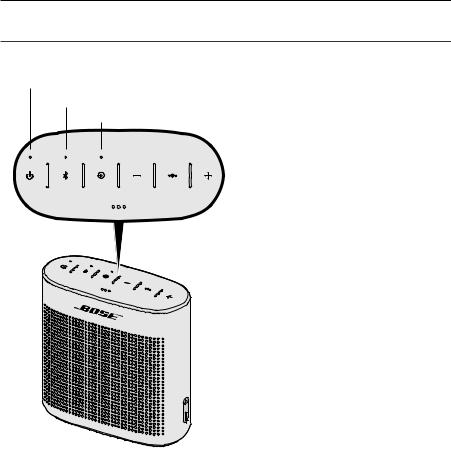
The top of the system has a series of indicators that glow according to system state.
Battery indicator
Bluetooth® indicator Input indicator
2 2 — E N G L I S H

G e t t i n g sys t e m I n f o r m at i o n
Battery indicator
Shows the battery charge level. Each time you power on your speaker, the battery indicator displays the battery charge level for two seconds and a voice prompt announces the battery charge level.
To check the battery charge level, press and hold  while checking the battery indicator.
Note: Battery performance varies with the content played and the volume level at which it is played. In typical use, the speaker battery lasts up to eight hours.
|
Indicator activity |
System State |
|
Solid green |
Charged / medium to full charge |
|
Blinking amber |
Charging |
|
Solid amber |
Medium charge |
|
Blinking red |
Need to charge |
Bluetooth® indicator
Shows the connection status of a mobile device.
|
Indicator activity |
System state |
|
Blinking blue |
Ready to pair |
|
Blinking white |
Connecting |
|
Solid white |
Connected |
Input indicator
Shows the connection status of a mobile device connected with an AUX cable.
|
Indicator activity |
System state |
|
Solid white |
System is ready to play content from a device |
For more information on using a cable to connect a mobile device, see page 20.
E N G L I S H — 2 3

C A R E A N D M A I N T E N A N C E
Cleaning
•Clean the surface of the speaker with a soft, damp cloth (water only).
•Do not use any sprays near the speaker. Do not use any solvents, chemicals, or cleaning solutions containing alcohol, ammonia or abrasives.
•Do not allow liquids to spill into any openings.
Customer service
For additional help, contact Bose customer service. Refer to the contact sheet in the carton.
Limited warranty
Your speaker is covered by a limited warranty. Details of the limited warranty are provided on the warranty card in the carton. Please refer to the warranty card for instructions on how to register. Failure to register will not affect your limited warranty rights.
The warranty information provided with this product does not apply in Australia or New Zealand. See our website at www.bose.com.au/warranty or www.bose.co.nz/warranty for details of the Australia and New Zealand warranty.
Technical information
|
Input Voltage: |
5V |
|
Input Current: |
1A |
2 4 — E N G L I S H

T R O U B L E S H O OT I N G
If you experience problems with your Bluetooth® speaker:
•Check the battery indicator (see page 23). Charge your speaker if necessary.
•Make sure all cables are securely attached.
•Check the state of status indicators (see page 22).
•Place your speaker according to placement guidelines (see page 9).
•Make sure your mobile device supports Bluetooth® or Bluetooth pairing via NFC technology (see page 15).
If you could not resolve your issue, see the table below to identify symptoms and solutions to common problems. If you are unable to resolve your issue, contact Bose® customer service.
Common solutions
The following table lists symptoms and possible solutions to common problems.
|
Problem |
What to do |
|
|
Battery won’t |
• Battery may be in protection mode or discharged. Plug the USB charging |
|
|
charge |
cable into a USB wall charger or computer that is powered on. |
|
|
No power |
• Connect the USB charging cable to a different USB port. |
|
|
(battery) |
• Use a different USB cable. |
|
|
• Use a different wall charger. |
||
|
• Connect to a different AC (mains) power source. |
||
|
Speaker won’t |
• On your mobile device, turn the Bluetooth® feature off and then on. |
|
|
pair with mobile |
Remove your speaker from the Bluetooth list on your mobile device. Pair |
|
|
device |
your mobile device again. |
|
|
• Clear your speaker’s pairing list: Press and hold for 10 seconds. |
||
|
Delete your Bose SoundLink speaker from the Bluetooth |
list on your |
|
|
device. Pair again. |
||
|
• Pair a different device (see page 15). |
||
|
• Reset your speaker (see page 27). |
||
|
Speaker won’t pair |
• Unlock your device and turn on the Bluetooth and NFC features. |
|
|
with NFC |
• Tap the NFC touchpoint on the back of your device to the top of |
|
|
your speaker. |
||
|
• Use Bluetooth to pair your device (see page 16). |
||
E N G L I S H — 2 5

T r o u b l e s h o ot i n g
|
Problem |
What to do |
|||
|
No sound |
• |
On your mobile device, turn the Bluetooth® feature off and then on. |
||
|
Remove your Bose SoundLink speaker from the Bluetooth list on your |
||||
|
mobile device. Pair your mobile device again. |
||||
|
• Increase the volume on your speaker, your mobile device and |
||||
|
music source. |
||||
|
• |
Verify voice prompts are on. Press to hear the connected mobile device. |
|||
|
Make sure you are using the correct mobile device. |
||||
|
• Use a different music source. |
||||
|
• Pair a different mobile device (see page 15). |
||||
|
• If two mobile devices are connected, pause your other mobile |
||||
|
device first. |
||||
|
• |
Clear your speaker’s pairing list: Press and hold for 10 seconds. Delete |
|||
|
your Bose SoundLink speaker from the Bluetooth list on your device. |
||||
|
Pair again. |
||||
|
No sound from |
• |
Power on the mobile device and play music. |
||
|
a cabled mobile |
• Increase the volume on your speaker and mobile device. |
|||
|
device |
||||
|
• |
Press and release until the Input indicator glows white. |
|||
|
• Use a different AUX cable. |
||||
|
• Increase the volume on the mobile device. |
||||
|
• Connect a different mobile device. |
||||
|
Poor sound |
• |
Use a different music source. |
||
|
quality |
• Pair a different mobile device. |
|||
|
• Disconnect the second device. |
||||
|
• Increase the volume on your mobile device and music source. |
||||
|
Poor sound |
• |
Increase the volume on your speaker and mobile device. |
||
|
quality |
from a |
• Use a different AUX cable. |
||
|
cabled mobile |
||||
|
• |
Connect a different mobile device. |
|||
|
device |
||||
|
Audio plays from |
• |
Press to hear the connected mobile device(s). Make sure you are using |
||
|
the wrong mobile |
the correct mobile device. |
|||
|
device (when two |
• |
Pause or quit the music source on the device playing music. |
||
|
mobile devices are |
||||
|
connected) |
• |
Disconnect the second device. |
||
|
Speaker powers |
• |
If using a cabled mobile device, increase the volume on your |
||
|
off |
mobile device. |
|||
|
• Disable auto-off (see page 21). |
||||
2 6 — E N G L I S H

T r o u b l e s h o ot i n g
Resetting your speaker
Factory reset clears paired devices and language settings from your speaker and returns it to original factory settings.
1.Power on your speaker.
2.Press and hold  for 10 seconds until the Bluetooth® indicator blinks blue, and you hear a voice prompt to select a language (see page 14).
E N G L I S H — 2 7

V I GT I G E S I K K E R H E D S I N S T R U K T I O N E R
Læs og opbevar venligst alle sikkerhedsog brugsinstruktioner.
Vigtige sikkerhedsinstruktioner
1.Læs disse instruktioner.
2.Gem disse instruktioner.
3.Ret dig efter alle advarsler.
4.Følg alle instruktioner.
5.Installer ikke i nærheden af varmekilder som f.eks. radiatorer, varmeovne, komfurer eller andre apparater (herunder forstærkere), der producerer varme.
6.Brug kun tilslutningsudstyr/tilbehør, der er angivet af producenten.
7.Afbryd strømmen til apparatet under tordenvejr, eller når det står ubrugt i lang tid.
8.Overlad al service til kvalificeret servicepersonale. Service er påkrævet, hvis apparatet på nogen måde er blevet beskadiget.
ADVARSLER/FORSIGTIGHEDSFORHOLDSREGLER
Dette symbol betyder, at der er vigtige betjeningsog vedligeholdelsesinstruktioner i denne vejledning.
•Må kun bruges med en godkendt strømforsyning, der overholder de lokale love og regler (f.eks. UL, CSA, VDE, CCC) i henhold til producentens specifikationer.
•Produktmærkaterne er placeret i bunden af eller bag på produktet.
•Placer IKKE nogen form for åben ild (f.eks. stearinlys) på eller tæt ved produktet.
•Foretag IKKE nogen uautoriserede ændringer af produktet.
•Hvis batterierne lækker, må væsken ikke komme i kontakt med huden eller øjnene. Hvis der finder kontakt sted, skal der søges læge.
•Udsæt ikke produkter, der indeholder batterier, for voldsom varme (f.eks. ved opbevaring i direkte sollys, brand eller lignende).
2 — D A N S K

O P LYS N I N G E R O M R E G L E R
BEMÆRK: Dette udstyr er testet og det er blevet konstateret, at det overholder grænseværdierne for en digital enhed i Klasse B i henhold til afsnit 15 i FCC-reglerne. Disse grænser er udviklet til at yde rimelig beskyttelse mod skadelig interferens i en privat installation. Dette udstyr genererer, bruger og kan udstråle radiofrekvensenergi, og kan – hvis
det ikke installeres og bruges i overensstemmelse med instruktionerne – forårsage skadelig interferens i forbindelse med radiokommunikation. Dette garanterer dog ikke, at der ikke kan forekomme interferens i en bestemt installation. Hvis dette udstyr forårsager skadelig interferens i forbindelse med radioog tv-modtagelsen, hvilket kan kontrolleres ved at slukke og tænde for udstyret, opfordres brugere til at forsøge at eliminere interferensen ved hjælp af en eller flere af følgende fremgangsmåder:
•Ret modtageantennen i en anden retning, eller flyt antennen.
•Skab større afstand mellem udstyret og modtageren.
•Tilslut udstyret til en stikkontakt på et andet kredsløb end det, som modtageren er tilsluttet.
•Kontakt forhandleren eller en radio/tv-tekniker for at få hjælp.
Ændringer eller modifikationer, der ikke udtrykkeligt er godkendt af Bose Corporation, kan ophæve brugerens ret til at betjene dette udstyr.
Denne enhed overholder del 15 i FCC-reglerne og Industry Canadas licensfritagede RSS-standard(er). Driften er underlagt følgende to betingelser: (1) Denne enhed må ikke forårsage skadelig interferens, og (2) denne enhed skal acceptere enhver modtaget interferens, herunder interferens, der kan forårsage uønsket drift.
Denne enhed overholder FCC’s og Industry Canadas strålingseksponeringsgrænser for befolkningen i almindelighed. Den må ikke placeres sammen med eller anvendes sammen med nogen andre antenner eller sendere.
Dette udstyr skal installeres og anvendes med en afstand på mindst 20 cm mellem strålingskilden og din krop. Overholder IDA-kravene.
CAN ICES-3 (B) /NMB-3 (B)
Management Regulation for Low-power Radio-frequency Devices
Artikel XII
I henhold til “Management Regulation for Low-power Radio-frequency Devices” må ingen virksomhed, organisation eller bruger uden tilladelse fra NCC ændre frekvensen, øge transmissionseffekten eller ændre de oprindelige egenskaber eller ydeevnen for godkendte laveffektradiofrekvensenheder.
Artikel XIV
Laveffektradiofrekvensenhederne må ikke påvirke flysikkerheden eller forstyrre lovlig kommunikation; hvis dette konstateres, skal brugeren øjeblikkeligt ophøre med at bruge enheden, indtil der opnås en tilstand uden
forstyrrelser. Den omtalte lovlige kommunikation vil sige radiokommunikation, der anvendes i overensstemmelse med telekommunikationsloven.
Laveffektradiofrekvensenhederne skal kunne modtage forstyrrelser fra lovlig kommunikation eller enheder, der udsender ISM-radiobølger.
UNDLAD forsøg på at fjerne det genopladelige litium-ion batteri fra dette produkt. Kontakt din lokale Bose-forhandler eller en anden kvalificeret tekniker vedrørende fjernelse.
Bose Corporation erklærer hermed, at dette produkt stemmer overens med de væsentlige krav og andre relevante bestemmelser i direktiv 1999/5/EF og alle andre krav i EU-direktiver. Den fulde overensstemmelseserklæring kan findes på www.Bose.com/compliance
Bortskaf brugte batterier i henhold til lokale bestemmelser. Batterier må ikke brændes.
Dette symbol betyder, at produktet ikke må smides ud som husholdningsaffald og bør indleveres til en passende indsamlingsordning med henblik på genanvendelse. Korrekt bortskaffelse og genanvendelse bidrager til at
beskyttelse naturressourcer, menneskets sundhed og miljøet. Hvis du ønsker flere oplysninger om bortskaffelse og genanvendelse af dette produkt, kan du kontakte din kommune, dit renovationsselskab eller den butik, hvor du har købt dette produkt.

D A N S K — 3
O P LYS N I N G E R O M R E G L E R
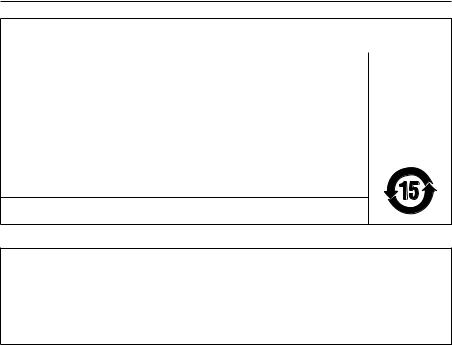
Navne på og indhold af giftige eller farlige stoffer eller elementer
|
Giftige eller farlige stoffer og elementer |
|||||||
|
Bly |
Kviksølv |
Cadmium |
Hexavalent |
Polybromeret |
Polybromeret |
||
|
Delens navn |
diphenylether |
||||||
|
(Pb) |
(Hg) |
(Cd) |
(CR(VI)) |
biphenyl (PBB) |
|||
|
(PBDE) |
|||||||
|
PCB’er |
X |
O |
O |
O |
O |
O |
|
|
Metaldele |
X |
O |
O |
O |
O |
O |
|
|
Plastikdele |
O |
O |
O |
O |
O |
O |
|
|
Højttalere |
X |
O |
O |
O |
O |
O |
|
|
Kabler |
X |
O |
O |
O |
O |
O |
|
|
Denne tabel er oprettet i henhold til bestemmelserne i SJ/T 11364. |
O:Angiver, at dette giftige eller skadelige stof, som findes i alle de homogene materialer for denne del, er under grænsekravet i GB/T 26572.
X:Angiver, at dette giftige eller skadelige stof, som findes i mindst ét af de homogene materialer, der anvendes til denne del, er over grænsekravet i GB/T 26572.
Bedes udfyldt og opbevaret, så du har det til rådighed
Serieog modelnummer er placeret i bunden af produktet og inde i produktets fod.
Serienummer: _ ______________________________________________________________________
Modelnummer: ______________________________________________________________________
Opbevar kvitteringen sammen med brugervejledningen. Dette er et godt tidspunkt til at registrere dit Bose-produkt. Du kan nemt gøre det ved at gå til http://global.Bose.com/register
Fremstillingsdato: De otte cifre i serienummeret angiver fremstillingsåret: ‘‘6’’ er 2006 eller 2016.
Importør i Kina: Bose Electronics (Shanghai) Company Limited, Part C, Plan 9, No. 353 North Riying Road, China (Shanghai) Pilot Free Trade Zone
Importør i EU: Bose GP, Castleblayney Road, Carrickmacross County, Monaghan, Irland
Importør i Taiwan: Bose Taiwan Branch, 9F-A1, No.10, Section 3, Minsheng East Road, Taipei City 104, Taiwan. Telefonummer: 886 2 2514 7977.
Importør i Mexico: Bose de México, S. de R.L. de C.V., Paseo de las Palmas 405-204, Lomas de Chapultepec, 11000 México, D.F. Telefonummer: 001 800 900 2673
Apple, Apple-logoet og Siri er varemærker, der tilhører Apple Inc., og er registreret i USA og andre lande. App Store er et servicemærke, der tilhører Apple Inc.
Android, Google Play og Google Play-logoet er varemærker, der tilhører Google Inc.
Bluetooth®-ordmærket og -logoerne er registrerede varemærker, der ejes af Bluetooth SIG, Inc., og enhver brug af sådanne mærker fra Bose Corporations side finder sted under licens.
Google Now er et varemærke, der tilhører Google, Inc.
N-mærket er et varemærke eller et registreret varemærke, der tilhører NFC Forum, Inc. i USA og i andre lande. Siri er et varemærke, der tilhører Apple Inc., og er registreret i USA og andre lande.
©2016 Bose Corporation. Gengivelse, ændring, distribution eller anden brug af denne dokumentation eller dele heraf er forbudt uden forudgående skriftlig tilladelse.
4 — D A N S K

|
I N D H O L D |
|
|
Bose® Connect-app’en |
|
|
Egenskaber…………………………………………………………………………………………………………… |
7 |
|
Sådan kommer du i gang |
|
|
Udpakning…………………………………………………………………………………………………………….. |
8 |
|
Retningslinjer for placering……………………………………………………………………………….. |
9 |
|
Tilslutning af strøm……………………………………………………………………………………………… |
10 |
|
Tænd højttaleren………………………………………………………………………………………………….. |
10 |
|
Betjeningsknapper………………………………………………………………………………………………. |
11 |
|
Brug af multifunktionsknappen………………………………………………………………………… |
12 |
|
Afspilningsknapper………………………………………………………………………………………. |
12 |
|
Højttalertelefonens funktioner…………………………………………………………………… |
12 |
|
Adgang til stemmestyring på din mobile enhed gennem din højttaler. 13 |
|
|
Stemmeadvarsler…………………………………………………………………………………………. |
13 |
|
Indstilling af talemeddelelser |
|
|
Sprog, der er forudinstalleret……………………………………………………………………………. |
14 |
|
Valg af et sprog……………………………………………………………………………………………………. |
14 |
|
Deaktivering af talemeddelelser……………………………………………………………………….. |
14 |
|
Ændring af sproget…………………………………………………………………………………………….. |
14 |
|
Bluetooth®-teknologi |
|
|
Valg af parringsmetode……………………………………………………………………………………… |
15 |
|
Parring med en mobilenhed………………………………………………………………………………. |
16 |
|
Parring af en mobil enhed med NFC……………………………………………………………….. |
17 |
|
Parring med en anden mobilenhed………………………………………………………………….. |
18 |
|
Frakobling af en mobil enhed……………………………………………………………………………. |
18 |
|
Genoprettelse af forbindelse til en mobil enhed…………………………………………… |
18 |
|
Administration af flere tilslutninger |
|
|
Identifikation af tilsluttede mobile enheder……………………………………………………. |
19 |
|
Skift mellem to tilsluttede mobile enheder…………………………………………………….. |
19 |
|
Tilslutning af en mobil enhed, der er gemt på højttalerens parringsliste…. |
19 |
|
Rydning af højttalerens parringsliste……………………………………………………………….. |
19 |
|
Brug af Bose® Connect-appen………………………………………………………………………….. |
19 |
D A N S K — 5

|
I N D H O L D |
|
|
Tilslutning af en kabelforbundet enhed |
|
|
Brug af et kabel til at tilslutte en mobil enhed………………………………………………. |
20 |
|
Drift på batteristrøm |
|
|
Batteribeskyttelsestilstand………………………………………………………………………………… |
21 |
|
Indstillingen Auto-off………………………………………………………………………………………….. |
21 |
|
Deaktivering af Auto-off……………………………………………………………………………… |
21 |
|
Sådan får du systemoplysninger |
|
|
Statusindikatorer…………………………………………………………………………………………………. |
22 |
|
Batteriindikator…………………………………………………………………………………………….. |
23 |
|
Bluetooth®-indikator…………………………………………………………………………………….. |
23 |
|
Indgangsindikator………………………………………………………………………………………… |
23 |
|
Pleje og vedligeholdelse |
|
|
Rengøring……………………………………………………………………………………………………………… |
24 |
|
Kundeservice………………………………………………………………………………………………………… |
24 |
|
Begrænset garanti………………………………………………………………………………………………. |
24 |
|
Tekniske oplysninger…………………………………………………………………………………………… |
24 |
|
Fejlfinding |
|
|
Almindelige løsninger…………………………………………………………………………………………. |
25 |
|
Nulstilling af højttaler………………………………………………………………………………………….. |
27 |
6 — D A N S K

B O S E ® C O N N E C T- A P P ’ E N
Download Bose® Connect for nemt at håndtere Bluetooth®-forbindelser, låse funktioner op og få adgang til fremtidige opdateringer.
Egenskaber
•Udnyt højttalerens fulde potentiale.
•Gratis app er kompatibel med de fleste Appleog Android™-systemer.
•Nemt at tilslutte og skifte mellem flere mobile enheder med et enkelt swipe.
•Deaktiver talemeddelelser.
•Hold din højttaler opdateret med den nyeste software.
•Tilpas højttalerens indstillinger som f.eks. talemeddelelsernes sprog.
D A N S K — 7

S Å DA N KO M M E R D U I G A N G
Udpakning
Pak omhyggeligt kassen ud, og kontrollér, at følgende dele er med:
|
SoundLink Color Bluetooth® højttaler II |
USB-opladningskabel |
Brug ikke en del af højttaleren, hvis den er beskadiget. Kontakt din autoriserede Bose®- forhandler eller Boses kundeservice. Se adresselisten i kassen.
8 — D A N S K

S å da n ko m m e r d u i g a n g
Retningslinjer for placering
•For at få den bedste Bluetooth® oplevelse skal du placere din mobile enhed inden for et område, der er 10 meter væk fra din højttaler, og sørge for, at der er en klar sigtelinje mellem dig og højttaleren. Hvis du flytter din mobile enhed længere væk eller ikke har en klar sigtelinje, kan det give en dårlig lydkvalitet, og din mobile enhed kan miste forbindelsen til højttaleren.
•For at få den bedste ydeevne skal højttalerens bagside være placeret i nærheden af en væg, men ikke lige op ad væggen. Bassen reduceres, når højttaleren flyttes væk fra væggen.
•Hold andet trådløst udstyr mindst 1 meter væk fra højttaleren.
•Placer højttalerne og din mobile enhed udenfor og væk fra metalskabe, andre lyd-/ videokomponenter og direkte varmekilder.
FORSIGTIG: Sæt højttaleren på soklen. Hvis højttaleren stilles på en af siderne, kan det forårsage skade på højttaleren og påvirke lydkvaliteten.
D A N S K — 9

S å da n ko m m e r d u i g a n g
Tilslutning af strøm
Højttaleren leveres med en delvis opladning. Inden du bruger højttaleren for første gang, skal du slutte den til en USB-vægoplader eller en tændt computer. Højttaleren behøver ikke at være fuldt opladet, men den kræver den første forbindelse for at aktivere batteriet.
Bemærk: Brug en 1000 mA-strømkilde for at få den mest optimale opladning af højttaleren. Brug af en strømkilde med mindre end 1000 mA kan resultere i en mere langsom opladningstid, eller højttaleren vil ikke være i stand til at oplade, samtidig med at der afspilles lyd.
1. Sæt den lille ende af USB-opladningskablet i micro-B USB-stikket på din højttaler.
2.Sæt den anden ende i USB-vægopladeren eller den computer, der er tændt.
Batteriindikatoren blinker gult, og højttaleren udsender en tone. Når batteriet er fuldt opladet, lyser batteriindikatoren grønt.
Tænd højttaleren
Tryk på knappen Tænd/sluk  på knapfeltet.
•Hvis det er første gang, at højttaleren tændes, blinker Bluetooth®-indikatoren blåt, og du hører en talemeddelelse, der beder dig om at vælge et sprog (se side 14).
•Når højttaleren har været tændt før, og mindst en mobil enhed er parret, blinker Bluetooth®-indikatoren hvidt, og højttaleren forbindes med de seneste to mobile enheder.
Du hører “Batteri <lav/mellem/høj>. Sluttet til <navn på mobil enhed>.” Bluetooth®- indikator lyser hvidt hele tiden.
1 0 — D A N S K

S å da n ko m m e r d u i g a n g
Betjeningsknapper
På knapfeltet kan du tænde for højttaleren og betjene højttalerens afspilning, lydstyrke og højttalertelefon.
Bemærk: Bestemte mobile enheder understøtter ikke disse funktioner.
|
Bluetooth®- |
Lydstyrke ned- |
Lydstyrke op-knap |
||
|
knap |
knap |
|||
|
Tænd/sluk- |
Indgangsknap |
Multifunktionsknap |
||
|
knap |
D A N S K — 1 1

S å da n ko m m e r d u i g a n g
Brug af multifunktionsknappen
Denne knap kontrollerer musikkilder og opkald til højttaleren på din mobile enhed fra din højttaler.
Afspilningsknapper
|
Afspil |
Tryk på |
. |
|
|
Tryk på |
. |
||
|
Pause |
Bemærk: I indgangstilstanden vil tryk på |
slå |
|
|
lyden fra (se side 20). |
|||
|
Går videre til det næste nummer |
Tryk på |
to gange. |
|
|
Går tilbage til forrige nummer |
Tryk på |
tre gange. |
|
Højttalertelefonens funktioner
|
Tryk og hold nede på |
for at få adgang til |
|||
|
Foretag et opkald |
stemmestyring på din mobile enhed. |
|||
|
Bemærk: Se side 13 for yderligere oplysninger. |
||||
|
Skift et opkald fra højttalertelefon til |
Tryk og hold nede |
. |
||
|
din mobile enhed under et opkald. |
||||
|
Besvar et opkald |
Tryk på |
. |
||
|
Afvis et opkald |
Tryk og hold nede |
. |
||
|
Afslut et opkald |
Tryk på |
. |
||
|
Slå lyden til opkald fra |
Tryk og hold nede på + og – samtidigt. Tryk og hold |
|||
|
nede igen for at slå lyden til. |
||||
|
Under et opkald skal du trykke på |
for at besvare |
|||
|
Skift mellem opkald |
et andet opkald. |
|||
|
Tryk på |
to gange for at skifte mellem opkaldene. |
|||
1 2 — D A N S K

S å da n ko m m e r d u i g a n g
Adgang til stemmestyring på din mobile enhed gennem din højttaler
Højttalerens mikrofon fungerer som en udvidelse af mikrofonen på din smartphone. Ved hjælp af multifunktionsknappen 
 har du adgang til funktionerne til stemmestyring på din mobile enhed for at foretage/modtage opkald, eller bed Siri® eller Google Now™ om at afspille musik, fortælle dig om vejret, oplyse dig om et sportsresultat m.m.
Tryk og hold nede på 
 for at få adgang til stemmestyring på din mobile enhed.
Stemmeadvarsler
Højttaleren identificerer indgående opkald (når det er relevant). Se “Deaktivering af talemeddelelser” på side 14 for at deaktivere denne funktion.
D A N S K — 1 3

I N D S T I L L I N G A F TA L E M E D D E L E L S E R
Talemeddelelserne guider dig igennem processerne til Bluetooth®-parring og -tilslutning.
Sprog, der er forudinstalleret
|
• |
Engelsk |
• |
Mandarin |
• |
Italiensk |
• |
Hollandsk |
|
• |
Spansk |
• |
Japansk |
• |
Portugisisk |
• |
Russisk |
|
• |
Fransk |
• |
Koreansk |
• |
Svensk |
• |
Polsk |
|
• |
Tysk |
Her finder du yderligere sprog
Besøg: global.Bose.com/Support/SLCII
Du kan også bruge app’en Bose Connect (se side 7).
Se “Deaktivering af talemeddelelser”, hvis dit foretrukne sprog ikke er tilgængeligt.
Valg af et sprog
1.Tryk på + eller – for at rulle igennem sprogene.
2.Når du hører dit sprog, skal du trykke på multifunktionsknappen 
 og holde den nede for at vælge sproget.
Du hører et bip og «Klar til at parre».
Deaktivering af talemeddelelser
Tryk og hold nede på + og – samtidigt, indtil du hører «Talemeddelelser er deaktiveret». Bemærk: Gentag for at aktivere talemeddelelser igen.
Ændring af sproget
1.Tryk og hold nede på  og + samtidigt, indtil du hører talemeddelelsen for den første sprogindstilling.
2.Tryk på + eller – for at rulle igennem sprogene.
3.Når du hører dit foretrukne sprog, skal du trykke og holde nede på 
 , indtil du hører et bip og «Sluttet til <navn på mobil enhed>.»
1 4 — D A N S K

B LU E T O OT H ® -T E K N O LO G I
Den trådløse Bluetooth®-teknologi giver dig mulighed for at streame musik fra Bluetooth smartphones, tablets, computere eller andre enheder til din højttaler. Inden du kan streame musik fra en mobil enhed, skal du parre enheden med højttaleren.
Valg af parringsmetode
Du kan parre din mobile enhed med din højttaler ved hjælp af den trådløse Bluetooth— teknologi eller Near Field Communication (NFC).
Du kan også bruge app’en Bose Connect til at parre din mobile enhed (se side 7).
Hvad er NFC?
NFC er en teknologi, der gør det muligt at etablere trådløs kommunikation mellem mobile enheder blot ved at lade dem røre hinanden. Se brugervejledningen til din mobile enhed for at finde ud af, om din model understøtter NFC.
|
Hvis din mobile enhed ikke understøtter |
Følg instruktionerne for “Parring med en |
|
Bluetooth-parring via NFC, eller du er i tvivl: |
mobilenhed” på side 16. |
|
Hvis din mobile enhed understøtter |
Følg instruktionerne for “Parring af en |
|
Bluetooth-parring ved hjælp af NFC: |
mobil enhed med NFC” på side 17. |
Bemærk: Hvis din mobile enhed understøtter Bluetooth-parring via NFC, kan du bruge begge parringsmetoder.
D A N S K — 1 5

B LU E T O OT H ® -T E K N O LO G I
Parring med en mobilenhed
Når du tænder for højttaleren for første gang, søger højttaleren automatisk efter din mobile enhed.
1.På din mobile enhed skal du aktivere funktionen Bluetooth®. Tip: Bluetooth-funktionen findes normalt i menuen Indstillinger.
2.Vælg din Bose® SoundLink®-højttaler på listen med enheder.
Når parring er fuldført, hører du «Sluttet til <navn på mobil enhed>», og Bluetooth— indikatoren lyser hvidt.
Bemærk: Se side 18 for at parre en anden mobil enhed.
1 6 — D A N S K

B LU E T O OT H ® -T E K N O LO G I
Parring af en mobil enhed med NFC
1.Lås mobilenheden op, og slå Bluetooth®- og NFC-funktionerne til.
Se brugervejledningen til din mobile enhed for at få flere oplysninger om disse funktioner.
2.Tryk NFC-berøringspunktet på din mobile enhed mod toppen af højttaleren. Din enhed beder dig muligvis om at acceptere parring.
Når parring er fuldført, hører du «Sluttet til <navn på mobil enhed>», og Bluetooth— indikatoren lyser hvidt.
D A N S K — 1 7

B LU E T O OT H ® -T E K N O LO G I
Parring med en anden mobilenhed
Du kan gemme op til otte parrede mobile enheder på højttalerens parringsliste.
• Tryk og hold nede på Bluetooth®-knappen , indtil Bluetooth-indikatoren blinker blåt, og du hører «Klar til at parre anden enhed». Par din mobile enhed med højttaleren (se side 16).
• Se side 17, hvis din mobile enhed understøtter parring med NFC.
Frakobling af en mobil enhed
•Deaktiver Bluetooth-funktionen på din mobile enhed.
•Hvis din mobile enhed understøtter parring med NFC, skal du trykke på NFCberøringspunktet på din mobile enhed og holde NFC-berøringspunktet mod højttalerens top midt på.
Genoprettelse af forbindelse til en mobil enhed
Når højttaleren er tændt, forsøger den at genoprette forbindelse til de to senest forbundne mobile enheder.
Bemærk: De mobile enheder skal være inden for rækkevidde og tændt.
Hvis din mobile enhed understøtter parring med NFC, skal du trykke NFCberøringspunktet på din mobile enhed mod højttalerens top.
1 8 — D A N S K

A D M I N I S T R AT I O N A F F L E R E T I L S L U T N I N G E R
Du kan gemme op til otte parrede mobile enheder på højttalerens parringsliste, og din højttaler kan aktivt forbindes til to mobile enheder ad gangen.
Bemærk: Du kan kun afspille lyd på en mobil enhed ad gangen.
Identifikation af tilsluttede mobile enheder
Tryk på for at høre, hvilke mobile enheder der er tilsluttet i øjeblikket.
Skift mellem to tilsluttede mobile enheder
1.Sæt lyden på den første mobile enhed på pause.
2.Afspil lyd på den anden mobile enhed.
Tilslutning af en mobil enhed, der er gemt på højttalerens parringsliste
|
1. |
Tryk på |
for at høre, hvilken mobil enhed der er tilsluttet i øjeblikket. |
|
2. |
Tryk på |
i to sekunder for at tilslutte den næste mobile enhed på højttalerens |
|
parringsliste. |
3.Gentag, indtil du hører navnet på den ønskede mobile enhed.
4.Afspil lyden på den tilsluttede enhed.
Rydning af højttalerens parringsliste
1. Tryk på , og hold nede i 10 sekunder, indtil du hører «Bluetooth®-enhedsliste er ryddet. Klar til at parre.»
Alle mobile enheder er ryddet, og højttaleren er klar til at parre en ny mobil enhed.
2. Slet din Bose® SoundLink®-højttaler fra Bluetooth-listen på din enhed.
Brug af Bose® Connect-appen
Du kan også nemt administrere mange forskellige tilsluttede mobile enheder ved hjælp af app’en Bose Connect. Du finder flere oplysninger under side 7.
D A N S K — 1 9

T I L S L U T N I N G A F E N K A B E L F O R B U N D E T E N H E D
Du kan slutte lydudgangen på en smartphone, tablet, computer eller anden form for mobil enhed til højttalerens AUX-stik.
Brug af et kabel til at tilslutte en mobil enhed
AUX-stikket understøtter et 3,5 mm stereokabelstik (medfølger ikke).
1.Ved hjælp af et 3,5 mm stereokabel kan du slutte din mobile enhed til AUX-stikket på din højttaler.
2.Tryk på  på højttaleren.
3.Tryk på  . Indgangsindikatoren lyser hvidt.
2 0 — D A N S K

D R I F T PÅ B AT T E R I S T R Ø M
Batteribeskyttelsestilstand
Når højttaleren er koblet fra lysnettet og ikke bruges i tre dage med en resterende opladning på under 10 procent, skifter det til batteribeskyttelsestilstand for at spare på batteristrømmen. Brug en strømforsynet USB-vægoplader eller computer til at aktivere højttaleren igen.
Opbevar højttaleren et køligt sted, når den ikke er i brug.
Bemærk: Opbevar ikke højttaleren fuldt opladet i længere perioder, eller når batteriindikatoren blinker rødt.
Indstillingen Auto-off
Højttaleren slukkes efter 30 minutters inaktivitet (der kommer ingen lyd fra højttaleren) ved drift på batteristrøm.
Deaktivering af Auto-off
1.Tryk og hold nede på + og  samtidigt. Du hører «Auto-off deaktiveret».
2.Gentag for at aktivere funktionen Auto-off igen.
D A N S K — 2 1

S Å DA N FÅ R D U SYS T E M O P LYS N I N G E R
Statusindikatorer
Øverst på systemet findes en række indikatorer, der lyser for at angive systemets tilstand.
Batteriindikator Bluetooth®-indikator
Indgangsindikator
2 2 — D A N S K

S å da n få r d u sys T E M O P LYS N I N G E R
Batteriindikator
Viser batteriets opladningsniveau. Hver gang du tænder din højttaler, viser batteriindikatoren batteriets opladningsniveau i to sekunder, og en talemeddelelse oplyser batteriniveauet.
For at tjekke batteriets opladningsniveau skal du trykke og holde nede på  , mens du ser på batteriindikatoren.
Bemærk: Batteriets ydeevne varierer afhængigt af det indhold, der afspilles, og den valgte lydstyrke. Ved almindelig brug holder højttalerbatteriet i op til otte timer.
|
Indikatoraktivitet |
Systemets tilstand |
|
Lyser grønt konstant |
Opladet/ middel til fuldt opladet |
|
Blinker gult |
Opladning |
|
Lyser gult konstant |
Middel opladning |
|
Blinker rødt |
Skal oplades |
Bluetooth®-indikator
Viser forbindelsesstatus for en mobil enhed.
|
Indikatoraktivitet |
Systemtilstand |
|
Blinker blåt |
Klar til at parre |
|
Blinker hvidt |
Tilslutning |
|
Lyser hvidt |
Tilsluttet |
Indgangsindikator
Viser forbindelsesstatus for en mobil enhed, der er tilsluttet med et AUX-kabel.
|
Indikatoraktivitet |
Systemtilstand |
|
Lyser hvidt |
Systemet er klart til at afspille indhold fra en enhed |
Se side 20 for at få flere oplysninger om brug af et kabel til at tilslutte en mobil enhed.
D A N S K — 2 3

P L E J E O G V E D L I G E H O L D E L S E
Rengøring
•Rengør højttalerens overflade med en blød og fugtig klud (kun vand).
•Brug ikke spray i nærheden af højttaleren. Brug ikke opløsningsmidler, kemikalier eller rengøringsmidler, der indeholder sprit, ammoniak eller slibemiddel.
•Undgå at spilde væske i åbningerne.
Kundeservice
Kontakt Boses kundeservice for at få mere hjælp. Se adresselisten i kassen.
Begrænset garanti
Din højttaler er dækket af en begrænset garanti. Detaljerede oplysninger om den begrænsede garanti findes på garantikortet, som ligger i æsken. Oplysninger om, hvordan du registrerer, finder du på garantikortet. Hvis du undlader at registrere produktet, har det ingen betydning for den begrænsede garanti.
Garantioplysningerne til dette produkt gælder ikke for Australien eller New Zealand. Se vores websted på www.bose.com.au/warranty eller www.bose.co.nz/warranty for at få flere oplysninger om garantien i Australien og New Zealand.
Tekniske oplysninger
|
Indgangsspænding: |
5V |
|
Indgangsstrøm: |
1 A |
2 4 — D A N S K
 Loading…
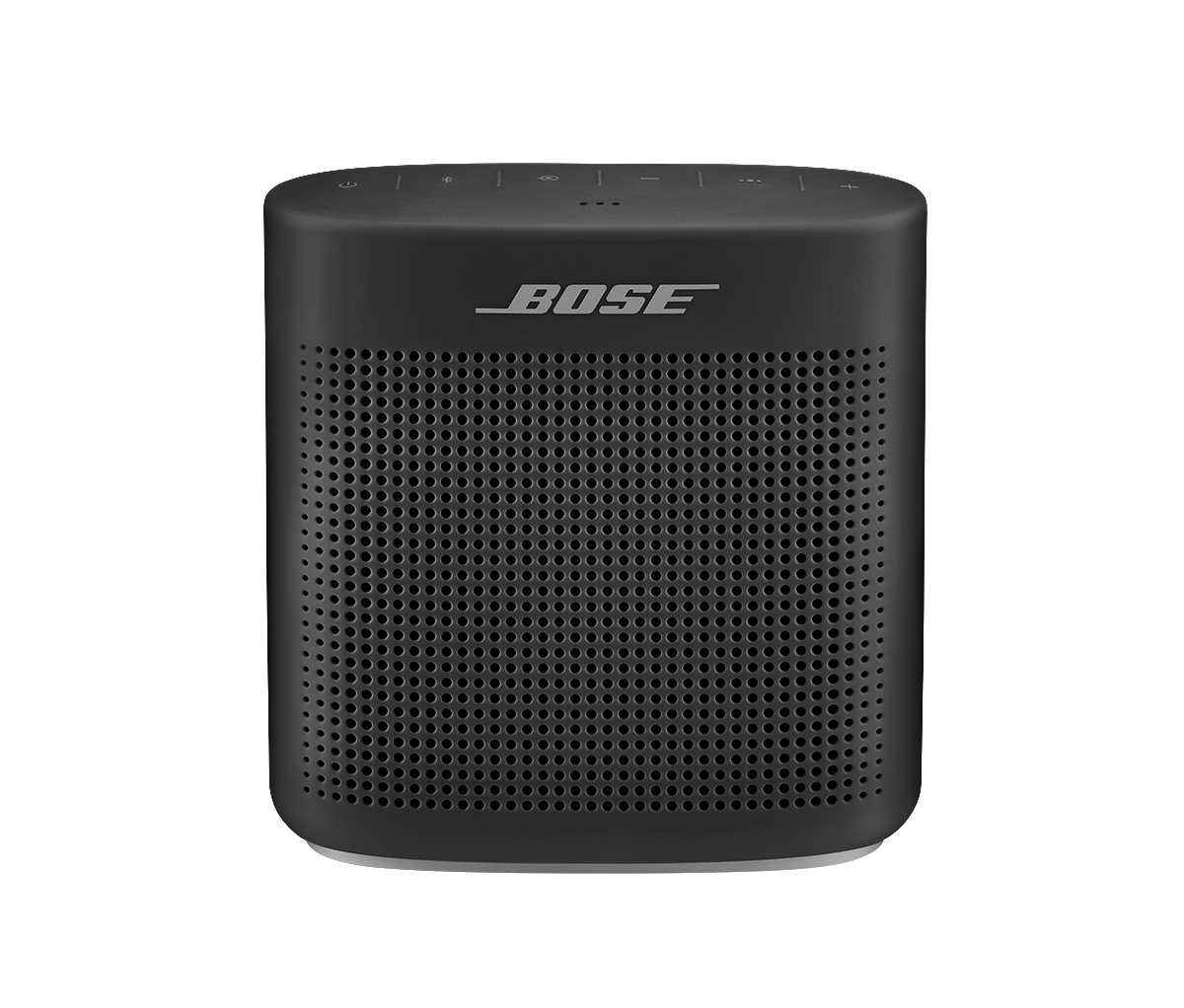
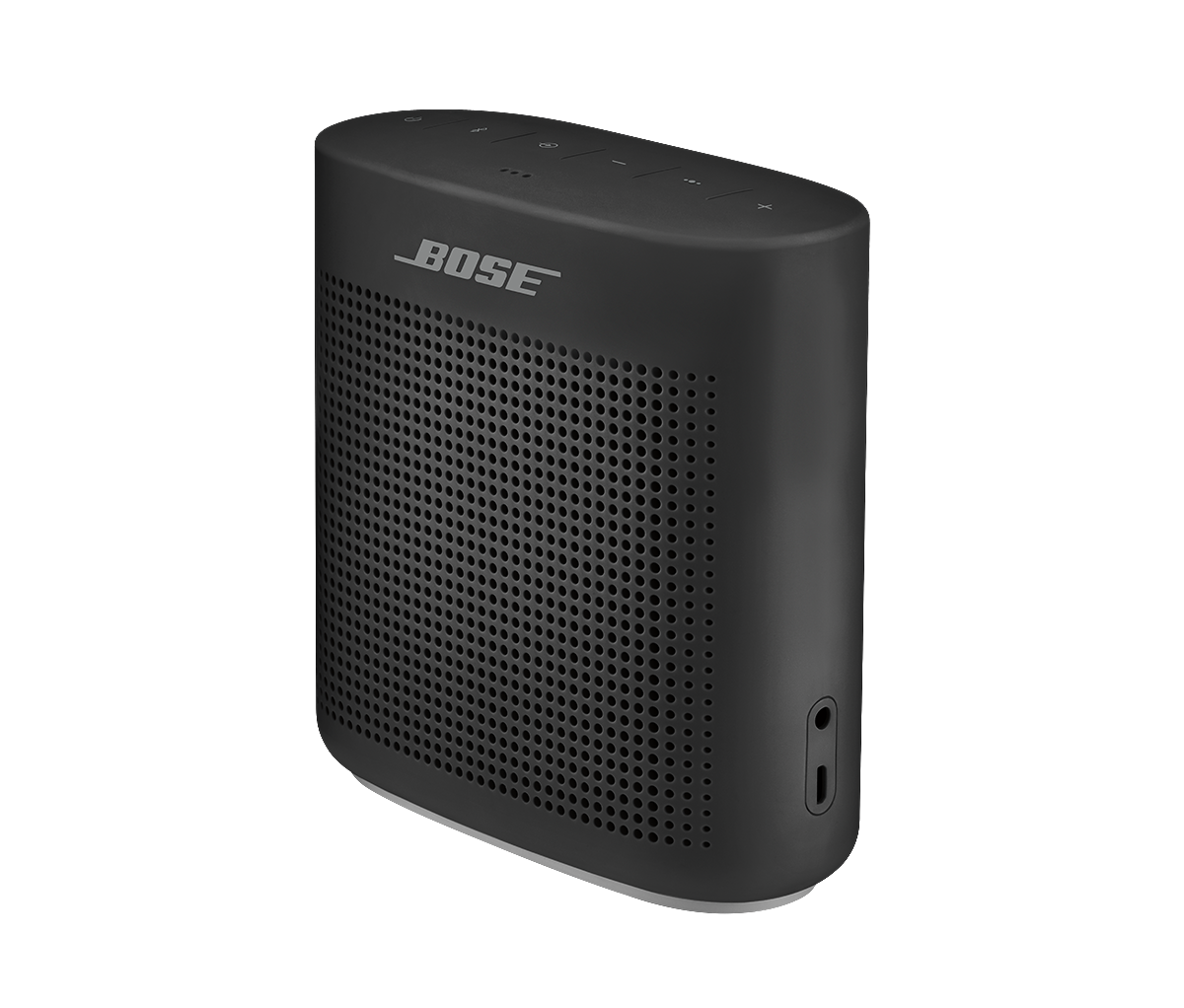
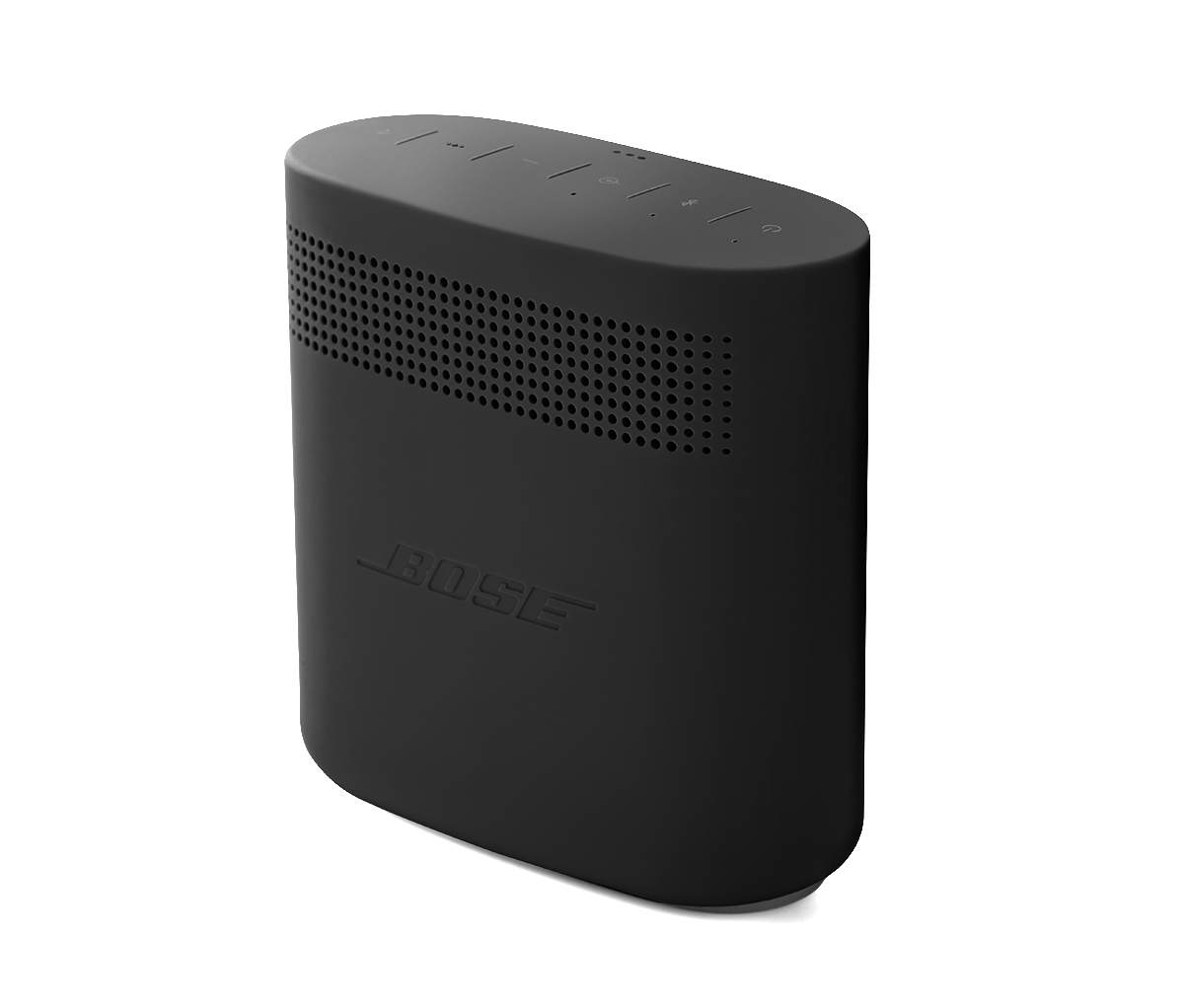

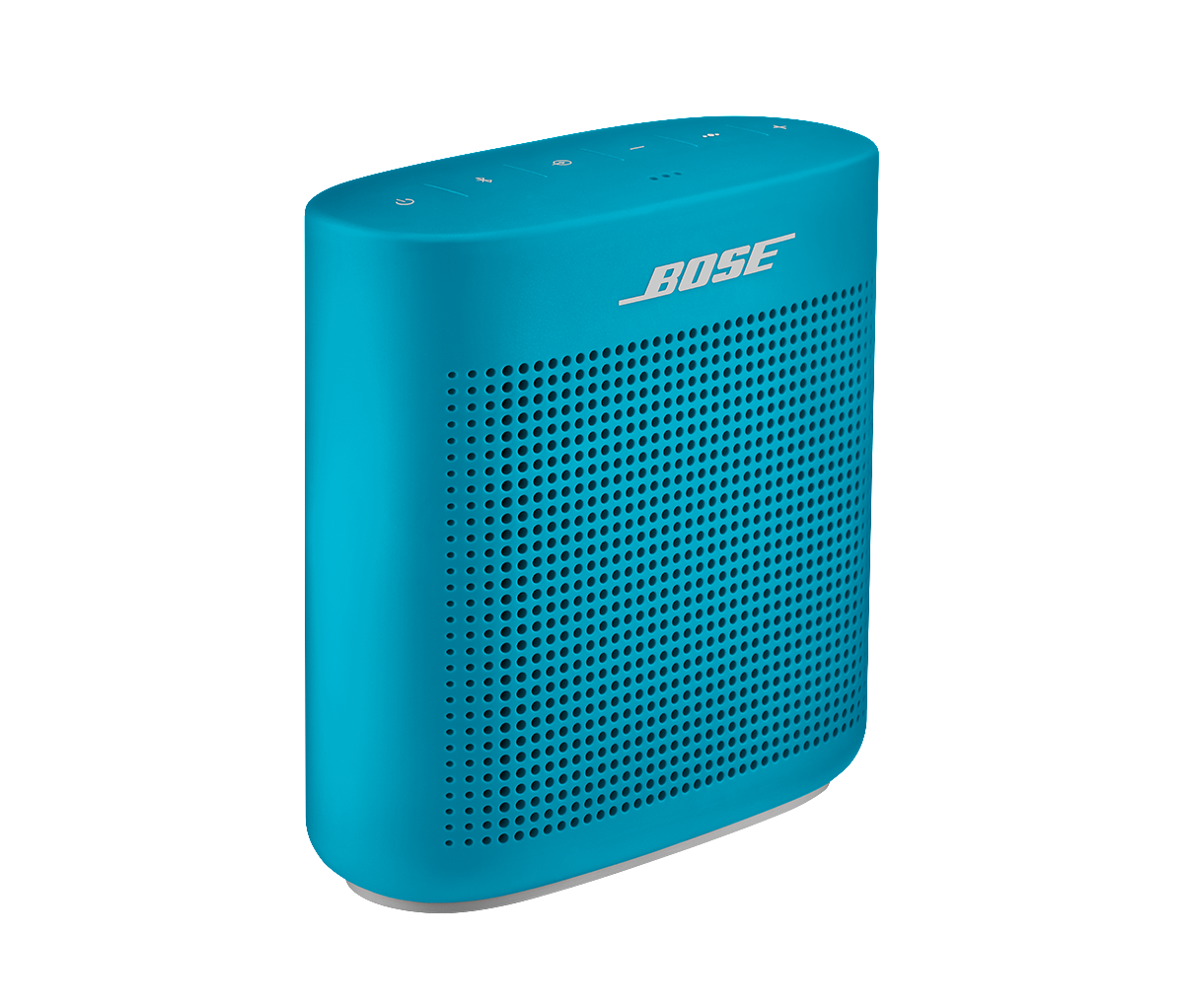


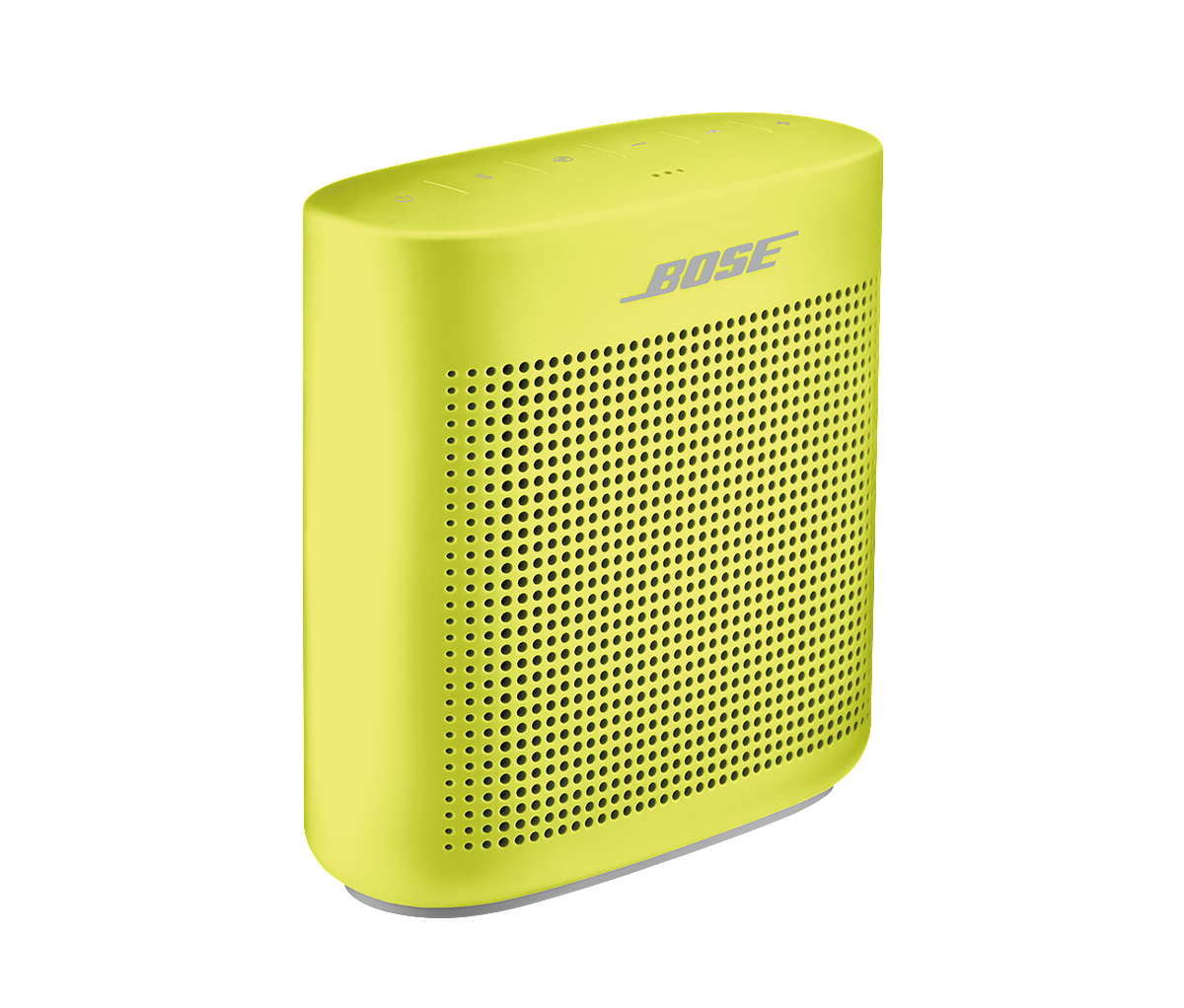
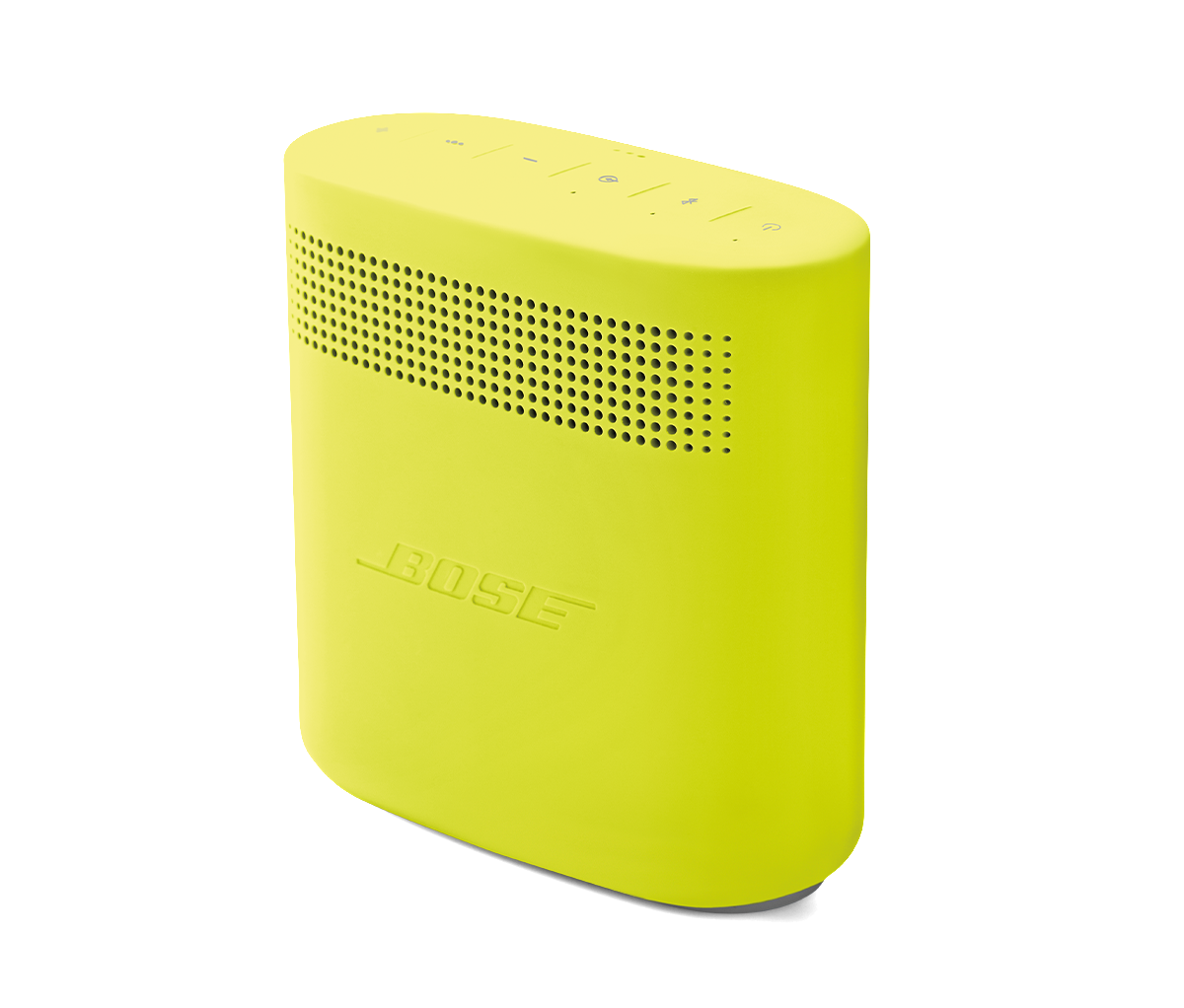
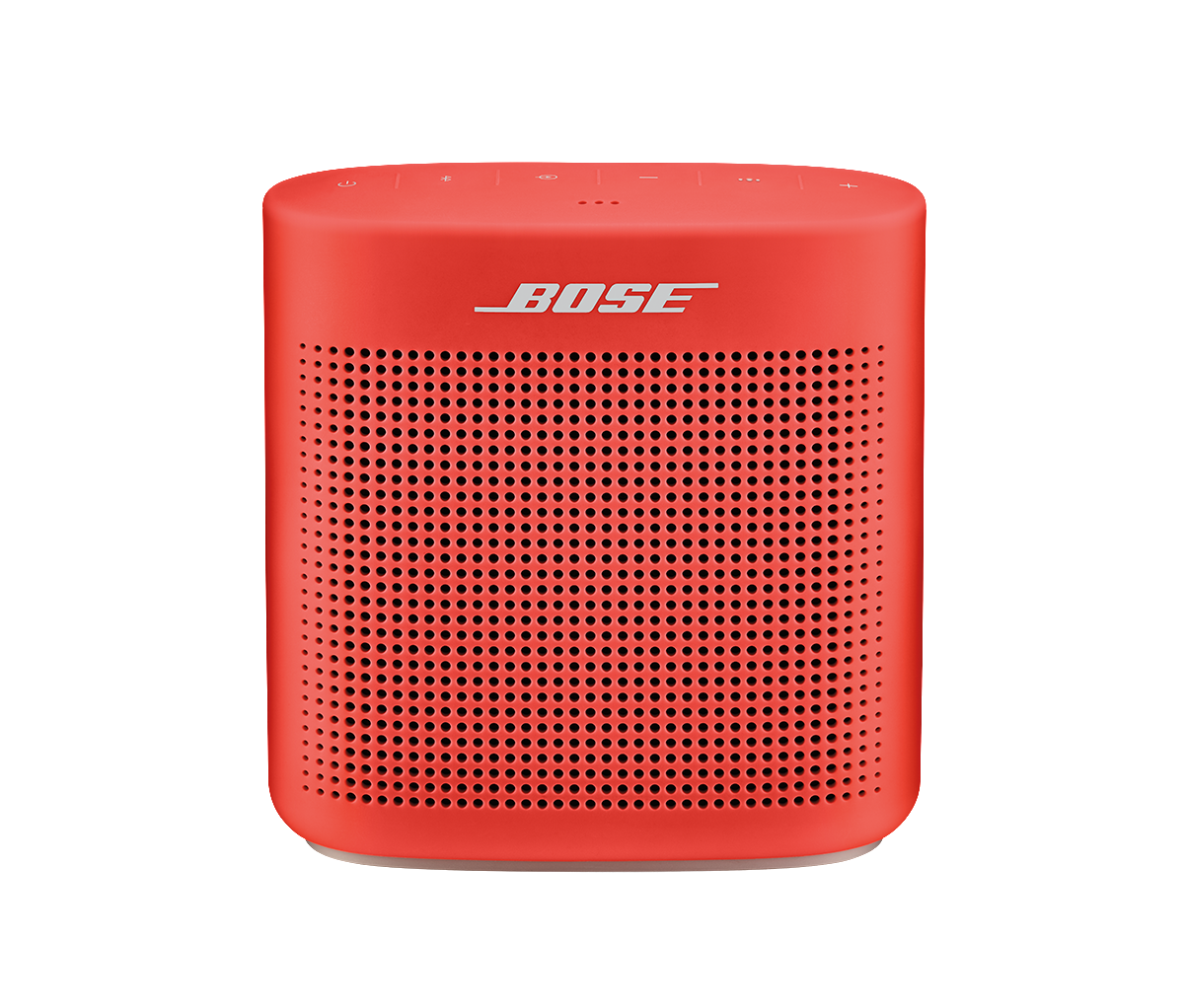

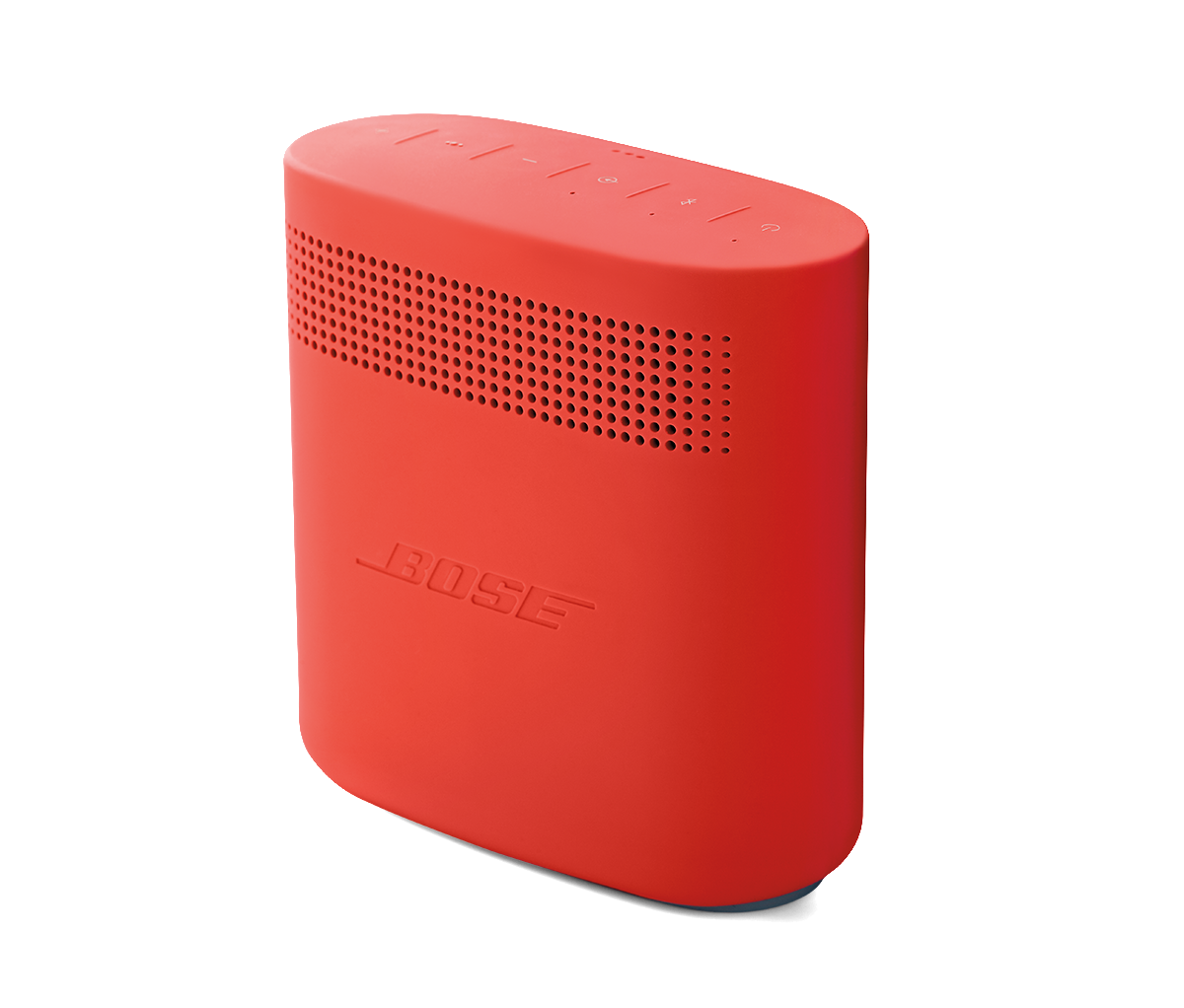
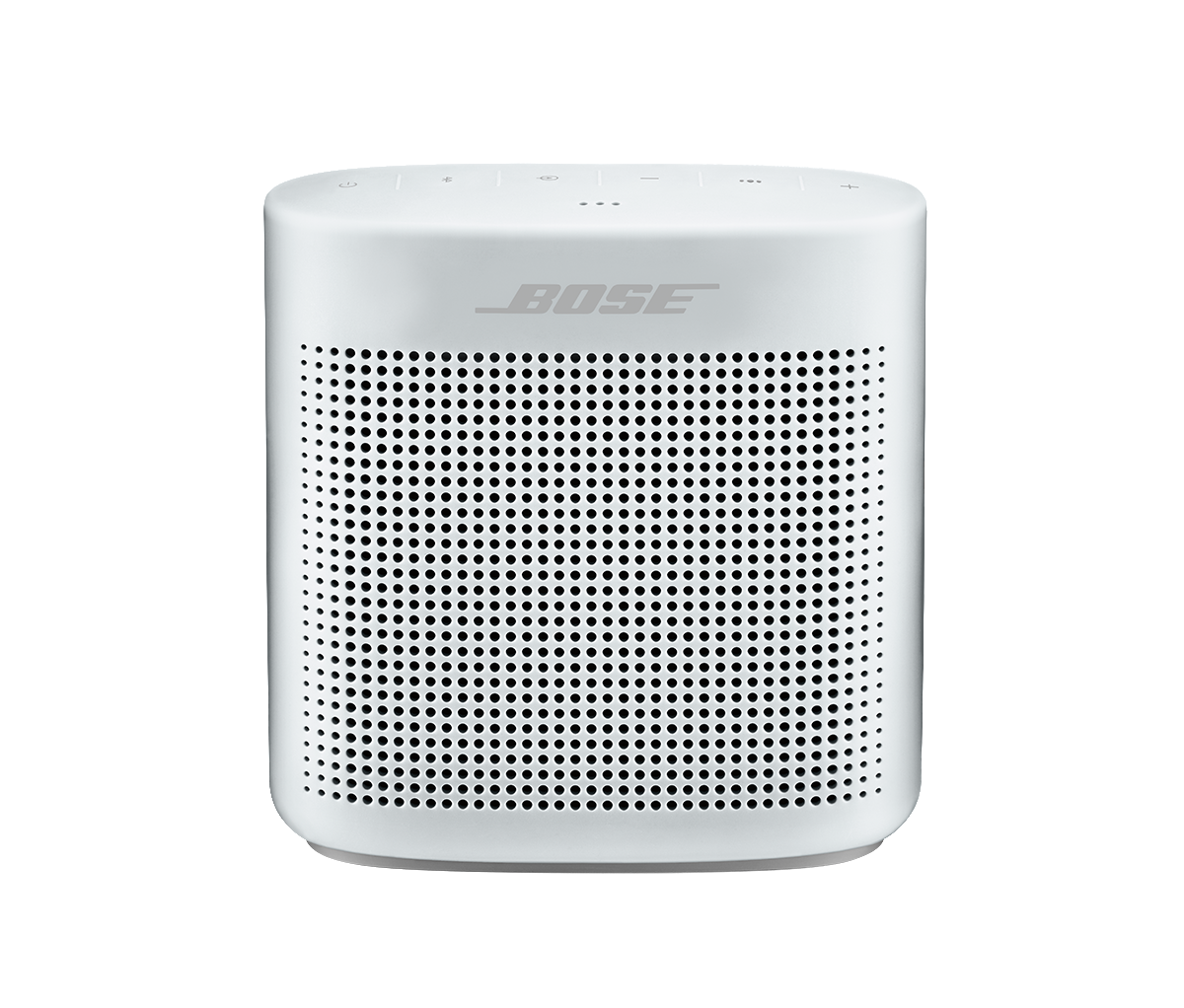
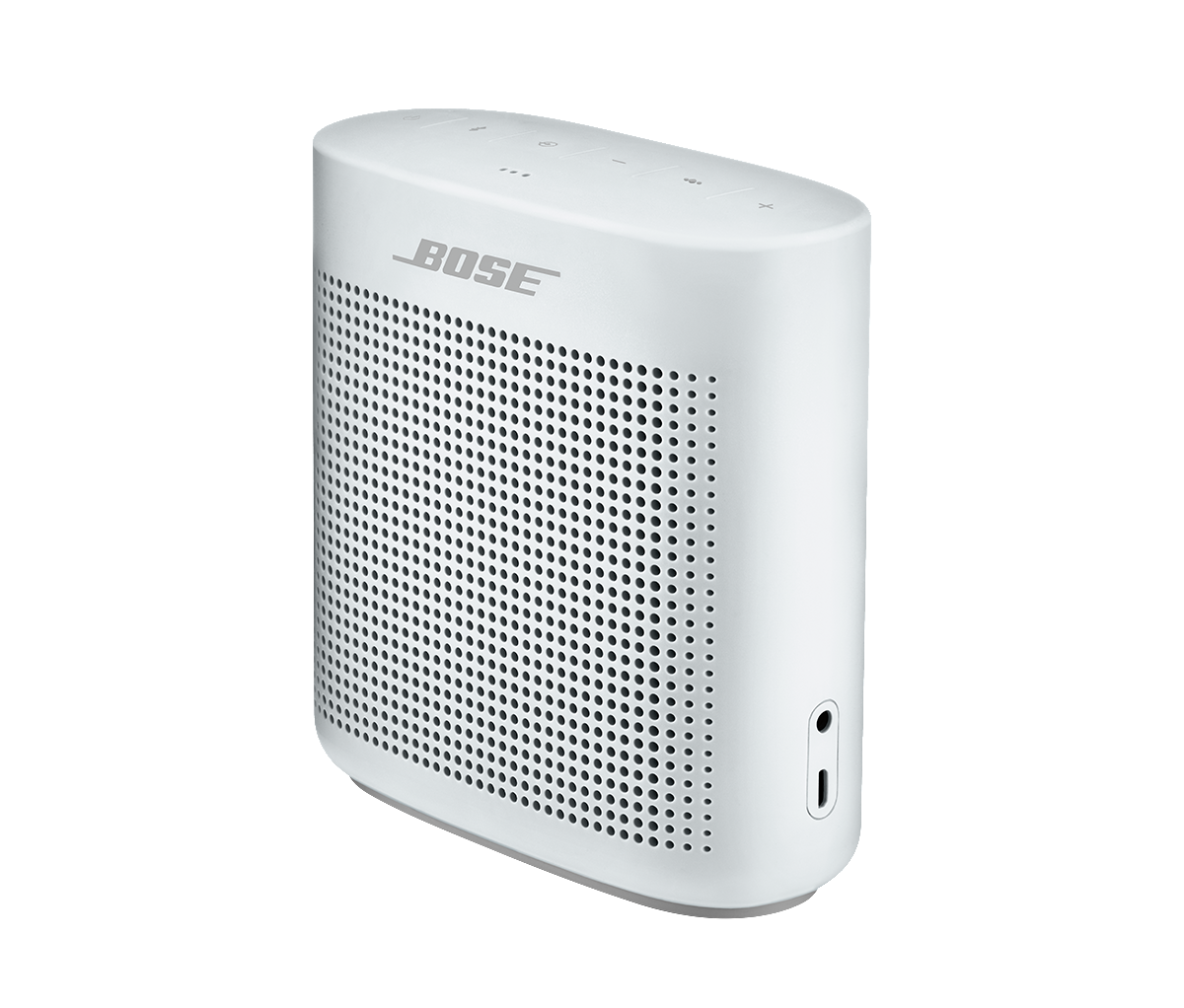
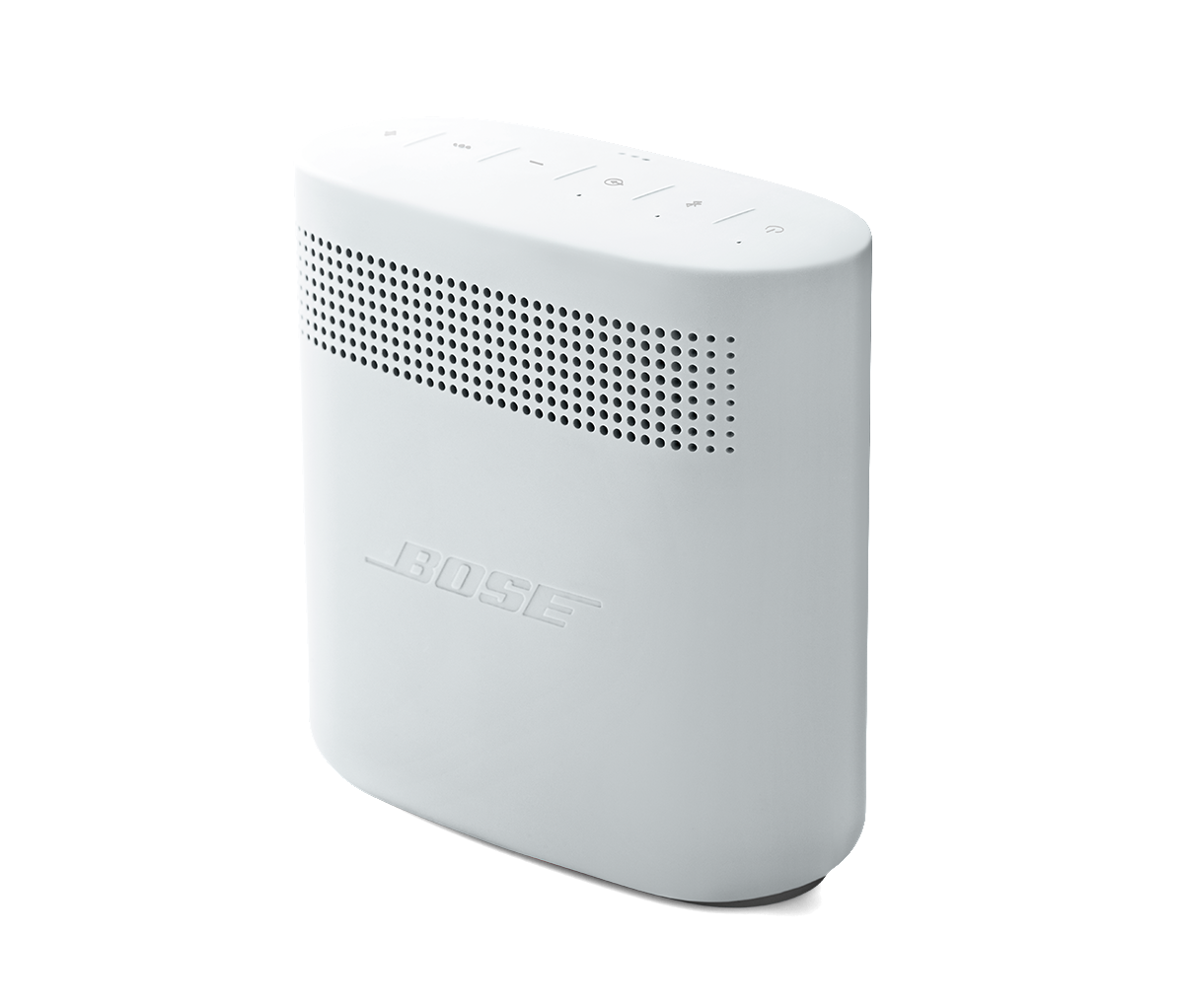
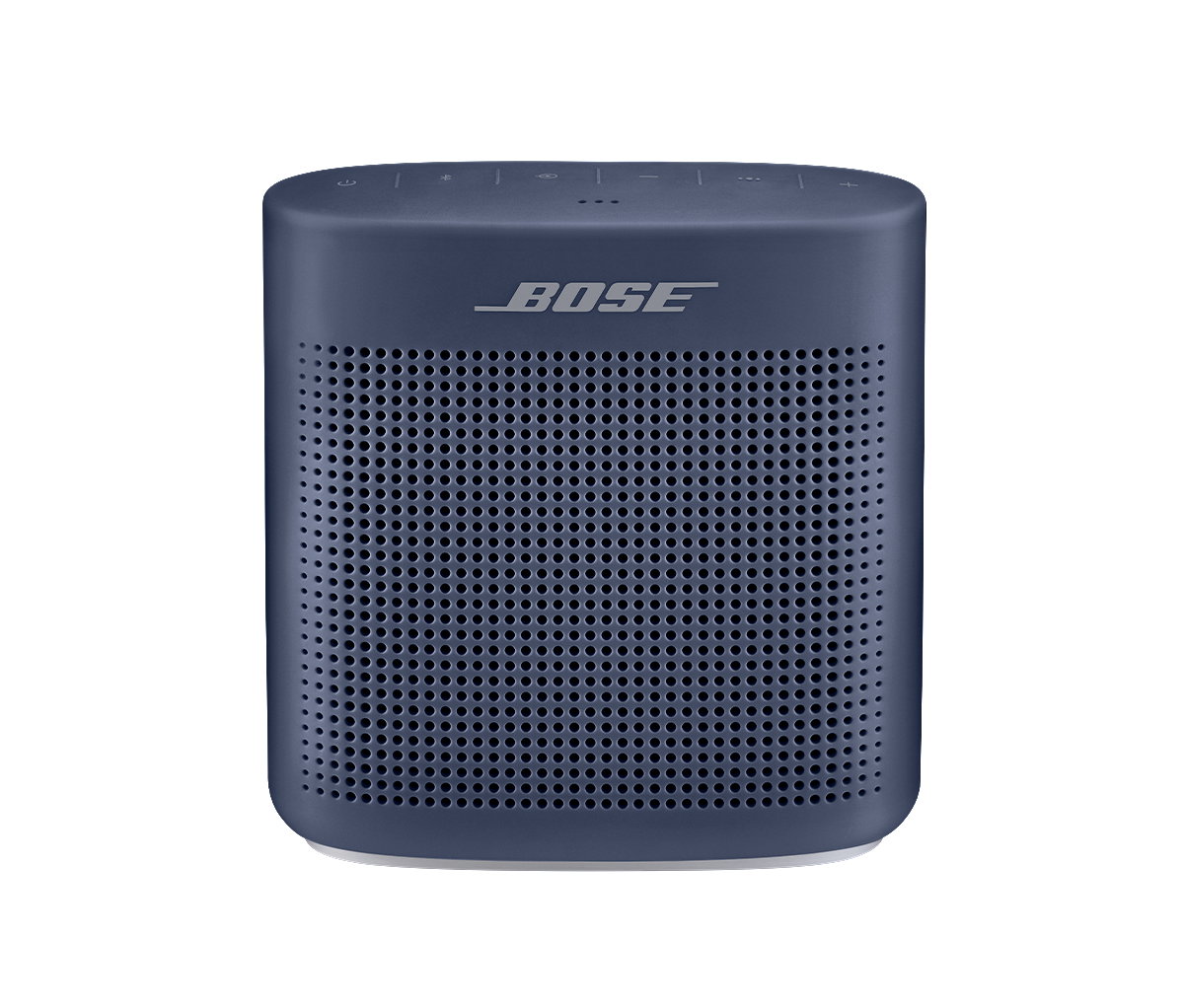
Search our repository of product guides, how-tos and troubleshooting. Just type your request below
Search *
Search
Enter product guides, how to’s or troubleshooting to search
Sorry, no results found. Quick tip: Try searching for just one or two words (e.g., connection help)
-
How To’s
-
Troubleshooting
-
Downloads
-
Accessories
-
Repair
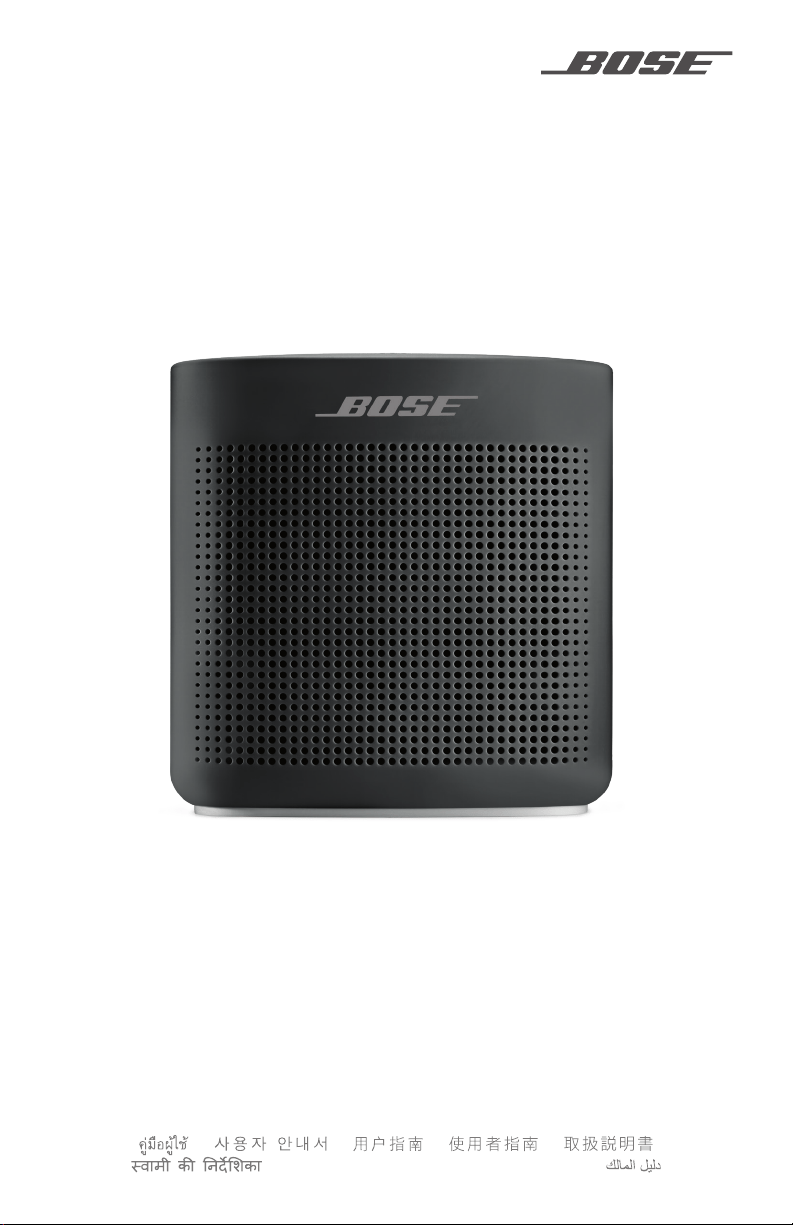
OWNER’S GUIDE • BRUGERVEJLEDNING
BEDIENUNGSANLEITUNG • GEBRUIKERSHANDLEIDING
GUÍA DEL USUARIO • KÄYTTÖOHJE • NOTICE D’UTILISATION
MANUALE DI ISTRUZIONI • KEZELÉSI ÚTMUTATÓ
BRUKERVEILEDNING • PODRĘCZNIK UŻYTKOWNIKA
MANUAL DO PROPRIETÁRIO • BRUKSANVISNING
• • • •
• РУКОВОДСТВО ВЛАДЕЛЬЦА •
SOUNDLINK
®
COLOR II
File type: PDF
File name: 39627505_soundlink-color-ii.pdf
File size: 2.84 MB
File Language: English
Pages: 34
Author: Bose
File created: 2021-10-15
| Language | Type | Pages | |
|---|---|---|---|
| English | User Manual | 32 | > Go to the manual |
| Dutch | User Manual | 32 | Go to the manual |
| French | User Manual | 34 | Go to the manual |
| All languages | User Manual | 32 | > Go to the manual |
704816
Report abuse
Libble takes abuse of its services very seriously. We’re committed to dealing with such abuse according to the laws in your country of residence. When you submit a report, we’ll investigate it and take the appropriate action. We’ll get back to you only if we require additional details or have more information to share.
Product: Bose Soundlink Color II
Forumrules
To achieve meaningful questions, we apply the following rules:
- First, read the manual;
- Check if your question has been asked previously;
- Try to ask your question as clearly as possible;
- Did you already try to solve the problem? Please mention this;
- Is your problem solved by a visitor then let him/her know in this forum;
- To give a response to a question or answer, do not use this form but click on the button ‘reply to this question’;
- Your question will be posted here and emailed to our subscribers. Therefore, avoid filling in personal details.
Your question has been posted on this page
Would you like to receive an email when new answers and questions are posted? Please enter your email address.
FAQS
В: Как включить Bluetooth-динамик Bose Soundlink Color II?
A: Нажмите и удерживайте кнопку питания, пока индикатор Bluetooth не начнет мигать.
В: Как мне подключить свое устройство к динамику?
О: Включите Bluetooth на своем устройстве и выберите «Bose Soundlink Color II» из списка доступных устройств.
В: Могу ли я подключить к колонке несколько устройств одновременно?
О: Нет, динамик можно одновременно подключить только к одному устройству.
В: Как отрегулировать громкость?
О: Используйте кнопки громкости на динамике или отрегулируйте громкость на подключенном устройстве.
В: Как пропустить трек?
О: Нажмите кнопку «следующая дорожка» на динамике или используйте элементы управления на подключенном устройстве.
В: Могу ли я использовать динамик во время зарядки?
О: Да, вы можете использовать динамик во время зарядки.
В: Сколько времени нужно, чтобы полностью зарядить динамик?
О: Полная зарядка динамика занимает примерно 3 часа.
В: Как долго работает батарея?
A: Аккумулятор работает до 8 часов без подзарядки.
В: Могу ли я использовать динамик для телефонных звонков?
О: Да, вы можете использовать динамик для телефонных звонков, подключив его к телефону через Bluetooth.
В: Является ли динамик водостойким?
О: Да, динамик водостойкий и выдерживает брызги и дождь. Однако его не следует погружать в воду.
Bose Soundlink Color II Bluetooth Speaker Руководство пользователя — Оптимизированный PDF
Bose Soundlink Color II Bluetooth Speaker Руководство пользователя — Исходный PDF

Рекомендации
- Руководство пользователя