
Страницы 1
Чтобы отправить ответ, вы должны войти или зарегистрироваться
1 2015-12-23 08:38:42

- Информатор
- Администратор
- Неактивен

- Зарегистрирован: 2015-12-22
- Сообщений: 20
- Репутация : [ 0 | 0 ]
Тема: Руководство по эксплуатации VW Tiguan — скачать (PDF, 147 Mb)
Добрый день, Друзья! Теперь Вы можете скачать руководство по эксплуатации VW Tiguan в формате PDF и залить себе его на мобильный телефон или планшет. В руководстве предусмотрена функция поиска, что очень удобно.

Теперь можно быстрой найти информацию о том, как правильно менять в машине аккумулятор, или как правильно готовить машину к дальней поездке, или как самостоятельно производить замену колеса, лампочек накаливания или предохранителей!
Не секрет, что руководство к автомобилю мало кто читает. Думаю сейчас, имея электронный вариант руководства вы можете не только узнать больше о своём любимом автомобиле, но и оставлять заметки и закладки к тексту, чтобы в будущем быстро ориентироваться при возникновении каких-то экстренных ситуаций.
скачать: rukovodstvo_tiguan_info.pdf
2 Ответ от burak.andrij 2021-01-24 18:19:07
- burak.andrij
- Новичок
- Неактивен
- Зарегистрирован: 2021-01-24
- Сообщений: 1
- Репутация : [ 0 | 0 ]
Re: Руководство по эксплуатации VW Tiguan — скачать (PDF, 147 Mb)
Скачать руководство по эксплуатации vw tiguan
Страницы 1
Чтобы отправить ответ, вы должны войти или зарегистрироваться
Комментарии
23
Войдите или зарегистрируйтесь, чтобы писать комментарии, задавать вопросы и участвовать в обсуждении.
Войти
Зарегистрироваться

ratpoisonn
Без машины
А здесь книга по ремонту
manualov.net/downloadbooks.php?id=4879
3 года

koto-totoro
Автор
Я езжу на Land Rover Range Rover Sport (1G)
Это же новый Тиг.
3 года
ratpoisonn
Без машины
Новый здесь
manualov.net/downloadowners.php?id=1289
3 года

avto-luybitel
Я езжу на Volkswagen Tiguan (2G)
Спасибо!
5 лет

Old-Camel
Я езжу на Volkswagen Tiguan (1G)
Спасибо огромное! Живу в Чехии, купил себе этого немца, а мануал на чешском. Неделю мучился с «преводовками» и «дотыками», потом нашёл Ваш пост)))
1
5 лет

SEgorov
Я езжу на Volkswagen Tiguan (2G)
Кто нибудь может скинуть руководство на новый Tiguan на почту, sa-egorov@mail.ru/ Никак не могу скачать. Спасибо
5 лет
koto-totoro
Автор
Я езжу на Land Rover Range Rover Sport (1G)
Файл можно получить по ссылке:
pps_552_tiguan_2017_vvedenie_rus.pdf
yadi.sk/i/Yh4-8BaX3PKZNu
5 лет

nfufyhju
Я езжу на Volkswagen Tiguan (2G)
Подскажи, это инструкция для нового Volkswagen Tiguan? Тот который в 2017 начали продавать?
6 лет
koto-totoro
Автор
Я езжу на Land Rover Range Rover Sport (1G)
Прошлый.
6 лет
nfufyhju
Я езжу на Volkswagen Tiguan (2G)
Нового нет?
6 лет
koto-totoro
Автор
Я езжу на Land Rover Range Rover Sport (1G)
Не, ну могу конечно помочь найти:) Но позже:)
6 лет
nfufyhju
Я езжу на Volkswagen Tiguan (2G)
Помоги, у меня не получается. Старый стал, мозги не те…
1
6 лет
koto-totoro
Автор
Я езжу на Land Rover Range Rover Sport (1G)
Файл можно получить по ссылке:
pps_552_tiguan_2017_vvedenie_rus.pdf
yadi.sk/i/Yh4-8BaX3PKZNu
2
6 лет
nfufyhju
Я езжу на Volkswagen Tiguan (2G)
Спасибо.
6 лет
SEgorov
Я езжу на Volkswagen Tiguan (2G)
koto-totoro
Файл можно получить по ссылке:
pps_552_tiguan_2017_vvedenie_rus.pdf
yadi.sk/i/Yh4-8BaX3PKZNu
Спасибо
1
5 лет
SEgorov
Я езжу на Volkswagen Tiguan (2G)
koto-totoro
Файл можно получить по ссылке:
pps_552_tiguan_2017_vvedenie_rus.pdf
yadi.sk/i/Yh4-8BaX3PKZNu
Такая у меня есть, мне бы ту которая в комплекте с машиной
5 лет

rinatgalimov
Я езжу на Renault Kaptur (2016)
Спасибо огромное
1
6 лет

vengro
Я езжу на Geely Atlas Pro
спасибо
1
8 лет

Elfwolf
Я езжу на Hyundai Creta (1G)
Спасибо
1
8 лет

Mystix
Без машины
ээ! не дает скачать только кнопка «пожаловаться» .
8 лет
Все комментарии
2013 Tiguan Quick-Start Guide
The information within this guide must be used in conjunction with the information in the Volkswagen Owner’s Manuals. Refer to your vehicle’s Owner’s Manual for all information and warnings. By using this guide, you acknowledge that you are aware of and have read the warnings and information provided in the Owner’s Manual on the topics in this guide and will use this information to augment that material.
Your Tiguan comes standard with turbo power, wrapped in a stylishly smaller package. And that’s just the beginning. You’ll also discover dozens of convenient features that make running errands or tackling your commute a little easier. Because at Volkswagen, we want to be sure that you’re getting the most out of your time behind the wheel. So we’ve created this guide to help you get around, and to show you how quickly you’ll be speaking fluent Volkswagen.
Learn more at
vw.com/tiguan2013
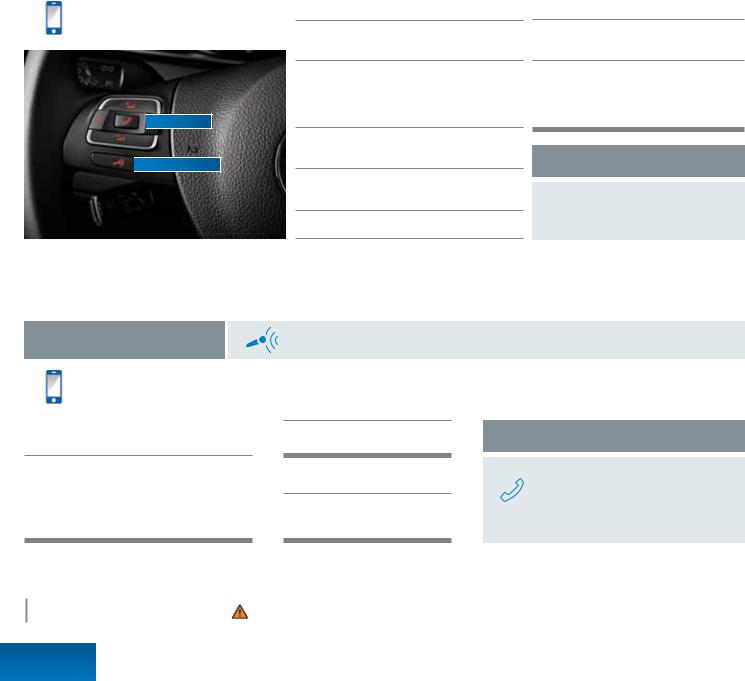
Bluetooth® Technology
Text* BT to 50467 to watch the Bluetooth video.
Message and data rates may apply.

 Phone button

 Microphone button
*Do not text while driving.
Pairing your phone
First, check your phone’s compatibility at
www.vw.com/bluetooth.
Start the ignition. Your car’s Bluetooth system will be in “discovery” mode for the next three minutes. (If your car is equipped with an RNS 315 touchscreen display, power it on.)
From the Bluetooth menu on your phone, search for new devices and select VW PHONE.
A connection request will appear on the multi-function display (or on the RNS 315).
Press OK on the steering wheel (or PAIR on the RNS 315).
The multi-function display (or your RNS 315 screen) will then show a PIN.**
Make sure the same PIN is displayed on your phone and press OK on the steering wheel (or press YES on the RNS 315). Then press PAIR on your phone.†
Reconnect Automatically
If your phone displays a prompt asking to connect to VW PHONE, make sure to enable future automatic connections.
**Some phones may require entering a four-digit PIN (0000) to complete the pairing process. †Once the PIN is shown, pairing must be completed within 30 seconds. Otherwise the process will need to be repeated.
Bluetooth Voice Recognition
Text* VR to 50467 to watch the Voice Recognition video.
Message and data rates may apply.
Call by name
After you hear a beep, say, “Call” followed by the name of the person you want to call. For example, “Call Mike Brown.” The system will repeat your request. Say, “Yes” if correct. The system will answer, “Calling Mike Brown.”
*Do not text while driving.
Press the microphone button until you hear a chime. Your VW will say, “Main menu.” Then take the following steps.
Redial
After the beep, say, “Redial.”
Help
After the beep, say, “Help.” Then follow the prompts.
Answer an incoming call
The Bluetooth system will interrupt your car stereo with a ringtone. Press the phone button on the multi-function steering wheel.
|
Learn more at |
|
|
vw.com/tiguan2013 |
Important Warnings and Safety Information, which you must read, are listed on the last panel, under BLUETOOTH TECHNOLOGY WARNINGS. |
Bluetooth
Phone Pairing

Optional RNS 315 Audio and Navigation
Enter a destination
Press the NAV hard key.
Tap the flag icon on the touchscreen.
This will allow you to enter the address.
Enter the state first, then the city, the street, and the number.
Not sure about the number of the address?
You can just enter the state, the city, and the street. Then press the List soft key to display the street.
Confirm the address. If the address is incorrect, press the back button to return to the address entry screen.
NAV hard key 
Back button 
Press the START soft key to begin your route.
Change the route settings
The system will automatically display the fastest route. You can also have the most economical or shortest route displayed.
Within the Navigation screen, press the SETUP hard key.
Choose ROUTE OPTIONS.
Choose ROUTE CRITERIA.
Now you can change from the Fast default to Economic or Short.
Streaming audio with Bluetooth® technology
First, pair your compatible Bluetooth equipped phone or audio player. (Refer to the pairing instructions in this booklet.)
Press the MEDIA hard key. Audio will start to play from your phone.
If other media are connected, such as an SD card, CDs or an iPod, press the  soft key on the menu.
To select the next or previous track, press the arrow hard keys on the left side of the steering wheel.
To pause a song, press the radio tuning knob.
Set your presets | Press the BAND hard key repeatedly to toggle between FM, AM, or SiriusXM.
|
AM/FM stations |
SiriusXM channels |
|
|
Turn the center knob to your desired station, |
Press the Station List soft key. Then turn the center |
|
|
then press and hold the knob. The preset soft |
knob to your channel and press the knob to select. |
|
|
keys will appear. Press and hold a preset soft |
Press the Save soft key; the preset soft keys will |
|
|
key until you hear the confirmation tone. To |
appear. Press a preset to save a channel. To save |
|
|
save another preset, turn the center knob again |
another preset, turn the center knob again to choose |
|
|
to choose a station, and repeat the steps. |
a channel, and repeat the steps. |
|
SiriusXM Satellite Radio. New Volkswagen vehicles come with a three-month trial subscription to the Sirius Select package. Infrequently, tall buildings and tunnels may interrupt the satellite signal. This is normal. The signal will refresh as you drive. For more information, please refer to the SiriusXM brochure in your glove box.
|
Learn more at |
|
|
vw.com/tiguan2013 |
Important Warnings and Safety Information, which you must read, are listed on the last panel, under NAVIGATION WARNINGS and RNS 315 WARNINGS. |
RNS 315
Audio / Navigation
 Loading…
You can only view or download manuals with
Sign Up and get 5 for free
Upload your files to the site. You get 1 for each file you add
Get 1 for every time someone downloads your manual
Buy as many as you need
On this page, you will find 66 manuals available for the Volkswagen Tiguan.
in English
-
Tires and wheels
22 pages
-
Safety belts
16 pages
-
Adjusting the seating position
15 pages
-
Braking stopping and parking
14 pages
-
Luggage compartment
13 pages
-
Quick-Start Guide
12 pages
-
Trailer towing
12 pages
-
Starting and stopping the engine
11 pages
-
Off road driving situations
11 pages
-
Lights
9 pages
-
Parts accessories repairs and modifications
9 pages
-
Volkswagen Information System
9 pages
-
Heating and air conditioning
9 pages
-
Storage areas
9 pages
-
Power locking and closing system
8 pages
-
Shifting
8 pages
-
Some basics
8 pages
-
Instrument cluster
7 pages
-
Tire pressuring monitoring system
7 pages
-
Power sunroof
7 pages
-
Changing lights bulbs
7 pages
-
Preparations for working in the engine compartments
6 pages
-
Windshield wiper and washer
6 pages
-
Rear Assist with dynamic orientation lines
6 pages
-
Seat functions
6 pages
-
Driving tips
5 pages
-
Sockets
5 pages
-
Mirrors
5 pages
-
Vehicle key set
5 pages
-
Towing
5 pages
-
Jump Starting
5 pages
-
Emergency closing and opening
5 pages
-
Refueling
5 pages
-
Saving fuel and helping the environment
4 pages
-
Center console overview
4 pages
-
Rear hatch
4 pages
-
Engine coolant
4 pages
-
Cruise control systems
4 pages
-
Engine oil
3 pages
-
Cup holders
3 pages
-
Vehicle battery
3 pages
-
Exterior care and cleaning
3 pages
-
Steering
3 pages
-
Fuses
3 pages
-
Driving checklists and warnings
3 pages
-
Technical data
3 pages
-
Power windows
3 pages
-
Park Distance Control
3 pages
-
Wheel covers
3 pages
-
Vehicle tool kit
3 pages
-
Doors
2 pages
-
Driver side overview
2 pages
-
Starting assistance system
2 pages
-
Fuel
2 pages
-
In an emergency
2 pages
-
Frequently asked questions
2 pages
-
Engine control and emission control system
2 pages
-
Interior care and cleaning
2 pages
-
Roof rack
2 pages
-
Reporting Safety Defects
1 page
-
Symbols on the roof console
1 page
-
Front passenger side overview
1 page
-
Driver door overview
1 page
-
Rear view
1 page
-
Front view
1 page
-
Side view
1 page
Select Year
- 2024 Volkswagen Tiguan
- 2023 Volkswagen Tiguan
- 2022 Volkswagen Tiguan
- 2021 Volkswagen Tiguan
- 2020 Volkswagen Tiguan
- 2019 Volkswagen Tiguan
- 2018 Volkswagen Tiguan
- 2017 Volkswagen Tiguan
- 2015 Volkswagen Tiguan
- 2014 Volkswagen Tiguan
- 2013 Volkswagen Tiguan
Manufacturer: VOLKSWAGEN, Model Year: 2013,
Model line: TIGUAN,
Model: VOLKSWAGEN TIGUAN 2013 1.G
Pages: 356, PDF Size: 5.65 MB
Trending: Torque spec, fuel consumption, heating, roof, suspension, power steering fluid, Under the hood
- Load previous 10 pages
Page 41 of 356

Page 42 of 356
Page 43 of 356
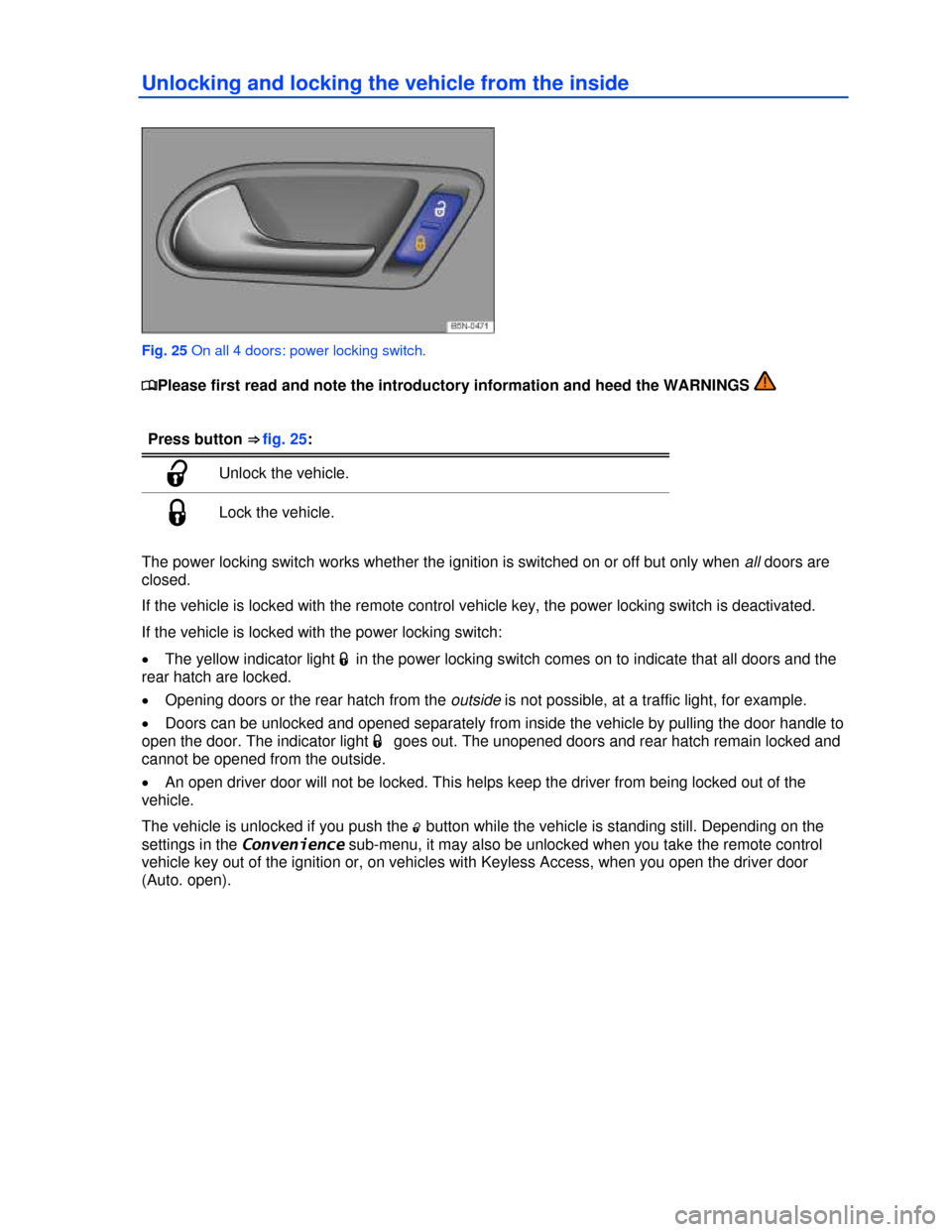
Page 44 of 356
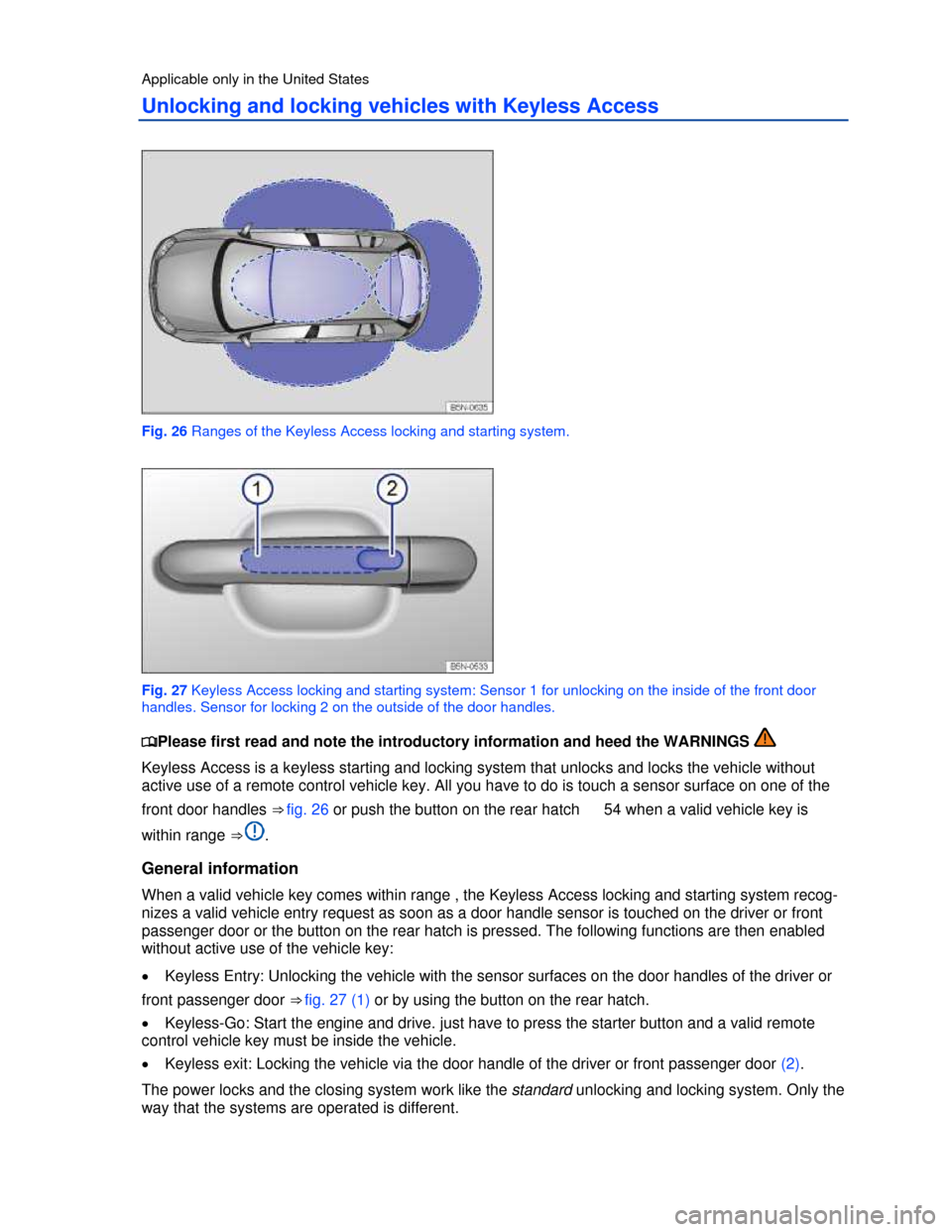
Page 45 of 356

Page 46 of 356
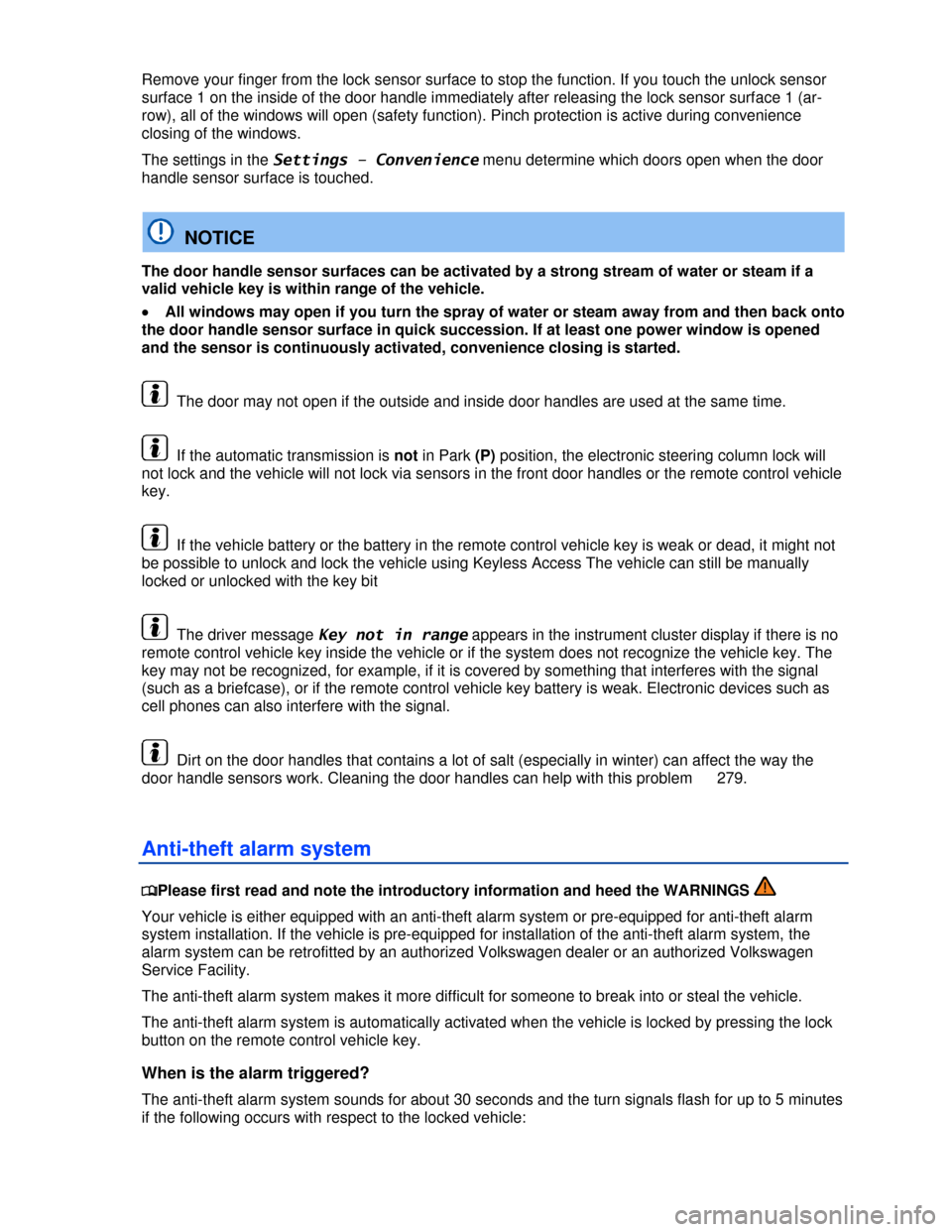
Page 47 of 356

Page 48 of 356

Page 49 of 356
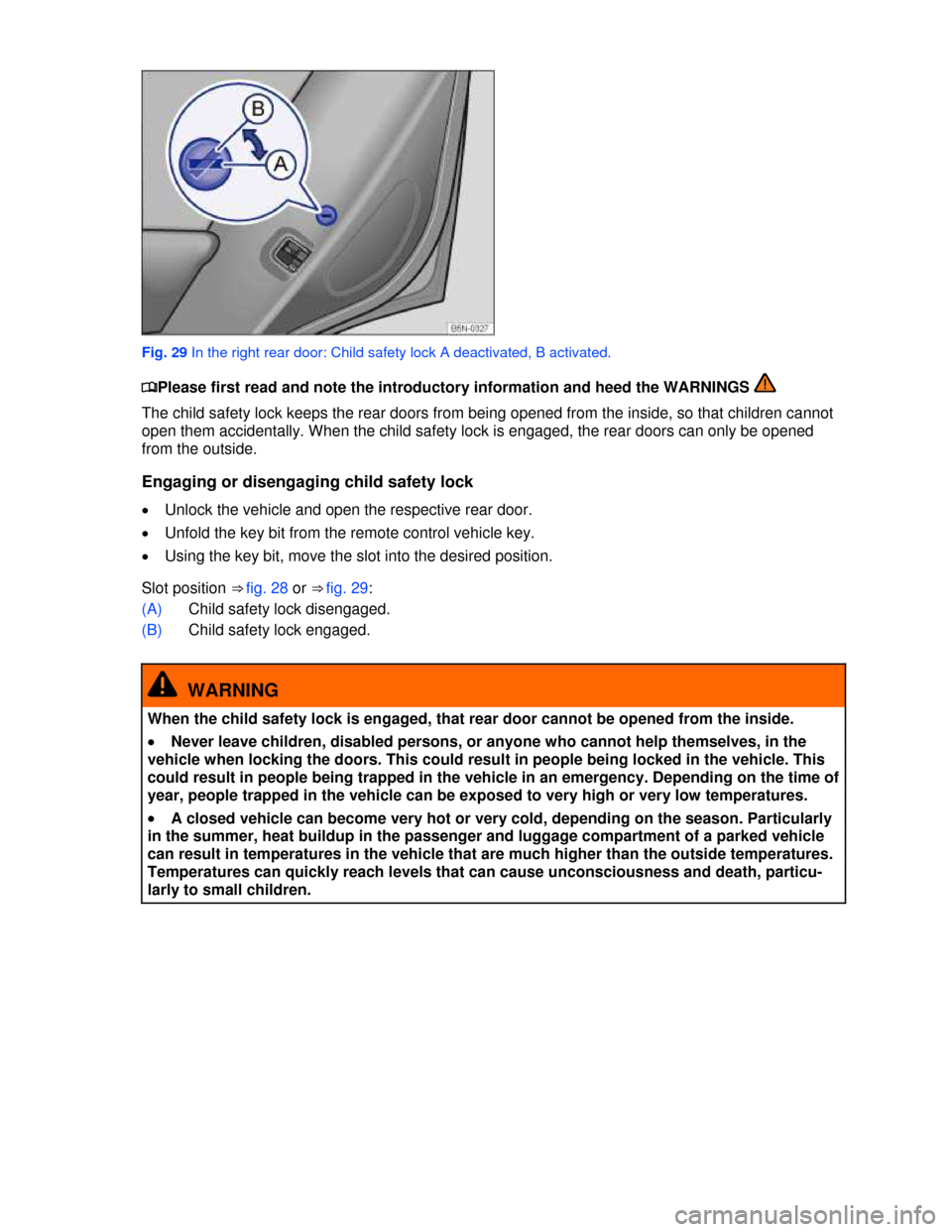
Page 50 of 356
- Load next 10 pages
Trending: dead battery, Sensor, brake fluid, fuel consumption, FUSES, Heater, ESP
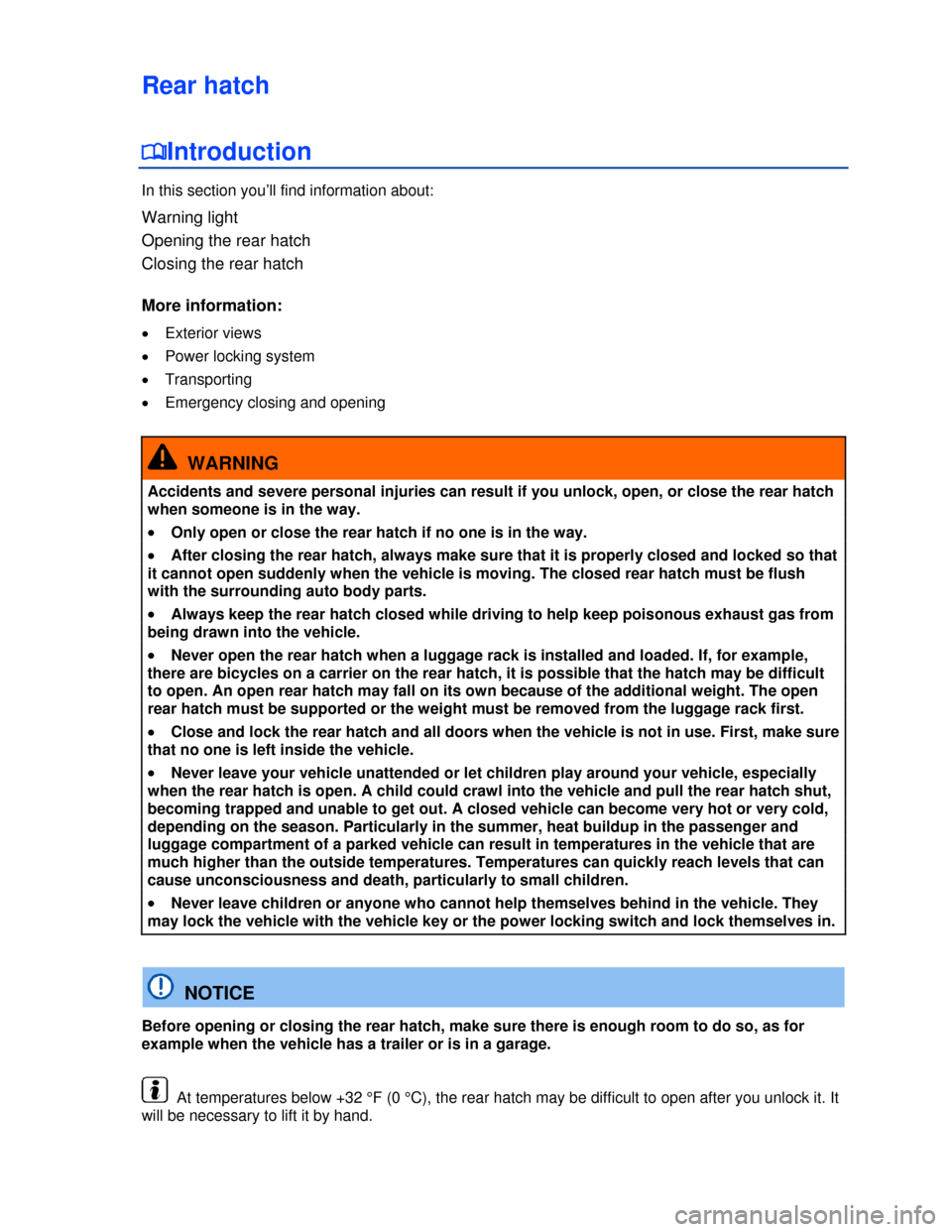
View, print and download for free: VOLKSWAGEN TIGUAN 2013 1.G Service Manual, 356 Pages, PDF Size: 5.65 MB. Search in VOLKSWAGEN TIGUAN 2013 1.G Service Manual online. CarManualsOnline.info is the largest online database of car user manuals. VOLKSWAGEN TIGUAN 2013 1.G Service Manual PDF Download.
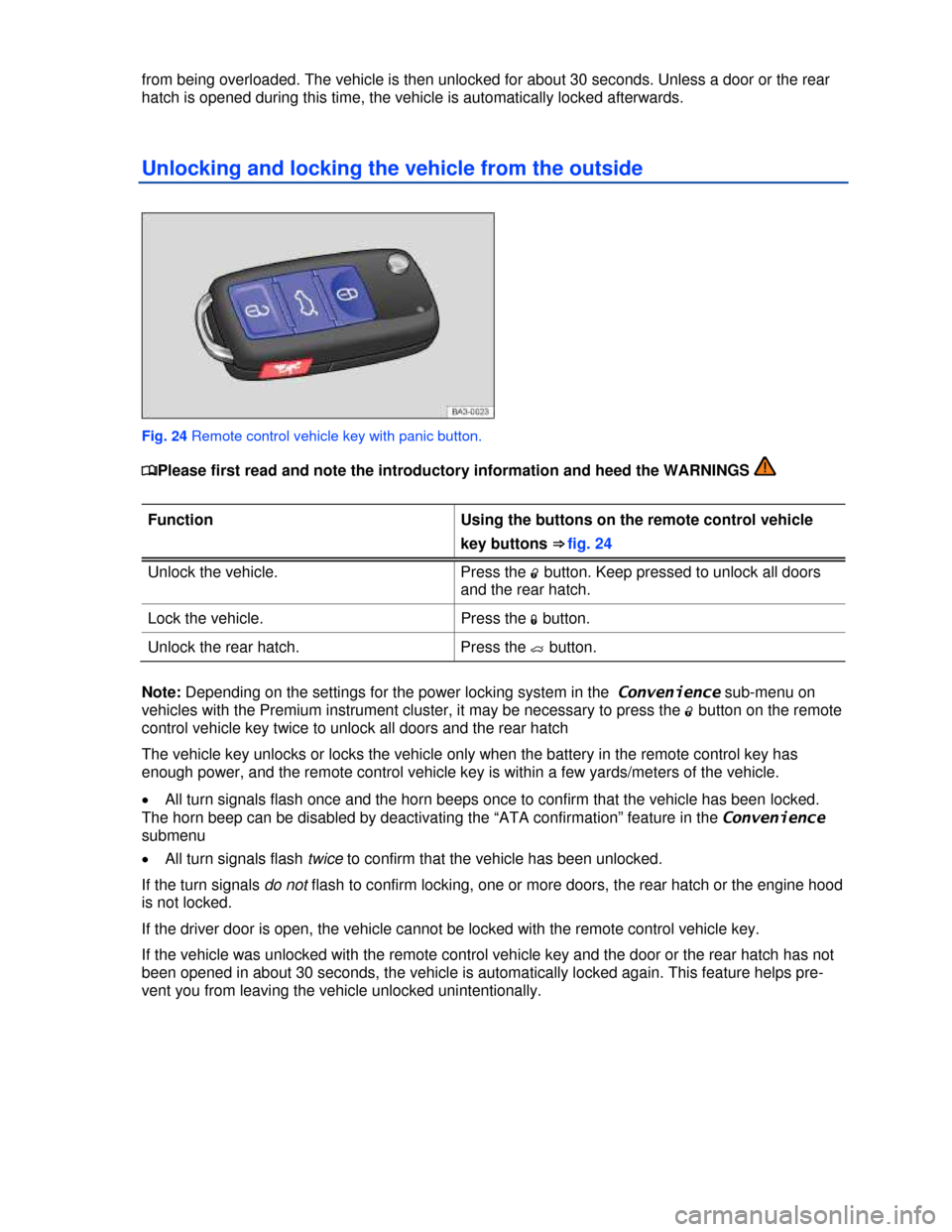
Description of the power locking system
All product names, logos, and brands are property of their respective owners.
Privacy Policy | About Us & Contact
-

Сайлентблоки переднего рычага
- От: Kriptonoviy
-
-
-
-
-
-
Масло в новый двигатель?
- От: Flashback
-
Внимание мошенники!!!
- От: interm


