
- Производитель
- Samsung
- Модель
- SM-B311VZKPVZW
- Операционная система
-
- Неизвестная ОС
- Тип файла
-
- Инструкция
- Версия
-
Нет данных
32-bit
Просмотреть содержимое архива
Вы нашли то, что искали?
Дополнительная информация
User Manual ver.NB2_F1
- Verizon Wireless SM-B311V (GUSTO 3 Prepaid) Spanish User Manual
Полезно
50 %
2
Commentary
Ваше имя
- Главная
-
Samsung
-
Мобильные телефоны
-
SM-B311VZKPVZW
На этой странице вы найдёте полный список документов на Мобильные телефоны Samsung SM-B311VZKPVZW.
Выберите необходимый PDF файл.
-

Мобильные телефоны
Samsung SM-B311VZKPVZW Инструкция по эксплуатацииТип файла
PDFРазмер
3.57 MbКол-во страниц
167Просмотров
503Download / Read online

- 1
Другие Samsung Мобильные телефоны
-
Samsung SM-G900PZWEVMU Руководство пользователя
PDF файлов
2Просмотров
14861 -
Samsung SCH-S968MBBTFN Руководство пользователя
PDF файлов
2Просмотров
14841 -
Samsung SCH-I535ZKBVZW Руководство пользователя
PDF файлов
2Просмотров
8691 -
Samsung SCH-I545ZBAVZW Руководство пользователя
PDF файлов
2Просмотров
8540 -
Samsung SCH-I545ZWAVZW Руководство пользователя
PDF файлов
2Просмотров
8245 -
Samsung SM-N900PZKESPR Руководство пользователя
PDF файлов
2Просмотров
8128
Другие устройства Samsung
-
Принтеры
Samsung SCX-3405 Инструкция по эксплуатацииPDF файлов
1Просмотров
30228 -
Ноутбуки
Samsung NC10 Инструкция по эксплуатацииPDF файлов
1Просмотров
21300 -
Телефоны
Samsung and DS-5007S Инструкция по эксплуатацииPDF файлов
1Просмотров
21265 -
Телефоны
Samsung DS-5038S Инструкция по эксплуатацииPDF файлов
1Просмотров
21193 -
Радионяни
Samsung sew-3037w Инструкция по эксплуатацииPDF файлов
1Просмотров
17457 -
Микроволновые печи
Samsung CE101K Инструкция по эксплуатацииPDF файлов
1Просмотров
15879
Вопросы
-
слабая батарея
Ноутбуки
Acer
1310
Alex 12.02.2016 17:26
Ранее вы смотрели
Производители
Axor
Diva De Provence
Gateway
Grand Hall
Home Theater Direct
King Controls
Legacy Car Audio
Medion
OWI
Revotech Industries
Типы устройств
Посудомоечные машины
Автомобильные видеосистемы
Электрические тестеры
Валики
Компьютеры
Дальнобойщикам
Прижимные ролики и удлинители
Линии контроля
Офисные телефоны
GPS-навигация
Устройства
Air King AKCV35
Bose SIE2GREEN
Closet Maid 1061
Elo TouchSystems ET1545L-XXWC-X
Epson MX-80II F/T
Lightolier CWL
Motorola MD7250
Philips SA3020C/37B
STIHL BG 75
freeuserguide.ru
About Us
Contacts
Disclamers
Privacy Policy
Эта страница полезна для вас? Поделитесь ссылкой:

User manual
SM-B311V
using this manual
This user manual has been specially designed to guide you through the functions
and features of your mobile phone. To get started quickly, refer to “introducing your
mobile phone,
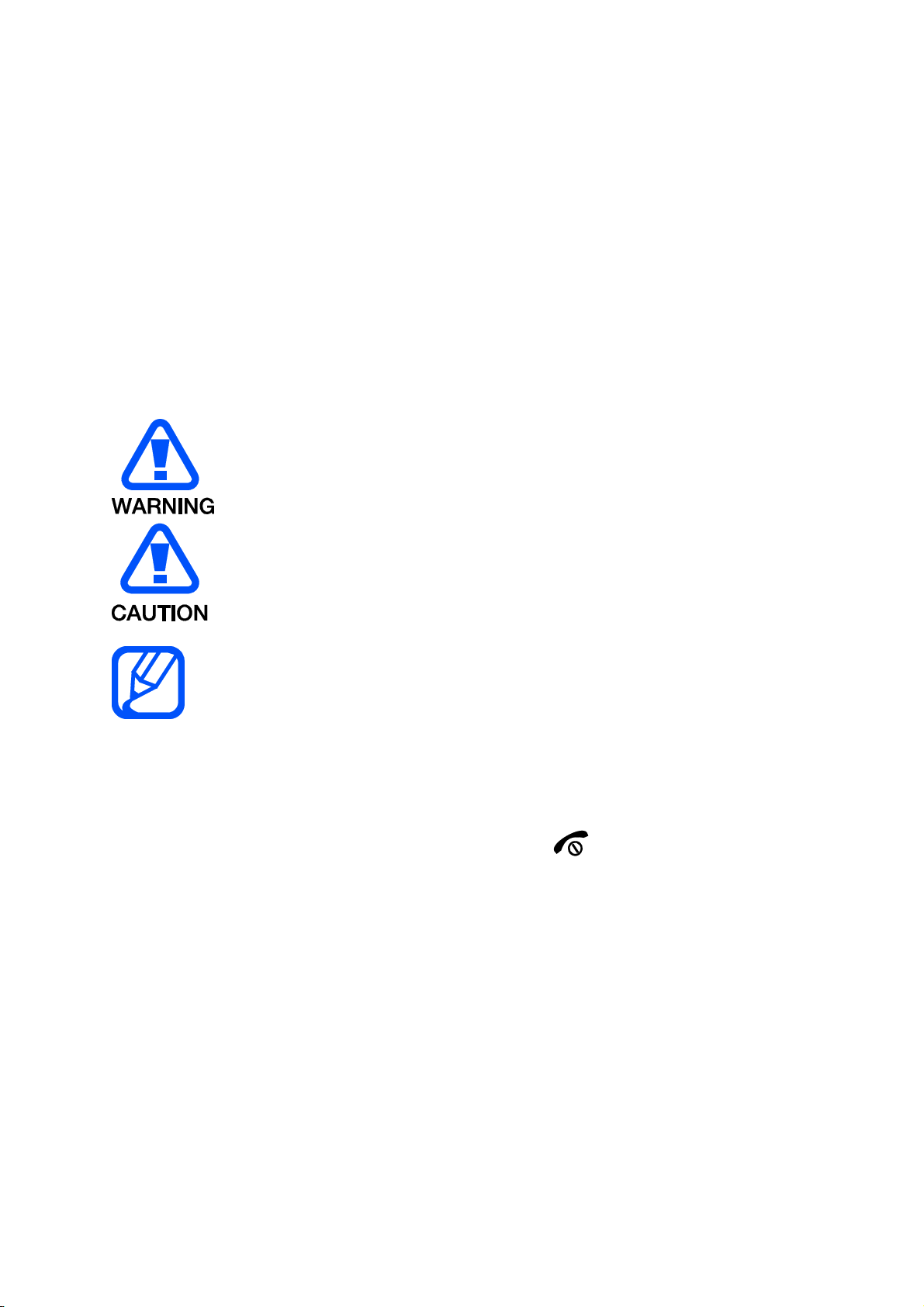
Instructional icons
Before you start, familiarise yourself with the icons you will see in this manual:
Warning—situations that could cause injury to yourself or others
Caution—situations that could cause damage to your phone or other
equipment
Note—notes, usage tips, or additional information
Refer to—pages with related information; for example: p. 12
(represents “see page 12”)
Õ Followed by—the order of options or menus you must select to perform a
step; for example: In Menu mode, select Messages Õ Create new message
(represents Messages, followed by Create new message)
[ ] Square brackets—phone keys; for example: [
](represents the Power/
Menu exit key)
< > Angled brackets—softkeys that control different functions at each screen; for
example: <OK> (represents the OK softkey)
Copyright information
Rights to all technologies and products that comprise this device are the property of
their respective owners:
Bluetooth
®
is a registered trademark of the Bluetooth SIG, Inc. worldwide
Java™ is a trademark of Sun Microsystems, Inc.
Windows Media Player
®
is a registered trademark of Microsoft Corporation.

contents
safety and usage information
Safety warnings
Safety precautions
Important usage information
introducing your mobile phone
Unpack ..
Phone layout
Keys
Display
Icons
assembling and preparing your mobile phone
Install the SIM card and battery
Charge the battery
using basic functions
Turn your phone on and off
Access menus
Customise your phone
Use basic call functions
Send and view messages
Add and find contacts
troubleshooting
safety and usage
information
Comply with the following precautions to avoid dangerous or illegal situations and
ensure peak performance of your mobile phone.
Safety warnings
Keep your phone away from small children and pets
Keep your phone and all accessories out of the reach of small children or animals.
Small parts may cause choking or serious injury if swallowed.
Protect your hearing
Excessive exposure to sound at high volumes can cause hearing damage. Always turn
the volume down before plugging the earphones into an audio source and use only the minimum
volume setting necessary to hear your conversation or music.
Install mobile phones and equipment with caution
Ensure that any mobile phones or related equipment installed in your vehicle are
securely mounted. Avoid placing your phone and accessories near or in an air bag
deployment area. Improperly installed wireless equipment can cause serious injury
when air bags inflate rapidly.
Handle and dispose of batteries and chargers with care
Use only Samsung-approved batteries and chargers specifically designed for
your phone. Incompatible batteries and chargers can cause serious injuries
or damage to your phone.
Never dispose of batteries or phones in a fire. Follow all local regulations
when disposing used batteries or phones.
Never place batteries or phones on or in heating devices, such as microwave
ovens, stoves, or radiators. Batteries may explode when overheated.
Never crush or puncture the battery. Avoid exposing the battery to high
external pressure, which can lead to an internal short circuit and overheating.
Avoid interference with pacemakers
Maintain a minimum of 15 cm (6 inches) between mobile phones and pacemakers to
avoid potential interference, as recommended by manufacturers and the
independent research group, Wireless Technology Research. If you have any reason
to suspect that your phone is interfering with a pacemaker or other medical device,
turn off the phone immediately and contact the manufacturer of the pacemaker or
medical device for guidance.
Turn off the phone in potentially explosive environments
Do not use your phone at refuelling points (service stations) or near fuels or
chemicals. Turn off your phone whenever directed by warning signs or instructions.
Your phone could cause explosions or fire in and around fuel or chemical storage
and transfer areas or blasting areas. Do not store or carry flammable liquids, gases,
or explosive materials in the same compartment as the phone, its parts, or
accessories.
Reduce the risk of repetitive motion injuries
When sending text messages or playing games on your phone, hold the phone with
a relaxed grip, press the keys lightly, use special features that reduce the number of
keys you have to press (such as templates and predictive text), and take frequent
breaks.
Safety precautions

Drive safely at all times
Avoid using your phone while driving and obey all regulations that restrict the use of
mobile phones while driving. Use hands-free accessories to increase your safety
when possible.
Follow all safety warnings and regulations
Comply with any regulations that restrict the use of a mobile phone in a certain area.
Use only Samsung-approved accessories
Using incompatible accessories may damage your phone or cause injury.
Turn off the phone near medical equipment
Your phone can interfere with medical equipment in hospitals or health care facilities.
Follow all regulations, posted warnings, and directions from medical personnel.
Turn off the phone or disable the wireless functions when in an aircraft
Your phone can cause interference with aircraft equipment. Follow all airline
regulations and turn off your phone or switch to a mode that disables the wireless
functions when directed by airline personnel.
Protect batteries and chargers from damage
Avoid exposing batteries to very cold or very hot temperatures (below 0° C/32° F or
above 45° C/ 113° F). Extreme temperatures can reduce the charging capacity and
life of your batteries.
Prevent batteries from contacting metal objects, as this can create a connection
between the + and — terminals of your batteries and lead to temporary or permanent
battery damage.
Never use a damaged charger or battery.
Handle your phone carefully and sensibly
Do not allow your phone to get wet—liquids can cause serious damage. Do not
handle your phone with wet hands. Water damage to your phone can void your
manufacturer’s warranty.
Avoid using or storing your phone in dusty, dirty areas to prevent damage to
moving parts.
Your phone is a complex electronic device— protect it from impacts and
rough handling to avoid serious damage.
Do not paint your phone, as paint can clog moving parts and prevent proper
operation.
Avoid using the phone’s camera flash or light close to the eyes of children or
animals.
Your phone and memory cards may be damaged by exposure to magnetic
fields. Do not use carrying cases or accessories with magnetic closures or
allow your phone to come in contact with magnetic fields for extended
periods of time.
Avoid interference with other electronic devices
Your phone emits radio frequency (RF) signals that may interfere with unshielded or
improperly shielded electronic equipment, such as pacemakers, hearing aids,
medical devices, and other electronic devices in homes or vehicles. Consult the

manufacturers of your electronic devices to solve any interference problems you
experience.
Important usage information
Use your phone in the normal position
Avoid contact with your phone’s internal antenna.
Allow only qualified personnel to service your phone
Allowing unqualified personnel to service your phone may result in damage to your
phone and will void your warranty.
Ensure maximum battery and charger life
Avoid charging batteries for more than a week, as overcharging may shorten
battery life.
Over time, unused batteries will discharge and must be recharged before use.
Disconnect chargers from power sources when not in use.
Use batteries only for their intended purpose.
Handle SIM cards and memory cards with care
Do not remove a card while the phone is transferring or accessing
information, as this could result in loss of data and/or damage to the card or
phone.
Protect cards from strong shocks, static electricity, and electrical noise from
other devices.
Frequent writing and erasing will shorten the life span of memory cards.
Do not touch gold-coloured contacts or terminals with your fingers or metal
objects. If dirty, wipe the card with a soft cloth.
Ensure access to emergency services
Emergency calls from your phone may not be possible in some areas or
circumstances. Before travelling in remote or undeveloped areas, plan an alternate
method of contacting emergency services personnel.

Health and safety information
Exposure to Radio Frequency (RF) Signals
Certification Information (SAR)
Your wireless phone is a radio transmitter and receiver. It is designed and
manufactured not to exceed the exposure limits for radio frequency (RF) energy set
by the Federal Communications Commission (FCC) of the U.S. government. These
FCC exposure limits are derived from the recommendations of two expert
organizations, the National Counsel on Radiation Protection and Measurement
(NCRP) and the Institute of Electrical and Electronics Engineers (IEEE). In both
cases, the recommendations were developed by scientific and engineering experts
drawn from industry, government, and academia after extensive reviews of the
scientific literature related to the biological effects of RF energy.
The exposure limit set by the FCC for wireless mobile phones employs a unit of
measurement known as the Specific Absorption Rate (SAR). The SAR is a measure
of the rate of absorption of RF energy by the human body expressed in units of watts
per kilogram (W/kg). The FCC requires wireless phones to comply with a safety limit
of 1.6 watts per kilogram (1.6 W/ kg). The FCC exposure limit incorporates a
substantial margin of safety to give additional protection to the public and to account
for any variations in measurements.
SAR tests are conducted using standard operating positions accepted by the FCC
with the phone transmitting at its highest certified power level in all tested frequency
bands. Although the SAR is determined at the highest certified power level, the
actual SAR level of the phone while operating can be well below the maximum value.
This is because the phone is designed to operate at multiple power levels so as to
use only the power required to reach the network. In general, the closer you are to a
wireless base station antenna, the lower the power output.
Before a new model phone is available for sale to the public, it must be tested and
certified to the FCC that it does not exceed the exposure limit established by the
FCC. Tests for each model phone are performed in positions and locations (e.g. at
the ear and worn on the body) as required by the FCC.
For body worn operation, this model phone has been tested and meets the FCC RF
exposure guidelines when used with a Samsung accessory designated for this
product or when used with an accessory that contains no metal and that positions
the handset a minimum of 1.5 cm from the body.
Non-compliance with the above restrictions may result in violation of FCC RF
exposure guidelines.
SAR information on this and other model phones can be viewed on-line at
http://www.fcc.gov/oet/ea/fccid/
. Please use the phone FCC ID number for search,
A3LSMB311V. Sometimes it may be necessary to remove the battery pack to find
the number. Once you have the FCC ID number for a particular phone, follow the
instructions on the website and it should provide values for typical or maximum SAR
for a particular phone. Additional product specific SAR information can also be
obtained at http://www.fcc.gov/encyclopedia/specific-absorption-rate-sar-cellular-telephones
Consumer Information on Wireless Phones

The U.S. Food and Drug Administration (FDA) has published a series of Questions
and Answers for consumers relating to radio frequency (RF) exposure from wireless
phones. The FDA publication includes the following information:
What kinds of phones are the subject of this update?
The term wireless phone refers here to hand-held wireless phones with built-in
antennas, often called “cell,” “mobile,” or “PCS” phones. These types of wireless
phones can expose the user to measurable radio frequency energy (RF) because of
the short distance between the phone and the user’s head. These RF exposures are
limited by Federal Communications Commission safety guidelines that were
developed with the advice of FDA and other federal health and safety agencies.
When the phone is located at greater distances from the user, the exposure to RF is
drastically lower because a person’s RF exposure decreases rapidly with increasing
distance from the source. The so-called “cordless phones,” which have a base unit
connected to the telephone wiring in a house, typically operate at far lower power
levels, and thus produce RF exposures well within the FCC’s compliance limits.
Do wireless phones pose a health hazard?
The available scientific evidence does not show that any health problems are
associated with using wireless phones. There is no proof, however, that wireless
phones are absolutely safe. Wireless phones emit low levels of radio frequency
energy (RF) in the microwave range while being used. They also emit very low levels
of RF when in the stand-by mode. Whereas high levels of RF can produce health
effects (by heating tissue), exposure to low level RF that does not produce heating
effects causes no known adverse health effects. Many studies of low level RF
exposures have not found any biological effects. Some studies have suggested that
some biological effects may occur, but such findings have not been confirmed by
additional research. In some cases, other researchers have had difficulty in
reproducing those studies, or in determining the reasons for inconsistent results.
What is FDA’s role concerning the safety of wireless phones?
Under the law, FDA does not review the safety of radiation-emitting consumer
products such as wireless phones before they can be sold, as it does with new drugs
or medical devices. However, the agency has authority to take action if wireless
phones are shown to emit radio frequency energy (RF) at a level that is hazardous to
the user. In such a case, FDA could require the manufacturers of wireless phones to
notify users of the health hazard and to repair, replace or recall the phones so that
the hazard no longer exists.
Although the existing scientific data do not justify FDA regulatory actions, FDA has
urged the wireless phone industry to take a number of steps, including the following:
“Support needed research into possible biological effects of RF of the type
emitted by wireless phones;
“Design wireless phones in a way that minimizes any RF exposure to the
user that is not necessary for device function; and
“Cooperate in providing users of wireless phones with the best possible
information on possible effects of wireless phone use on human health.
FDA belongs to an interagency working group of the federal agencies that have
responsibility for different aspects of RF safety to ensure coordinated efforts at the
federal level. The following agencies belong to this working group:
“National Institute for Occupational Safety and Health

“Environmental Protection Agency
“Federal Communications Commission
“Occupational Safety and Health Administration
“National Telecommunications and Information Administration
The National Institutes of Health participates in some interagency working group
activities, as well.
FDA shares regulatory responsibilities for wireless phones with the Federal
Communications Commission (FCC). All phones that are sold in the United States
must comply with FCC safety guidelines that limit RF exposure. FCC relies on FDA
and other health agencies for safety questions about wireless phones.
FCC also regulates the base stations that the wireless phone networks rely upon.
While these base stations operate at higher power than do the wireless phones
themselves, the RF exposures that people get from these base stations are typically
thousands of times lower than those they can get from wireless phones. Base
stations are thus not the primary subject of the safety questions discussed in this
document.
What are the results of the research done already?
The research done thus far has produced conflicting results, and many studies have
suffered from flaws in their research methods. Animal experiments investigating the
effects of radio frequency energy (RF) exposures characteristic of wireless phones
have yielded conflicting results that often cannot be repeated in other laboratories. A
few animal studies, however, have suggested that low levels of RF could accelerate
the development of cancer in laboratory animals. However, many of the studies that
showed increased tumor development used animals that had been genetically
engineered or treated with cancer-causing chemicals so as to be pre-disposed to
develop cancer in absence of RF exposure. Other studies exposed the animals to
RF for up to 22 hours per day. These conditions are not similar to the conditions
under which people use wireless phones, so we don’t know with certainty what the
results of such studies mean for human health.
Three large epidemiology studies have been published since December 2000.
Between them, the studies investigated any possible association between the use of
wireless phones and primary brain cancer, glioma, meningioma, or acoustic
neuroma, tumors of the brain or salivary gland, leukemia, or other cancers. None of
the studies demonstrated the existence of any harmful health effects from wireless
phones RF exposures. However, none of the studies can answer questions about
long-term exposures, since the average period of phone use in these studies was
around three years.
What research is needed to decide whether RF exposure from wireless phones
poses a health risk?
A combination of laboratory studies and epidemiological studies of people actually
using wireless phones would provide some of the data that are needed. Lifetime
animal exposure studies could be completed in a few years. However, very large
numbers of animals would be needed to provide reliable proof of a cancer promoting
effect if one exists. Epidemiological studies can provide data that is directly
applicable to human populations, but ten or more years’ follow-up may be needed to
provide answers about some health effects, such as cancer. This is because the
interval between the time of exposure to a cancer-causing agent and the time tumors
develop — if they do — may be many, many years. The interpretation of

epidemiological studies is hampered by difficulties in measuring actual RF exposure
during day-to-day use of wireless phones. Many factors affect this measurement,
such as the angle at which the phone is held, or which model of phone is used.
What is FDA doing to find out more about the possible health effects of
wireless phone RF?
FDA is working with the U.S. National Toxicology Program and with groups of
investigators around the world to ensure that high priority animal studies are
conducted to address important questions about the effects of exposure to radio
frequency energy (RF).
FDA has been a leading participant in the World Health Organization international
Electromagnetic Fields (EMF) Project since its inception in 1996. An influential result
of this work has been the development of a detailed agenda of research needs that
has driven the establishment of new research programs around the world. The
Project has also helped develop a series of public information documents on EMF
issues.
FDA and Cellular Telecommunications & Internet Association (CTIA) have a formal
Cooperative Research and Development Agreement (CRADA) to do research on
wireless phone safety. FDA provides the scientific oversight, obtaining input from
experts in government, industry, and academic organizations. CTIA-funded research
is conducted through contracts to independent investigators. The initial research will
include both laboratory studies and studies of wireless phone users. The CRADA will
also include a broad assessment of additional research needs in the context of the
latest research developments around the world.
What steps can I take to reduce my exposure to radio frequency energy from
my wireless phone?
If there is a risk from these products — and at this point we do not know that there is —
it is probably very small. But if you are concerned about avoiding even potential risks,
you can take a few simple steps to minimize your exposure to radio frequency
energy (RF). Since time is a key factor in how much exposure a person receives,
reducing the amount of time spent using a wireless phone will reduce RF exposure.
“If you must conduct extended conversations by wireless phone every day,
you could place more distance between your body and the source of the RF,
since the exposure level drops off dramatically with distance. For example,
you could use a headset and carry the wireless phone away from your body.
Again, the scientific data do not demonstrate that wireless phones are harmful. But if
you are concerned about the RF exposure from these products, you can use
measures like those described above to reduce your RF exposure from wireless
phone use.
What about children using wireless phones?
The scientific evidence does not show a danger to users of wireless phones,
including children and teenagers. If you want to take steps to lower exposure to radio
frequency energy (RF), the measures described above would apply to children and
teenagers using wireless phones. Reducing the time of wireless phone use and
increasing the distance between the user and the RF source will reduce RF
exposure.
Some groups sponsored by other national governments have advised that children
be discouraged from using wireless phones at all. For example, the government in

the United Kingdom distributed leaflets containing such a recommendation in
December 2000. They noted that no evidence exists that using a wireless phone
causes brain tumors or other ill effects. Their recommendation to limit wireless phone
use by children was strictly precautionary; it was not based on scientific evidence
that any health hazard exists.
Do hands-free kits for wireless phones reduce risks from exposure to RF
emissions?
Since there are no known risks from exposure to RF emissions from wireless phones,
there is no reason to believe that hands-free kits reduce risks. Hands-free kits can be
used with wireless phones for convenience and comfort. These systems reduce the
absorption of RF energy in the head because the phone, which is the source of the
RF emissions, will not be placed against the head. On the other hand, if the phone is
mounted against the waist or other part of the body during use, then that part of the
body will absorb more RF energy. Wireless phones marketed in the U.S. are
required to meet safety requirements regardless of whether they are used against
the head or against the body. Either configuration should result in compliance with
the safety limit.
Do wireless phone accessories that claim to shield the head from RF radiation
work?
Since there are no known risks from exposure to RF emissions from wireless phones,
there is no reason to believe that accessories that claim to shield the head from
those emissions reduce risks. Some products that claim to shield the user from RF
absorption use special phone cases, while others involve nothing more than a
metallic accessory attached to the phone. Studies have shown that these products
generally do not work as advertised. Unlike “hand-free” kits, these so-called “shields”
may interfere with proper operation of the phone. The phone may be forced to boost
its power to compensate, leading to an increase in RF absorption. In February 2002,
the Federal trade Commission (FTC) charged two companies that sold devices that
claimed to protect wireless phone users from radiation with making false and
unsubstantiated claims. According to FTC, these defendants lacked a reasonable
basis to substantiate their claim.
What about wireless phone interference with medical equipment?
Radio frequency energy (RF) from wireless phones can interact with some electronic
devices. For this reason, FDA helped develop a detailed test method to measure
electromagnetic interference (EMI) of implanted cardiac pacemakers and
defibrillators from wireless telephones. This test method is now part of a standard
sponsored by the Association for the Advancement of Medical instrumentation
(AAMI). The final draft, a joint effort by FDA, medical device manufacturers, and
many other groups, was completed in late 2000. This standard will allow
manufacturers to ensure that cardiac pacemakers and defibrillators are safe from
wireless phone EMI. FDA has tested wireless phones and helped develop a
voluntary standard sponsored by the Institute of Electrical and Electronic Engineers
(IEEE). This standard specifies test methods and performance requirements for
hearing aids and wireless phones so that no interference occurs when a person uses
a compatible phone and a compatible hearing aid at the same time. This standard
was approved by the IEEE in 2000.
FDA continues to monitor the use of wireless phones for possible interactions with
other medical devices. Should harmful interference be found to occur, FDA will
 Loading…

Внешний вид телефона
SM-B310E
Руководство
пользователя
Некоторое содержимое может варьироваться в зависимости от
•
региона и оператора мобильной связи.
Услуги третьих лиц могут быть прекращены или
•
приостановлены в любое время, и компания Samsung не дает
никаких разъяснений или гарантий, что любое содержимое или
услуга будут доступны в любой период времени.
Данный продукт включает ПО с открытым исходным кодом
•
или ПО, распространяемое бесплатно. Точные сведения об
используемых лицензиях и другая правовая информация
содержится на веб-сайте opensource.samsung.com.
Содержимое (высококачественное содержимое) с высоким
•
потреблением ресурсов ЦП и ОЗУ влияет на общую
производительность устройства. Приложения, использующие
такое содержимое, могут работать некорректно в зависимости от
характеристик устройства и используемой операционной среды.
www.samsung.com
Printed in Korea
GH68-41353B Rev.1.0
Russian. 03/2014
Вид спереди
Назад
1
Кнопка навигации
В режиме главного экрана —
доступ к пользовательским
меню; В режиме меню —
перемещение по меню
Внешний вид пользовательских
меню зависит от оператора
мобильной связи
2
Кнопка вызова
Вызов и ответ на вызов; в
режиме главного экрана —
просмотр последних исходящих,
пропущенных и входящих
вызовов
3
Кнопка голосовой почты
В режиме главного экрана —
доступ к папке голосовой почты
(нажмите и удерживайте)
4
Кнопка блокировки
клавиатуры
В режиме главного экрана
— блокировка клавиатуры и
снятие блокировки (нажмите и
удерживайте)
5
Программные клавиши
Выполнение действий,
указанных в нижней строке
дисплея
6
Кнопка питания
Включение и выключение
устройства (нажмите и
удерживайте); завершение
вызова; в режиме меню —
отмена ввода и возврат к
главному экрану
7
Кнопка подтверждения
В режиме главного экрана —
вход в главное меню; В режиме
меню — выбор выделенного
пункта или подтверждение
ввода
Функция клавиши может
отличаться в зависимости от
региона
8
Кнопка выбора SIM-карты
В режиме главного экрана —
переключение между сетями
(нажмите и удерживайте)
9
Алфавитно-цифровые кнопки
10
Внутренняя антенна
Не прикасайтесь к антенне и
не закрывайте ее руками или
какими-либо предметами. Это
может вызвать ухудшение
сигнала соединения или
разрядку аккумулятора
Значок Описание
SIM-карта отсутствует
Сигнал отсутствует
Роуминг (за пределами зоны обслуживания домашней
сети)
Уровень сигнала сети
1
Поиск сети
Уровень заряда аккумуляторной батареи
Выполняется вызов
Включена переадресация вызовов
Новое SMS-сообщение
Новое сообщение голосовой почты
Включен режим экстренных сообщений
Включен профиль «Обычный»
Включен профиль «Без звука»
Включен будильник
1. Значок может изменяться в зависимости от настройки SIM-карты.
В верхней части дисплея устройства могут отображаться
следующие значки состояния:
Установка SIM-карт и
аккумуляторной батареи
Снимите крышку отсека аккумуляторной батареи и
1.
вставьте SIM-карты.
Не сгибайте и не скручивайте крышку отсека
аккумуляторной батареи. Это может повредить
ее.
Вставьте батарею и установите крышку на место.
2.
Зарядка аккумулятора
Подключите малый конец зарядного устройства в
1.
многоцелевой разъем устройства, а большой конец
— в электрическую розетку.
После полной зарядки отключите устройство от
2.
зарядки. Отсоедините зарядку от устройства и от
электрической розетки.
Используйте только зарядные устройства,
•
аккумуляторы и кабели, одобренные
компанией Samsung. Использование
неутвержденных кабелей или зарядных
устройств может привести к взрыву
аккумулятора или иному повреждению
изделия.
Не извлекайте аккумулятор, пока не
•
отсоединено зарядное устройство. Это может
привести к повреждению изделия.
В целях экономии электроэнергии отключайте
зарядное устройство, если оно не используется.
Зарядное устройство не оснащено
выключателем питания, поэтому его нужно
отключать, чтобы прервать процесс зарядки и
сэкономить электроэнергию. При использовании
зарядное устройство должно плотно прилегать к
розетке и быть легко доступным.
Установка карты памяти
(дополнительно)
Устройство поддерживает работу с картами памяти с
максимальной емкостью 16 ГБ. Некоторые карты памяти
в зависимости от типа и производителя могут быть
несовместимы с вашим устройством.
Вставьте в устройство карту памяти, как показано на
рисунке.
Форматирование карты памяти в компьютере
•
может вызвать проблемы с совместимостью.
Форматируйте карты памяти только с помощью
телефона.
При частом удалении и записи данных срок
•
службы карты памяти сокращается.
Не используйте острые предметы для
•
извлечения карты памяти из устройства.
Включение или выключение
устройства
Включение устройства
Нажмите и удерживайте кнопку питания, затем введите
свой PIN-код и нажмите клавишу <
Да
> (при необходимости).
Выключение устройства
Нажмите и удерживайте кнопку питания.
Если аккумулятор полностью разряжается
или извлекается из устройства, дата и время
сбрасываются.
Работа с меню
Работа с меню и функциями устройства,
Нажмите кнопку
навигации
Переход к нужному меню.
Кнопка
подтверждения
Выбор пункта меню или запуск
приложения.
<
Меню
>
Открытие экрана меню.
<
Назад
>
Возврат на предыдущий экран.
[
]
Закрытие меню или приложения и
возврат на главный экран.
Если для доступа к меню необходимо ввести
•
код PIN2, укажите код PIN2, записанный на SIM-
карте. Более подробную информацию можно
получить у поставщика услуг мобильной связи.
Компания Samsung не несет ответственности
•
за утерю пароля или конфиденциальной
информации и иной ущерб, вызванный
использованием нелегального ПО.
Режим ввода цифр
Цифры вводятся нажатием соответствующих
алфавитно-цифровых кнопок.
Режим ввода символов
Символы вводятся нажатием соответствующих
алфавитно-цифровых кнопок.
Другие функции ввода текста
Нажмите кнопку
навигации
Перемещение курсора.
Нажмите <
Стереть
> Удаление символов по одному.
Нажмите и
удерживайте
<
Стереть
>
Быстрое удаление введенных
символов.
Нажатие клавиши [
0
] Вставка пробела.
Нажатие клавиши [
1
] Ввод знаков препинания.
Ввод текста
Изменение режима ввода текста
Нажмите клавишу [ ]
Переключение регистра букв или
переход к вводу цифр.
Нажмите и удерживайте
клавишу [ ]
Переключение между режимами T9
и АБВ. В зависимости от региона
может присутствовать поддержка
специальной системы ввода.
Нажмите клавишу [ ]
Переход в режим ввода символов.
Нажмите и удерживайте
клавишу [ ]
Выбор режима ввода или смена
языка ввода.
Режим T9
Нажимая соответствующие алфавитно-цифровые
1.
кнопки, введите слово целиком.
Если отображается нужное слово, нажмите клавишу
2.
[
0
] для ввода пробела. Если слово не отображается,
нажмите кнопку навигации вверх или вниз для
выбора другого слова.
Режим АБВ
Нажимайте алфавитно-цифровую кнопку до тех пор, пока
нужный символ не появится на экране.
Вызов и ответ на вызов
Для совершения вызова введите номер телефона и
•
нажмите [
].
Для завершения вызова нажмите клавишу [
•
].
Для совершения вызова по недавно набранному
•
номеру нажмите клавишу [
], выберите нужный
номер и снова нажмите клавишу [
] для вызова
номера.
Для вызова абонента из телефонной книги нажмите
•
<
Меню
> →
Контакты
→
Контакты
, затем выберите
нужный контакт и нажмите [
].
Чтобы ответить на входящий вызов, нажмите
•
клавишу [
].
Отправка и просмотр сообщений
<
Меню
> →
Сообщения
Передача сообщений
Нажмите программную клавишу
1.
Создать сообщение
.
Выберите <
2.
Опции
> →
Доб. получателей
→
Контакты
, чтобы открыть телефонную книгу.
Выберите контакт и нажмите <
3.
Опции
> →
Добавить
.
Или введите номер телефона абонента.
Перейдите ниже и введите текст сообщения.
4.
См. раздел «Ввод текста».
Нажмите программную клавишу <
5.
Опции
> →
Отправить
.
Просмотр сообщений
Нажмите
Входящие
и выберите сообщение для
просмотра.
Управление контактами
Вы можете сохранять имена, номера телефонов и
личные данные в памяти устройства или на SIM-карте.
<
Меню
> →
Контакты
Для изменения места сохранения контактов
нажмите <
Меню
> →
Контакты
→
Настройки
→
Сохранять контакты
и выберите место
сохранения контактов.
Добавление новых контактов
Нажмите
1.
Создать контакт
→ область памяти (при
необходимости).
Введите контактные данные и нажмите кнопку
2.
подтверждения.
Редактирование контактов
Выберите контакт и нажмите программную клавишу
1.
<
Опции
> →
Изменить
.
Отредактируйте элементы и нажмите кнопку
2.
подтверждения для сохранения изменений.
Удаление контактов
Выберите контакт и нажмите <
Опции
> →
Удалить
.
Использование будильника
<
Меню
> →
Будильник
Установка будильника
Выберите пустую ячейку сигнала.
1.
Введите параметры и нажмите <
2.
Сохранить
>.
Остановка сигнала
При срабатывании будильника,
Для выключения звучащего сигнала нажмите
•
программную клавишу <
Подтвердить
>.
Нажмите <
•
Пауза
>, чтобы отключить сигнал на
заданное время до следующего повтора.
Отключение сигналов
Выделите пункт и нажмите <
1.
Выбрать
>.
Установите для параметра
2.
Активация сигнала
значение
Выключено
.
Прослушивание FM-радио
<
Меню
> →
FM-радио
Активация FM-радио
Подключите к устройству гарнитуру.
1.
Нажмите кнопку подтверждения, чтобы включить
2.
FM-радио.
Нажмите <
3.
Да
>, чтобы запустить автоматическую
настройку.
При включении FM-радио в первый раз появится
запрос на выполнение автоматической настройки.
Для управления FM-радио используются
4.
следующие кнопки:
Кнопка
Назначение
Кнопка
подтверждения
Включение или выключение FM-
радио.
Кнопка навигации
Влево/вправо: точная настройка
•
частоты; Поиск следующей
радиостанции (длинное
нажатие).
Вверх/вниз: регулировка
•
громкости звука.
Добавление радиостанции в список избранных
Подключите к устройству гарнитуру.
1.
Выберите пункт <
2.
Опции
> →
Добавить в Избранное
.
Назначьте кнопку и нажмите <
3.
Выделить
>.
Управление календарем
<
Меню
> →
Календарь
Создание событий
Выберите пункт <
1.
Опции
> →
Создать
.
Введите описание события и нажмите <
2.
Опции
> →
Сохранить
.
Просмотр событий
Выберите дату и нажмите кнопку подтверждения.
Прослушивание музыки
<
Меню
> →
Музыка
Кнопка
Назначение
Кнопка
подтверждения
Воспроизведение музыки или остановка
воспроизведения.
Кнопка навигации
Влево: переход к предыдущему
•
файлу (нажмите); Прокрутка
файла назад (нажмите и
удерживайте).
Вправо: переход к следующему
•
файлу (нажмите); Прокрутка
файла вперед (нажмите и
удерживайте).
Вверх/вниз: регулировка
•
громкости звука.
3
Включение/отключение режима
случайного воспроизведения.
4
Изменение режима повтора.
Индивидуальная настройка
устройства
Настройки позволяют контролировать работу
приложений и функций устройства. Измените их, чтобы
сделать работу с устройством еще более комфортной.
Вы можете настроить внешний вид рабочих столов,
профили звука, действия при вызове и многое другое.
<
Меню
> →
Настройки
Меню
Описание
Диспетчер SIM-
карт
Изменение настроек SIM-карты.
Профили
Изменение типа сигнала оповещения,
мелодии звонка, громкости и т. д.
Дисплей
Изменение фона рабочего стола, темы,
яркости и т. д.
Время и дата
Настройка времени и даты устройства.
Телефон
Изменение языка устройства и т. д.
Приложения
Настройка параметров приложений.
Безопасность
Установка блокировок или изменение
паролей.
Подключение к ПК
Настройка параметров соединений
с ПК.
Сеть
Изменение настроек профилей сети.
Память
Очистка памяти либо проверка
состояния памяти.
Сброс
Сброс параметров устройства.
Управление SIM-картами
Устройство поддерживает режим двух SIM-карт, который
позволяет работать в двух сетях одновременно.
<
Меню
> →
Настройки
→
Диспетчер SIM-карт
Активация SIM-карты
Нажмите
1.
Сеть
и выберите SIM-карту.
Нажмите программную клавишу <
2.
Изменить
>, чтобы
активировать SIM-карту.
Автоматическое переключение SIM-карт
Выберите
1.
Автопереключение
→ <
Изменить
> →
и установите значение
Включено
.
Задайте время начала и окончания использования
2.
каждой из SIM-карт.
Изменение имени и значков SIM-карты
Нажмите
1.
Настройка
и выберите SIM-карту.
Измените название и значок карты.
2.
Данное устройство может работать в режиме
ожидания при использовании двух SIM-карт
для разных сетей. Можно одновременно
использовать обе сети для совершения или
приема вызовов.
Активация интеллектуального режима двух SIM-
карт
Чтобы включить интеллектуальную функцию с
1.
поддержкой двух SIM-карт, нажмите
Активный режим
.
Выберите пункт и нажмите <
2.
Опции
> →
Сохранить
.
Настройка профилей звука
<
Меню
> →
Настройки
→
Профили
Чтобы сменить мелодию в другом профиле,
выберите его из списка.
Изменение мелодии звонка
Выберите профиль и нажмите программную клавишу
1.
<
Опции
> →
Изменить
.
Нажмите
2.
Мелодия звонка
.
Выберите мелодию звонка и нажмите кнопку
3.
подтверждения.
Изменение сигнала о сообщении
Выберите профиль и нажмите программную клавишу
1.
<
Опции
> →
Изменить
.
Нажмите
2.
Мелодия сообщения
.
Выберите мелодию и нажмите кнопку
3.
подтверждения.
Регулировка громкости звонка
Выберите профиль и нажмите программную клавишу
1.
<
Опции
> →
Изменить
.
Выберите пункт
2.
Громкость
→
Тип сигнала вызова
.
Установите нужную громкость и нажмите
3.
<
Сохранить
>.
Регулировка громкости во время разговора
Для изменения громкости динамика телефона во время
вызова нажимайте кнопку навигации вверх или вниз.
Функция отправки экстренного
сообщения
Устройство позволяет отправить друзьям или
родственникам экстренные сообщения.
<
Меню
> →
Сообщения
→
Настройки
→
SOS cообщения
Активация функции отправки экстренных
сообщений
Нажмите
1.
Параметры отправки
→ <
Изменить
> и
выберите
Включено
.
Введите получателя и нажмите кнопку подтверждения.
2.
Установите число повторных отправок сообщения.
3.
Нажмите <
4.
Назад
> → <
Да
>.
Отправка экстренных сообщений
При заблокированной клавиатуре нажмите клавишу
1.
[
] четыре раза, чтобы отправить экстренное
сообщение на указанные ранее номера.
Для выхода из экстренного режима нажмите
2.
клавишу [
].
Быстрый доступ
<
Меню
> →
Настройки
→
Телефон
→
Ярлыки
Настройка быстрого доступа
Выберите одну из кнопок навигации и нажмите
1.
<
Изменить
>.
Выберите приложение и нажмите <
2.
Сохранить
>.
Выполнение ложных вызовов
<
Меню
> →
Настройки
→
Приложения
→
Вызов
→
Ложный вызов
Включение функции ложного вызова
Установите для параметра
Горячая клавиша ложного
вызова
значение
Включено.
Выполнение ложных вызовов
В режиме главного экрана, Нажмите и удерживайте
•
кнопку навигации вниз.
Если клавиатура заблокирована, нажмите кнопку
•
навигации «вниз» четыре раза.
Включение режима фонарика
В режиме фонарика дисплей светится с максимальной
яркостью, помогая видеть в неосвещенных местах.
Чтобы включить режим фонарика, в режиме ожидания
нажмите и удерживайте кнопку навигации вверх.
Фонарик включается автоматически. Чтобы выключить
фонарик, снова нажмите и удерживайте кнопку
навигации вверх.
Крышка отсека
аккумуляторной
батареи
Аккумуляторная
батарея
К электрической розетке
SIM-карты
10
1
6
2
5
7
8
3
4
9
Карта памяти
3.0
Rated 3.0 out of 5
3.0 out of 5 stars (based on 1 review)
Your overall rating
SAMSUNG SM-B311V (01) PDF MANUAL
Click here to download SAMSUNG SM-B311V (01) PDF MANUAL
SAMSUNG SM-B311V (01) PDF MANUAL
FREE ENGLISH PDF
OPERATING INSTRUCTIONS
USER GUIDE – USER MANUAL
OWNER GUIDE – OWNER MANUAL
REFERENCE GUIDE – REFERENCE MANUAL
INSTRUCTION GUIDE – INSTRUCTION MANUAL
Your overall rating
- YouTube
SAMSUNG SM-B311V (01) PDF MANUAL
SAMSUNG SM-B311V (01) PDF MANUAL