
- Подробности
- Категория: Прошивка Android

Всем привет сегодня будем сбрасывать аккаунт гугл на самсунг через Easy Samsung FRP Tools. Это довольна простая и удобная программа. Данная инструкция думаю всем поможет.
Утилита Easy Samsung FRP Tools поможет вам легко открыть браузер и тем самым очень облегчит процесс обхода Гугл аккаунта на устройствах от компании Samsung. Вообще самое сложное для обхода было попасть именно в браузер конечно потом начитаются танцы с бубном, но если постараться, то все получиться.

1. Так скачиваем Easy Samsung FRP Tools устанавливаем и запускаем
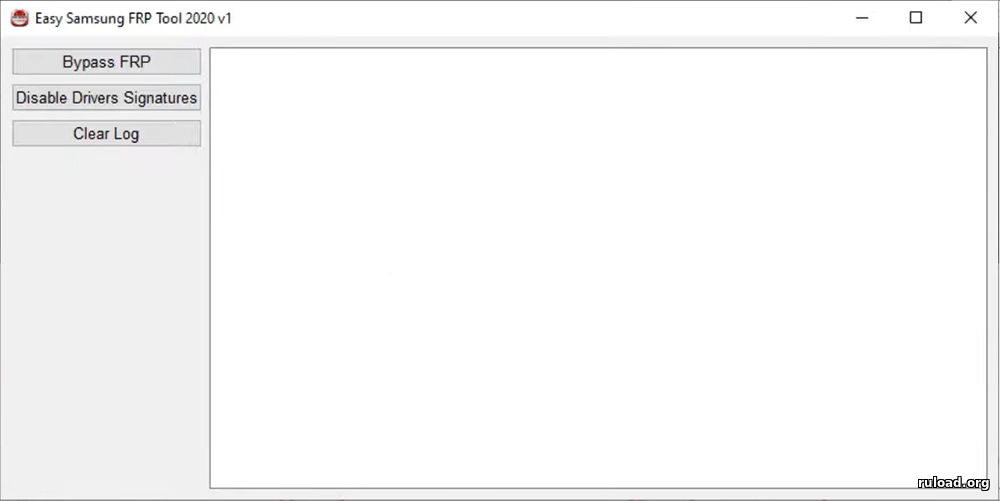
2. В начале отключаем проверку подписи драйверов, и нажимаем на кнопку «Disable Drivers Signatures»
3. Перезагружаем компьютер
4. Далее подключаем смартфон (от компании Samsung) к компьютеру в включенном и разблокированном состоянии
5. Потом нажимаем кнопку «Bypass FRP», ждем несколько секунд и на смартфоне откроется браузер
6. Далее для каждой версии самсунг порядок действий разница. Вот некоторые из них:
Samsung S9 Plus
{youtube}9oPBqabdUgY?start=57{/youtube}
Samsung A21s (a217f)
{youtube}l2Cv5vo2nCU{/youtube}
Samsung M215
{youtube}sPb_o-sMv-Y?start=57{/youtube}
- Добавить свои
Оставьте свой комментарий
Материалы по теме
Если вы владелец смартфона Samsung, вероятно, вы знаете, что вам нужно пройти процесс проверки аккаунта Google после сброса заводских настроек или обновления операционной системы. Функция Factory Reset Protection (FRP) была создана для защиты устройства от кражи и стирания данных в случае утери или кражи. Однако, если вы забыли свои учетные данные Google, это становится большой проблемой. В этой статье мы представим инструкцию по использованию инструмента Easy Samsung FRP Tool.
Шаг 1: Подготовка
Первым шагом является скачивание и установка программы Easy Samsung FRP Tool на ваш компьютер. После этого подключите свой Samsung устройство к компьютеру с помощью оригинального USB-кабеля.
Шаг 2: Запуск программы
После того, как Easy Samsung FRP Tool установлен на ваш компьютер, запустите эту программу и она автоматически обнаружит ваше Samsung устройство.
Шаг 3: Выберите модель устройства
Выберите свою модель устройства из списка моделей и нажмите на кнопку «Подключить». Эта команда откроет функциональное меню.
Шаг 4: Укажите порт
Нажмите на кнопку «Укажите порт» в верхнем левом углу программы, чтобы узнать, какое соединение установлено между вашим устройством и компьютером.
Шаг 5: Запуск процесса обхода FRP
После того, как вы убедились, что вы выбрали правильный порт, нажмите кнопку «Запустить обход FRP» в нижней части программы. Это начнет процесс обхода FRP на вашем Samsung устройстве.
Шаг 6: Перезапустите устройство
Когда процесс обхода FRP завершен, перезапустите своё Samsung устройство. Вы можете заметить, что вам больше не нужно будет вводить свои учетные данные Google.
Примечания:
— Проверьте, что на вашем Samsung устройстве установлена более ранняя версия операционной системы, чем Android 5.1. Если у вас стоит Android 5.1 или новее, обход FRP может стать сложным процессом.
— Подключите ваше устройство к Wi-Fi до начала процесса.
— Всегда используйте оригинальный USB-кабель для подключения устройства к компьютеру.
— Если вы не уверены в том, какие именно учетные данные Google были связаны с вашим Samsung устройством, попробуйте использовать любой аккаунт Google, который ранее связывался с телефоном.
Easy Samsung FRP Tool — это простой и быстрый способ обойти проверку аккаунта Google. Следуя этой инструкции, вы можете легко обойти эту функцию на своём Samsung устройстве. Однако, имейте в виду, что этот процесс может быть незаконным или невозможным, в зависимости от законов вашей страны. Поэтому используйте этот инструмент только в целях тестирования или на свой страх и риск.
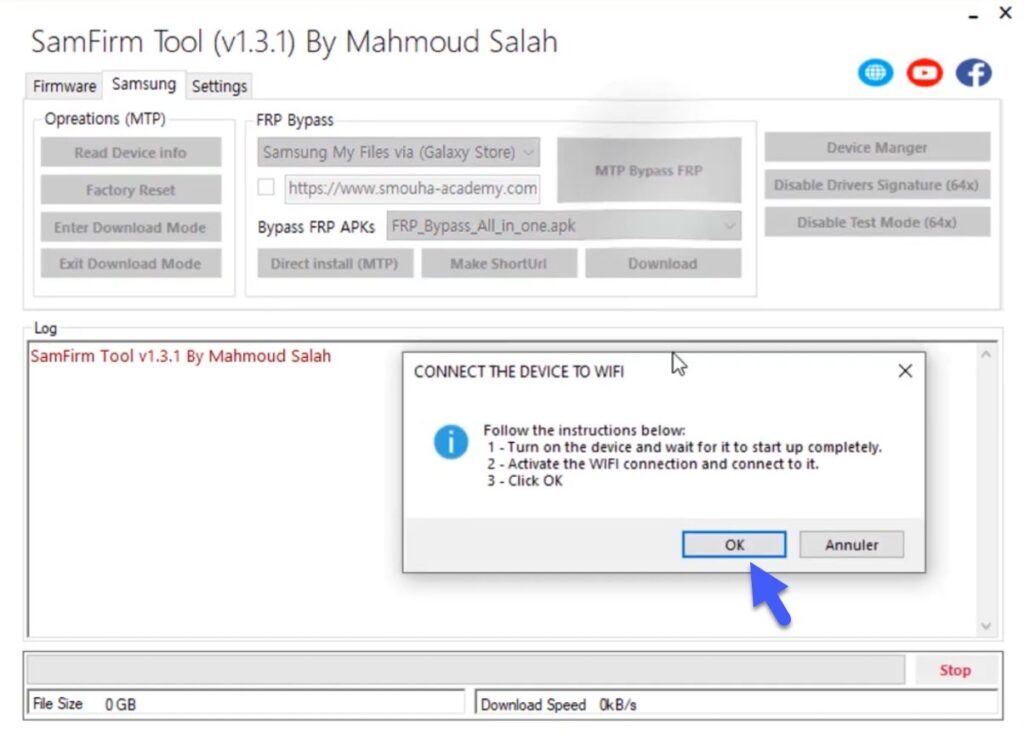 Смартфон давно перестал быть устройством ради совершения звонков и отправки SMS. Из него постоянно заходят в интернет, интенсивно используя браузер Google. В некоторых случаях приходится сбрасывать аккаунт Google на телефонах Samsung. Сделать это без помощи специальной утилиты крайне сложно. Для начала нужно скачать Easy Samsung FRP Tool с последними обновлениями. Программа необходимо для лёгкого открытия браузера. С её помощью удастся обойти блокировку Гугл аккаунта на устройствах Samsung.
Особенности использования утилита.
Программа совместима с версиями Android от 12 до от 6 и другими вариантами на любых телефонах Samsung. При скачивании следует установить последнюю версию утилиты. Программа проста в использовании. После скачивания её нужно установить и запустить на телефоне, подключенном к сети Wi-Fi. на компьютере необходимо отключить проверку подписи драйверов. Для этого нужно нажать кнопку Disable Drivers Signatures и перезагрузить устройство. Затем следует подключить смартфон к компьютеру, используя USB провод. Телефон должен быть включённым и разблокированным.
После чего остаётся только нажать кнопку ByPass FRP. И нужно было браузер откроется в смартфоне. На это может потребоваться несколько секунд. Следует учитывать, что для каждой версии Samsung и Android есть небольшая разница в действиях. Но в интерфейсе программы легко разобраться.
Что нужно знать об утилиты
Для избежания блокировки утилиты нужно помнить информацию об учётной записи Gmail. FRP помогает разблокировать параметры безопасности. Она будет включаться автоматически с настроенный учётной записью Google на телефоне смартфон.
Достаточно перезагрузить устройство, чтобы на экране появился запрос об активации последней учётной записи, раннее использованной на этом устройстве. Если информация не будет предоставлена, то никто не сможет получить доступ к телефону.
Для использования утилита рекомендуется отключить антивирусную защиту. Программа скачивается 7zip или WinRar. Поэтому необходимо распаковать архив на свой компьютер. Утилита обеспечивает простой способ обхода блокировки браузера.
- 1
- 2
- 3
- 4
- 5
- Категория: Все для работы с телефоном
- Год выпуска: 2021
- Издатель: Easy Firmware Team
- Платформа: Windows
- Тип издания: лицензия
- Язык интерфейса: английский (ENG)
- Версия: 2021 V2.7
- Лекарство: не требуется
Скачать Easy Samsung FRP Tool 2021
12,6 Mb
417 | 114
Предлагаем скачать Easy Samsung FRP Tool 2021 тем, какому требуется разблокировка телефонов марки Самсунг. Это отличный загрузчик, который умеет обходить встроенную защиту для дальнейшей перепрошивки.
Блокировка телефонов – полезная функция, которая призвана обеспечивать безопасность пользователя и его данных. Но бывают случаи, когда она может работать против владельца. В жилом случае на помощь приходит Easy Samsung FRP Tool.
Вам необходимо запустить программу на компьютере и подключить к нему телефон через провод. На телефоне необходимо дойти до шага, где требуется залогиниться в Google аккаунт.
После включения устройства нажимаем кнопку «Байпас». Ждем некоторое время, и шаг авторизации будет пропущен. На телефоне откроется браузер и вы сможете заняться перепрошивкой или другими действиями для восстановления работоспособности смартфона.
Программа проста в использовании и не требуется каких-либо настроек. Работает со всеми моделями Samsung (если используете последнюю версию приложения).
Системные требования
ОС: Windows 10 / 7 / 8
Процессор: Intel или AMD
ОЗУ: 512 Mb
HDD: 20 Mb
Инструкция по использованию Easy Samsung FRP Tool 2021
- Распаковать архив в любую папку на компьютере
- Запустить SamsungFrp2021.exe
- Нажать «Disable Drivers Signatures»
- Перезагрузить компьютер
- Подключить телефон к Wi-Fi и кабелем к компьютеру
- Снова запустить SamsungFrp2021 и нажать «Bypass FRP»
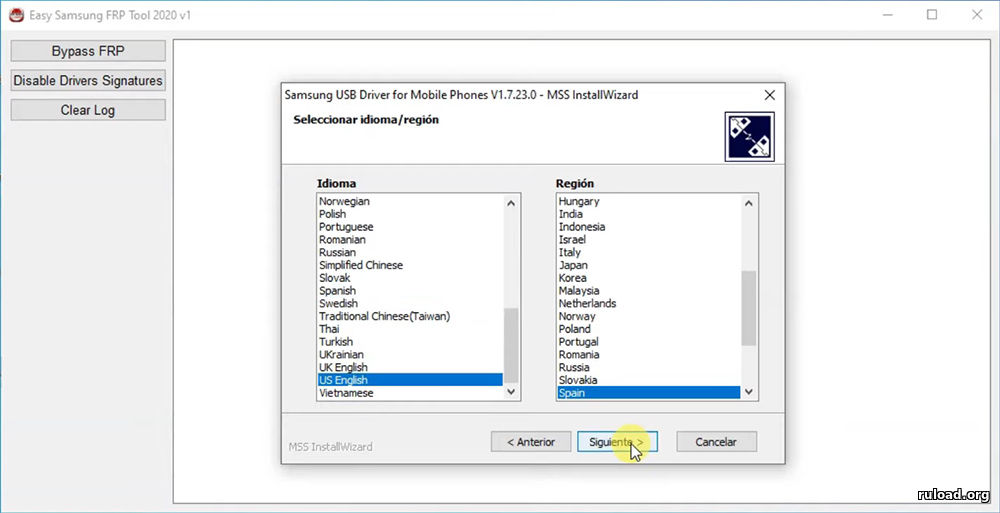
- В появившемся окне нажать «Install Anyway»
- В телефоне пропадет окно верификации Google аккаунта и откроется браузер
- Перепрошиваете устройство удобным способом и пользуетесь.
пароль на архив: 1234
Скриншоты
Видеообзор
Похожие файлы
Отзывы: 0
Easy Samsung FRP Tool is one of the best FRP tools that helps a user to bypass Google lock from Samsung Galaxy devices. This FRP tool not only removes the FRP lock but also bypasses the Google account verification lock completely from a Samsung Galaxy smartphone and tablet. The user interface of this Easy Samsung FRP tool 2023 latest version is amazingly easy to follow. That makes it more demanding for users who are looking to bypass the FRP lock from their Android phones.
Generally, Factory Reset Protection is an important security feature. That automatically activates after you Factory Reset an Android device. No matter if you are using Android 13, Android 12, or Android 11. This FRP feature has been working since the launch of Android Lollipop 5.0.
Hence, this FRP lock is also very disturbing for people who don’t remember their Google account credentials. Although, it is not a good idea to Factory Reset any Android device without checking the Google account details. We suggest not Resetting an Android device without noticing the Gmail ID and Password of the Google account which is working with the Google Play Store.
However, if you are in a situation where you have Factory Reset your Samsung Galaxy device. And you are now facing the Google account verification lock or FRP lock. Then, we still have a chance to remove it without entering the details of the Google account.
To do that, we are going to use Easy Samsung FRP tool 2020 v1, v2 versions, which is the latest version of this FRP tool. Well, this is the easiest way to remove FRP lock from any Samsung Galaxy phone and tablet. The procedure is the same for both devices, whether you are using this method to bypass Google lock from a phone or tablet.
As the name suggests, Easy Samsung FRP Tool, that procedure is also quite easy to follow. All you need to do is to connect your Samsung device to the PC or Computer. Make sure to connect the Wi-Fi connection to your Samsung device before connecting to the PC. You can use the USB Data Cable to connect the device and then click on the “Bypass FRP Lock” button inside the Easy Samsung FRP tool 2020 v1, v2, and v2.7. This will start the procedure to completely remove the FRP lock without losing your data.
Easy Samsung FRP Tool v1, v2, v2.7 for PC (Latest Version):
Moreover, this tool will only remove the Google account credentials from your device. That means you can still have a chance to see the images, videos, and other important data which is saved inside your locked device.
With that being said, let’s jump into the step-by-step procedure to bypass the Google account lock from Samsung Galaxy. With the help of the Easy Samsung FRP Tool.
Unlike other FRP tools, this one is totally free of cost. The user does not need to buy credits from the developer’s website to use the tool. Although, it is offering many premium features which resemble a lot with any premium FRP tool.
The best feature of this tool is to Bypass FRP lock from Samsung Galaxy phones and tablets. This is the most useful feature, and yet it is free to use. In addition, we are going to add a complete step-by-step guide to this post. Which you can use to easily unlock FRP and Google account verification from your FRP-locked device.
Samsung Galaxy Android Versions Support:
Easy Samsung FRP Tool can remove and bypass Factory Reset Protection with one click. On the other hand, it does not matter if you are using a Samsung device with Android versions 13, 12, and 11. This works best for every Android version. The latest Android version 13 is having the latest security patch with FRP lock. But, it can also work to remove FRP lock from Android versions 10, 9, 8, and 7.
Overall, it has a complete package of bypassing Google Lock, especially for Samsung Galaxy phones. The functionality is by far the simplest and easiest of all time. As there are many FRP Unlock Tools available for free to download from our website, but this one has better functionality. Specially for Samsung Galaxy devices.
How to use Easy Samsung FRP Tool (Complete Guide):
1. Extract the Easy Samsung FRP Tool v2 2023 and go to the driver’s folder.
2. There are 2 drivers set up, 1 is for 32-bit OS and the other one is for 64-bit operating system.
3. You can check the operating system of your Windows by going into the properties of “This PC or My Computer.
4. Then install the driver setup according to your OS (x86 version for 32-bit OS, and x64 for 64-bit OS).
6. After installing the drivers, go back to the “Easy Samsung FRP Tool 2023” folder, and right-click on it.
7. Then click on “Run as administrator” to run the tool with Windows permission.
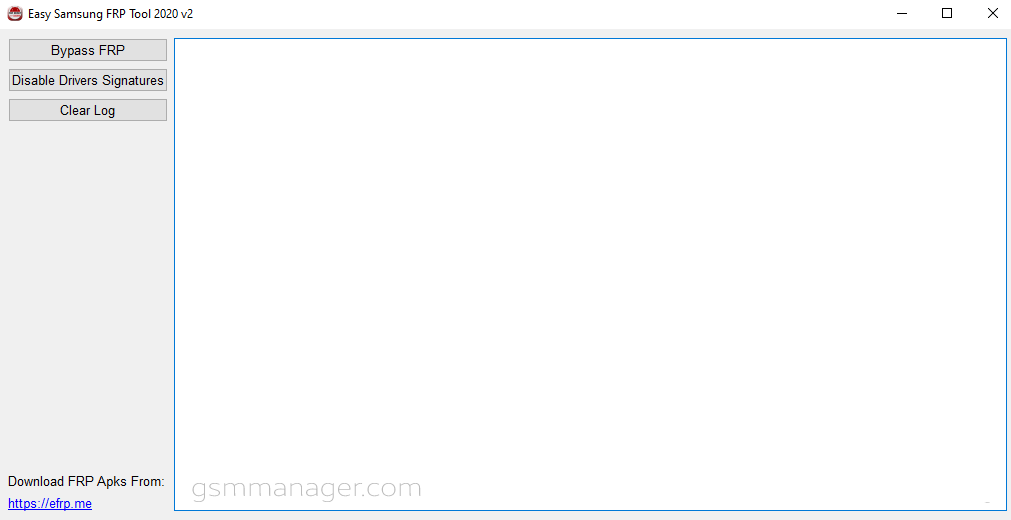
8. The Samsung FRP tool will appear on your screen. Click on the “Bypass FRP” button.
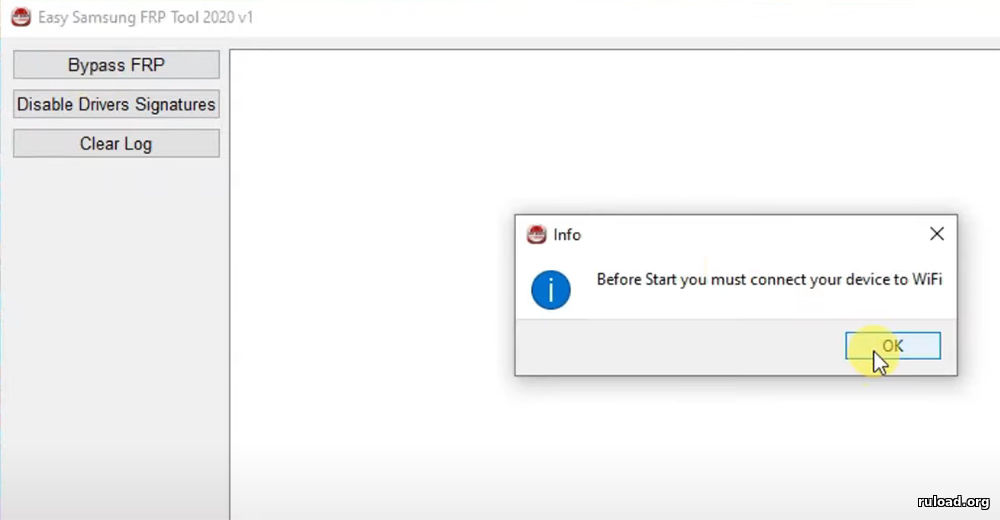
9. Now, connect the Samsung Galaxy device to the PC/Computer. Before that, make sure to connect your Samsung phone to the Wi-Fi connection.
10. The Easy FRP Tool will show a popup window, click on “OK”.
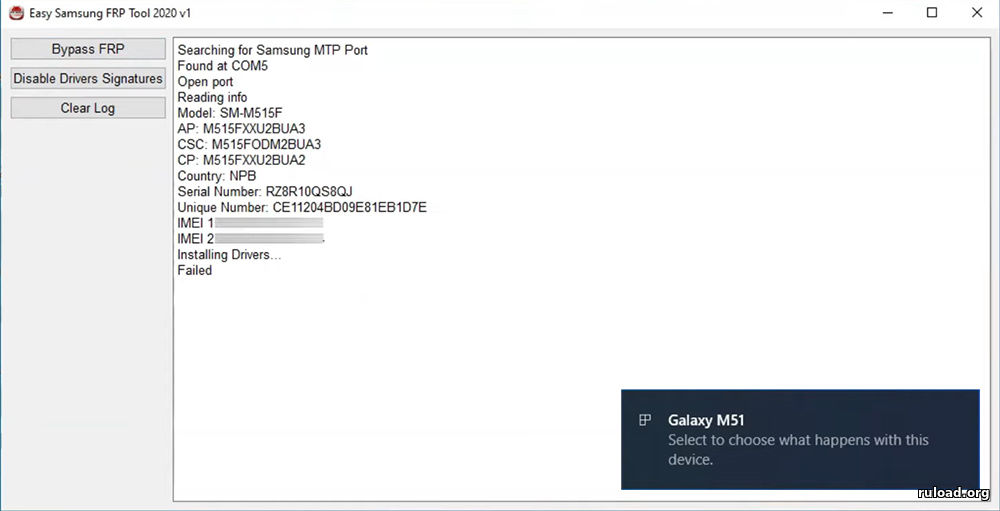
11. As you can see, the Samsung device is connected to the FRP tool.
12. After a few minutes, the FRP tool will process the details of your Samsung Android 13, 12, and 11 devices.
13. Then, it will send a command to the phone, that will open the Chrome Browser into the phone.
14. To open the browser, you need to tap on the “View” button from a popup window inside your Samsung phone.
15. The internet browser will appear on the screen of your phone. Tap on the URL bar and remove the URL.
16. Once you do that, type and Search for this URL: tinyurl.com/ALLFRP into the Search bar and press enter.
17. After that, click on the “Bypass FRP Files” link, this will directly open the All FRP Files page.
Easy Samsung FRP Tool IMPORTANT STEPS
1. Scroll down and download “Quick Shortcut Maker APK”.
2. After downloading Quick Shortcut Maker, tap on “Click to open Galaxy Apps”.
3. Update the Galaxy Store.
This will take few minutes to download and install the update.
4. Once updated, tap on the search bar and type “Files Shortcut”.
Download the Files Shortcut app.
To download it you have to Sign in to your Samsung Account.
You can also create a new account if you don’t have a Samsung Account.
5. After that, Sign in to your Samsung Account by entering the Two-step verification code.
6. Then download and open Files Shortcut application.
Go to Download folder inside Files Shortcut app.
Then open Quick Shortcut Maker app.
7. Tap on Continue.
Install and Open the Quick Shortcut Maker app.
5 More Steps to Remove Google Account from Samsung Android 10 FRP Bypass:
1. Select the Search Bar and type: Settings
Tap on the result with “Settings com.android.settings”
After that, select the result with “Settings choose screen lock”.
2. Tap on Try button.
Choose the Pattern option to protect your phone.
Draw any Unlock Pattern and continue.
3. Now push the power button and Restart your Samsung Android 10 device.
After the device reboots, swipe up and draw your unlock pattern.
4. Now just complete the initial setup.
Draw your unlock pattern to unlock your phone.
5. As you can see, now you can SKIP the Google Account Verification screen.
You can also create a new account if you want.
6. Complete the initial setup of your Easy Samsung FRP Tool.
This time, you will not face FRP lock and Google Account lock during the process.
Finally, All done and you can start using your phone once again without any FRP and Google lock.
Easy Samsung FRP Tool Launching Browser Event Failed Fix:
In case, you are facing an “Installing Drivers Failed” or “Launching Browser Event Failed” error in Easy Samsung FRP tool v2 2020 or 2021. That simply means you are not using the latest Samsung USB drivers.
Usually, this error appears because of the old USB drivers. There is a simple solution to fix this. Simply, download and install the latest version of Samsung USB drivers from this link.
- Samsung USB Drivers (Latest Version) for Windows
1. Install and update the drivers, then follow the further steps to completely fix this error.
2. Disconnect the Samsung phone from PC/Computer.
3. Open the Easy FRP tool and click on the “Disable Drivers Signatures” button.
4. This will disable the drivers of your computer and then click on “OK”. The computer will reboot after this.
5. Once the computer restarts, open the FRP tool and connect your device to PC again. Then simply click on the Bypass FRP button to start the procedure of removing the FRP lock.
Conclusion:
This is the complete post that includes everything about the Easy Samsung FRP bypass Tool. Including the download links for each version of this tool. However, if you face any difficulty in removing and bypassing FRP lock from your device. Feel free to contact me on the official Facebook page of FRP Bypass Tool.
Summary
Article Name
Easy Samsung FRP Tool 2020 V1, V2, V2.7 2023 [OFFICIAL]
Description
Easy Samsung FRP Tool 2020 V1, V2, V2.7 2023 Latest Version Download Free. Easy Samsung frp tool failed solution for pc use complete guide.
Author
Easy Samsung FRP Tool 2020 helps remove FRP lock on Samsung Android mobile devices. Easy FRP Tool 2020 is the best tool that works on the latest Android OS. Although your device is running on the latest security patch level, you can easily open the Youtube app to bypass the FRP lock.
On this page, you will find the latest and the previous version of the Easy FRP Tool 2020. We have shared it as a zip package that included the tools, driver, and tutorial.
Feature Of This Tool
Free Tool: Of course, it is a free tool. As well as, there is no activation fee.
Best FRP Reset Tool: Comparatively, it is the best FRP bypass tool for Samsung mobile devices.
Compatible: Easy FRP Bypass Tool 2020 is compatible with Windows computers (Windows 7, 8, 10, and 11).
Simple User Interface: The Easy FRP Tool is a lightweight application. Likewise, the UI of this tool is straightforward.
Popularity: Comparatively, maximum mobile technicians use this tool for unlocking the FRP lock on their Samsung devices.
How To Use Easy Samsung FRP Tool?
- Download and install Easy Samsung FRP 2020 on your computer.
- Install Samsung USB Driver on your computer. Otherwise, your computer will not detect your device. If already installed, then ignore this step.
- Firstly, open the tool (SamsungFrp2021.exe) and connect your Samsung locked device to MTP mode.
- Secondly, click on the Bypass FRP.
- After clicking on the Bypass FRP, you will see a message on your mobile (Cancel and View).
- Thirdly, click on the View on your device. Then follow the following step.
- After clicking on the View, the Youtube app will run automatically.
- Now, follow the action. Youtube app > Setting > Then, Term and Condition.
- After clicking on the Term and Condition, a web browser app will run automatically.
- Now, go to https://frpbypassapps.com. Then follow the instruction on the FRP Bypass Apps page.
Readme Once
Recommend: We recommend using the latest version of this tool because the newest version contains many features.
Scan: The tool has no malware. Because firstly, we scanned it using the Kaspersky Antivirus, then we uploaded it online.
Credit: Full credit goes to the Easy Firmware Team. Because they created and distributed this fantastic tool. i.e., Easy Samsung FRP Tool.
Samsung USB Driver: If you are looking for Samsung USB Driver for Windows. Then, click here to get Samsung USB Driver.