
The Master & Dynamic MW07 PLUS earbuds come with the IPX5 dust and sweat-proof certification, Bluetooth 5.0 with a working range of 30 meters, a battery life of about 9 hours, ANC and aptX support, and much more. Learn how to use these earbuds using this manual!
What’s Inside
Master & Dynamic MW07 PLUS Earbuds Manual
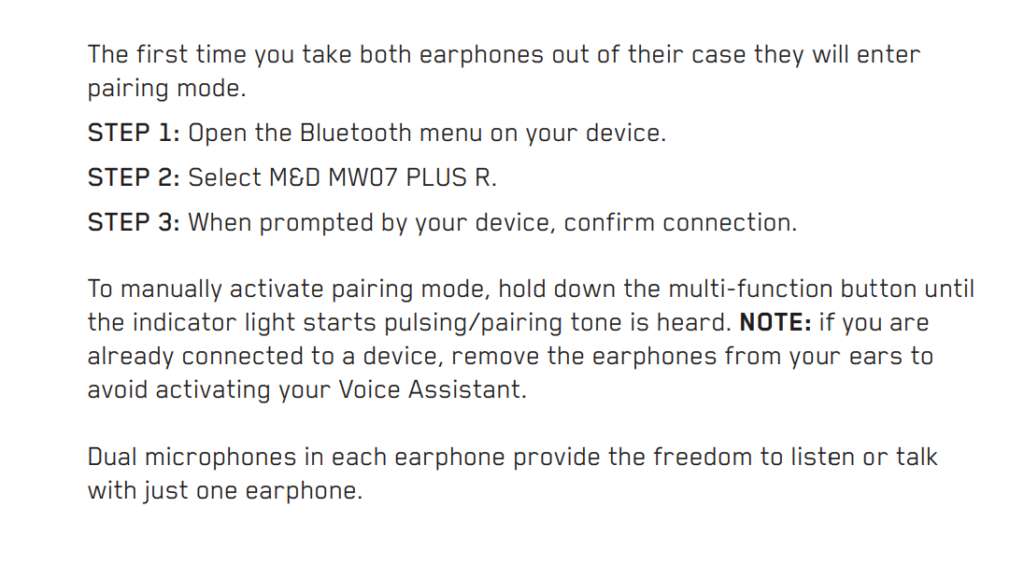
How to Pair The Earbuds?
To iOS and Android phones
Step 1: Open the lid of the charging case and take the earbuds out. After that, they will turn on automatically.
If the earbuds don’t enter pairing mode automatically, then press and hold the multifunction touch button on both earbuds for a couple of seconds, until a light starts flashing, meaning that they will be ready to pair with any device.
Step 2: Turn on Bluetooth on the desired device.
Step 3: Go to the device’s Bluetooth settings.
Step 4: Select “M&D MW07 PLUS R”. If a password is needed, type “0000”. After that, the flashing light will stop, and the pairing will be done.
To PC (Windows)
Step 1: Turn on Bluetooth on the desired device.
Step 2: Go to the settings.
Step 3: Go to “Bluetooth and other devices”.
Step 4: Click on “Add device”.
Step 5: Open the lid of the charging case and take the earbuds out. After that, they will turn on automatically.
If the earbuds don’t enter pairing mode automatically, then press and hold the multifunction touch button on both earbuds for a couple of seconds, until a light starts flashing, meaning that they will be ready to pair with any device.
Step 6: Select “M&D MW07 PLUS R”. If a password is needed, type “0000”. After that, the flashing light will stop, and the pairing will be done.
How to Wear?
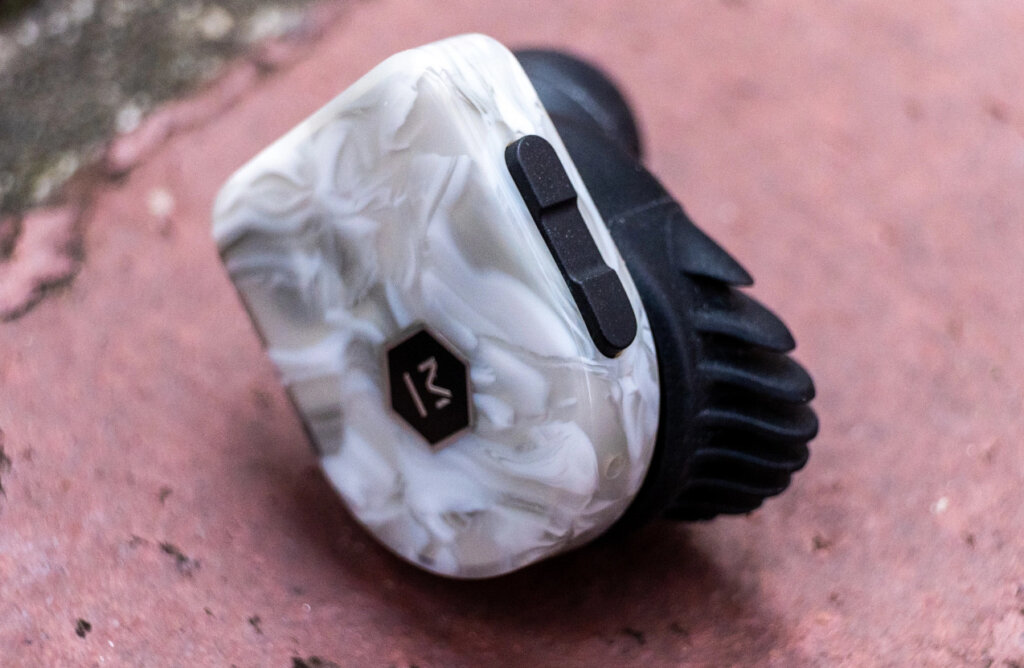
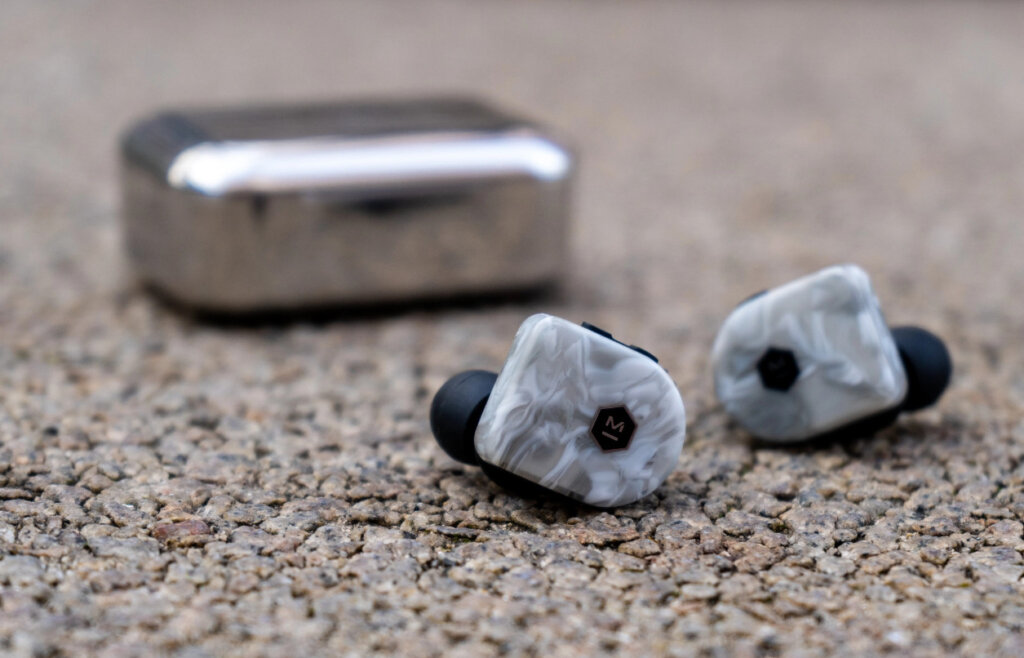
Step 1: Take both earbuds out of the charging case.
Step 2: Identify the left and right earbuds.
Step 3: Choose the ear tips that best suit your ears.
Step 4: Insert the headphones into the inner canal of the ears.
Step 5: Rotate for the best possible comfort and best fit, and make sure that the microphone is pointing to the mouth.
How to Turn On and Off?
Turn on: Open the lid of the charging case. After that, the earbuds will turn on automatically.
Turn off: Place the earbuds into the charging case. After that, the earbuds will turn off automatically.
How to Control? / How to Operate? – Instructions
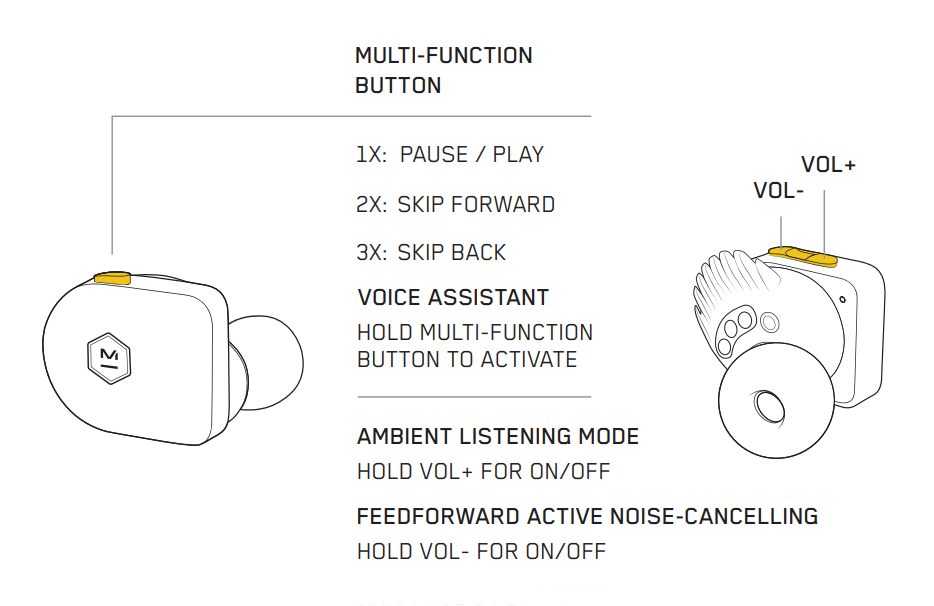
- Play or pause music: Press the multifunction touch button on any of the earbuds one time.
- Play the next song: Press the multifunction touch button on any of the earbuds two times.
- Play the previous song: Press the multifunction touch button on any of the earbuds three times.
- Turn the volume up: Press the Vol + button on any of the earbuds.
- Turn the volume down: Press the Vol – button on any of the earbuds.
- Answer an incoming call: Press the multifunction touch button on any of the earbuds one time.
- End a current call: Press the multifunction touch button on any of the earbuds one time.
- Activate the voice assistant: Press and hold the multifunction touch button on any of the earbuds.
How to Activate ANC Mode?
To activate or deactivate the ANC mode in these earbuds, all you have to do is to press and hold the Vol – button on any of the earbuds.
How to Activate Ambient Listening Mode?
To activate or deactivate the Ambient Listening mode in these earbuds, all you have to do is to press and hold the Vol + button on any of the earbuds.
How to Activate The Mono Mode?
To activate or deactivate the mono mode in these earbuds, all you have to do is to pair the earbuds to the device and take out one of the earbuds from the charging case. It will start working by itself.
How to Charge The Earbuds?
Earbuds
To charge the earbuds, all you have to do is to place them into the charging case and close the lid. The earbuds will start charging automatically.
Charging case
To charge the charging case, all you have to do is to connect the case to a USB charger or charging port with the included USB-A to C cable. It will start charging automatically.
What Do The Lights Mean?
Earbuds
- A light flashing: The earbuds are ready to pair with any device.
- Said light stops flashing: The earbuds are now connected.
Charging case
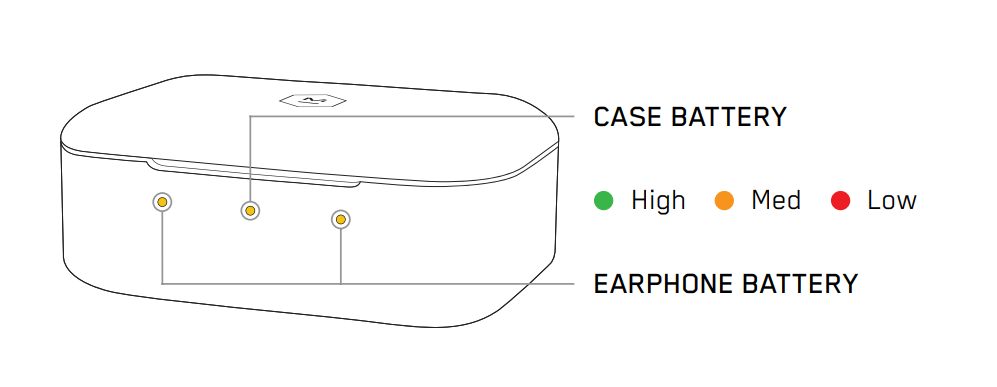
- A green light on the middle: The case has a full battery.
- A yellow light on the middle: The case has a medium battery.
- A red light on the middle: The case has a low battery.
- A green light on the sides with the earbuds inside: The earbuds have a full battery.
- A yellow light on the sides with the earbuds inside: The earbuds have a medium battery.
- A red light on the sides with the earbuds inside: The earbuds have a low battery.
How to Reset The Earbuds?
Step 1: Delete all “M&D MW07 PLUS R” pairing information from the connected device.
Step 2: Take the earbuds out of the charging case.
Step 3: Press the Vol + button on the left earbud and the multifunction touch button on the right earbud 6 times (at the same time), until you hear the voice prompt announce “factory reset” in both earbuds. After that, the resetting will be done.
Some Common Problems & Troubleshooting
Left / Right / One side of the earbuds has stopped working
If this happens, it may be because it is low on battery or it did not connect correctly with the device. To fix this, you can do the following:
1. Try charging the earbud that is not working or both, placing them in the charging case.
2. Try factory resetting the earbuds.
3. Check if the earbuds are operating within a normal working range
See also
If that doesn’t work, the earbud is probably faulty, and I can go for a refund or replacement of it.
Left / Right / One side of the earbuds has a low volume
If this happens, it may be because the earbuds are dirty or the volume is set low. To fix this, you can do the following:
1. Try cleaning the earbud using a cotton swab or carefully clean the mesh with a pin.
2. Try factory resetting the earbuds.
The microphone is not working
If this happens, it can be because the microphone is muted, or the earbuds are badly positioned. To fix this, you can do the following:
If the microphone is muted, check the device microphone volume. If that doesn’t work, that means that there might be a defect in the earbud, so try replacing them or get a refund.
The earbuds are not connecting to Windows/laptop/PC
If the earbuds are earbuds not connecting, it can be because the Bluetooth on the computer has a pairing problem. To fix this, you can do the following:
1. Try disabling Bluetooth from nearby devices >>> then activate the pairing mode of the earbuds, pair and connect earbuds from Settings >>> Bluetooth & other devices >>> Add a new device >>>> select Bluetooth.
2. Try uninstalling and reinstalling the Bluetooth driver, or updating the Bluetooth driver. All can be done in Manage >>> Device Manager, reset earbuds (if available), and then repeat the step.
3. Try resetting the earbuds.
FAQs
Are the Master & Dynamic MW07 PLUS waterproof?
No, the Master & Dynamic MW07 PLUS are not waterproof (IPX6 and up). They have a rating of IPX5, which means they’re protected against some water projected from a nozzle.
Do the Master & Dynamic MW07 PLUS have a microphone?
Yes, the earbuds come with integrated microphones.
Do the Master & Dynamic MW07 PLUS have a low latency/gaming mode?
No, these earbuds don’t have a low latency/gaming mode.
Can the Master & Dynamic MW07 PLUS connect to PCs and laptops?
Yes, these earbuds can connect to PCs, laptops, and even tablets.
Are the Master & Dynamic MW07 PLUS noise-canceling?
Yes. These earbuds come with noise-cancellation technology.
How to know when the Master & Dynamic MW07 PLUS are fully charged?
When the earbuds are charging, some lights are on. When fully charged, the lights turn green.
We hope you now know how to operate the earphone from the above Master & Dynamic MW07 PLUS manual. Want to know anything about the earphones? Do not hesitate to ask in the comments section.
Filters
5 products
Sold out

Sold out
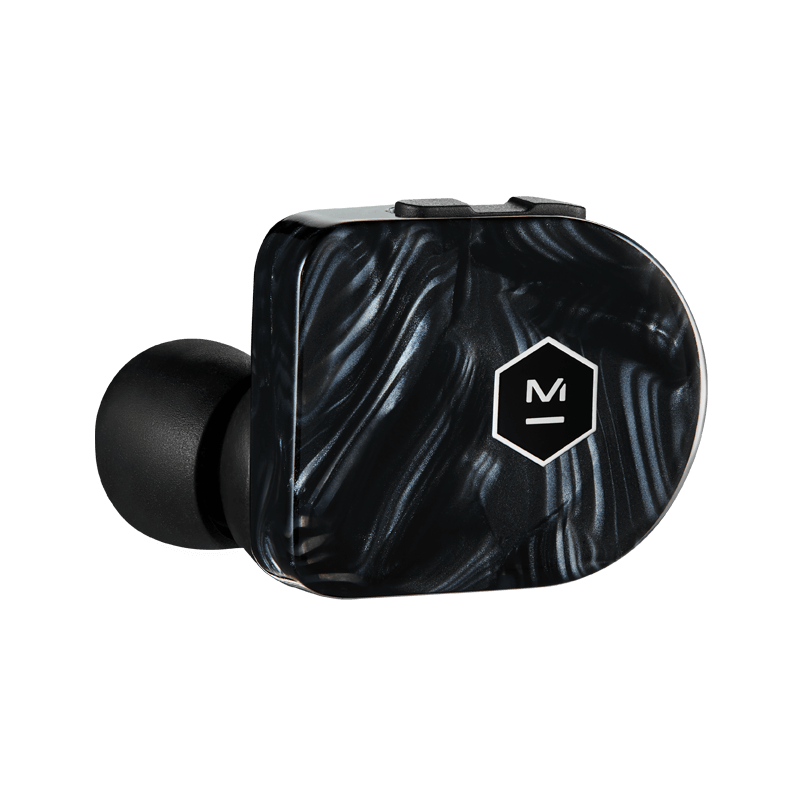
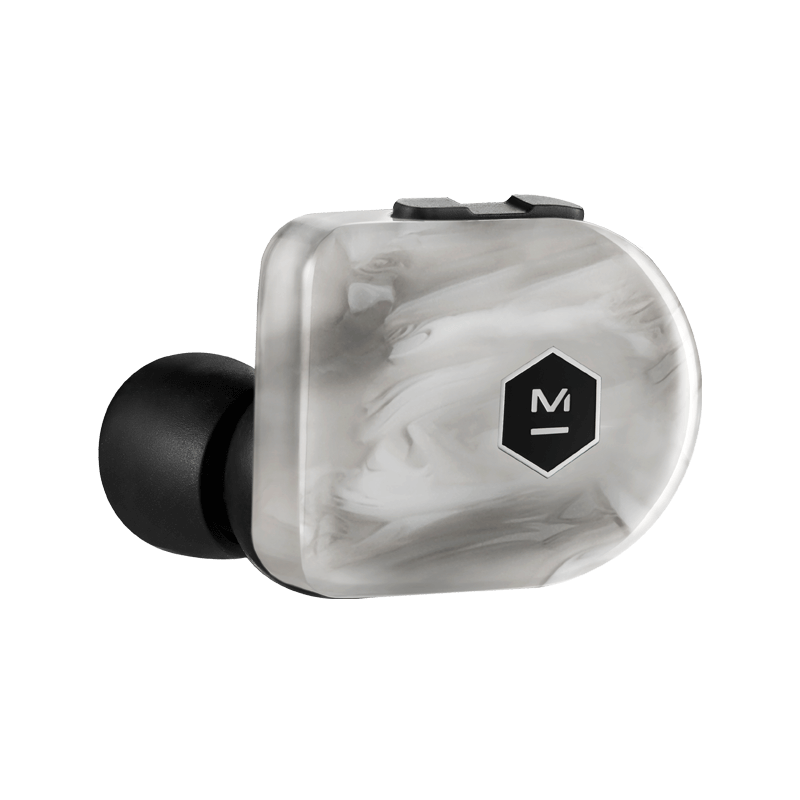
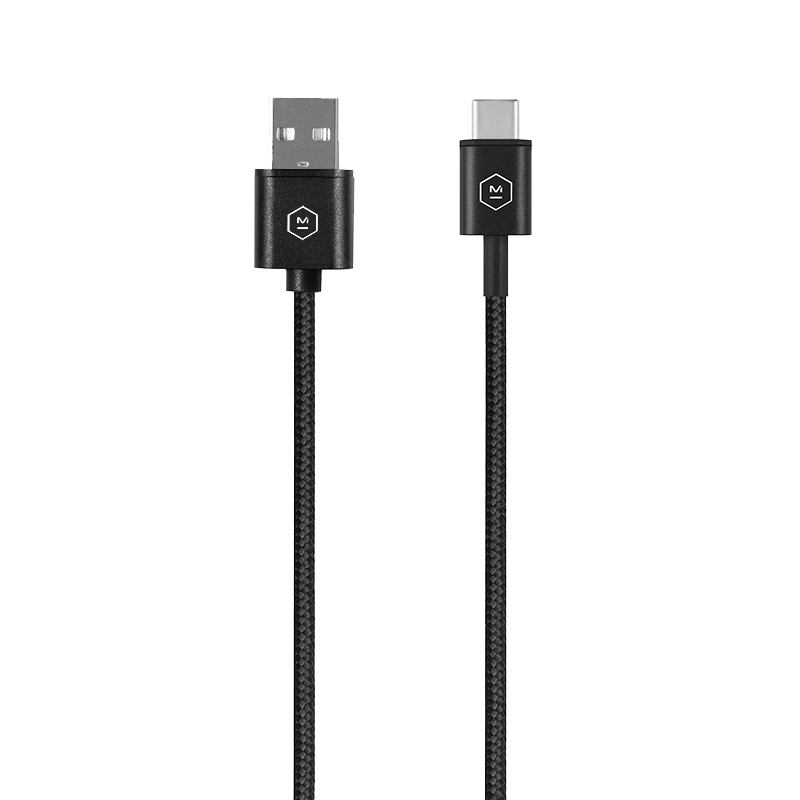
For Wireless Headphones and Earphones
Sale price$ 29.00
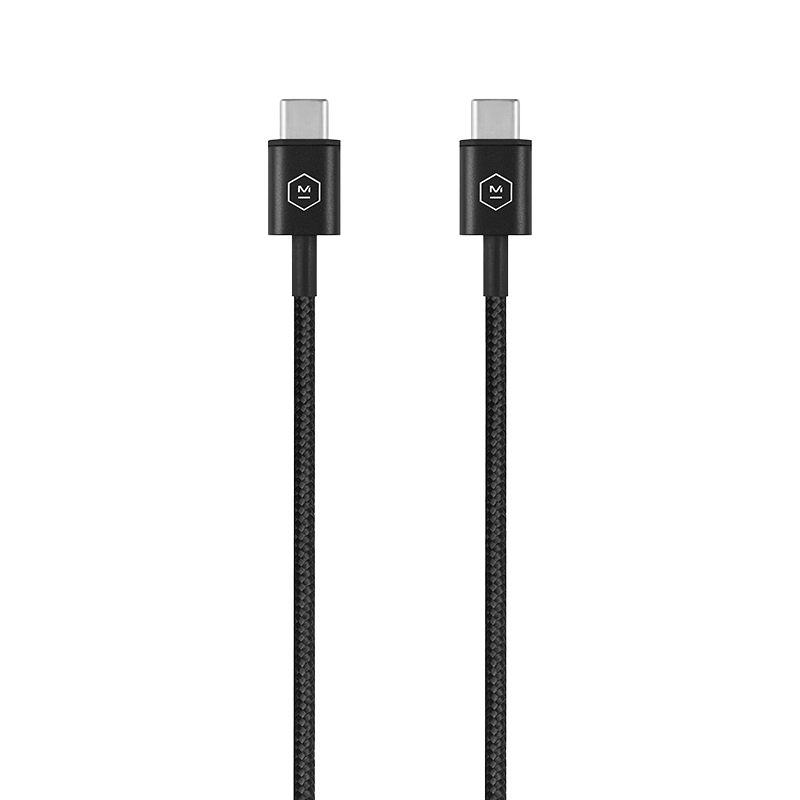
For Wireless Headphones and Earphones
Sale price$ 29.00
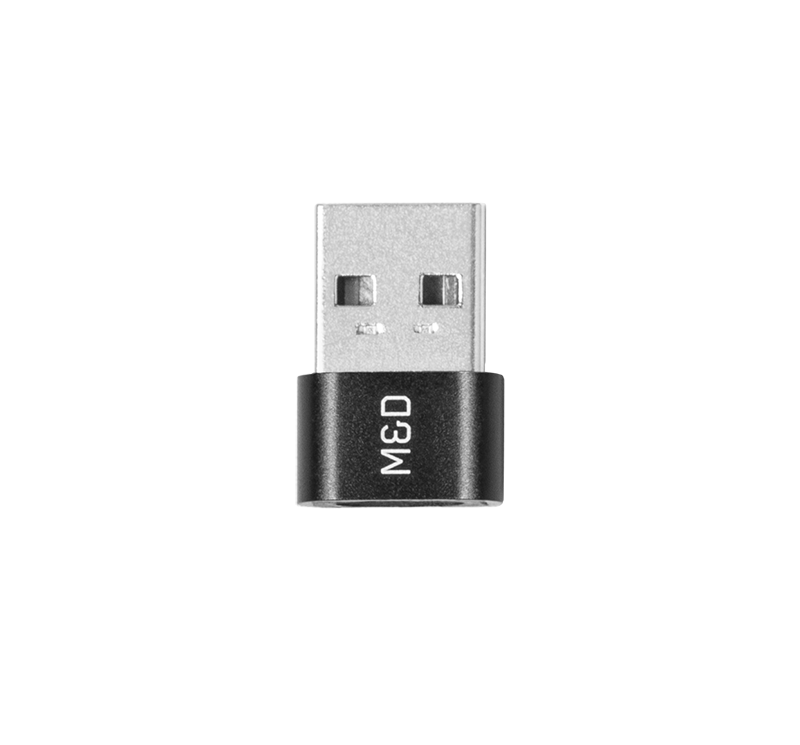
For Wireless Headphones and Earphones
Sale price$ 29.00
Free Premium Shipping
Free ground shipping on orders of $99 or more in the U.S. and $250 in Canada.
Free Returns in 14 Days
We offer a generous 14-day return policy, allowing you to shop with confidence.
Product Protection
Rest easy with our manufacturer warranty, ensuring that your product is protected against any manufacturing defects or issues.
Find Your Perfect Headphones
Compare and choose the best headphones for your needs with ease using our comprehensive product comparison chart.
User manual for Master & Dynamic MW07 PLUS.
Is this manual useful?
Pagina: /
Need help or do you have a question about the Master & Dynamic MW07 PLUS Earphone and earbud?
Important specifications
| Brand: | Master & Dynamic
|
| Model/name: | MW07 PLUS |
| Available languages | Dutch English German Italian Spanish Polish French Portuguese Danish Swedish Czech Russian Arabisch |
| Product | Earphone and earbud |
| Filetype |

More Earphone and earbud manuals of Master & Dynamic
Didn’t find the correct user manual? Well see here one of our other ones
-
Master & Dynamic MW08 Sport
-
Master & Dynamic MW08
-
Master & Dynamic MW07 GO
-
Master & Dynamic MW07 PLUS
-
Master & Dynamic MW07
-
Master & Dynamic ME05
Comments
There are no questions yet. If you need help with Master & Dynamic, ask others.
Click here to ask.
Frequently asked questions
Наушники TWS Master & Dynamic MW07 plus синий

2.0, внутриканальные, 20 Гц — 20000 Гц, 32Ω, Bluetooth, 5.0
подробнее

нет отзывов
Код товара: 1673698
 |
[Page 1] Master&Dynamic MW07 PLUS … |
 |
[Page 2] Master&Dynamic MW07 PLUS Your earphones come with the medium Fit Wings and medium ear tips attached. 2 EAR TIP OPTIONS XS S M L XL CONTROLS VOL- VOL+ 1X: PAUSE / PLAY 2X: SKIP FORWARD SKIP BACK3X: MULTI-FUNCTION BUTTON HOLD VOL+ FOR ON/OFF HOLD VOL- FOR ON/OFF (SEE PAGE 6 … |
 |
[Page 3] Master&Dynamic MW07 PLUS … |
 |
[Page 4] Master&Dynamic MW07 PLUS High Med Low EARPHONE BATTERY CASE BATTERY The charging case holds an additional three charges for your earphones. We suggest you place your earphones inside the case when they are not in use. This will allow them to have the maximum charge each ti… |
 |
[Page 5] Master&Dynamic MW07 PLUS … |
 |
[Page 6] Master&Dynamic MW07 PLUS … |
 |
[Page 7] Master&Dynamic MW07 PLUS … |
 |
[Page 8] Master&Dynamic MW07 PLUS … |
 |
[Page 9] Master&Dynamic MW07 PLUS 9 Master & Dynamic guarantees this product against defects in materials or workmanship for a period of two years from the date of original purchase on our website or from an authorized Master & Dynamic retailer or reseller. As an exception… |
 |
[Page 10] Master&Dynamic MW07 PLUS … |
 |
[Page 11] Master&Dynamic MW07 PLUS … |
 |
[Page 12] Master&Dynamic MW07 PLUS … |
 |
[Page 13] Master&Dynamic MW07 PLUS Pour insérer vos écouteurs, procédez comme suit: Inclinez les écouteurs vers l’avant afin que l’embout auriculaire repose légèrement dans votre conduit auditif. Faites pivoter l’écouteur jusqu’à ce que l’embou… |
 |
[Page 14] Master&Dynamic MW07 PLUS Elevé Médium Faible PILE POUR ÉCOUTEUR BOITIER DES PILES Le boîtier de charge contient trois charges supplémentaires pour vos écouteurs. Nous vous suggérons de placer vos écouteurs à l’intérieur du boîtier lorsqu’ils ne sont pa… |
 |
[Page 15] Master&Dynamic MW07 PLUS … |
 |
[Page 16] Master&Dynamic MW07 PLUS … |
 |
[Page 17] Master&Dynamic MW07 PLUS Au fil du temps, le capteur de proximité qui aide à réguler les fonctions de pause/jeu peut devenir sale et affecter les performances. Si cela se produit, prenez un Q-tip humide ou un chiffon humide et frottez légèrement le capteur. Nettoyez l… |
 |
[Page 18] Master&Dynamic MW07 PLUS LECTURE/PAUSE NE FONCTIONNE PAS LORSQUE L’APPAREIL EST PLACÉ ET RETIRÉ DE L’OREILLE • Au fil du temps, le capteur de proximité qui aide à réguler les fonctions de pause/lecture peut devenir sale et affecter les performances. S… |
 |
[Page 19] Master&Dynamic MW07 PLUS … |
 |
[Page 20] Master&Dynamic MW07 PLUS … |
 |
[Page 21] Master&Dynamic MW07 PLUS … |
 |
[Page 22] Master&Dynamic MW07 PLUS Sus auriculares vienen con alas de ajuste de tamaño mediano y los tapones de ya colocados. 22 OPCIONES DE TAPONES XS S M L XL CONTROLES VOL- VOL+ 1X: PAUSA/REPRODUCIR: 2X: SALTAR ADELANTE SALTAR ATRÁS3X: BOTÓN MULTIFUNCIÓN MANTENER PRESIONADO… |
 |
[Page 23] Master&Dynamic MW07 PLUS … |
 |
[Page 24] Master&Dynamic MW07 PLUS … |
 |
[Page 25] Master&Dynamic MW07 PLUS … |
 |
[Page 26] Master&Dynamic MW07 PLUS … |
 |
[Page 27] Master&Dynamic MW07 PLUS … |
 |
[Page 28] Master&Dynamic MW07 PLUS … |
 |
[Page 29] Master&Dynamic MW07 PLUS 29 Master & Dynamic garantiza este producto contra defectos en materiales o mano de obra durante un período de dos años a partir de la fecha de compra original en nuestro sitio web o de un distribuidor autorizado de Master & Dynamic. Com… |
 |
[Page 30] Master&Dynamic MW07 PLUS Si necesitamos reemplazar sus auriculares debido a un defecto de la batería, sus auriculares serán nuevos o equivalentes a nuevos en cuanto a rendimiento y confiabilidad. Usted anulará su garantía si desarma sus auriculares o los expone a hume… |
 |
[Page 31] Master&Dynamic MW07 PLUS … |
 |
[Page 32] Master&Dynamic MW07 PLUS Ihre Ohrhörer sind mit Flügeln in M und Ohradaptern in M ausgestattet. 32 OHRADAPTEROPTIONEN XS S M L XL BEDIENELEMENTE VOL- VOL+ 1X: TITEL ANHALTEN / ABSPIELEN 2X: NÄCHSTER TITEL VORHERIGER TITEL 3X: MULTIFUNKTIONSTASTE ZUM EIN-/AUSSCHALTEN VO… |
 |
[Page 33] Master&Dynamic MW07 PLUS … |
 |
[Page 34] Master&Dynamic MW07 PLUS … |
 |
[Page 35] Master&Dynamic MW07 PLUS … |
 |
[Page 36] Master&Dynamic MW07 PLUS … |
 |
[Page 37] Master&Dynamic MW07 PLUS … |
 |
[Page 38] Master&Dynamic MW07 PLUS WIEDERGABE/PAUSE FUNKTIONIERT NICHT BEIM EINSETZEN UND ENTFERNEN AUS DEM OHR • Der optische Sensor, der die Regulierung der Pause-/Wiedergabefunktionen unterstützt, kann im Laufe der Zeit verschmutzen, wodurch die Funktionalität bee… |
 |
[Page 39] Master&Dynamic MW07 PLUS 39 Master & Dynamics gewährleistet beim Erwerb über unsere Webseite oder einen von Master & Dynamic autorisierten Einzel- oder -Zwischenhändler, dass dieses Produkt ab dem ursprünglichen Kaufdatum für zwei Jahre frei von Material- und… |
 |
[Page 40] Master&Dynamic MW07 PLUS … |
 |
[Page 41] Master&Dynamic MW07 PLUS … |
 |
[Page 42] Master&Dynamic MW07 PLUS … |
 |
[Page 43] Master&Dynamic MW07 PLUS … |
 |
[Page 44] Master&Dynamic MW07 PLUS … |
 |
[Page 45] Master&Dynamic MW07 PLUS … |
 |
[Page 46] Master&Dynamic MW07 PLUS … |
 |
[Page 47] Master&Dynamic MW07 PLUS Col passare del tempo, il sensore di prossimità che aiuta a regolare le funzioni di pausa/play potrebbe sporcarsi e influire sulle prestazioni. In tal caso, prendi un bastoncino cotonato umido o un panno umido e strofina leggermente il sensore. P… |
 |
[Page 48] Master&Dynamic MW07 PLUS PLAY/PAUSA NON FUNZIONA QUANDO SI INSERISCE E SI RIMUOVE LA CUFFIA DALL’ORECCHIO • Col passare del tempo, il sensore di prossimità che aiuta a regolare le funzioni di pausa/play potrebbe sporcarsi e influire sulle prestazioni. In tal c… |
 |
[Page 49] Master&Dynamic MW07 PLUS 49 Master & Dynamic garantisce questo prodotto contro difetti di materiali o di lavorazione durante un periodo di due anni dalla data originale di acquisto sul nostro sito Web o da un rivenditore autorizzato Master & Dynamic. Come eccezion… |
 |
[Page 50] Master&Dynamic MW07 PLUS … |
 |
[Page 51] Master&Dynamic MW07 PLUS … |
 |
[Page 52] Master&Dynamic MW07 PLUS … |
 |
[Page 53] Master&Dynamic MW07 PLUS … |
 |
[Page 54] Master&Dynamic MW07 PLUS … |
 |
[Page 55] Master&Dynamic MW07 PLUS … |
 |
[Page 56] Master&Dynamic MW07 PLUS … |
 |
[Page 57] Master&Dynamic MW07 PLUS … |
 |
[Page 58] Master&Dynamic MW07 PLUS … |
 |
[Page 59] Master&Dynamic MW07 PLUS … |
 |
[Page 60] Master&Dynamic MW07 PLUS Se precisarmos substituir seus fones de ouvido devido a um defeito na bateria, eles serão novos ou equivalentes a novos em desempenho e confiabilidade. Você anulará sua garantia se desmontar seus fones de ouvido ou os expor à umidade excessiva… |
 |
[Page 61] Master&Dynamic MW07 PLUS … |
 |
[Page 62] Master&Dynamic MW07 PLUS … |
 |
[Page 63] Master&Dynamic MW07 PLUS … |
 |
[Page 64] Master&Dynamic MW07 PLUS … |
 |
[Page 65] Master&Dynamic MW07 PLUS … |
 |
[Page 66] Master&Dynamic MW07 PLUS … |
 |
[Page 67] Master&Dynamic MW07 PLUS Со временем датчик близости объектов, который регулирует функцию «пауза/воспроизведение», может загрязниться, и это влияет на произво�… |
 |
[Page 68] Master&Dynamic MW07 PLUS … |
 |
[Page 69] Master&Dynamic MW07 PLUS … |
 |
[Page 70] Master&Dynamic MW07 PLUS … |
 |
[Page 71] Master&Dynamic MW07 PLUS … |
 |
[Page 72] Master&Dynamic MW07 PLUS … |
 |
[Page 73] Master&Dynamic MW07 PLUS … |
 |
[Page 74] Master&Dynamic MW07 PLUS … |
 |
[Page 75] Master&Dynamic MW07 PLUS De eerste keer dat u de beide oortelefoons uit het doosje haalt, gaan ze in de koppelingsmodus. STAP 1: Open het Bluetooth-menu op uw apparaat. STAP 2: Selecteer M&D MW07 PLUS R. STAP 3: Bevestig de verbinding wanneer uw apparaat hierom vraagt. … |
 |
[Page 76] Master&Dynamic MW07 PLUS … |
 |
[Page 77] Master&Dynamic MW07 PLUS … |
 |
[Page 78] Master&Dynamic MW07 PLUS … |
 |
[Page 79] Master&Dynamic MW07 PLUS … |
 |
[Page 80] Master&Dynamic MW07 PLUS … |
 |
[Page 81] Master&Dynamic MW07 PLUS … |
 |
[Page 82] Master&Dynamic MW07 PLUS Dine hovedtelefoner leveres med medium Fit Wings og medium ørepropper vedlagt. 82 INDSTILLINGER FOR ØREPROP XS S M L XL BETJENINGSELEMENTER VOL- VOL+ 1X: PAUSE / PLAY 2X: SPRING FREMAD SPRING TILBAGE3X: MULTIFUNKTIONSKNAP HOLD VOL+ FOR ON/OFF HO… |
 |
[Page 83] Master&Dynamic MW07 PLUS … |
 |
[Page 84] Master&Dynamic MW07 PLUS … |
 |
[Page 85] Master&Dynamic MW07 PLUS … |
 |
[Page 86] Master&Dynamic MW07 PLUS 86 MW07 PLUS har to tilstande til at styre lydstyrken for verden omkring dig: 1. Feedforward Active Noise-Cancelling (ANC) for klar, overdådig lyd i ethvert miljø. 2. Omgivende lyttetilstand for øget bevidsthed om dine omgivelser, med eller … |
 |
[Page 87] Master&Dynamic MW07 PLUS … |
 |
[Page 88] Master&Dynamic MW07 PLUS … |
 |
[Page 89] Master&Dynamic MW07 PLUS … |
 |
[Page 90] Master&Dynamic MW07 PLUS Hvis vi skal udskifte hovedtelefonerne på grund af et defekt batteri, er hovedtelefonerne nye eller svarende til nye med hensyn til ydeevne og pålidelighed. Du annullerer garantien, hvis du demonterer hovedtelefonerne eller udsætter dem for ove… |
 |
[Page 91] Master&Dynamic MW07 PLUS Master & Dynamic to czołowa nowojorska firma działająca na rynku audio, z głęboką pasją do tworzenia zaawansowanych technicznie narzędzi dźwiękow- ych. W naszych nowoczesnych, ale o ponadczasowym wyglądzie produktach wykorzystywane s… |
 |
[Page 92] Master&Dynamic MW07 PLUS … |
 |
[Page 93] Master&Dynamic MW07 PLUS … |
 |
[Page 94] Master&Dynamic MW07 PLUS … |
 |
[Page 95] Master&Dynamic MW07 PLUS … |
 |
[Page 96] Master&Dynamic MW07 PLUS … |
 |
[Page 97] Master&Dynamic MW07 PLUS … |
 |
[Page 98] Master&Dynamic MW07 PLUS … |
 |
[Page 99] Master&Dynamic MW07 PLUS 99 Master & Dynamic udziela gwarancji na ten produkt, na wszelkie wady materiałowe lub wykonania na okres dwóch lat od daty pierwszego zakupu na naszej stronie internetowej lub u autoryzowanego sprzedawcy bądź odsprzedawcy firmy Mater &… |
 |
[Page 100] Master&Dynamic MW07 PLUS … |