

Популярность:
12868 просмотры
Подсчет страниц:
43 страницы
Тип файла:
Размер файла:
3.24 Mb
-

Mamiya 16 EE Мануал
Популярность:
2072 просмотры
Подсчет страниц:
11 страницы
Тип файла:
PDF
Размер файла:
941 Kb
-
Mamiya 528 AL Мануал
Популярность:
2915 просмотры
Подсчет страниц:
23 страницы
Тип файла:
PDF
Размер файла:
14.61 Mb
-
Mamiya 7 Мануал
Популярность:
3804 просмотры
Подсчет страниц:
35 страницы
Тип файла:
PDF
Размер файла:
1.54 Mb
-
Mamiya 6 Мануал
Популярность:
3839 просмотры
Подсчет страниц:
35 страницы
Тип файла:
PDF
Размер файла:
3.42 Mb
-
Mamiya Universal Мануал
Популярность:
3855 просмотры
Подсчет страниц:
41 страницы
Тип файла:
PDF
Размер файла:
3.27 Mb



|
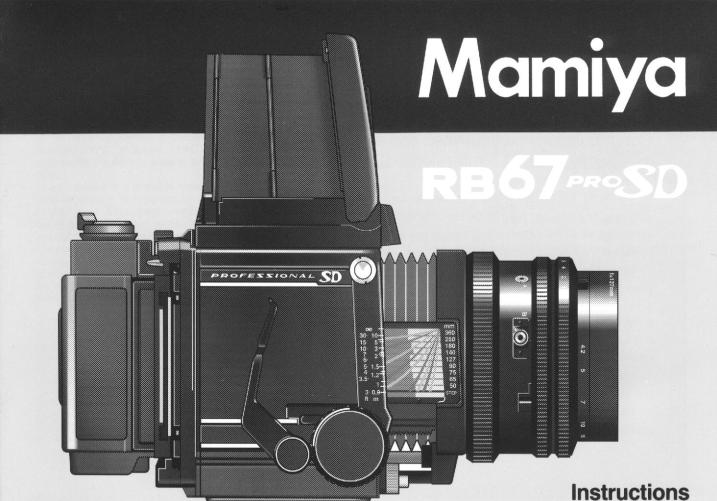
Congratulations on your wise decision to purchase |
||||
|
the Mamiya RB 67 Professional SD (Pro-SD) |
||||
|
The RB67 Pro-SD is the latest addition to the long-selling RB67 Series |
||||
|
which was first released in 1970. Due to its innovative 6x7cm revolving back |
||||
|
format, the RB67 has been highly recognized throughout the world as the |
||||
|
genesis of the medium format cameras. |
||||
|
Specifically, the camera features an expanded interval lens mount diameter |
||||
|
(from 54mm to 61mm, i.e. the same as that of the RZ67), thereby enabling |
||||
|
a wider variety of new, high performance lenses, such as the APO series |
||||
|
to be used. The newly developed extra bright, ultra low dispersion glass |
||||
|
of the APO series lenses and shift lens have gone a long way to improving |
||||
|
system |
configuration. |
|||
|
With |
a wide spectrum of accessories, photographic excellence is assured |
|||
|
in a multitude of applications from commercial to portraiture. |
||||
|
Perusing this manual before attempting to use the Pro-SD will minimize the |
||||
|
Ipossibility of malfunctions. |
||||

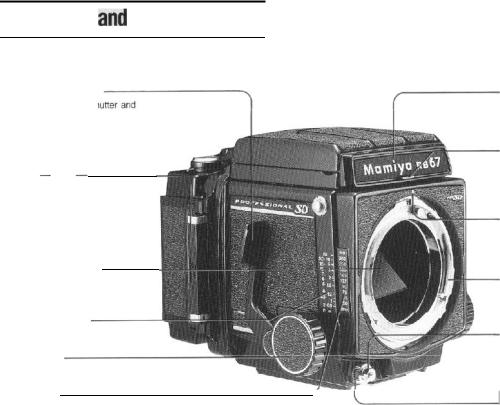

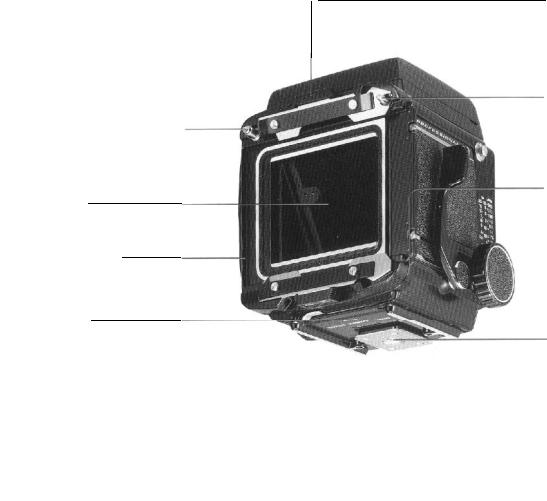
Coupling pin for film wind-stop release
When the shutter is released, the pin will automatically disengage film windstop allowing subsequent film advance.
Light baffle
DO NOT touch the baffle with your fingers!
Revolving adapter
Turning this adapter up to 90° permits change-over between the horizontal and vertical picture format.
R-lock lever
Use the lever to attach and detach the revolving adapter.
-Slide lock for G-lock type holder
Use the lock to attach and detach film holders. When the dark slide is not inserted in the attached roll film holder, a safety device prevents the holder from being detached from the camera body.
Coupling pin for multi-exposure prevention
Release lever for slide lock
When detaching a film holder other than the roll film holder, or when the slide lock is locked, move the slide lock to the left while pressing this release lever.
Tripod socket
The socket fits to a U 1/4-inch tripod screw. By removing the inner socket, a tripod with a 3/8-inch tripod screw can be used.
5
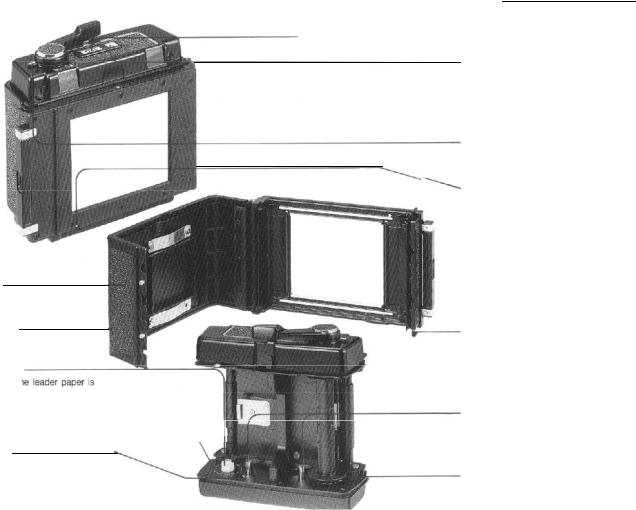
Back cover
Dark slide slot
Accepts the dark slide from either the right or left side.
Film spool stud
Load film so that th
pulled out following the guide marks.
Guide mark for leader paper
___________________
Starting mark
Wind the film advance lever until the leader paper staring mark is aligned with this mark. After closing the back cover, wind the lever several strokes, and it will stop at the first exposure position.
Film type index (120 or 220)
Exposure counter
When the film is advanced and the shutter is released, a red mark appears on the side of the counter digits. When the next film advance is completed, the red mark disappears. The red mark also appears while the film is being advanced from S to 1.
Multiple exposure lever
When multiple exposures are desired, simply move this lever to the front until
the red mark becomes visible.
Pro-SD Outer cassette
Safety-catch for dark slide
When the film holder is being carried about after detaching it from the camera body, the safety device prevents the dark slide from accidentally slipping off.
When the film holder is attached to the camera body, the dark slide can be removed automatically.
Back cover latch (top and bottom)
To open back cover, both top and bottom latches must be pulled out.
Spool release pin
The film spool is attached and detached by pressing down this pin.
Take-up spool stud
After inserting the take-up spool, the leader paper is inserted in the spool.
7
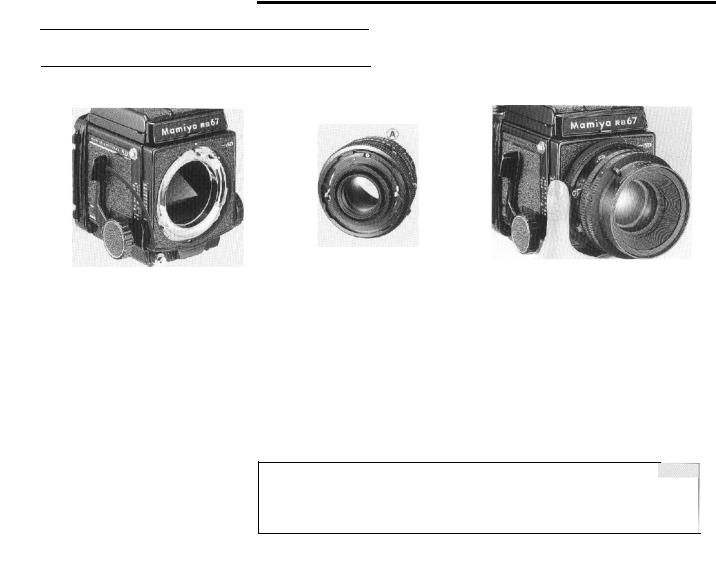
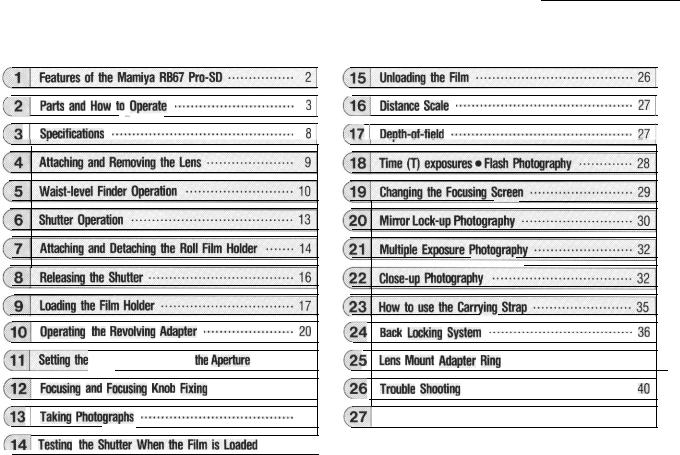
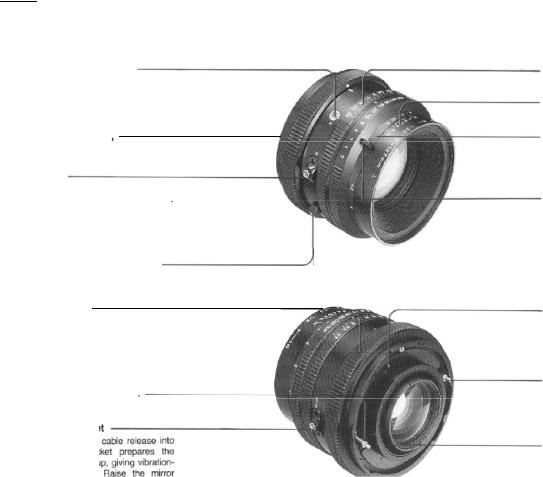
4 . Attaching and Removing the Lens
After cocking the mirror and the lens shutter, mount the lens on the camera body.
Cocking the mirror
1.Remove the front body cap from the camera body.
2.Be sure that the mirror is in the cocked, down position in the camera body, shielding
the film plane from exposure to light.
If the mirror is up, cock the mirror by fully pushing down the shutter cocking lever toward the front of the camera.
Cocking the lens shutter
1. Remove the rear cap of the lens by turning the bayonet ring clockwise.
2. Cock the lens shutter. Firmly turn the shutter cocking pins with your fingers, to the red dots (A) of the cocking position,
•If the cocking pins are not fully turned to the red dots (A), the shutter will not be completely cocked.
•The shutter is always cocked on a lens that has been removed from the body.
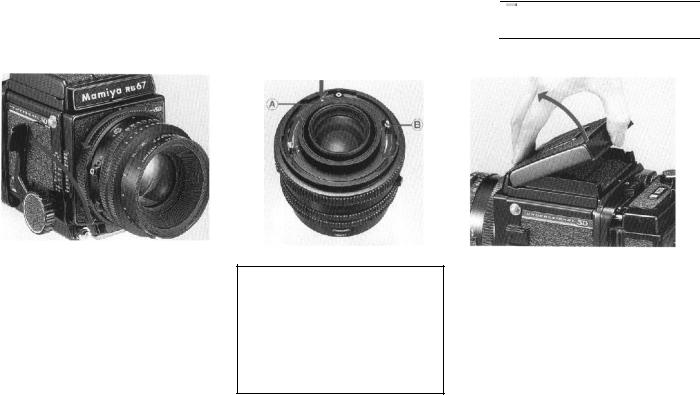
Attaching the lens
1.Turn the bayonet ring counterclockwise, and align the white dot on the bayonet ring with the red mark at the center of the lens mount.
2.Mount the lens, keeping the red mark aligned with the red mark on the body; then firmly twist the bayonet ring clockwise. The
camera and lens are now set.
NOTE:
Do not place the camera on its back without the rear body cap or film holder being in place. Otherwise the coupling mechanism may be damaged!
.
9
Operation
Raising the magnifier
Slide the magnifier release slightly to the left and the magnifier will pop up into position.
Lowering the magnifier
Gently push the base plate of the magnifier all the way down until it locks in place.
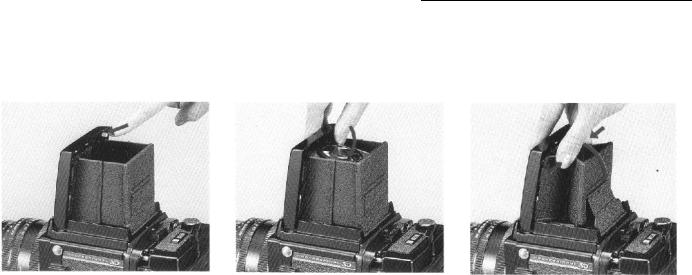
Folding the finder
After lowering the magnifier, gently squeeze the right and left panels of the finder together while closing it.
11
 Loading…
You can only view or download manuals with
Sign Up and get 5 for free
Upload your files to the site. You get 1 for each file you add
Get 1 for every time someone downloads your manual
Buy as many as you need
- Главная
-
Mamiya
-
Фото- и видеокамеры
-
RB67 Pro-SD
На этой странице вы найдёте полный список документов на Фото- и видеокамеры Mamiya RB67 Pro-SD.
Выберите необходимый PDF файл.
-
Фото- и видеокамеры
Mamiya RB67 Pro-SD МануалТип файла
PDFРазмер
3.24 MbКол-во страниц
43Просмотров
12868Download / Read online

- 1
Другие Mamiya Фото- и видеокамеры
-
Mamiya RB67 Pro-S Руководство пользователя
PDF файлов
2Просмотров
37104 -
Mamiya M645 Super Мануал
PDF файлов
1Просмотров
24504 -
Mamiya M645 1000S Мануал
PDF файлов
1Просмотров
17803 -
Mamiya RB67 Pro-SD Мануал
PDF файлов
1Просмотров
14853 -
Mamiya DM System Инструкция по эксплуатации
PDF файлов
1Просмотров
13531 -
Mamiya Credo 1.2 Руководство пользователя
PDF файлов
1Просмотров
9797
Другие устройства Mamiya
-
Пленочные фотокамеры
Mamiya 645 PRO TL Руководство пользователяPDF файлов
2Просмотров
21449 -
Цифровые камеры
Mamiya C330 Руководство пользователяPDF файлов
3Просмотров
14519 -
Цифровые камеры
Mamiya 645 AF Руководство пользователяPDF файлов
3Просмотров
11813 -
Цифровые камеры
Mamiya 7 II Руководство пользователяPDF файлов
2Просмотров
11777 -
Видеокамеры
Mamiya RZ67 PRO II МануалPDF файлов
1Просмотров
9342 -
Кофеварки
Mamiya Built-In Automatic Electronic Coffee Machine SCM1 Инструкция по эксплуатацииPDF файлов
1Просмотров
6125
Вопросы
-
слабая батарея
Ноутбуки
Acer
1310
Alex 12.02.2016 17:26
Ранее вы смотрели
Производители
Draytek
Margaritaville
Nova Natural
Philips Lighting
Prima
Rockwell SoniCrafter
SEM
Technika
Unibrain
Williams Sound
Типы устройств
Детские развивающие комплексы
Смарт-часы
Прочие зимние аксессуары
Сжиженный природный газ
Переформованные мембраны
Грузовые ящики и стеллажи
Диктофоны
Питательная кулинария
Системы капельного орошения
Устройства
Black & Decker FP1335
Curtis MWC519
Demco — Dethmers Manufacturing Company Utility Trailer KK460SS
Emerson CF705BS04
Fantom Vacuum Vacuum Cleaner FM788HC
KitchenAid W10161714A
LG D725
New Media Technology Omnia ONE Multicast
Techno Source Clickables 21102
Toshiba MD13P1
freeuserguide.ru
About Us
Contacts
Disclamers
Privacy Policy
Эта страница полезна для вас? Поделитесь ссылкой:
3.0
Rated 3.0 out of 5
3.0 out of 5 stars (based on 1 review)
Your overall rating
MAMIYA RB67 PRO SD (01) PDF MANUAL
Click here to download MAMIYA RB67 PRO SD (01) PDF MANUAL
MAMIYA RB67 PRO SD (01) PDF MANUAL
FREE ENGLISH PDF
OPERATING INSTRUCTIONS
USER GUIDE – USER MANUAL
OWNER GUIDE – OWNER MANUAL
REFERENCE GUIDE – REFERENCE MANUAL
INSTRUCTION GUIDE – INSTRUCTION MANUAL
Your overall rating
- YouTube
MAMIYA RB67 PRO SD (01) PDF MANUAL
MAMIYA RB67 PRO SD (01) PDF MANUAL