

Программируемый контроллер C.PCO LARGE (P+50NSJB00EL0)

Программируемый контроллер C.PCO MINI HIGH-END (P+D000NH1DEF0)
Цена в рублях с учетом НДС 20%
Как купить дешевле?
- Артикул:U2RUKFAHU0251
- Производитель:Carel
(Италия)
-
Основные характеристики:
Условия эксплуатации: −20…+60 °C, 90% RH без конденсации Условия хранения: −40…+85 °C, 90% RH без конденсации Напряжение питания: 24 В пост./перем. тока, +10% -15%; 50/60 Гц Потребляемый ток, макс.: 600 мА Потребляемая мощность: 15 ВА Часы реального времени: Погрешность ± 50ppm;
работа после отключения источника питания: 72 часаКраткое описание:
Электронный контроллер μAria (U2RUKFAHU0251) – это готовое к использованию решение для управления вентиляционными установками с рекуперацией тепла.
μAria – это параметрический контроллер, предназначенный для сокращения времени и затрат от этапа проектирования до этапа запуска системы. Его гибкость позволяет работать с линейкой компактных HRV машин начального уровня производительностью до 1000 м3/ч. Компетенция Carel в области вентиляционных установок обеспечивает интеллектуальную логику управления для оптимальной работы всех устройств.
С помощью контроллера можно управлять несколькими типами исполнительных механизмов и датчиков (температура, влажность, CO2, VOC и т.д.), которые измеряют желаемые значения и используют их для определенных режимов регулировки. Такой подход обеспечивает высокий уровень комфорта в помещениях, обслуживаемых контроллером, обеспечивая должное качество воздуха и воздухообмен, оптимизируя при этом энергоэффективность.
Контроллер μAria предлагает расширенный пользовательский интерфейс благодаря стандартной беспроводной связи Bluetooth и NFC в сочетании с приложением APPLICA. Приложение APPLICA, которое можно бесплатно загрузить на смартфоны из Google Play для Android или App Store для iOs, позволяет полностью настроить устройство за несколько простых шагов благодаря предварительно загруженным сводкам и конфигурациям. В сочетании с th-Tune терминалом пользователь может легко регулировать температуру и влажность для достижения желаемых условий окружающей среды.
| Условия эксплуатации: | −20…+60 °C, 90% RH без конденсации |
| Условия хранения: | −40…+85 °C, 90% RH без конденсации |
| Напряжение питания: | 24 В пост./перем. тока, +10% -15%; 50/60 Гц |
| Потребляемый ток, макс.: | 600 мА |
| Потребляемая мощность: | 15 ВА |
| Часы реального времени: | Погрешность ± 50ppm; работа после отключения источника питания: 72 часа |

Файлы для загрузки
 μAria
μAria
Техническое описание
- μAria
Руководство пользователя
 μAria
μAria
Информация о характеристиках, комплекте поставки, стране изготовления, внешнем виде и цвете товара носит справочный характер и основывается на последних доступных к моменту публикации сведениях.
-
CarelПрограммируемый контроллер C.PCO LARGE (P+50NSJB00EL0)
Цена по запросу
-
CarelПараметрируемый контроллер μAria (U2RUKFAHU0251)
Цена по запросу
-
CarelПрограммируемый контроллер C.PCO MINI HIGH-END (P+D000NH1DEF0)
от 80 000
-
CarelПрограммируемый контроллер C.PCO MINI ENHANCED (P+D000UE1DEF0)
от 60 000
-
CarelМодуль I/O P+E0N00000001
от 40 000
-
CarelКомплекты винтовых разъемов
от 2 500
-
LOYTEC electronicsАдаптеры LIOB‑A2/A4/A5
Цена по запросу
-
LOYTEC electronicsКонтроллер LIOB-585
Цена по запросу


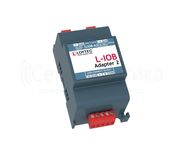

-

Carel
Руководство по эксплуатации инновационных HVAC контроллеров Aria Carel
Скачать
Pdf 173.76 Kb
Язык: EN -
Carel
Техническое описание контроллеров MasterAria для фэн-койлов и малых приточных установок.
Посмотреть
Скачать
Формат: pdf|
193.97 Kb
Язык: EN
-
Carel
Руководство по установке и эксплуатации контроллеров Aria
Посмотреть
Скачать
Формат: pdf|
831.77 Kb
Язык: EN
-
Carel
Руководство по эксплуатации контроллеров Aria (силовая плата) для регулирования кондиционеров
Посмотреть
Скачать
Формат: pdf|
106.61 Kb
Язык: EN
-
Carel
Руководство по эксплуатации контроллеров Aria (описание).
Посмотреть
Скачать
Формат: pdf|
207.38 Kb
Язык: EN


Table of Contents: Carel easy way aria Controller Owner’s Manual
-
13 GB easy way ARIA +030220841 — rel. 1.0 — 26.10.2007 Repeater Connecting the repeater to the access point: Power up the repeater.• Open the domain on the access point (press the button once).• Press the button on the repeater.• All the LED should be on steady. • The repeater is searching for an access point to connect to (all the LEDs • ash every 20 s). The binding operation is successful when only the yellow LED remains • ashing. Now the repeater is connected to the access point.• Note:The binding operation between the repeater and the access point ma
-
26 GB easy way ARIA +030220841 — rel. 1.0 — 26.10.2007 Cooling mode In ou mode the cooling request sees the following trend. RH = 0• RC• Fig. 4.d.o Heating mode In mode the heating request sees the following trend. RC = 0• RH• Fig. 4.d.p Automatic humidi cation/dehumidi cation algorithm The humidi cation/dehumidi cation algorithm is used to inform the master-supervisor of the humidi cation or dehumidi cation request in the location where the terminal is installed. If the humidity sensor is tted (see par. 6.1.2) the terminal wi
-
15 GB easy way ARIA +030220841 — rel. 1.0 — 26.10.2007 This chapter describes the functional characteristics of the terminal. Fig. 4.a 4.1 Display Fig. 4.b Key: 1 Main eld. 2 Operating mode indicator 3 Flat battery indicator 4 Wireless connection active with the access point indicator 5 Display in °C/°F indicator 6 Set mode for the value of eld 1 7 Fresh Air display indicator 8 Secondary eld. 9 Time in 12/24 h mode indicator 10 Occupancy mode active 11 Time band active (1
-
Carel easy way aria 21 GB easy way ARIA +030220841 — rel. 1.0 — 26.10.2007 4.3 Functions Display The numeric elds on the display (1 and 2 in Fig. 4.b) can be con gured based on requirements. Parameters loc1 and loc2 are used to customise these elds. Fig. 4.d.a Main display (loc1) Fig. 4.d.b loc1 display notes 1 Temperature Default 2 Set Temperature COMFORT displayed if COMFORT function active (loc) 3 Humidity “—” if humid. sensor not tted 4 Set Humidity — Tab. 4.h Secondary display (loc2) Fig. 4.d.c loc2 display notes 0 no display Blank 1 Temperature — 2 Set Temperature COMFORT displayed if COMFORT function ac
-
Carel easy way aria 40 GB easy way ARIA +030220841 — rel. 1.0 — 26.10.2007 Maximum distance between Access Point and terminals/sensors in an • open eld (outdoors): 100 m; maximum distance between Access Point and terminals/sensors with • eld of sight (indoors): 50 m; transmission frequency: selectable from 2405 to 2480Mhz;• number of channels available: 16 ;• transmission power: 0 dBm;• wireless protocol: ZigBee;• physical layer: 802.15.4;• reception sensitivity: -90 dB;• maximum current: 35 mA;• current in standby: 1 µA;• domain
-
Carel easy way aria 12 GB easy way ARIA +030220841 — rel. 1.0 — 26.10.2007 3.4 Connecting the devices (Binding) The logical connection between the access point and the wireless terminals/sensors/repeaters is called binding. (see chapter 7 for the possible ZigBee connections and levels). The operation must be performed after setting the addresses. Switch on the access point and check that the LED on the left is • ashing. OPEN DOMAIN: press the button and the 3 LEDs ash together.• In this phase, new devices can be connected (see the
-
18 GB easy way ARIA +030220841 — rel. 1.0 — 26.10.2007 The time bands can be disabled by setting eld 4 as follows Band 1 Band 2 ON ON OFF OFF Note: if HOUR and MINUTES of band 1 (H1M1) = hour and minutes of band 2 (H2M2), the value of M2 is automatically increased by 1 minute. Example: with manual set point 21°C. Fig. 4.c.e Time bands from the supervisor If the control of the time bands is transferred to the Master supervisor device (pCO, PlantVisor,…)
-
Carel easy way aria 32 GB easy way ARIA +030220841 — rel. 1.0 — 26.10.2007 To access the information on the easy way system, the master-supervisor must have the following settings: CAREL master protocol;• baud rate 19200.• Below are the tables of supervisor variables for the components in the system. 5.1 Access point variable list par. description min max def UOM type index R/W notes — Domain opening status 0 1 — — D 2 R 0= Network closed 1= Network open — Enable open/close domain (see command set for variable I12) 0 1 — — D 3 R/W 0= standard operation 1= enable command I13 — Device CAREL a
-
Carel easy way aria 29 GB easy way ARIA +030220841 — rel. 1.0 — 26.10.2007 Editing the factory parameters Use the procedure described in the previous paragraph to access parameter loc10, and enter the password (default 22). Fig. 4.f.c The factory parameters (loc9, loc11 to loc21) can now be displayed and set. Changing the password The password to access the FACTORY parameters is : a 3-digit numeric value between 000 and 999.• Default value = 22• It can be changed: By setting a parameter on the terminal (loc11)• Access the parameters menu – Enter the password for loc10 – Se
-
3 GB easy way ARIA +030220841 — rel. 1.0 — 26.10.2007 WARNINGS CAREL bases the development of its products on decades of experience in HVAC, on the continuous investments in technological innovations to products, procedures and strict quality processes with in-circuit and functional testing on 100% of its products, and on the most innovative production technology available on the market. CAREL and its subsidiaries nonetheless cannot guarantee that all the aspects of the product and the software incl
-
24 GB easy way ARIA +030220841 — rel. 1.0 — 26.10.2007 Lock keypad This function is used to lock some buttons on the terminal so that the user cannot access the corresponding displays/settings. The locked buttons can be con gured using parameter loc18. The following table indicates the buttons locked according to the value of loc18. loc 18 0 (def ) 123456789101112131415 ×××××××× ×××× ×××× ×× ×× ×× ×× ×××××××× Tab. 4.m The symbol is displayed when a locked button is pressed Note: parameter programming is enabled e
-
Carel easy way aria 8 GB easy way ARIA +030220841 — rel. 1.0 — 26.10.2007 The advantages of working at 2.4 GHz band of frequencies no of chan. data parameters use symbol rate rate mapping 868-868.6 MHz 1 20 Kbit/s 20 Kbaud binary europe 902-928 MHz 10 40 Kbit/s 40 Kbaud binary north america 2.4-2.4835 GHz 16 250 Kbit/s 62.5 Kbaud 16-ary orthogonal world wide Tab. 1.a The band centred around 2.45 GHz (used in the easy way ARIA system) is the only one that can be used all over the world, without needing to apply for special lic
-
33 GB easy way ARIA +030220841 — rel. 1.0 — 26.10.2007 par. description min max def UOM type index R/W notes — Dehumidi cation request 0 request not active 1 request active 0 1 — D 10 R — Use ambient temp./humidity from supervisor 0 Use the values from the local sensors 1 Use the values from the supervisor (A10, A11) 0 1 0 D 11 W — Enable time bands from supervisor 0 Local time bands 1 Control of time band symbols from supervisor (I16) 0 1 0 D 12 W — Synchronise time function 0 Local time 1 Enable write time from supervisor (I10, I11). When written the value ret
-
Carel easy way aria 7 GB easy way ARIA +030220841 — rel. 1.0 — 26.10.2007 1.1 easy way ARIA The easy way system is designed for all HVAC/R applications that require the monitoring of the ambient conditions (temperature and humidity) and/or the control of the ambient comfort based on the requirements of the end user (operating mode, set point, …). These applications may involve geothermal heat pumps and roof top units in hospitality, residential and light commercial environments. 1.2 Description easy way ARIA is made up of: easy set:• an innovative wireless termi
-
Carel easy way aria 10 GB easy way ARIA +030220841 — rel. 1.0 — 26.10.2007 The following chapter describes an example of the procedure for setting the address, con guring and connecting the devices for the creation of a wireless domain connectable to a Master controller using the CAREL protocol (pCO, PlantVisor, PlantWatch,…). The procedure includes: setting the address of the access point1. setting the address of the terminals2. setting the address of the sensors3. connecting the modes. In this phase, the terminals and the sensors 4. are associated with the access point. 3.1 Example of
-
Carel easy way aria 28 GB easy way ARIA +030220841 — rel. 1.0 — 26.10.2007 4.5 Setting the parameters The terminal features a series of internal parameters to customise the device according to the type of use. The parameters are divided into two categories: User – parameters modi able by the user without entering the • password Factory – parameters modi able only after having entered the • password Key: + Pressing the buttons together for 3 s accesses the parameters menu Multifunction Set and con rm changes UP Increase para
-
Carel easy way aria 39 GB easy way ARIA +030220841 — rel. 1.0 — 26.10.2007 Using the repeater When does the repeater need to be installed? The repeater is required whenever direct binding is not possible between the access point and the terminal/sensor; this may occur when: The distance between the access point and the terminal/sensor is • greater than 50 m, with visibility between the devices. Fig. 6.i.a Fig. 6.i.b There is no visibility between the access point and the terminal/sensor, • and/or there is shielding infrastructure that reduces the wireless communication d
-
Carel easy way aria 14 GB easy way ARIA +030220841 — rel. 1.0 — 26.10.2007 Terminal Important: The following procedure reinitialises the terminal and removes the connection to the reference access point. Access in the parameter programming procedure and set loc21 = ON (see paragraph 4.5). Parameter loc21 is used to return the terminal to the default con guration (including the supervisor address). par. description min max def UOM type index R/W notes loc 21 Reset to manufacturer defaults 0 no e ect 1 perform reset to manufacturer defaults 0 1 0 — — — R/W password access 3.6 Wireless variables The variables that de ne the function of an END DEVIC
-
Carel easy way aria 35 GB easy way ARIA +030220841 — rel. 1.0 — 26.10.2007 6.1 Terminal Fig. 6.a Technical speci cations Power supply SAFT LS 14500 lithium battery Maximum power input 130 mW Battery life in normal operating conditions 4 years (CAREL is not responsible for the speci ed battery life) Radio frequency speci cations Frequency: selectable 2405 to 2480 MHz Power transmitted: 0 dBm Wireless protocol: ZigBee Operating conditions 0T50 °C; humidity range: <80% RH non-condensing Storage conditions -20T70 °C; humidity range: <80% RH non-condensing Precision of t
-
Carel easy way aria 17 GB easy way ARIA +030220841 — rel. 1.0 — 26.10.2007 MODE HEAT COOL FAN DRY Loc 17 = 1 MODE AUTO HEAT COOL Loc 17 = 2 MODE HEAT COOL Loc 17 = 3 MODE HEAT Loc 17 = 4 MODE COOL Loc 17 = 5 MODE AUTO Loc 17 = 6 Tab. 4.c ON/OFF Button pressed and held for 3 sec Button pressed once par. description min max def UOM type ind. R/W note — ON/OFF 0 OFF 1 ON 0 — D 6 R/W Clock button (2) The button is used to set: The time bands.• The clock • Fig. 4.c.b Key: Select band number Select HOUR, MINUTES and ON/OFF/TEMP elds S
-
37 GB easy way ARIA +030220841 — rel. 1.0 — 26.10.2007 6.3 Access Point This is the coordinator of a wireless network as well as the gateway for the information between the ZigBee™ protocol and the CAREL side (pCO or PlantVisor). Up to 15 access points can be connected to the same eld serial port. Fig. 6.e Dimensions 94 102 40 108 196 50 13 DI P: 1 2 3 4 ++ G — 12 3 4 Rx- Rx+ GND L1 L2 L3 70 Fig. 6.f Model EW00AB2020 (24 Vac/dc; 19 cm antenna; black colour).• Technical speci cations Power supply 24 Vac/dc ±10% (cl
-
Carel easy way aria 22 GB easy way ARIA +030220841 — rel. 1.0 — 26.10.2007 °C/°F This function is used to select the unit of measure (°C or °F) for the temperature values. It can only be activated using the multifunction button (see • con guration par. 4.2.8) Change the unit of measure: Press the multifunction button • until reaching the following screen Fig. 4.d.d Fig. 4.d.e To exit the selected function: By time, 5 seconds after the last button is pressed• manually by pressing the button. • Setting from the super
-
Carel easy way aria easy way aria User manual easy way ARIA is the rst completely wireless CAREL solution for the management of ambient comfort in buildings. It guarantees energy saving and optimisation of the entire system.
-
Carel easy way aria 31 GB easy way ARIA +030220841 — rel. 1.0 — 26.10.2007 par. description min max default UOM type index R/W notes loc 18 Lock keypad function 0 not active 8 lock button 5 1 not active 1 9 lock button 1 & 5 2 not active 2 10 lock button 2 & 5 3 not active 1 & 2 11 lock button 1, 2 & 3 4 not active 3 12 lock button 3 & 5 5 not active 1 & 3 13 lock button 1, 3 & 5 6 not active 2 & 3 14 lock button 2, 3 & 5 7 not active 1, 2 & 3 15 lock button 1, 2, 3 & 5 0 15 0 — I 27 R/W * loc 19 Occupancy pro�
-
30 GB easy way ARIA +030220841 — rel. 1.0 — 26.10.2007 List of parameters par. description min max default UOM type index R/W notes loc 1 Main display 1 temperature set point 2 temperature 3 humidity set point 4 humidity 1 4 2 — I 19 R/W loc 2 Secondary display 0 no display 3 humidity set point 1 temperature set point 4 humidity 2 temperature 5 clock 0 5 5 — I 20 R/W loc 3 Time display mode 0 24 h 1 12 h 0 1 0 — D 16 R/W loc 4 Temperature delta in sleep mode -5 +5 0 �
-
9 GB easy way ARIA +030220841 — rel. 1.0 — 26.10.2007 2.1 Access point and Repeater Access Point 94 102 40 108 196 50 13 DI P: 1 2 3 4 ++ G — 12 3 4 Rx- Rx+ GND L1 L2 L3 70 Fig. 2.a Fasten the access point/repeater to the wall with the cable gland • facing downwards; connect the RS485 network to terminal (4); • tighten the antenna in the special housing (2), position it vertically to • the oor; connect the power supply to terminal (1), ensuring the polarity • indicated for DC power supply; Repeater 94 102
-
Carel easy way aria 34 GB easy way ARIA +030220841 — rel. 1.0 — 26.10.2007 par. description min max def UOM type index R/W notes loc 7 Field displayed when pressing multifunction once 0 no display 4 Humidity value 1 temperature set point 5 display clock 2 Temperature value 6 enable sleep timer 3 Humidity set point 07 T&H T — I 21 R/W 46 loc 2 Field displayed when pressing multifunction the second time 0 no display 4 Humidity value 1 temperature set point 5 display clock 2 Temperature value 6 enable sleep timer 3 Humidity set point 07 T&H T — I 22 R/W 37 loc 11 Value of the password to access the factory parameters 0 999 22 — I
-
Carel easy way aria 27 GB easy way ARIA +030220841 — rel. 1.0 — 26.10.2007 4.4 Alarms Below is the list of alarms that can be displayed on the terminal (all alarms with automatic reset). Alarms displayed on the terminal These are internal terminal alarms due to HARDWARE malfunctions. alarm main eld display alarm limits EW00TA* EW00TB* system/ memory error EEP * * temp. sensor fault ESt -20..70 °C * -7..55 °C * humidity sensor fault ESU ESU * Tab. 4.r The alarms are displayed in the main eld on the display, alternating with the normal display. The alarms ar
-
Carel easy way aria Note
-
Carel easy way aria 16 GB easy way ARIA +030220841 — rel. 1.0 — 26.10.2007 MODE /ON-OFF button (1) The button is used to: CHANGE THE DESIRED OPERATING MODE, CYCLICALLY.• SWITCH THE UNIT ON/OFF• MODE Each operating modes is associated with a symbol on the display. Fig. 4.c.a The operating mode can be read/written from the supervisor. par. description min max def um type index R/W notes — Activate operating mode: 0 AUTO 2 COOL 4 FAN 6 HEAT+RES 1 AUTO+RES 3 DRY 5 HEAT 0 6 0 I 5 R/W — MODE AUTO AUTO + RES HEAT HEAT + RES COOL FAN DRY loc 17 = 0 + +
-
20 GB easy way ARIA +030220841 — rel. 1.0 — 26.10.2007 UP/DOWN buttons (4-6) Used to increase/decrease of the values for the selected function or parameters. Pressing the buttons in the normal display (without any function selected) increases/decreases the set point, temperature or humidity, based on the value displayed in the main eld ((1) Fig. 4.b). The value displayed is selected using parameter loc1. par. description min max def UOM type index R/W notes loc 1 Main display 1 temperature set point 2 temperature 3 humidity set point 4 humidity 1 4 2 — I 19 R/W — Multifunction button
-
CAREL S.p.A. Via dell’Industria, 11 — 35020 Brugine — Padova (Italy) Tel. (+39) 049.9716611 — Fax (+39) 049.9716600 e-mail: [email protected] — www.carel.com Agenzia / Agency: easy way ARIA +030220841 — rel. 1.0 — 26.10.2007 CAREL reserves the right to modify the features of its products without prior notice
-
Carel easy way aria 23 GB easy way ARIA +030220841 — rel. 1.0 — 26.10.2007 Temperature and humidity set point The temperature set point (steps of 0.5 °C; 1 °F) or humidity set point (steps of 1%rH) can be set by directly pressing the UP/DOWN buttons, depending on the value 1. displayed in the main numeric eld. par. description min max def UOM type index R/W notes loc 1 Main display 1 temperature set point 2 temperature 3 humidity set point 4 humidity 1 4 2 — I 19 R/W — association with the multifunction button (see con guration par. 2. 4.2.8). In this case: Press the multifunction button • until reaching the following s
-
5 GB easy way ARIA +030220841 — rel. 1.0 — 26.10.2007 Content 1. INTRODUCTION 7 1.1 easy way ARIA ……………………………………………………………………………………………………….7 1.2 Description ……………………………………………………………………………………………………………7 1.3 Advantages of the CAREL solution …………………………………………………………………………..7 1.4 Term
-
Notes
-
Carel easy way aria 11 GB easy way ARIA +030220841 — rel. 1.0 — 26.10.2007 for around 20 seconds The instrument is ready for the use. The transmission channel has been selected and will be sent to the repeaters, sensors and terminals during the binding phase. Important: If the sequence is not as indicated, reinitialise the device (see paragraph • 3.5) If the instrument is reinitialised, all the instruments associated with it • will be disconnected and will need to be connected again. Terminal Perform the following steps for the correct connection to an exist
-
Carel easy way aria 19 GB easy way ARIA +030220841 — rel. 1.0 — 26.10.2007 Clock from terminal Fig. 4.c.f Key: enter clock setting mode when pressed and held for 5 seconds. The clock can now be set, with the hour digits ashing Enter the current hours using the UP and DOWN buttons• Press • to select MINUTES Enter the current minutes using the UP and DOWN buttons• To exit clock setting mode:: By time around 30 sec after the last button was pressed• manually by pressing • Clock from the supervisor Setting the clock from
-
Carel easy way aria 25 GB easy way ARIA +030220841 — rel. 1.0 — 26.10.2007 Sleep The Sleep function is especially useful at night, when the decrease in body temperature (due to sleep) changes our perception of the ambient temperature. association with the multifunction button.• In this case: Press the multifunction button • until reaching the following screen. Fig. 4.d.l Fig. 4.d.m To exit the selected function: By time, 5 seconds after the last button is pressed• manually by pressing the button • The enabling of the function is highlighted on the display in normal status: Fig. 4.d.n The operating hours count down until the tim
-
36 GB easy way ARIA +030220841 — rel. 1.0 — 26.10.2007 6.2 Sensor Fig. 6.c Sensors: White -EW00SA1000 (temperature only) — EW00SB1000 (temp. and humid.) Black — EW00SA2000 (temperature only) — EW00SB2000 (temp. and humid.) Fig. 6.d.a Fig. 6.d.b Technical speci cations Power supply SAFT LS 14500 lithium battery Maximum power input 100 mW Battery life in normal operating conditions From 3 to 8 years according to set transmission time. (CAREL is not responsible for the speci ed battery life) Radio frequency speci cations Frequency: selectable 2405 to 2480 MHz Power tr
Questions, Opinions and Exploitation Impressions:
You can ask a question, express your opinion or share our experience of Carel easy way aria device using right now.
Table of Contents: Carel easy way aria Controller Owner’s Manual
-
Carel easy way aria 7 GB easy way ARIA +030220841 — rel. 1.0 — 26.10.2007 1.1 easy way ARIA The easy way system is designed for all HVAC/R applications that require the monitoring of the ambient conditions (temperature and humidity) and/or the control of the ambient comfort based on the requirements of the end user (operating mode, set point, …). These applications may involve geothermal heat pumps and roof top units in hospitality, residential and light commercial environments. 1.2 Description easy way ARIA is made up of: easy set:• an innova
-
Carel easy way aria 28 GB easy way ARIA +030220841 — rel. 1.0 — 26.10.2007 4.5 Setting the parameters The terminal features a series of internal parameters to customise the device according to the type of use. The parameters are divided into two categories: User – parameters modi able by the user without entering the • password Factory – parameters modi able only after having entered the • password Key: + Pressing the buttons together for 3 s accesses the parameters menu Multifunction Set and con rm changes UP Increase parameter value/index DO
-
Carel easy way aria 30 GB easy way ARIA +030220841 — rel. 1.0 — 26.10.2007 List of parameters par. description min max default UOM type index R/W notes loc 1 Main display 1 temperature set point 2 temperature 3 humidity set point 4 humidity 1 4 2 — I 19 R/W loc 2 Secondary display 0 no display 3 humidity set point 1 temperature set point 4 humidity 2 temperature 5 clock 0 5 5 — I 20 R/W loc 3 Time display mode 0 24 h 1 12 h 0 1 0 — D 16 R/W loc 4 Temperature delta in sleep mode -5 +5 0 °C A 17 R/W loc 5 Ambient temperature sensor calibration -9.5 +9.5 0 °C A 15 R/W loc 6
-
27 GB easy way ARIA +030220841 — rel. 1.0 — 26.10.2007 4.4 Alarms Below is the list of alarms that can be displayed on the terminal (all alarms with automatic reset). Alarms displayed on the terminal These are internal terminal alarms due to HARDWARE malfunctions. alarm main eld display alarm limits EW00TA* EW00TB* system/ memory error EEP * * temp. sensor fault ESt -20..70 °C * -7..55 °C * humidity sensor fault ESU ESU * Tab. 4.r The alarms are displayed in the main eld on the display, alternating with the normal display.
-
23 GB easy way ARIA +030220841 — rel. 1.0 — 26.10.2007 Temperature and humidity set point The temperature set point (steps of 0.5 °C; 1 °F) or humidity set point (steps of 1%rH) can be set by directly pressing the UP/DOWN buttons, depending on the value 1. displayed in the main numeric eld. par. description min max def UOM type index R/W notes loc 1 Main display 1 temperature set point 2 temperature 3 humidity set point 4 humidity 1 4 2 — I 19 R/W — association with the multifunction button (see con guration p
-
Carel easy way aria 33 GB easy way ARIA +030220841 — rel. 1.0 — 26.10.2007 par. description min max def UOM type index R/W notes — Dehumidi cation request 0 request not active 1 request active 0 1 — D 10 R — Use ambient temp./humidity from supervisor 0 Use the values from the local sensors 1 Use the values from the supervisor (A10, A11) 0 1 0 D 11 W — Enable time bands from supervisor 0 Local time bands 1 Control of time band symbols from supervisor (I16) 0 1 0 D 12 W — Synchronise time function 0 Local time 1 Enable write time from supervisor (I10, I11). When written the value r
-
CAREL S.p.A. Via dell’Industria, 11 — 35020 Brugine — Padova (Italy) Tel. (+39) 049.9716611 — Fax (+39) 049.9716600 e-mail: [email protected] — www.carel.com Agenzia / Agency: easy way ARIA +030220841 — rel. 1.0 — 26.10.2007 CAREL reserves the right to modify the features of its products without prior notice
-
35 GB easy way ARIA +030220841 — rel. 1.0 — 26.10.2007 6.1 Terminal Fig. 6.a Technical speci cations Power supply SAFT LS 14500 lithium battery Maximum power input 130 mW Battery life in normal operating conditions 4 years (CAREL is not responsible for the speci ed battery life) Radio frequency speci cations Frequency: selectable 2405 to 2480 MHz Power transmitted: 0 dBm Wireless protocol: ZigBee Operating conditions 0T50 °C; humidity range
-
Carel easy way aria Notes
-
Carel easy way aria 15 GB easy way ARIA +030220841 — rel. 1.0 — 26.10.2007 This chapter describes the functional characteristics of the terminal. Fig. 4.a 4.1 Display Fig. 4.b Key: 1 Main eld. 2 Operating mode indicator 3 Flat battery indicator 4 Wireless connection active with the access point indicator 5 Display in °C/°F indicator 6 Set mode for the value of eld 1 7 Fresh Air display indicator 8 Secondary eld. 9 Time in 12/24 h mode indicator 10 Occupancy mode active 11 Time band active (1 or 2) indicator 12 Sleep mode indicator. The digit shows the hours remaining 13 Lock button/function a
-
Carel easy way aria 5 GB easy way ARIA +030220841 — rel. 1.0 — 26.10.2007 Content 1. INTRODUCTION 7 1.1 easy way ARIA ……………………………………………………………………………………………………….7 1.2 Description ……………………………………………………………………………………………………………7 1.3 Advantages of the CAREL solution …………………………………………………………………………..7 1.4 Terminology …………………………………..
-
34 GB easy way ARIA +030220841 — rel. 1.0 — 26.10.2007 par. description min max def UOM type index R/W notes loc 7 Field displayed when pressing multifunction once 0 no display 4 Humidity value 1 temperature set point 5 display clock 2 Temperature value 6 enable sleep timer 3 Humidity set point 07 T&H T — I 21 R/W 46 loc 2 Field displayed when pressing multifunction the second time 0 no display 4 Humidity value 1 temperature set point 5 display clock 2 Temperature value 6 enable sleep timer 3 Humidity
-
25 GB easy way ARIA +030220841 — rel. 1.0 — 26.10.2007 Sleep The Sleep function is especially useful at night, when the decrease in body temperature (due to sleep) changes our perception of the ambient temperature. association with the multifunction button.• In this case: Press the multifunction button • until reaching the following screen. Fig. 4.d.l Fig. 4.d.m To exit the selected function: By time, 5 seconds after the last button is pressed• manually by pressing the but
-
Carel easy way aria 31 GB easy way ARIA +030220841 — rel. 1.0 — 26.10.2007 par. description min max default UOM type index R/W notes loc 18 Lock keypad function 0 not active 8 lock button 5 1 not active 1 9 lock button 1 & 5 2 not active 2 10 lock button 2 & 5 3 not active 1 & 2 11 lock button 1, 2 & 3 4 not active 3 12 lock button 3 & 5 5 not active 1 & 3 13 lock button 1, 3 & 5 6 not active 2 & 3 14 lock button 2, 3 & 5 7 not active 1, 2 & 3 15 lock button 1, 2, 3 & 5 0 15 0 — I 27 R/W * loc 19 Occupancy pro le 0 disabled 1 con guration 1 2 con guration 2 3 con guration 3 0 3 0 — I 18
-
Carel easy way aria 21 GB easy way ARIA +030220841 — rel. 1.0 — 26.10.2007 4.3 Functions Display The numeric elds on the display (1 and 2 in Fig. 4.b) can be con gured based on requirements. Parameters loc1 and loc2 are used to customise these elds. Fig. 4.d.a Main display (loc1) Fig. 4.d.b loc1 display notes 1 Temperature Default 2 Set Temperature COMFORT displayed if COMFORT function active (loc) 3 Humidity “—” if humid. sensor not tted 4 Set Humidity — Tab. 4.h Secondary display (loc2) Fig. 4.d.c loc2 display notes 0 no display Blank 1 Temperature — 2 Set Temperature COMFORT di
-
Carel easy way aria 11 GB easy way ARIA +030220841 — rel. 1.0 — 26.10.2007 for around 20 seconds The instrument is ready for the use. The transmission channel has been selected and will be sent to the repeaters, sensors and terminals during the binding phase. Important: If the sequence is not as indicated, reinitialise the device (see paragraph • 3.5) If the instrument is reinitialised, all the instruments associated with it • will be disconnected and will need to be connected again. Terminal Perform the following steps for the correct connection to an existing network. Power up the terminal by removing the insulating tab from the batter
-
Carel easy way aria 13 GB easy way ARIA +030220841 — rel. 1.0 — 26.10.2007 Repeater Connecting the repeater to the access point: Power up the repeater.• Open the domain on the access point (press the button once).• Press the button on the repeater.• All the LED should be on steady. • The repeater is searching for an access point to connect to (all the LEDs • ash every 20 s). The binding operation is successful when only the yellow LED remains • ashing. Now the repeater is connected to the access point.• Note:The binding operation between the repeater and the access point may fail if: the distances are large and/or there is infrastruc
-
14 GB easy way ARIA +030220841 — rel. 1.0 — 26.10.2007 Terminal Important: The following procedure reinitialises the terminal and removes the connection to the reference access point. Access in the parameter programming procedure and set loc21 = ON (see paragraph 4.5). Parameter loc21 is used to return the terminal to the default con guration (including the supervisor address). par. description min max def UOM type index R/W notes loc 21 Reset to manufacturer defaults 0 no e
-
easy way aria User manual easy way ARIA is the rst completely wireless CAREL solution for the management of ambient comfort in buildings. It guarantees energy saving and optimisation of the entire system.
-
Carel easy way aria Note
-
16 GB easy way ARIA +030220841 — rel. 1.0 — 26.10.2007 MODE /ON-OFF button (1) The button is used to: CHANGE THE DESIRED OPERATING MODE, CYCLICALLY.• SWITCH THE UNIT ON/OFF• MODE Each operating modes is associated with a symbol on the display. Fig. 4.c.a The operating mode can be read/written from the supervisor. par. description min max def um type index R/W notes — Activate operating mode: 0 AUTO 2 COOL 4 FAN 6 HEAT+RES 1 AUTO+RES 3 DRY 5 HEAT 0 6 0 I 5 R/W — MODE AUTO AUTO + RES HEAT HEAT + RES COOL FAN DRY loc 17 = 0
-
38 GB easy way ARIA +030220841 — rel. 1.0 — 26.10.2007 6.3 Repeater This is the radio bridge device in the easy way wireless network. It relays the wireless signals so as to allow greater distances between the access point and the terminals/sensors. Fig. 6.g Dimensions 94 102 40 108 196 13 +- 1 4 L1 L2 L3 50 70 Fig. 6.h Model: EW00RB2020 (24 Vac/dc; 19 cm antenna; black colour).• Technical speci cations Power supply 24 Vac/dc ±10% (class 2 from distrib
-
24 GB easy way ARIA +030220841 — rel. 1.0 — 26.10.2007 Lock keypad This function is used to lock some buttons on the terminal so that the user cannot access the corresponding displays/settings. The locked buttons can be con gured using parameter loc18. The following table indicates the buttons locked according to the value of loc18. loc 18 0 (def ) 123456789101112131415 ×××××××× ×××× ×××× ×× ×× ×× ×× ×××××××× Tab. 4.m The symbol is displayed when a locked button is pressed Note: parameter programming is enabled even if the button is locked
-
Carel easy way aria 39 GB easy way ARIA +030220841 — rel. 1.0 — 26.10.2007 Using the repeater When does the repeater need to be installed? The repeater is required whenever direct binding is not possible between the access point and the terminal/sensor; this may occur when: The distance between the access point and the terminal/sensor is • greater than 50 m, with visibility between the devices. Fig. 6.i.a Fig. 6.i.b There is no visibility between the access point and the terminal/sensor, • and/or there is shielding infrastructure that reduces the wireles
-
Carel easy way aria 36 GB easy way ARIA +030220841 — rel. 1.0 — 26.10.2007 6.2 Sensor Fig. 6.c Sensors: White -EW00SA1000 (temperature only) — EW00SB1000 (temp. and humid.) Black — EW00SA2000 (temperature only) — EW00SB2000 (temp. and humid.) Fig. 6.d.a Fig. 6.d.b Technical speci cations Power supply SAFT LS 14500 lithium battery Maximum power input 100 mW Battery life in normal operating conditions From 3 to 8 years according to set transmission time. (CAREL is not responsible for the speci ed battery life) Radio frequency
-
40 GB easy way ARIA +030220841 — rel. 1.0 — 26.10.2007 Maximum distance between Access Point and terminals/sensors in an • open eld (outdoors): 100 m; maximum distance between Access Point and terminals/sensors with • eld of sight (indoors): 50 m; transmission frequency: selectable from 2405 to 2480Mhz;• number of channels available: 16 ;• transmission power: 0 dBm;• wireless protocol: ZigBee;• physical layer: 802.15.4;• reception sensitivity: -90 dB;• maximum c
-
Carel easy way aria 26 GB easy way ARIA +030220841 — rel. 1.0 — 26.10.2007 Cooling mode In ou mode the cooling request sees the following trend. RH = 0• RC• Fig. 4.d.o Heating mode In mode the heating request sees the following trend. RC = 0• RH• Fig. 4.d.p Automatic humidi cation/dehumidi cation algorithm The humidi cation/dehumidi cation algorithm is used to inform the master-supervisor of the humidi cation or dehumidi cation request in the location where the terminal is installed. If the humidity sensor is tted (see par. 6.1.2) the terminal will be able to activate the automatic humidi cation/
-
Carel easy way aria 37 GB easy way ARIA +030220841 — rel. 1.0 — 26.10.2007 6.3 Access Point This is the coordinator of a wireless network as well as the gateway for the information between the ZigBee™ protocol and the CAREL side (pCO or PlantVisor). Up to 15 access points can be connected to the same eld serial port. Fig. 6.e Dimensions 94 102 40 108 196 50 13 DI P: 1 2 3 4 ++ G — 12 3 4 Rx- Rx+ GND L1 L2 L3 70 Fig. 6.f Model EW00AB2020 (24 Vac/dc; 19 cm antenna; black colour).• Technical speci cations Power supply 24 Vac/dc ±10% (class 2 from distribution line) 24 Vac/dc ±10% -15% 2 VA (cla
-
Carel easy way aria 32 GB easy way ARIA +030220841 — rel. 1.0 — 26.10.2007 To access the information on the easy way system, the master-supervisor must have the following settings: CAREL master protocol;• baud rate 19200.• Below are the tables of supervisor variables for the components in the system. 5.1 Access point variable list par. description min max def UOM type index R/W notes — Domain opening status 0 1 — — D 2 R 0= Network closed 1= Network open — Enable open/close domain (see command set for variable I12) 0 1 — — D 3 R/W 0= standard ope
-
Carel easy way aria 17 GB easy way ARIA +030220841 — rel. 1.0 — 26.10.2007 MODE HEAT COOL FAN DRY Loc 17 = 1 MODE AUTO HEAT COOL Loc 17 = 2 MODE HEAT COOL Loc 17 = 3 MODE HEAT Loc 17 = 4 MODE COOL Loc 17 = 5 MODE AUTO Loc 17 = 6 Tab. 4.c ON/OFF Button pressed and held for 3 sec Button pressed once par. description min max def UOM type ind. R/W note — ON/OFF 0 OFF 1 ON 0 — D 6 R/W Clock button (2) The button is used to set: The time bands.• The clock • Fig. 4.c.b Key: Select band number Select HOUR, MINUTES and ON/OFF/TEMP elds Set the value of the
-
Carel easy way aria 20 GB easy way ARIA +030220841 — rel. 1.0 — 26.10.2007 UP/DOWN buttons (4-6) Used to increase/decrease of the values for the selected function or parameters. Pressing the buttons in the normal display (without any function selected) increases/decreases the set point, temperature or humidity, based on the value displayed in the main eld ((1) Fig. 4.b). The value displayed is selected using parameter loc1. par. description min max def UOM type index R/W notes loc 1 Main display 1 temperature set point 2 temperature 3 humidity
-
Carel easy way aria 19 GB easy way ARIA +030220841 — rel. 1.0 — 26.10.2007 Clock from terminal Fig. 4.c.f Key: enter clock setting mode when pressed and held for 5 seconds. The clock can now be set, with the hour digits ashing Enter the current hours using the UP and DOWN buttons• Press • to select MINUTES Enter the current minutes using the UP and DOWN buttons• To exit clock setting mode:: By time around 30 sec after the last button was pressed• manually by pressing • Clock from the supervisor Setting the clock from the supervisor:: Enter the synchronised hours and minutes for variab
-
Carel easy way aria 8 GB easy way ARIA +030220841 — rel. 1.0 — 26.10.2007 The advantages of working at 2.4 GHz band of frequencies no of chan. data parameters use symbol rate rate mapping 868-868.6 MHz 1 20 Kbit/s 20 Kbaud binary europe 902-928 MHz 10 40 Kbit/s 40 Kbaud binary north america 2.4-2.4835 GHz 16 250 Kbit/s 62.5 Kbaud 16-ary orthogonal world wide Tab. 1.a The band centred around 2.45 GHz (used in the easy way ARIA system) is the only one that can be used all over the world, without needing to apply for special licenses. In addition, the ISM ba
-
22 GB easy way ARIA +030220841 — rel. 1.0 — 26.10.2007 °C/°F This function is used to select the unit of measure (°C or °F) for the temperature values. It can only be activated using the multifunction button (see • con guration par. 4.2.8) Change the unit of measure: Press the multifunction button • until reaching the following screen Fig. 4.d.d Fig. 4.d.e To exit the selected function: By time, 5 seconds after the last button is pressed• manually by pressing the button. • Setting from the supervisor par. description min max def UOM type i
-
29 GB easy way ARIA +030220841 — rel. 1.0 — 26.10.2007 Editing the factory parameters Use the procedure described in the previous paragraph to access parameter loc10, and enter the password (default 22). Fig. 4.f.c The factory parameters (loc9, loc11 to loc21) can now be displayed and set. Changing the password The password to access the FACTORY parameters is : a 3-digit numeric value between 000 and 999.• Default value = 22• It can be changed: By setting a parameter on the terminal (loc11)• Access the parameters menu – Enter the password for
-
Carel easy way aria 9 GB easy way ARIA +030220841 — rel. 1.0 — 26.10.2007 2.1 Access point and Repeater Access Point 94 102 40 108 196 50 13 DI P: 1 2 3 4 ++ G — 12 3 4 Rx- Rx+ GND L1 L2 L3 70 Fig. 2.a Fasten the access point/repeater to the wall with the cable gland • facing downwards; connect the RS485 network to terminal (4); • tighten the antenna in the special housing (2), position it vertically to • the oor; connect the power supply to terminal (1), ensuring the polarity • indicated for DC power supply; Repeater 94 102 40 108 196 13 +- 1 4 L1 L2 L
-
Carel easy way aria 18 GB easy way ARIA +030220841 — rel. 1.0 — 26.10.2007 The time bands can be disabled by setting eld 4 as follows Band 1 Band 2 ON ON OFF OFF Note: if HOUR and MINUTES of band 1 (H1M1) = hour and minutes of band 2 (H2M2), the value of M2 is automatically increased by 1 minute. Example: with manual set point 21°C. Fig. 4.c.e Time bands from the supervisor If the control of the time bands is transferred to the Master supervisor device (pCO, PlantVisor,…), the local time bands can be disabled and the corresponding symbols and controlled independently to inform the user of the active time band. par. description min max def
-
10 GB easy way ARIA +030220841 — rel. 1.0 — 26.10.2007 The following chapter describes an example of the procedure for setting the address, con guring and connecting the devices for the creation of a wireless domain connectable to a Master controller using the CAREL protocol (pCO, PlantVisor, PlantWatch,…). The procedure includes: setting the address of the access point1. setting the address of the terminals2. setting the address of the sensors3. connecting the modes. In this phase, the terminals and the
-
Carel easy way aria 3 GB easy way ARIA +030220841 — rel. 1.0 — 26.10.2007 WARNINGS CAREL bases the development of its products on decades of experience in HVAC, on the continuous investments in technological innovations to products, procedures and strict quality processes with in-circuit and functional testing on 100% of its products, and on the most innovative production technology available on the market. CAREL and its subsidiaries nonetheless cannot guarantee that all the aspects of the product and the software included with the product respond to the requirements of the nal application, despite the product being developed according to
Questions, Opinions and Exploitation Impressions:
You can ask a question, express your opinion or share our experience of Carel easy way aria device using right now.
-
8/10/2019 Carel Aria
1/60
Ariaelectronic mu lt iprocessor control ler
Installation and user manual
-
8/10/2019 Carel Aria
2/60
-
8/10/2019 Carel Aria
3/60
We wish to save you time and money!
We can assure you that a thorough reading of this manual will
guarantee correctinstallation and safe use of the product descri bed.
-
8/10/2019 Carel Aria
4/60
-
8/10/2019 Carel Aria
5/60
Aria
ContentsIntroduction.4
1. GENERAL CHARACTERISTICS ……………….
…………………. ………………….
…………………. ……………….. …………………
…………………. …… 41.1
Functions………………………… ………………….
…………………. ………………….
…………………. ………………. ………………….
………………… …… 41.2 Terminal……………….
…………………. ………………….
…………………. …………………. ………………..
…………………. ………………… …………….. 41.3
Power board for the control of stand alone air-conditioning units
(code TABASE5000)….. ……………………
………………… ………….. 51.4 Power board for the
control of a motorized damper (multi-zone system
codeTAZONE0000)…………… ………. ……………
………. ………. 61.5 Codes ………………..
…………………. …………………. …………………
…………………. ………………… …………………
…………………. ……………….. 62. APPLICATIONS ……………….. …………………
………………… …………………. …………………
…………………. ………………… ………………….
…………. 72.1 Stand-alone applications ……………….
…………………. ………………….
…………………. ………………… …………………
…………………. …………. 72.1.1 Heating only……………….. ………………….
…………………. ………………… ………………….
…………………. ………………… …………………
………. 72.1.2 Cooling only ………………..
…………………. ………………….
…………………. …………………. ………………..
………………… ………………… ………. 72.1.3
Conventional……………….. ………………….
…………………. ………………….
…………………. ……………….. …………………
………………… ………. 82.1.4 Heat
pump……………….. ………………….
…………………. ………………….
…………………. ……………….. …………………
…………………. …………. 82.1.5 Split
system………………. …………………
…………………. ………………… …………………
…………………. ………………… ………………….
…………. 82.2 Multi-zone control ………………..
…………………. ………………….
…………………. …………………. …………………
…………………. ……………….. 82.3 Display
terminal………………. ………………….
…………………. ………………….
…………………. ………………. ………………….
………………… …… 82.4 Pool environments
………………… …………………. ………………….
…………………. …………………. ………………..
…………………. ……………….. 82.5 Heat pump + Energy
Saving ……………….. ………………….
…………………. …………………. …………………
………………… …………………. …… 82.6 Split
cooling only…… …………………. ………………….
…………………. ………………… ………………..
…………………. ………………… ……………..
83. INSTALLATION………………….. ………………….
…………………. ………………….
…………………. ……………….. …………………
………………… ………. 93.1 Terminal installation
…………………. ………………….
…………………. …………………. ………………..
…………………. ………………… …………….. 93.2
Connection diagrams for stand-alone applications…………
…………………. …………………..
…………………. ………………… …………………
103.3 Installation of the relay power board (STAND ALONE system)
and multi-zone power board…………. ………………….
……………… 103.4 Connection diagrams for zone control
applications ……………….. …………………..
………………….. …………………
…………………. ………. 114. USER INTERFACE ………………. ………………….
…………………. ………………….
…………………. ………………. ………………….
…………………. …… 124.1 Meaning of the symbols on the
display…………….. …………………..
………………….. ………………….
………………… ………………….. ……… 124.2
Description of the button meaning………. ………………….
………………….. ………………….
………………… …………………..
…………………. .. 124.2.1 Front and Side buttons ………………….
…………………. ………………….
…………………. ………………… ………………….
…………………. ………. 124.2.2 Programming
………………… …………………. ………………….
…………………. …………………. …………………
…………………. …………………. … 134.2.2.1 F Button [^] and Button [v] …………………..
………………….. ………………….
………………….. …………………
…………………. …………….. 134.2.3 Selecting the
machine’s operating mode ([MODE] button) ………………..
………………….. …………………. ………………..
…………………. 134.2.3.1 Selects the supply fan operating mode ([FAN] button,
stand-alone version only)………………………..
………………… ………………. 134.2.4 Setting the
temperature and humidity set points ………………..
………………….. ………………….
………………….. ………………….. ………….
144.2.4.1 Setting the temperature set point category ([SET]
button)………………… …………………..
…………………. ………………… ………………
144.2.4.2 Setting the humidity set point ([SET] button for 3
seconds)…………………… …………………..
…………………. ………………….. ………. 144.2.5 Programming the parameters ……………….
…………………. ………………….
…………………. ………………… ………………….
…………………. … 144.2.5.1 Setting the DIRECT parameters
([SET]+[HOLD] buttons)……………………………..
…………………. ……………….. …………………..
… 154.2.5.2 Setting the USER parameters (installer, [SET]+[MODE]
buttons) ………………… …………………..
…………………. …………………. … 154.2.5.3 Setting
the FACTORY parameters (configuration, [SET]+[MODE] buttons for
more than 3 seconds)……………….. ……………. 154.2.5.4
Setting the default parameters ([SET] + [RESUME] buttons when
powering the controller) ………………..
………………….. …….. 154.2.6 Using the Hardware key……………..
…………………. ………………… ………………….
………………… …………………. ………………….
………….. 164.2.6.1 Copying parameters from the removable
hardware key to the controller ([SET]+[^] buttons when powering
Aria or even only [^]button when powering Aria)……….
…………………. ………………… ………………….
………………… ………………… ………………….
…………………. ………. 164.2.6.2 Copying parameters from
the controller to the removable hardware key ([SET]+[v] buttons
when powering Aria) ….. ……………….. 164.2.7 Real time clock and time-bands………………….
………………….. ………………….
………………….. ……………….. ………………….
…………….. 164.2.7.1 Setting the time ([CLOCK] button,
version with built-in clock only) …………………
…………………. ………………….
…………………. 164.2.7.2 Time bands ………………..
…………………. ………………….
…………………. …………………. …………………
…………………. …………………. … 164.2.7.3.
Setting the time bands ([CLOCK] button more than 3
seconds)……………………………….
…………………. ………………….. …………..
164.2.8 Alarm management and general functions……..
………………….. ………………….
………………….. …………………
………………….. …………. 174.2.8.1 [HOLD] button.
………………. …………………. …………………
…………………. ………………… ………………….
……………….. …………………. 174.2.8.2 [RESUME] button. …………………
…………………. ………………… ………………….
………………… ………………… ………………….
………….. 174.2.8.3 [RESUME] button for more than 3
seconds………………… ………………….
…………………. …………………. …………………
……………… 174.2.8.4 [^ ] + [v ] buttons simultaneously
…………………. …………………..
…………………. ………………….. ………………..
………………….. ……… 175. OPERATION …………………. …………………
…………………. ………………… ………………….
…………………. ………………….
…………………. …………. 185.1
General…………………. ………………….
…………………. ………………….
…………………. ……………….. ………………….
…………………. …………. 185.2 Stand-alone
version…………………… ………………….
…………………. …………………. ………………..
…………………. …………………. ………….. 185.2.1 Proportional regulation algorithm………………….
…………………. …………………..
…………………. ………………….
…………………. …………. 185.2.2 Proportional +
Integral regulation algorithm……………………….
………………….. ………………….
………………… ………………….. …………. 205.2.3
Split operation…………………. ………………….
…………………. ………………….
…………………. ……………….. ………………….
………………… … 205.2.4 Defrost management
………………… …………………. ………………….
…………………. …………………. …………………
…………………. ………….. 215.2.4.1 Forced defrost due to low outside
temperature………… …………………..
…………………. …………………..
………………… ………………… 215.2.4.2 Manual
defrost……………. ………………….
…………………. ………………….
…………………. ……………….. ………………….
…………………. … 215.2.4.3 Compressor stops at start and
end defrost…………………. …………………..
…………………. …………………..
………………….. …………….. 215.2.4.4 Supply fan
activation delay after defrost ……………….
…………………. ………………….
…………………. ………………… ………………….
… 215.2.4.5 Smart defrost cycles………………………….
………………… …………………. …………………
………………… …………………. ………………….
… 215.2.5 Dehumidification management …………………..
…………………. …………………..
…………………. ………………… ………………….
…………….. 225.2.5.1 Dehumidification in Night-time or
Unoccupied mode ………………. ………………….
…………………. ………………… ………………….
…. 225.2.5.2 Dehumidification stop
temperature……………….. …………………..
…………………. ………………….. ………………..
…………………. ………. 225.2.6 Automatic set point compensation ………………….
…………………. …………………..
…………………. ……………….. …………………..
…………. 235.2.7 Free-cooling & Free-heating……..
…………………. ………………….
…………………. ………………….
…………………. …………………. ………….. 23 -
8/10/2019 Carel Aria
6/60
Aria
5.2.8 Using probes B2 and B3 …………………
………………… …………………. …………………
………………… …………………. ………………….
………. 245.2.9 Output management ………………….
…………………. ………………….
…………………. …………………. …………………
…………………. ………….. 255.3 Zone control version ………………….
…………………. ………………….
…………………. ……………….. ………………….
…………………. ………….. 275.3.1 Regulation
algorithm…………………………….. ………………….
…………………. ………………….
…………………. …………………. …………………
275.3.2 Damper management ………………..
…………………. ………………….
…………………. …………………. …………………
…………………. ………….. 285.4 Pool environment management….. ………………….
…………………. ………………….
…………………. ………………… ………………….
………….. 285.5 pLAN connection………….
…………………. ………………… ………………….
………………… …………………. ………………….
…………………. …… 295.5.1 List of variables………………………………
…………………. ………………….
…………………. ………………….
…………………. …………………. …… 295.6 Digital
inputs……………………… ………………….
…………………. …………………. ………………..
…………………. …………………. …………………
335.7 Supervisor… …………………. ………………….
…………………. ………………….
…………………. ………………. ………………….
…………………. …… 336. ALARMS AND TROUBLESHOOTING………… ………………….
…………………. ………………….
…………………. ………………… ………………….
356.1 Resetting the alarms… ………………….
…………………. ………………….
…………………. ………………….
…………………. …………………. ………. 356.1.1 Muting the buzzer: …………………
…………………. ………………….
…………………. …………………. …………………
…………………. …………….. 356.1.2 Automatic
reset:…. …………………. ………………….
…………………. …………………. ………………..
…………………. …………………. ……………..
356.1.3 Manual reset:………………………
…………………. ………………….
…………………. ………………… …………………
…………………. ………………… 356.2 Description of the alarms ……………….
…………………. ………………….
…………………. ……………….. ………………….
…………………. ………. 357. PROGRAMMING
………………… …………………. …………………
…………………. ………………… ………………….
…………………. …………………. …… 397.1 List of parameters ………………..
…………………. ………………….
…………………. …………………. ……………….
…………………. ………………… 397.1.1 Table of
parameters………………………………
…………………. ………………….
…………………. ………………. ………………….
…………………. … 397.2 Description of the parameters ………………….
…………………. ………………….
…………………. ………………… ………………….
………………… 427.2.1 Probe set-up (S
parameters)……………………….. ………………….
…………………. …………………. …………………
…………………. ………….. 427.2.2 Regulation set-up (R
parameters) ……………….. ………………….
………………….. …………………. ………………..
………………….. …………. 427.2.3 Compressor and heater
activity (c parameters)…… …………………..
…………………. …………………..
………………… …………………. …… 447.2.4Fans (F parameters)….. ………………….
…………………. ………………….
…………………. ………………… ………………….
…………………. …… 447.2.5 Defrost (d parameters) ……………….
…………………. ………………….
…………………. ………………… ………………….
…………………. ………. 457.2.6 Alarms (P
parameters)…………… ………………….
…………………. ………………….
…………………. ………………… ………………….
………….. 467.2.7 General machine configuration parameters (H
parameters)……………………………..
…………………. ………………….
…………………. … 477.2.8 pLAN communication (L
parameters)……… …………………. ………………….
…………………. ………………… ………………….
……………… 498. DIMENSIONS……. ………………….
………………… …………………. …………………
…………………. ………………… ………………….
…………………. …… 509. TECHNICAL
SPECIFICATIONS……………… …………………
…………………. ………………… …………………
………………… …………………. ……. 519.1 Terminal board……………….. ………………….
…………………. ………………….
…………………. ……………….. ………………….
…………………. … 519.2 Relay power board for stand-alone
units……………. …………………..
…………………. ………………….. ………………..
………………….. ……… 519.3 Triac power board for
multi-zone applications …………………
………………….. …………………. ………………..
………………….. …………….. 529.4 Common
characteristics for components indicated above
…………………. ………………….
………………….. ………………… …………………
529.5 Protection against electric shock…. ………………….
………………….. ………………….
………………….. ………………….
………………….. ……… 5210. SOFTWARE UPDATING……………… ………………….
…………………. ………………….
…………………. ……………….. ………………….
……. 5310.1 Notes for the release 3.4 (and the following
ones):……….. …………………. …………………..
………………… …………………. …………………
53 -
8/10/2019 Carel Aria
7/60
Aria
Carel code +030220306 rel. 2.1 dated 23/11/07 3
IMPORTANT WARNINGS
BEFORE INSTALLING OR HANDLING THE APPLIANCE PLEASE CAREFULLY
READ AND FOLLOW THEINSTRUCTIONS AND SAFETY STANDARDS DESCRIBED IN THIS MANUAL.
This appliance has been developed to operate risk-free and for a
specific purpose, as long as:it is installed, operated and maintained according to the
instructions contained in this manual;the environmental conditions and the voltage of the power supply
correspond to those specified.All other uses and modifications made
to the device which are not authorised by the manufacturer are
consideredincorrect.
Liability for injury or damage caused by the incorrect use of
the device lies exclusively with the user.Please note that the machine contains powered electrical devices
and all service and maintenance operations must beperformed by specialist and qualified personnel who are aware of
the necessary precautions.Disconnect the machine from the mains power supply before
accessing any internal parts.The local safety standards in force
must be applied in all cases.Disposal of the instrument:The controller is made up of metal
and plastic components. To dispose all of these components refer to
the environmentprotection laws valid in your own country.
-
8/10/2019 Carel Aria
8/60
Aria
Carel code +030220306 rel. 2.1 dated 23/11/07 4
INTRODUCTIONAria is an electronic controller for the management
of direct expansion air-conditioning developed by Carel for the
home andcommercial markets.It features a room terminal which
communicates with a power board installed on the air-conditioning
unit itself.With its accurately-designed appearance, it is ideal for the
sector it is used in. Another important feature of the product is
its easeof use, with a large LCD display and a highly intuitive
user interface.Furthermore, unlike other existing products on the market, the
connection of the actuators is handled by an electronic
boardlocated directly on the machine’s electrical panel, thus
avoiding the need to lay large quantities of cables to the control
itself.The serial communication allows cabling reduction between the
terminal and the power board to just 2 wires.The instrument can
manage both conventional units and heat pumps with up to a 3
heating and 2 cooling stages (in a singlerefrigeration circuit); its operational flexibility is
guaranteed by a parameter used to quickly configure the type of
air-conditioning unit being controlled.A special version is also available for multi-zone applications,
in which up to 30 terminals are located in different
rooms,measuring the local temperature and optionally humidity, then
communicating with the control of the centralised air-conditioning
unit (pCO or pCO2).1. GENERAL CHARACTERISTICS
1.1 Functions
Aria is a Carel electronic microprocessor-based control designed
by Carel to manage single or multi zone Air Conditioning units
inresidential/commercial applications. Aria is organized into two
integrated systems: aterminal, installed in the room, and a
powerboardfor managing the actuators to be placed in the electrical
panel of the Air Conditioning unit itself. The terminal is
connected tothe power board using a two-lead cable, thus greatly
simplifying installation.The power board is available in two
different models, depending on the specific application:one model for the control of stand alone air-conditioning units
(relay power board)one model for the control of a motorized damper, where Aria is
used for zone control (triac power board).1.2 Terminal
The terminal is the heart of the system; it is fitted with an
internal probe for measuring the ambient temperature (this may be
remotely-located in the duct) and can be supplied with an extra
active-type probe (0/1Vdc output) for measuring the ambient
humidity.The instrument’s user interface has been designed for ease
of use, featuring:the use of a complete and large-sized liquid crystal display
the ergonomic separation of the buttons for programming (on the
side) from those used for the immediate modification of thedesired
temperature (set point), placed on the frontthe back-lighting of the buttons and the display, useful when
there is not enough lighta built-in buzzer (can be bypassed using a specific parameter)
which signals any operating anomalies of the unit, and alsofollow
the pressing of each button.The presence of an optional real time clock allows the
instrument to be independently time-band programmed each of
theseven days of the week. Being fitted with an independent power
supply, it constantly maintains the correct time even in thecase of
interruption to the main power supply.The terminal is very easy to install, as:
just 2 leads connect the terminal to the power board
the quick insertion terminals used allow the connection of the
cables to the terminal using the rear shell of the box;
theelectronic parts are connected at the end, as the front panel is
closed.the instrument may be programmed by simply copying the settings
from another master machine, using a hardware keyFigs.: 1.2.1 and 1.2.2 represent respectively the rear view of
the terminal and the view of the rear shell.J2
3 2 1
J1
3
2
1
TO
PROGRAM
KEY
KEY
T+
T-
24V
B2
Avss
B1
GND
Rx/Tx+
Rx/Tx-
TERMINAL REAR SHELL TO BE
WALL MOUNTED
Figure 1.2.1 Figure 1.2.2
-
8/10/2019 Carel Aria
9/60
-
8/10/2019 Carel Aria
10/60
Aria
Carel code +030220306 rel. 2.1 dated 23/11/07 6
1.4 Power board for the control of a motorized damper
(multi-zone systemcodeTAZONE0000)
This board manages the motorized inlet air damper with a 3-point
control, typically in multi-zone applications.Its main features
are:two 24Vac triac outputs to control damper opening/closing
three multifunctional digital inputs (see 5.6);
one analogue input, for automatic cooling / heating selection
using the probe located inthe air duct (see 5.2.8).The following areas of connection can be identified on the
board:G and G0 for power supply (24Vac)
terminals T-and T+for connection to the terminal
terminals ID COM, ID1, ID2 and ID3for connection of the digital
inputsterminals B3and GNDfor connection of a NTC temperature probe
terminals OUT1, OUT2 and C to open and close the zone
damper.1.5 Codes
Here follow the codes of the Aria components.
Terminal code
Terminal, basic model TAT00000W0
Terminal, with programmer clock TAT0000CW0
Terminal, with programmer clock, back-lit display, buzzer
TAT000RCW0Terminal, with programmer clock, back-lit display, buzzer and
built in humidity probe TAT000HCW0Terminal with pLAN output TAT0000PW0
Terminal with pLAN output, back-lit display and buzzer
TAT000RPW0Terminal with pLAN output, back-lit display, buzzer and
built in humidity probe TAT000HPW0Tab. 1.5.1
Power boards
Description code
Power board with 5 relays TABASE5000
Power board with 7 relays TABASE7000
Power board for zone control TAZONE0000
Tab. 1.5.2
Programming hardware key
Description code
Programming hardware KEY TAKEY00000
Tab. 1.5.3
Figure 1.4.1
-
8/10/2019 Carel Aria
11/60
Aria
Carel code +030220306 rel. 2.1 dated 23/11/07 7
2. APPLICATIONS
The Aria control can be used in a wide variety of applications,
which are selected using the parameter H1. The possibleapplications
can be divided into two families:stand-alone applications, where Aria controls directly the
air-conditioning units via relay power board. The power boardis
available in two different models, with either 5 or 7 relays (part
no. TABASE5000 and TABASE7000).multi-zone application control where a series of terminals are
connected to a Carel pCO programmable control using the CarelpLAN
local network (pCO Local Area Network). In this situation the
terminal ARIA measures the temperature and the humidity ofthe zone, sends the data via pLAN to the centralized machine’s
controller pCO or pCO2, which, depending on the informationreceived
from the other zone terminals (up to a maximum of 30), decides the
operating logic and thus the temperature and humidityof the air to
be introduced into the duct. Each terminal is connected to triac
power board (code TAZONE0000) which manages thelocal zone damper (with floating control) in order to maintain
the required ambient conditions.WARNING: before modifying parameter
H1and thus changing the type of application, the machine should be
switched OFF(by keypad), as the outputs will change their function
immediately after each change of H1.2.1 Stand-alone applications
The list below describes the value of parameter H1 and the
function of each relay for each application, using the
followingabbreviations:C1, C2 : relay for the control of cooling stages no.1 and
no.2;V : relay for the control of the reverse cycle valve;
R1, R2, R3 : relay for the control of heating stages no.1,2 and
3; R1, R2, R3 : relay for the control of heating stages no.1, 2 and
3;R1aux, R2aux : relay for the control of auxiliary heater 1,
auxiliary heater 2;F1, F2, F3 : relay for the control of the supply fan at speed 1,
speed 2, speed 3;OP : programmable output, via parameter H2;
NU : Not Used;
ALL: relay for alarm signalling;
ES+ : Free-cooling or Free-heating damper opening relay;
ES- : Free-cooling or Free-heating damper closing relay;
P : water pool pump;
Rp : pool water heating element.
The OP programmable output has the following functions,
depending on the value of parameter H2:H2 OP
0 Humidifier control
1 Alarm signal
2 Control of Fan on external heat exchanger
3 optional heaters for heating the pool water
4 Functioning mode remote signal (heating or cooling)
5 Comfort set point active signal
Tab. 2.1.1
The relays can be identified by referring to the numbering in.
Fig. 1.3.1.Relays 1 and 2 have normally-open (NO) and
normally-closed (NC) contacts while relays from 3 to 7 only have
normally-opencontacts. In the 5-relay model, relays 6 and 7 are not
present.2.1.1 Heating only
H1 RL7 RL6 RL5 RL4 RL3 RL2 RL1
1 stage heating 0 ES+ ES- R1 NU F1 OP ALL
2 stage heating 1 ES+ ES- R1 R2 F1 OP ALL
3 stage heating 2 ES+ ES- R1 R2 F1 R3 OP
Tab. 2.1.1.1
2.1.2 Cooling only
H1 RL7 RL6 RL5 RL4 RL3 RL2 RL1
1 stage cooling 3 ES+ ES- C1 NU F1 OP ALL
2 stage cooling 4 ES+ ES- C1 C2 F1 OP ALL
Tab. 2.1.2.1
-
8/10/2019 Carel Aria
12/60
Aria
Carel code +030220306 rel. 2.1 dated 23/11/07 8
2.1.3 Conventional
H1 RL7 RL6 RL5 RL4 RL3 RL2 RL1
1 stage cooling / 1 stage heating 5 ES+ ES- C1 R1 F1 OP ALL
1 stage cooling / 2 stage heating 6 ES+ ES- C1 R1 F1 R2 OP
1 stage cooling / 3 stage heating 7 ES+ ES- C1 R1 F1 R2 R3
2 stage cooling / 1 stage heating 8 ES+ ES- C1 C2 F1 R1 OP
2 stage cooling / 2 stage heating 9 ES+ ES- C1 C2 F1 R1 R2
2 stage cooling / 3 stage heating 10 C1 C2 F1 R1 R2 R3 OPTab.
2.1.3.12.1.4 Heat pump
H1 RL7 RL6 RL5 RL4 RL3 RL2 RL1
single-compressor 11 ES+ ES- C1 F1 R1AUX V OP
dual-compressor 1Raux, 1 circuit 12 C1 C2 F1 R1AUX OP V AL
dual-compressor 2Raux, 1 circuit 13 C1 C2 F1 R1AUX R2AUX V
OPTab. 2.1.4.1
2.1.5 Split system
H1 RL7 RL6 RL5 RL4 RL3 RL2 RL1
single compressor heat pump 14 C1 R1AUX F1 F2 F3 V OP
Tab. 2.1.5.1
2.2 Multi-zone control
This application can be selected by setting parameter H1=15;
referring to Fig. 1.4.1, the meaning of the outputs is the
following:H1 OUT1 C OUT2
zone controller 15 Open Common Close
Tab. 2.2.1
2.3 Display terminal
This application can be selected by setting parameter H1 = 16
and allows you to use the terminal as a display unit to measure
thetemperature/humidity, connected to a pCO via pLAN serial line.
There is no need then to use any Aria power card (neitherTABASE*
nor TAZONE*).2.4 Pool environments
H1 RL7 RL6 RL5 RL4 RL3 RL2 RL1
climate and pool water control 17 C1 C2 R F1 P Rp OP
Table. 2.4.1
2.5 Heat pump + Energy Saving
H1 RL7 RL6 RL5 RL4 RL3 RL2 RL1
dual-compressor heat pump with energy saving 18 C1 C2 F1 ES+ ES-
V OPTable. 2.5.1
2.6 Split cooling only
H1 RL7 RL6 RL5 RL4 RL3 RL2 RL1
dual-compressor heat pump with energy saving 19 C1 — F1 F2 F3 —
OPTable. 2.6.1
-
8/10/2019 Carel Aria
13/60
Aria
Carel code +030220306 rel. 2.1 dated 23/11/07 9
3. INSTALLATION
3.1 Terminal installation
For correct installation, the following warnings must be
heeded:always disconnect the power supply before performing any
operations on the board during assembly, maintenance or
replacement.the terminal must be mounted vertically, allowing for air to
circulate through the instrument’s vent-holes. Avoid placeswhere
the measurement of the ambient temperature by the internal sensor
may be altered, such as outside walls, near doorsleading outside, in direct sunlight, etc. the cables for
connection to the power board must be kept separate from other
cables, using an individual raceway and,possibly, shielded cables. In such a case connect the cable
braid to terminal G0, reference for the 24Vac power supply
(leavethe other side of the braid free). The maximum length allowed
is 150m, according to the section of the cable, as per the
table:length of connection (m) minimum cross-section (mm2)
0 — 50 0.5
50 — 150 1
Tab. 3.1.1
when making the connection to the power board special attention
must be paid to the polarity; the T+ pin on the terminal sidemust
be connected to the T+ pin on the power board; similarly for the T-
pin ( however in case the cables are connected inthe opposite order
the instrument will not be damaged).The installation procedure is the following:1. To detach the
front panel of the terminal from the rear shell, place a flat-heat
screwdriver in the slot in the centre of thebottom side of the housing and release the locking flap (Fig.
3.1.1).2. Raise the front panel using a hinge movement, using the upper
edge of the instrument as the pivot and raising the loweredge (Fig.
3.1.1);3. To mount the rear shell to the wall, place the hole in the
centre of the shell over the control cables of the instrument
whichcome out of the wall. The placement of the mounting holes has
been designed to allow the instrument to be fixed ontostandard
European flush mounting boxes conforming to standards CEI C.431 —
IEC 670. If this is not available, use themounting holes on the
shell as a guide for drilling holes into the wall and then use the
screw and plug kit supplied.4. Connect the cables to the terminals on the rear shell of the
terminal, as indicated in Fig. 3.2.1 or Fig. 3.4.1, according to
theapplication you are facing to (stand alone or multi-zone).5.
Check the correct installation of the two jumpers J1 and J2
located on the rear side of the terminal (see Fig. 1.2.1)6.
Finally, close the instrument, moving the front panel onto the rear
shell with a hinge movement, in the opposite way asused for
opening. First the long side of the front panel near the display is
snapped onto the rear shell, then the opposite side,being careful
that the terminal pins slide into their corresponding female
terminals.Figure 3.1.1
-
8/10/2019 Carel Aria
14/60
Aria
Carel code +030220306 rel. 2.1 dated 23/11/07 10
3.2 Connection diagrams for stand-alone applications
In Fig. 3.2.1 is shown the connection diagram for stand-alone
type applications.24 Vac/Vdc
stand-alone
Figure 3.4.1
3.3 Installation of the relay power board (STAND ALONE system)
and multi-zonepower board
The power board may be installed on the electric panel of the
air-conditioning unit to be controlled. Its dimensions, DINstandard
compatible, allow installation on omega rail by means of suitable
adapters available on the market. Connect theactuators as in Fig. 3.2.1; the relays no.1 and no.2 have dual
contacts, while the others have only one contact, normally open.For
a description of the devices controlled by each relay please refer
to the Applications (pg. 7), according to the specificconfiguration
of the machine.The digital inputs ID1, ID2, and ID3 are optically insulated and
suitable for 24Vac/dc signals with normally closed logic (atthe
contact opening there is alarm condition). To simplify the wiring
it is possible to get the 24Vac/dc power supply from theGND
terminal (see Fig. 3.3.1). In fact J3 jumper can be placed as
follows:J3: in position1-2(INT — ID COM): digital inputs powered
internally (Fig. 3.3.1);in position 2-3(ID COM — EXT): 24Vac/dc
power supply to be provided by the user (Fig. 3.3.2).In order to get a real optical insulation, digital inputs power
supply must be different from the one on the board that is
24Vac/Vdc. In case the digital inputs are supplied by direct
current, the IDCOM terminal must be connected to the positive
pole,ID1, ID2 and ID3 to the negative one.For correct installation the following warnings must be
heeded:always disconnect the power supply before performing any
operations on the board during assembly, maintenance or
replacement.the cables for connection to the power board must be kept
separate from other cables, using an individual raceway
and,possibly, shielded cables. In such a case connect the cable
braid to terminal G0, reference for the 24Vac power supply
(leavethe other side of the braid free). The maximum length allowed
is 150m, according to the section of the cable, as per table
3.1.1.when making the connection to the power board special attention
must be paid to the polarity; the T+ pin on the terminal sidemust
be connected to the T+ pin on the power board; similarly for the T-
pin ( however in case the cables are connected inthe opposite order the instrument will not be damaged).
For the multi-zone power board (TAZONE0000), follow the same
correct installation procedurefor the relay power board.ND
ID1
ID2
ID3
ID M
ID1
ID2
ID3
24 Vac/Vdc
Fig. 3.3.1 Fig. 3.3.2
-
8/10/2019 Carel Aria
15/60
Aria
Carel code +030220306 rel. 2.1 dated 23/11/07 11
3.4 Connection diagrams for zone control applications
The triac power card is to be installed on a omega DIN rail.
Connect the cards as follows:Figure 3.4.1
For a detailed description of the pLAN local network usage refer
to the respective guide (pLAN technical guide); the connectionto
the pCO / pCO2 is as follows:
Rx/Tx- Rx/Tx+ GND
ARIA
e.g.:
L1=2 L2=1 L3=181
SHIELDED CABLE
CO
Rx/Tx- Rx/Tx+ GND
ARIA
e.g.:
L1=3 L2=1 L3=182
SHIELDED CABLE
(AWG22, 1 twisted
pair with shield)
GND
RX/TX-
RX/TX+
J11(AWG22, 1 twisted
pair with shield)
Figure 3.4.2
-
8/10/2019 Carel Aria
16/60
Aria
Carel code +030220306 rel. 2.1 dated 23/11/07 12
4. USER INTERFACE
In Fig. 4.1 are shown the buttons and the indications managed by
the terminal.Fig.4.1
4.1 Meaning of the symbols on the display
Ambient
temperature
Sensor B2 reading or ambient
temperature set point
Coolin ON
Heating ON
Fan operating mode
Exit
Continue
Set point mode:unoccupied, comfort,
night
OFF
USER parameterSet point override
remaining hours
Alphanumeric fieldfor time and info
Time band indication
Set point override
Thermometer associated to
temperature measurement
Modify the value
Ambient temperature set point
displayed
Indicates B2 probe display
Fig. 4.1.1
In particular:
the symbol always on indicates actuators active in cooling
mode.the symbol always on indicates actuators active in heating
mode.If either symbol is flashing, this indicates that the actuators
should be activated, yet external causes prevent them from doing
so(timers, alarms etc.). For a detailed description of the other
symbols please refer to the paragraphs on the Description of
thebutton meaning andOPERATION.4.2 Description of the button meaning
4.2.1 Front and Side buttons
The front buttons are the most important and thus are easier to
reach, being large and placed on the front panel of the
instrument.These allow the immediate setting of the desired temperature
(set point).The side buttons allow access to all the other
functions of the control. Immediate programmingCLOCK
SET
MODE
FAN
HOLD
RESUME
Side buttons for
programming
Immediate change
of the current set
point
-
8/10/2019 Carel Aria
17/60
Aria
Carel code +030220306 rel. 2.1 dated 23/11/07 13
4.2.2 Programming
4.2.2.1 F Button [^] and Button [v]
The [^] and[v] buttonsallow the increase/decrease of the current
set point by 1F or 0.5C.Specifically, in time-band operating mode
(indicated by the clock symbol), pressing the [^] and [v] buttons
temporarily modifies(overrides) the current set point. The
duration, in hours, is shown at the bottom of the display and being
decreased every houruntil the preset value elapses (parameter H8); the controller
will then return to the previous operating mode (time bands).During
the modification phase the display shows the temperature set point,
on the large display in the top left, in the place of themeasured temperature, if this is not already displayed on the
small display in the top right (this function can be selected
usingparameter H7)..Modifications are acknowledged by the
controller 5 seconds after releasing the buttons, when the related
symbol stops blinking.4.2.3 Selecting the machine’s operating mode ([MODE] button)
Aria allows different operating modes of the air handling unit
described below:OFF: the thermostat does not perform any control: however, it
prevents the temperature from dropping below the safety
lowlimit(see paragraph 4.2.4.1);COOL: the thermostat controls cooling only;
HEAT: the thermostat controls heating only;
AUTO: heating and cooling control (automatic). The system
switches from one function to the other depending on the valueof the ambient temperature in respect to the set point; FAN:
ventilation only; you select the operating mode of the supply fan
among 1, 2, 3, AUTO and OFF by means of the [FAN] button.If you
press the MODE button in the time-band operating mode, it displays
the current operating mode for 5 seconds (indicatedby the
corresponding blinking writing in the place of the clock). In the
manual operating mode, instead, the operating mode isalways
shown.By pressing the button repeatedly the possible operating
modes for the machine selected alternates.Fig. 4.2.4.1
The operating mode selected is acknowledged 5 seconds after
setting, when the related symbol stops blinking.4.2.3.1 Selects the
supply fan operating mode ([FAN] button, stand-alone version
only)Depending on the number of the supply fan speeds available and
the machine operating mode, the FAN button scrolls throughthe
following modes:o OFF: supply fan off (available only when in simple
ventilation)o 1: supply fan constantly at speed 1o 2: supply fan constantly at speed 2o 3: supply fan constantly
at speed 3o AUTO: supply fan switched on and off along with the
actuatorsWhen selected speed 1, 2 and 3, the symbol corresponding to the
selected speed lights up for 5 seconds. Afterwards, the
numbercorresponding to the actual operating speed lights up; it may
temporary differs from the one selected due to parameter c8
(delaywhen varying the speed rates of the supply fan). Having set
AUTO operation, when the fan starts, the text AUTO also appearsnext to the fan symbol.For details, see Output management.
-
8/10/2019 Carel Aria
18/60
Aria
Carel code +030220306 rel. 2.1 dated 23/11/07 14
4.2.4 Setting the temperature and humidity set points
4.2.4.1 Setting the temperature set point category ([SET]
button)There are 3 possible situation available (unoccupied, comfort,
night-time) indicated by the relative symbols, as well as
themachine OFF limit category:comfort set point (indicated by the symbol ): the room is
occupied, therefore a certain level of comfort isrequirednight-time set point (indicated by the symbol): the room is
occupied yet a lower level of comfort is required,obtained moving
the cooling and the heating stages a few degrees away from the
comfort set point (like having a neutralzone in between). This also
results in reduced operating noise and energy consumption.unoccupied set point (indicated by the symbol ): typically used
when the room is not occupied. The temperaturedeviation with
respect to the comfort set point accepted is wider than the
night-time set point, as cooling andheating stages are engaged at
temperature values much higher and lower than the set point. Energy
consumption resultsminimized.Pressing the SET button in manual operating mode (without clock)
changes the category currently used by the control. In time-band
operating mode, on the other hand, the category is automatically
set by the current program, as previously saved.If [^] and [v] are
pressed within 5 seconds of pressing SET (when category symbols are
flashing) the set points of the selectedcategory can be modified.
The default values for the various categories are:category set (
C / F)
21 / 70
2 / 4
4 / 7
Tab. 4.2.5.1.1
Graphically the regulation obtained in the three different
situations (and in AUTOmatic operating mode) is the following:temperature
C ON
Differential
H ON
Differential
Comfort set
point
temperature
C ON
Differential
H ON
Differential
Comfort set
point
Night
Deviation
Night
Deviation
Temperature
C ON
Differential
H ON
Differential
Comfort set
point
Unoccupied
Devation
Unoccupied
Deviation Comfort operations Night operations Unoccupied
operationsWhen the unit is turned off (symbol visualized in the display)
or on in MODE=FAN, Aria will still start the heating stageswhenever ambient temperature drops below the low limit set with
parameter P4 (Carel default value is= 10C) in order to avoidany
damage in the room. In any case, this anti-freeze function can be
excluded using parameter R14.The right value of each category is
related to the season and the personal idea of comfort of each
user.4.2.4.2 Setting the humidity set point ([SET] button for 3
seconds)This can only be modified if the presence of the humidity probe
has been enabled, using S1=2. The set point is modified usingthe
[^] and [v] buttons (modifications are acknowledged by the
controller 5 seconds after releasing the buttons). The humidityset point can also be set by parameter R5.
4.2.5 Programming the parameters
The user has numerous parameters available to customise the
operation of the control, making it adaptable to a wide range
ofneeds and applications. The parameters have been divided into 3
levels:1. DIRECT (D): directly accessible without protection
code;2. USER (U): accessible with protection code (installer
level);3. FACTORY (F): accessible with protection code at factory
level (manufacturer level). -
8/10/2019 Carel Aria
19/60
Aria
Carel code +030220306 rel. 2.1 dated 23/11/07 15
4.2.5.1 Setting the DIRECT parameters ([SET]+[HOLD] buttons)
Fig. 4.2.6.1.1
The display shows the first of the main machine operating
parameters available. The parameters are scrolled using the [^]
and[v] buttons. Once having selected the parameter to be modified,
proceed as follows:press the SET button to enter modifying mode, the selected
parameter flashes;press the [^] and [v] buttons to modify the value of the
parameter;press the SET button to confirm the modification.To exit
programming mode and accept the modifications to the parameters,
press the HOLD button.To exit programming mode, and NOT accept the modifications to
the parameters, press the RESUME button, or wait for 1minute of
inactivity (the final 15 seconds are signalled by the flashing of
the characters on the display).4.2.5.2 Setting the USER parameters (installer, [SET]+[MODE]
buttons)These are the machine’s working parameters, and are
password-protected to avoid access by non-authorized persons. First
ofall the access code 22 must be entered using the [^] and [v]
buttons and confirmed using the SET button; when setting the
code,the right display shows the text Usr, telling the user what
branch they are in.Fig. 4.2.6.2.1
Proceed then as per the setting of the DIRECT parameters.The
USER parameters also comprise the DIRECT parameters. The USER-only
parameters are signalled by the key symbol.Fig. 4.2.6.2.2
Pressing the MODE button during the modification of a parameter
enables a DIRECT parameter to become a USER parameterand
vice-versa. On displaying the parameter in question the key symbol
will appear or disappear.4.2.5.3 Setting the FACTORY parameters (configuration,
[SET]+[MODE] buttons for more than 3 seconds)These are the machine’s configuration parameters. They are
protected by a separate code from the USER code, to allow
onlyspecific persons to access the data. First of all set the
access code 177 using the [^] and [v] buttons, and confirm it using
the SETbutton; when setting the code, the right display shows the
text Fac, telling the user what branch they are in.Proceed as per
the other parameters.4.2.5.4 Setting the default parameters ([SET] + [RESUME] buttons
when powering the controller)These are pressed before switching on the machine and held until
the settings have been entered, as signalled by the script
dEFdisplayed for 5 seconds. This operation allows the automatic
setting of all the parameters contained in the Table 7.1.1 at
theirdefault value (column def of the same table) except for the
following parameters: S1, S2, S3, R8, R14, R18, R27, F7, F8,
F9,F10, F11, F12, F13, H1, H2, H15, H16, P12, d12. -
8/10/2019 Carel Aria
20/60
Aria
Carel code +030220306 rel. 2.1 dated 23/11/07 16
4.2.6 Using the Hardware key
4.2.6.1 Copying parameters from the removable hardware key to
the controller ([SET]+[^] buttons when powering Aria oreven only [^] button when powering Aria)
At the start of the operation the script CE appears; at the end
OK or NO appears, according to the result of the data transfer.4.2.6.2 Copying parameters from the controller to the removable
hardware key ([SET]+[v] buttons when powering Aria)At the start of the operation the script EC appear; at the end
OK or NO appear, according to the result of the data transfer.4.2.7 Real time clock and time-bands
4.2.7.1 Setting the time ([CLOCK] button, version with built-in
clock only)The value to be modified, that is, hours, minutes and day of the
week, is selected by pressing CLOCK repeatedly, modifiedusing [^]
and [v], and confirmed by pressing CLOCK again.Pressing RESUME or after 60 seconds of inactivity, normal mode
is resumed, and the modifications entered are lost.4.2.7.2 Time bands
The time bands are the intervals of time into which a 24 hour
day is divided; in each band, the operating mode of the unit can
beselected, between: — — -There are 6 possible time bands for each
of the 7 days of the week.When programming the time bands, these
are indicated respectively by the letters t1-t2-t3-t4-t5-t6 on the
small display in the topright. When selecting one of the symbols,
that is, comfort, night-time or unoccupied, for a time band, the
unit will maintain theset temperature value throughout the interval
of time in question.If selecting the Standby symbol for a time
band, the unit will switch off throughout the interval of time in
question. If a set pointcategory symbol (comfort, night-time,
unoccupied) has then been selected for the following time band, the
unit willautomatically switch back on. When a Standby time band is
active, if the unit has not already been switched off using the
Modebutton, the Standby symbol will blink.Digital input ID3, if
used as a serious alarm, does not have any effect if Aria is OFF,
either due to the time bands or using theMode button. The unit can
be temporarily activated during a Standby time band by pressing the
Hold button (see par. 4.2.8.1).Pressing Resume returns to the
Standby time band (see par. 4.2.8.2).4.2.7.3. Setting the time bands ([CLOCK] button more than 3
seconds)The time bands refer only to temperature and not humidity
regulation which is always based on the same set point.The choice
among the symbols is always highlighted by having the currently
selected symbol flash and leaving the othersymbols constantly on;
[^] and [v] are used to change the selection, making the next
symbol in the sequence flash. To confirmthe selection and pass to
the following field use the CLOCK button.To set a program, after
having pressed the CLOCK button for more than 3 seconds, the
following steps must be performed:set the program start day
set the start hour and minutes for the first band
set the temperature set point category for the band
after programming the band the symbols to continue () appear,
accompanied by the words cont and endcont scrolls cyclically to the other bands, setting the start
hours and minutes for the second band and so on (the currentband
ends when the successive one starts)end stops the programming for that day (thus cancelling any
unprogrammed bands)after end or after having programmed the final band for the
current day, the day of the week programmed flashes followedby the
word copy. Use [^] and [v] to scroll to the other days, which flash
in turn, confirming the day using the CLOCKbutton, thus extending
same program to the selected days. The symbols cont (flashing) and
end and the script cont andmemo appear on the alphanumeric
fielduse memo to exit from programming mode and enable time-band
operation. If there are days which have not been set, thesecontinue
to use the previous program. On pressing the RESUME button, on the
other hand, or after 1 minute of inactivity,the modifications
entered are lost.use cont to program the remaining daysThe time interval
identified by time current band is shown on the display using the
clock symbol, divided into 1-hour sections.Thus, the time band from
3 to 7 oclock is indicated as follows -
8/10/2019 Carel Aria
21/60
Aria
Carel code +030220306 rel. 2.1 dated 23/11/07 17
4.2.8 Alarm management and general functions
4.2.8.1 [HOLD] button.
This button has the following functions:
exits the parameter programming phase, saving the modifications
entered; on models with built in clock it passes from time-band to
manual operation; in such a situation the word HOLD appearsand the comfort set point resumed, independently from any
previous operating Set Point.4.2.8.2 [RESUME] button.
This button has the following functions:
exits from the current programming phase without saving the
modifications;exits from overriding the set point in time band operation
(models with real time clock);exits from manual operation (HOLD) and returns to time band
operation (models with real time clock);resumes the comfort set point on models without real time
clock;silences the buzzer.
4.2.8.3 [RESUME] button for more than 3 seconds
Manually resets the active alarms, cancelling the message on the
display and de-energizing the alarm relay, if the alarmconditions
do not persist any more.4.2.8.4 [^ ] + [v ] buttons simultaneouslyThis displays a value
marked R SP in the lower display; the value corresponds to the
effective start-up temperature of thedevices in the current
situation. For example, in cooling operation with Comfort
Set=21.0C, Night-time Set=4.0C (active), anda compensation of +2.0C, the effective start-up point of the
compressors is 27.0C, that is, the value displayed by R SP. Thismay
be useful in the test phase.The firmware version is displayed by
holding the arrow buttons for more than 3 seconds. -
8/10/2019 Carel Aria
22/60
Aria
Carel code +030220306 rel. 2.1 dated 23/11/07 18
5. OPERATION
5.1 General
The term SET POINT refers to the point which sets the position
of the controls working range within the interval ofmeasurement of the value being regulated. The set point thus
identifies the regulation value (temperature or humidity) that
thecontrol aims to maintain.The term DIFFERENTIAL, on the other hand, refers to the value
assigned to the controls working range. Thus choosing anarrow
differential means that the control will operate very close to the
set point, with minimum variance from the set value, yetthis also
means an increase in the number of interventions of the control,
thus reducing the life-span of the systemscomponents. Vice-versa,
choosing a differential which is too wide, while providing system
stability, means that the valuesreached during regulation may vary greatly from the set point.
The terms DIRECT and REVERSE indicate the two types ofregulation
logic for the device. The control uses direct logic when the
controlled measurement (e.g. temperature or humidity)tends to increase, aiming to reach the desired value (set point)
(e.g. cooling, dehumidification); it uses reverse logic when
thecontrolled measurement tends to decrease, aiming, again, to
reach the desired value (set point)(e.g. heating,
humidification).Automatic (AUTO) operation refers to when the
device works in both direct or reverse logic according to the value
of thecontrolled measurement in respect to the set point.The regulation set point for the Aria control is a lateral band
type, that is the band identified by the differential is aside
theset point, graphically on the right or on the left of the set
point (if we are respectively cooling or heating). Normally the
actuatorsare deactivated when the value of the controlled measurement is
equal to the set point. For temperature regulation it is
howeverpossible to define a zone centred around the set point,
called the Neutral zone (see Fig. 5.1.1), inside of which the
actuatorsare already deactivated. This type of regulation is
proportional. The stand-alone version can also performProportional
+ Integral regulation (selected by parameter R19).5.2 Stand-alone version
5.2.1 Proportional regulation algorithm
For the models with 1 regulation output, in direct operation
without neutral zone5.2.1.1, Aria activates the output when
thecontrolled measurement exceeds the value of set
point+differential and the output remains ON until the controlled
measurementdecreases to the value of the set point. In reverse
operation, still without neutral zone (Fig. 5.2.1.3), the device
activates theoutput when the controlled measurement falls below the
value of set point-differential and the output remains ON until
thecontrolled measurement rises to the value of the set point.The Fig. no. 5.2.1.1 and 2 show respectively: direct without
neutral zone and direct with neutral zone.In AUTO operation (Fig.
5.1.1) the device can operate in both direct and reverse modes.. If
the system has one or twoauxiliary heaters, these (if enabled) are
activated according to the value of Haux set point (relative to the
current temperature setpoint) less the eventual neutral zone.temperatureC1 ON
Differential
C1 ONC1 OFF
Neutral zone
Haux ON
Set point
Haux relative set point
Haux Diff. Differential
Neutral zone
Haux OFF
Figure 5.1.1
C1 temperatureC1 OFF C1 ON
Differential
Set point +
DifferentialSet point
Fig. 5.2.1.1
C1temperature
C1 OFF C1 ON
Differential
Set point + Differential +
Neutral zoneSet point Neutral zone
Fig.5.2.1.2
-
8/10/2019 Carel Aria
23/60
Aria
Carel code +030220306 rel. 2.1 dated 23/11/07 19
The Fig. no. 5.2.1.3 and 4 show respectively: reverse without
neutral zone and reverse with neutral zone.For the models with 2
regulation outputs, in direct operation without Neutral zone (Fig.
5.2.1.5) the device activates the first output(OUT1) when the controlled measurement exceeds the value of set
point+1/2 differential; the second output is then activated
(OUT2)when the measurement exceeds the value of set
point+differential. The outputs remain ON until the controlled
measurement fallsbelow the value of set point+1/2differential (OUT2
goes off) and set point (OUT1 also goes off). In reverse operation
withoutNeutral zone (Fig. 5.2.1.7) the device activates the output
OUT1 when the controlled measurement falls below the value of set
point-1/2 differential; output OUT2 is also activated if the
measurement falls below the value of set point-differential. The
outputs remainON until the controlled measurement reaches the value
of set point-1/2 differential (OUT2 goes off) and set point (OUT1
goes off too).The Fig. no. 5.2.1.7 and 8 show respectively: reverse without
neutral zone and reverse with neutral zone.In Fig.5.2.1.9 provides a description of a heat pump unit with 2
compressors and 1 auxiliary heater in AUTO operation, with
thefollowing parameter settings: R1=18, R3=6, R4=2, R8=6, R9=2.Humidity regulation (Fig.5.2.1.10) is very similar to the
temperature one; humidification (=reverse) is driven by a single
stage(relay OP, programmed accordingly, H2=0) while
dehumidification is performed by the available cooling stages
which, accordingto the model, may be 2. Graphically a 2 compressor unit with
relay OP programmed to drive an humidifier is hereafter
indicated:humidity
Hum
ON
Dehum
100%
Differential
Hum. set point
50%
Differential
C1 C2
Fig. 5.2.1.10
Neutral zone is not available on humidity control.
H1temperature
H1 OFFH1 ON
Differential
Set ointSet point —
Differential Fig. 5.2.1.3
H1temperature
H1 OFFH1 ON
Differential
Set ointSet point —
Differential-
Neutral zone
Neutral zone
Fig. 5.2.1.4
C1
temperature
C1,C2 OFF C1,C2 ON
Differential
C2
Set point
Fig. 5.2.1.5
C1temperature
C1,C2 OFF C1,C2 ON
Differential
C2
Set point
Neutral zone
Fig. 5.2.1.6
H1
temperature
H1,H2 OFFH1,H2 ON
Differential
H2
Set point
Neutral zone
Fig. 5.2.1.7
H1
temperature
H1,H2 OFFH1,H2 ON
Differential
H2
Set point
Fig. 5.2.1.8
C2 C1 C1 C2
R1=18
19 20 21
R
16151412 17
R4=1
R3=2
R8=5
R9=2
Temperature (C)C OFF
R3=2
R4=1
Fig. 5.2.1.9
-
8/10/2019 Carel Aria
24/60
Aria
Carel code +030220306 rel. 2.1 dated 23/11/07 20
5.2.2 Proportional + Integral regulation algorithm
If systems point of equilibrium is required to correspond to the
value of set point, more sophisticated regulation must beimposed. Integral-type regulation must be added to proportional
regulation (available as standard). Integral-type regulation actson
the variation of the point of equilibrium from the set point,
aiming to reduce this to zero. The integral time must be set; atypical value for this parameter, recommended as an initial
setting, is 600 seconds (10 minutes). The integral error is
notcalculated at all points of regulation, but rather only when the
measurement is located in the zone identified by the
differentialplus 10%. Outside of this zone, proportional regulation
only is performed.Once PI regulation is activated, the control increases the
integral error, which is added to the proportional error, in every
instant:this means that the instrument is constantly acting to
reduce the total error being accumulated, with the result that the
point ofequilibrium is continuously being brought nearer to the
required set point.5.2.3 Split operation
The machine model H1=14 allows the management of split-type
units, that is single-compressor heat pump with the possibilityto
manage a three-speed supply fan in the internal exchanger. The
ability to modify through ventilation the overall capacity —0100% — of a single compressor based unit has led to the
development of temperature control which is different from the
oneavailable on the other selectable machine models (parameter H0).
Given the set point and the differential, the following controllogic has been preferred, considered as being more
efficient:The compressor is in fact switched on at 50% of the temperature
differential (both in heating and cooling), with the supply
fanalready on at minimum speed; if the temperature continues to
rise the fact of switching the supply fan to speed two at 66%
andspeed three at 100% of differential allows the temperature to be
smoothly brought back within the set point.This system has the
following advantages:on minimum temperature variations the supply fan is started (if
it has not be set for continuous operation) at minimum
speed,circulating the air in the environment, overcoming any
stratification of the air and providing a certain level of
comfort.The compressor starts-up at 50% of the differential and no
longer at 100%, thus accelerating the overall response of
themachine to changes in ambient temperature.When the compressor is running there are two further supply fan
steps which allow modulation of the refrigeration power,both on
increase and decrease of the temperature. In practice, the
efficiency of the machine is optimised accordingly thevariation of
thermal load.This logic is of course valid in heating, cooling and automatic
operating modes. In addition, the neutral zone function is
stillavailable, if necessary; when enabled the start-up point of the
compressor is moved away from the set point of the value of
theneutral zone (as for other operating modes).The supply fan is
driven using 3 contacts, RL3, RL4 and RL5, activating the different
speeds in mutual exclusion:temperatureC1 ON
Differential
C1 OFF
Haux ON
Set point
Haux relative set point
Haux diff.
C1 ON
33% 66% 100% of
differential
100% 66% 33% of
differential
F1F1 F2 F3F2F3
temperature
Neutral
zone
50%50%
Differential
Neutral
zone
Fig. 5.2.3.2
temperature
C1 ON
(50% diff)
Differential
C1 OFF
Haux ON
Set point
Haux relative set point
Haux diff.
C1 ON
(50% diff)
33% 66% 100% of
differential
100% 66% 33% of
differential
F1F1 F2 F3F2F3 temperature
Differential
Fig. 5.2.3.1
-
8/10/2019 Carel Aria
25/60
Aria
Carel code +030220306 rel. 2.1 dated 23/11/07 21
at minimum speed only relay RL5 is energised
at medium speed relay RL5 is de- energised and relay RL4 is
energisedat maximum speed relays RL4 and RL5 are off and relay RL3 is
energised.The reverse sequence is adopted for switching off.The
configuration H1=19 is a variation of H1=14, where the reverse
cycle valve and the heating element are absent; that is,
acooling-only unit.5.2.4 Defrost managementThe defrost process (enabled if
parameter d1=1) is activated in the heat pump units during heating,
when the outside temperatureis very low and the coil of the
external heat exchanger is getting frozen. The start of the defrost
is determined by the drop in thetemperature of the external coil
(measured by probe B3) below a certain threshold (parameter d3) for
a minimum time(parameter d5) and brings about the immediate
shut-down of the external and supply fan and the inversion of the
reverse cyclevalve; the compressors remain on. If enabled by
parameter d8, the auxiliary heaters are also activated; in this
case the internalfan remains on. The end of the defrost may be based on time
(parameter d2=0) or determined by the return of the
temperature(parameter d2=1) of the evaporator above a certain
threshold (parameter d4) or by the opening of digital input ID3
(parameterd2=2), in any case it must end within a maximum time
period (parameter d6). The minimum interval between two defrost
cyclesis set by parameter d7.5.2.4.1 Forced defrost due to low outside temperature
If the temperature of the condenser (probe B3) falls below a
certain temperature value (d11), even if the minimum time
betweentwo defrosts has not elapsed (d7), a defrost is performed in any
case. At the end of the defrost, the time d7 restarts. The
programmay not perform more than one forced defrost at a time, and
in fact after having ended the first, it waits for the end of the
timebetween two defrosts, even if the outside temperature B3 is
lower than d11. Note that the forced defrost is valid if the
starttemperature d11 is lower than the normal setting, d3.5.2.4.2 Manual defrost
Parameter d13 can be used to activate a manual defrost, if the
unit is operating in PdC mode. The defrost can be ended by
usingparameter d13 again (setting it to 0) or alternatively when a
temperature is reached (d4), or a maximum time elapses (d6), or
bypressure switch on a digital input; in the latter three cases
parameter d13 changes from 1 to 0 automatically.5.2.4.3 Compressor stops at start and end defrost
The compressor can be stopped at the start and the end of the
defrost cycles. The defrost start sequence is the following:1.
defrost request2. stop compressors3. wait time d94. reversing
valve5. wait time d106. compressor starts and defrost is
performed.The end defrost sequence is the following:1. end defrost
reached2. stop compressors3. wait time d94. reversing valve5. wait
time d106. compressor starts (if required by the system).If one of the two times d9 or d10 is equal to 0, the compressor
is not stopped at the start or at the end.5.2.4.4 Supply fan activation delay after defrost
If a defrost is performed without the support heaters (d8=0),
the supply fan remains off. To prevent the fan from startingimmediately at the end of the defrost, sending cold air into the
room, this can be delayed from the start of the compressors by
atime set using parameter F13.5.2.4.5 Smart defrost cycles
The minimum time that must elapse between two defrosts, d7, can
be automatically decreased if the defrost requests are sofrequent
that the time d7 is considered too high. The time d7 is decreased
if two successive defrosts are started when the time d7has already
elapsed, that is, were already requested by the system before the
time elapsed, but were waiting for the start signal.From this moment on, the time d7 is further decreased for each
defrost that starts when the time has already elapsed.
Vice-versa,d7, after having been decreased, is increased a little at a time
if the defrosts do not start so frequently, that is, are requested
sometime after the time d7 has elapsed. The parameter defining the
value that the time between defrosts is increased or decreased byis
d10, and is expressed in minutes. -
8/10/2019 Carel Aria
26/60
Aria
Carel code +030220306 rel. 2.1 dated 23/11/07 22
The time between defrosts may be decreased by a maximum of 60%
of the set value; if, for example, d7=20 minutes, it may
bedecreased by a maximum of 12 minutes, and the minimum value it
may assume is 8 minutes; it cannot be decreased below thislevel. If
d10=0, the function is disabled. When switching Aria off and on
again, or after a blackout, the time d7 is reset to itsoriginal
value . Below is a time diagram relating to the intelligent defrost
function, and to the compressor stops; as can be seen,the temperature at the end of the defrost cycles is below the
activation threshold two consecutive times, which therefore
causesthe time d7 to be decreased.5.2.5 Dehumidification management
The process of dehumidification is initiated by activating the
cooling actuators when the ambient humidity exceeds the humidityset
point + the corresponding differential, as described for direct
operation.In case two stages for cooling are available, the first
one is engaged at 50% differential, the second one at 100%.The process can only occur if:
the machine selected is a conventional one, with cooling
(compressors) and heating actuators (heaters), that is
whenparameter H1 has a value between 5 and 10the process has been enabled (parameter R7=1)
the humidity probe is present (parameter S1=2)
the temperature does not fall below the set point — differential
— possible neutral zone -0.5C (priority is given to temperatureregulation). In such event, the process of dehumidification is
interrupted to allow the ambient temperature to return to the
setpoint value; following this the process of dehumidification may
recommence.If more two compressors are available and compressors
rotation has been enabled, the actuator to be activated by
thedehumidification process is determined as described in the
section about paragraph Output management and under the headingCompressor rotation.In the event of cooling calls along with
dehumidification requests, the number of cooling stages energized
will vary accordingthe higher of the two requests.Whenever in dehumidification
process, the symbol of ice will lit (only if any of the heating
actuators are not energized yet).5.2.5.1 Dehumidification in Night-time or Unoccupied mode
In order to save energy, it may be useful to exclude
dehumidification during the night or in periods when the
environment beingclimate controlled is unoccupied. To do this, use
parameter H15. If H15=0 with the Night-time or Unoccupied set point
active,dehumidification is not performed. If H15=1 dehumidification is
performed.5.2.5.2 Dehumidification stop temperature
Dehumidification is in essence a cooling function that may lower
the ambient temperature. To prevent the temperature fromdecreasing
too much, a minimum temperature value is used to disable
dehumidification. This limit is: (Comfort SetDifferential0.5C);
below this temperature value, dehumidification is deactivated until
the temperature reaches the Comfort setpoint. The support heaters
can be activated during dehumidification to increase the
temperature; for all types of active set point(Comfort, Night-time or Unoccupied) with dehumidification
enabled, the heaters are activated immediately below the Comfortset
point, in order to keep the temperature high.The diagram below
refers to the situation with the Night time or Unoccupied set point
active and dehumidification active. Thewhite steps refer to the
normal activation thresholds of the heaters based on temperature
(away from the set point due to the deadband), while the grey steps
indicate the activation of the heaters in the special case of
dehumidification.Stop compressors
Reverse cycle
Active defrost
Temperatured3
d9 d10 d10d9 d7 d7
time
d5 d5 d9 d10 d9 d10
-
8/10/2019 Carel Aria
27/60
Aria
Carel code +030220306 rel. 2.1 dated 23/11/07 23
5.2.6 Automatic set point compensation
The temperature set point can be modified automatically based on
the outside temperature value. If the outside temperaturereaches
values that may affect the operation of the unit, for example,
temperatures above 40 degrees in summer, the set point isworsened,
that is, increased; in this way, the level of comfort is decreased,
yet this has a positive effect on energy savings andthe life of the
machine. Another use of compensation is to maintain a maximum
difference between the ambient temperature andthe outside
temperature, to prevent, for example in shops, large differences
between the outside and the inside and consequentirritation to those who enter and exit. The function is
described in the following diagram:Cooling compensation starts when the outside temperature is
greater than: Set point+R3+4C. Following the example in thediagram,
with Set=25.0C and R3=3.0C, the compensation starts when the
outside temperature is greater than 31.0C (coolingcompensation) and less than 18.0C (heating compensation). The
intensity of the compensation can be set using parameters R23and
R24; these represent coefficients, and the higher their value, the
lower the compensation for the same outside temperaturevariation.
For example, setting R23=1 leads to a 1.0C increase in the set
point for each 1.0C increase in the outsidetemperature; setting
R24=2 leads to a 0.5C decrease in the set point for each 1.0C
decrease in the outside temperature. SettingR23 or R24 to zero
disables the corresponding compensation.The maximum set point increase and decrease values are set using
parameters R25 and R26.The function is enabled using parameter
H16.N.B.For the correct use of the external probe, see the
paragraph: Using probes B2 and B3.5.2.7 Free-cooling & Free-heating
The terms Free-cooling and Free-heating refer to the
introduction of outside air into the climate controlled
environment, infavourable temperature conditions, to either heat or
cool the environment and save energy. The outside air is introduced
into theroom by modulating the degree of opening of a damper,
controlled by two relays, one for opening and one for closing. The
relayactivation time is the total damper stroke time (parameter
L4). Whenever the control requests the total closing or opening of
thedamper, the system increases the energising time of the
corresponding relay by 25% to ensure complete closing or opening.
Ateach start-up, e.g. switching from Off mode to Auto mode, and
whenever Aria is powered, the damper is immediately fullyclosed.Different options can be chosen (parameter R27):
free-cooling only, free-heating only, both enabled, and in addition
with orwithout compressors. The with or without compressors option
indicates that the compressors can or cannot start during
free-cooling / free-heating. In any case, if the outside
temperature conditions are not favourable, the free-cooling and
free-heatingfunctions are not activated and the compressors start
normally.Ambient temp.
Dehumidification inprogress OR
Heating after stopdehumidification
Dehumidification not active
Comfort SetStop dehumidification Temp.
Night-time orUnoccupied Set
Night-time orUnoccu ied
Compensation
Setpoint=25C
R25=5C
OUTSIDE TEMP.
R24=2 R26=3C4C R3=3C R3=3C 4C
R3
25C 31C18C 36C
30C
22C
R23=1
12C
COOLING COMPENSATION
HEATING COMPENSATION
-
8/10/2019 Carel Aria
28/60
Aria
Carel code +030220306 rel. 2.1 dated 23/11/07 24
The outside temperature is favourable for the activation of
Free-cooling if: Outside air temp. < (Ambient temp. R28)The
outside temperature is favourable for the activation of
Free-heating if: Outside air temp. > (Ambient temp. + R28)R28
defines the minimum differential between the outside and inside
temperature.The following diagrams explain this type of
operation.Diagram of free-cooling and free-heating operation without
compressors (R27=1,2,3); it is assumed that the outside
conditionsare favourable. As can be seen, the damper modulates across the
entire amplitude of the temperature differential R3,
completelyreplacing the compressors.100% Free-heating Free-cooling 100%
Damper Damper
R3 R3
Diagram of free-cooling and free-heating operation with
compressors (R27=5.6.7); it is assumed that the outside conditions
arefavourable. As can be seen, the damper modulates across the
entire amplitude of the temperature differential, but if the
ambienttemperature increases or decreases to a value of 2*R3 above
or below the set point, the compressors will start.100% Free-heating Free-cooling 100%
Compressors Damper Damper Compressors
R3 R3 R3 R3
To prevent the introduction of outside air when the temperature
differs too much from the ambient temperature, there is amaximum
value for the difference between the two that, if exceeded,
disables the free-cooling and free-heating functions(parameter
R29); the functions are reset when the outside temperature is at
least 2C within the limit R29.N.B.For the correct use of the external probe, see the ph. 5.2.8
Using probes B2 and B3.5.2.8 Using probes B2 and B3
Three probes can be connected to ARIA: two NTC temperature
probes (B1 and B3) and one active humidity or temperatureprobe (B2). The first NTC probe, B1, is designed to measure the
ambient air temperature.The use of probes B2 and B3 changes automatically according to
the functions chosen.ACTIVE DEFROSTS (d1=1) ON UNIT PDCAND/OR ACTIVE CONDENSATION (F7 different from 0)
Probe B3 is used for the defrost function and/or to manage the
condensation.Probe B2 is used to measure the humidity if S1=2; Compensation,
Free-cooling and Free-heating can not be enabled.Probe B2 can be
used as the outside temperature measurement if S1=1; in this case
the Compensation, Free-cooling and Free-heating functions can be enabled.
NEITHER ACTIVE DEFROSTS OR CONDENSATION
Probe B3 may be used as the outside temperature measurement;
Compensation, Free-cooling and Free-heating can be enabled,Probe B2 can be used to measure the humidity.
Ambient temp.
Setpoint
Ambient temp.
Setpoint
External Temperature
-
8/10/2019 Carel Aria
29/60
Aria
Carel code +030220306 rel. 2.1 dated 23/11/07 25
5.2.9 Output management
Compressor management.
When powering the controller, the compressor/s are activated
after an initial delay, set by parameter R21. During the normaloperation the optimisation of the starting is managed using an
intelligent activation program, as follows:— when a compressor is activated, it is not shut-down within a
minimum running period (parameter c1);— once the compressor has been shut-down, it is not re-activated
within a minimum stop period (parameter c2);— a set time interval must elapse between two successive
start-ups of the same compressor (parameter c3).— the second compressor, if present, may only be started after a
set interval (parameter c4) from the starting of the
firstcompressor;— when there are 2 compressors, compressor rotation is enabled
if parameter R18 is set to 1.Compressor rotation.Compressor rotation is a system which
controls compressor activation in such a way as to equalise
theiroperating times. The operating logic when 2 compressors are
activated is that the first to be started/stopped is the first to
bestopped/started. When just one compressor is activated (in a
system with 2 compressors) this is done by alternating
thecompressors used. After a certain operating period, set by
parameter c7, the compressor maintenance required message is
displayed.Reversing cycle valve management
This is controlled by the HEAT/COOL/AUTO setting on the terminal
or by digital input ID1 in the heat pump units.Heat: heating mode,
valve de-energizedCool: cooling mode, valve energized
Auto: the state of the valve depends on the value of the ambient
temperature in respect to the set point. The state of thevalve is
changed, if required, at the moment the actuators are
activated.Parameter H14 can be used to choose the logic of the
relay dedicated to the reverse cycle valve. When the unit
isswitched off or when the set point has been reached, stopping the
devices, the valve remains in its existing position,until the next
request.Heater management
When the instrument is configured for 2 or 3 heaters, SEQUENTIAL
heater management is used. The heaters are switched on/offin
sequence, with a time interval (parameter c8) between the
activation of heater 1, always activated first, heater 2,
alwaysactivated second and heater 3, always activated third. During
shut-down heater 3, if activated, is switched off first, then
heater 2and finally heater 1.Auxiliary heater management
The auxiliary heater is activated, if enabled by parameter R10,
when the heat pump system is not able to maintain the
desiredtemperature, such as when the outside temperature is too
low. If this is an occasional occurrence, the compressors may be
lefton; otherwise they are shut-down (selected by parameter R11),
still respecting the time delays protection.Supply fan management
The supply fan may feature from 1- to 3- speed operation. In
order to reduce current absorbed during start-up, the activation
ofthe corresponding outputs is never simultaneous, but rather
delayed by parameter c8. The button Fan selects the fan
operatingmode (energized whenever at least one actuator is
operating or always ON).To reduce the stream of cool air in the
ambient, the supply fan is stopped while defrosting except when the
auxiliary heater areset to be energized in such situation; this is
performed in order to evacuate the energy provided. Using the MODE
button theonly ventilation mode can be selected (FAN script appears in the
alphanumeric field), disabling temperature and
humidityregulation.Particularly, depending on the speeds of the fan available and
the machine model selected, the symbols 1, 2, 3 and auto next
tothe fan symbol, which alternate on pressing the FAN button, have
the following meaning:Only ventilation mode (enabled by the MODE button):
models with fan at single speed:OFF: the supply fan is off
1: supply fan always on
2, 3, auto: not available
models with supply fan provided with three speed rates (split
unit):OFF: the supply fan is off1: supply fan always on at speed 12:
supply fan always on at speed 23: supply fan always on at speed
3auto: not available
Setpoint
FAN OFF
F3
1/3 2/3
F2F1
diff/2 Tamb
Cooling
F1,F2,F3 ON
Fig. 5.2.6.1
-
8/10/2019 Carel Aria
30/60
Aria
Carel code +030220306 rel. 2.1 dated 23/11/07 26
HEAT/COOL/AUTO mode (temperature and humidity control
activated):models with supply fan at single speed:OFF: not available
1: supply fan always on
2, 3:not availableauto: the su
 |
[Page 1] Carel easy way aria easy way aria User manual easy way ARIA is the rst completely wireless CAREL solution for the management of ambient comfort in buildings. It guarantees energy saving and optimisation of the entire system. |
 |
[Page 2] Carel easy way aria … |
 |
[Page 3] Carel easy way aria 3 GB easy way ARIA +030220841 — rel. 1.0 — 26.10.2007 WARNINGS CAREL bases the development of its products on decades of experience in HVAC, on the continuous investments in technological innovations to products, procedures and strict quality proce… |
 |
[Page 4] Carel easy way aria … |
 |
[Page 5] Carel easy way aria 5 GB easy way ARIA +030220841 — rel. 1.0 — 26.10.2007 Content 1. INTRODUCTION 7 1.1 easy way ARIA ……………………………………………………………………………………………………….7 1.2 Description …………… |
 |
[Page 6] Carel easy way aria … |
 |
[Page 7] Carel easy way aria 7 GB easy way ARIA +030220841 — rel. 1.0 — 26.10.2007 1.1 easy way ARIA The easy way system is designed for all HVAC/R applications that require the monitoring of the ambient conditions (temperature and humidity) and/or the control of the ambient … |
 |
[Page 8] Carel easy way aria 8 GB easy way ARIA +030220841 — rel. 1.0 — 26.10.2007 The advantages of working at 2.4 GHz band of frequencies no of chan. data parameters use symbol rate rate mapping 868-868.6 MHz 1 20 Kbit/s 20 Kbaud binary europe 902-928 MHz 10 40 Kbit/s 40 K… |
 |
[Page 9] Carel easy way aria 9 GB easy way ARIA +030220841 — rel. 1.0 — 26.10.2007 2.1 Access point and Repeater Access Point 94 102 40 108 196 50 13 DI P: 1 2 3 4 ++ G — 12 3 4 Rx- Rx+ GND L1 L2 L3 70 Fig. 2.a Fasten the access point/repeater to the wall with the cabl… |
 |
[Page 10] Carel easy way aria 10 GB easy way ARIA +030220841 — rel. 1.0 — 26.10.2007 The following chapter describes an example of the procedure for setting the address, con guring and connecting the devices for the creation of a wireless domain connectable to a Master contr… |
 |
[Page 11] Carel easy way aria 11 GB easy way ARIA +030220841 — rel. 1.0 — 26.10.2007 for around 20 seconds The instrument is ready for the use. The transmission channel has been selected and will be sent to the repeaters, sensors and terminals during the binding phase. Important… |
 |
[Page 12] Carel easy way aria 12 GB easy way ARIA +030220841 — rel. 1.0 — 26.10.2007 3.4 Connecting the devices (Binding) The logical connection between the access point and the wireless terminals/sensors/repeaters is called binding. (see chapter 7 for the possible ZigBee con… |
 |
[Page 13] Carel easy way aria 13 GB easy way ARIA +030220841 — rel. 1.0 — 26.10.2007 Repeater Connecting the repeater to the access point: Power up the repeater.• Open the domain on the access point (press the button once).• Press the button on the repeater.• All the LED… |
 |
[Page 14] Carel easy way aria 14 GB easy way ARIA +030220841 — rel. 1.0 — 26.10.2007 Terminal Important: The following procedure reinitialises the terminal and removes the connection to the reference access point. Access in the parameter programming procedure and set loc21 = O… |
 |
[Page 15] Carel easy way aria 15 GB easy way ARIA +030220841 — rel. 1.0 — 26.10.2007 This chapter describes the functional characteristics of the terminal. Fig. 4.a 4.1 Display Fig. 4.b Key: 1 Main eld. 2 Operating mode indicator 3 Flat battery indicator 4 Wireless connectio… |
 |
[Page 16] Carel easy way aria 16 GB easy way ARIA +030220841 — rel. 1.0 — 26.10.2007 MODE /ON-OFF button (1) The button is used to: CHANGE THE DESIRED OPERATING MODE, CYCLICALLY.• SWITCH THE UNIT ON/OFF• MODE Each operating modes is associated with a symbol on the display. … |
 |
[Page 17] Carel easy way aria 17 GB easy way ARIA +030220841 — rel. 1.0 — 26.10.2007 MODE HEAT COOL FAN DRY Loc 17 = 1 MODE AUTO HEAT COOL Loc 17 = 2 MODE HEAT COOL Loc 17 = 3 MODE HEAT Loc 17 = 4 MODE COOL Loc 17 = 5 MODE AUTO Loc 17 = 6 Tab. 4.c ON/OFF Button pressed and held f… |
 |
[Page 18] Carel easy way aria 18 GB easy way ARIA +030220841 — rel. 1.0 — 26.10.2007 The time bands can be disabled by setting eld 4 as follows Band 1 Band 2 ON ON OFF OFF Note: if HOUR and MINUTES of band 1 (H1M1) = hour and minutes of band 2 (H2M2), the value of M2 is auto… |
 |
[Page 19] Carel easy way aria 19 GB easy way ARIA +030220841 — rel. 1.0 — 26.10.2007 Clock from terminal Fig. 4.c.f Key: enter clock setting mode when pressed and held for 5 seconds. The clock can now be set, with the hour digits ashing Enter the current hours using the UP an… |
 |
[Page 20] Carel easy way aria 20 GB easy way ARIA +030220841 — rel. 1.0 — 26.10.2007 UP/DOWN buttons (4-6) Used to increase/decrease of the values for the selected function or parameters. Pressing the buttons in the normal display (without any function selected) increases/decre… |
 |
[Page 21] Carel easy way aria 21 GB easy way ARIA +030220841 — rel. 1.0 — 26.10.2007 4.3 Functions Display The numeric elds on the display (1 and 2 in Fig. 4.b) can be con gured based on requirements. Parameters loc1 and loc2 are used to customise these elds. Fig. 4…. |
 |
[Page 22] Carel easy way aria 22 GB easy way ARIA +030220841 — rel. 1.0 — 26.10.2007 °C/°F This function is used to select the unit of measure (°C or °F) for the temperature values. It can only be activated using the multifunction button (see • con guration par. 4.2.8)… |
 |
[Page 23] Carel easy way aria 23 GB easy way ARIA +030220841 — rel. 1.0 — 26.10.2007 Temperature and humidity set point The temperature set point (steps of 0.5 °C; 1 °F) or humidity set point (steps of 1%rH) can be set by directly pressing the UP/DOWN buttons, depending on the… |
 |
[Page 24] Carel easy way aria 24 GB easy way ARIA +030220841 — rel. 1.0 — 26.10.2007 Lock keypad This function is used to lock some buttons on the terminal so that the user cannot access the corresponding displays/settings. The locked buttons can be con gured using parameter… |
 |
[Page 25] Carel easy way aria 25 GB easy way ARIA +030220841 — rel. 1.0 — 26.10.2007 Sleep The Sleep function is especially useful at night, when the decrease in body temperature (due to sleep) changes our perception of the ambient temperature. association with the multifunctio… |
 |
[Page 26] Carel easy way aria 26 GB easy way ARIA +030220841 — rel. 1.0 — 26.10.2007 Cooling mode In ou mode the cooling request sees the following trend. RH = 0• RC• Fig. 4.d.o Heating mode In mode the heating request sees the following trend. RC = 0• RH• Fig. … |
 |
[Page 27] Carel easy way aria 27 GB easy way ARIA +030220841 — rel. 1.0 — 26.10.2007 4.4 Alarms Below is the list of alarms that can be displayed on the terminal (all alarms with automatic reset). Alarms displayed on the terminal These are internal terminal alarms due to HARDWAR… |
 |
[Page 28] Carel easy way aria 28 GB easy way ARIA +030220841 — rel. 1.0 — 26.10.2007 4.5 Setting the parameters The terminal features a series of internal parameters to customise the device according to the type of use. The parameters are divided into two categories: User – pa… |
 |
[Page 29] Carel easy way aria 29 GB easy way ARIA +030220841 — rel. 1.0 — 26.10.2007 Editing the factory parameters Use the procedure described in the previous paragraph to access parameter loc10, and enter the password (default 22). Fig. 4.f.c The factory parameters (loc9, loc1… |
 |
[Page 30] Carel easy way aria 30 GB easy way ARIA +030220841 — rel. 1.0 — 26.10.2007 List of parameters par. description min max default UOM type index R/W notes loc 1 Main display 1 temperature set point 2 temperature 3 humidity set point 4 humidity 1 4 2 — I 19 R/W loc 2 Secon… |
 |
[Page 31] Carel easy way aria 31 GB easy way ARIA +030220841 — rel. 1.0 — 26.10.2007 par. description min max default UOM type index R/W notes loc 18 Lock keypad function 0 not active 8 lock button 5 1 not active 1 9 lock button 1 & 5 2 not active 2 10 lock button 2 & 5 … |
 |
[Page 32] Carel easy way aria 32 GB easy way ARIA +030220841 — rel. 1.0 — 26.10.2007 To access the information on the easy way system, the master-supervisor must have the following settings: CAREL master protocol;• baud rate 19200.• Below are the tables of supervisor varia… |
 |
[Page 33] Carel easy way aria 33 GB easy way ARIA +030220841 — rel. 1.0 — 26.10.2007 par. description min max def UOM type index R/W notes — Dehumidi cation request 0 request not active 1 request active 0 1 — D 10 R — Use ambient temp./humidity from supervisor 0 Use the value… |
 |
[Page 34] Carel easy way aria 34 GB easy way ARIA +030220841 — rel. 1.0 — 26.10.2007 par. description min max def UOM type index R/W notes loc 7 Field displayed when pressing multifunction once 0 no display 4 Humidity value 1 temperature set point 5 display clock 2 Temperature va… |
 |
[Page 35] Carel easy way aria 35 GB easy way ARIA +030220841 — rel. 1.0 — 26.10.2007 6.1 Terminal Fig. 6.a Technical speci cations Power supply SAFT LS 14500 lithium battery Maximum power input 130 mW Battery life in normal operating conditions 4 years (CAREL is not resp… |
 |
[Page 36] Carel easy way aria 36 GB easy way ARIA +030220841 — rel. 1.0 — 26.10.2007 6.2 Sensor Fig. 6.c Sensors: White -EW00SA1000 (temperature only) — EW00SB1000 (temp. and humid.) Black — EW00SA2000 (temperature only) — EW00SB2000 (temp. and humid.) Fig. 6.d.a Fig. 6.d.b Te… |
 |
[Page 37] Carel easy way aria 37 GB easy way ARIA +030220841 — rel. 1.0 — 26.10.2007 6.3 Access Point This is the coordinator of a wireless network as well as the gateway for the information between the ZigBee™ protocol and the CAREL side (pCO or PlantVisor). Up to 15 access… |
 |
[Page 38] Carel easy way aria 38 GB easy way ARIA +030220841 — rel. 1.0 — 26.10.2007 6.3 Repeater This is the radio bridge device in the easy way wireless network. It relays the wireless signals so as to allow greater distances between the access point and the terminals/sensor… |
 |
[Page 39] Carel easy way aria 39 GB easy way ARIA +030220841 — rel. 1.0 — 26.10.2007 Using the repeater When does the repeater need to be installed? The repeater is required whenever direct binding is not possible between the access point and the terminal/sensor; this may occur … |
 |
[Page 40] Carel easy way aria 40 GB easy way ARIA +030220841 — rel. 1.0 — 26.10.2007 Maximum distance between Access Point and terminals/sensors in an • open eld (outdoors): 100 m; maximum distance between Access Point and terminals/sensors with • eld of sight (indo… |
 |
[Page 41] Carel easy way aria Notes |
 |
[Page 42] Carel easy way aria Note |
 |
[Page 43] Carel easy way aria … |
 |
[Page 44] Carel easy way aria CAREL S.p.A. Via dell’Industria, 11 — 35020 Brugine — Padova (Italy) Tel. (+39) 049.9716611 — Fax (+39) 049.9716600 e-mail: [email protected] — www.carel.com Agenzia / Agency: easy way ARIA +030220841 — rel. 1.0 — 26.10.2007 CAREL reserves the right… |