
If your Casio watch is of 5611 module number (you can find these numbers on the back side of your watch) then this Live PDF Casio 5611 Official Manual suits you. All neccessary settings are perfectly described here with no need to download. You can offer this manual to your friends (that have the same watch) using social sharing. Thanks.
Important! If it takes too long time to open the manual on the page, you can go directly via this link https://casiofanmag.com/manuals/qw5611.pdf

Loading…

Taking too long?
 Reload document
|
 Open in new tab
Download
3.0
Rated 3.0 out of 5
3.0 out of 5 stars (based on 1 review)
Your overall rating
CASIO 5611 (02) PDF MANUAL
Click here to download CASIO 5611 (02) PDF MANUAL
CASIO 5611 (02) PDF MANUAL
FREE ENGLISH PDF
OPERATING INSTRUCTIONS
USER GUIDE – USER MANUAL
OWNER GUIDE – OWNER MANUAL
REFERENCE GUIDE – REFERENCE MANUAL
INSTRUCTION GUIDE – INSTRUCTION MANUAL
Your overall rating
- YouTube
CASIO 5611 (02) PDF MANUAL
CASIO 5611 (02) PDF MANUAL
MA1904-EA © 2019 CASIO COMPUTER CO., LTD.
User’s Guide 5611
ENGLISH
Congratulations upon your selection of this CASIO watch.
To ensure that this watch provides you with the years of service for which it is designed, carefully read and follow the instructions in this manual, especially the information under “Operating Precautions” and “User Maintenance”.
Be sure to keep all user documentation handy for future reference.
Important!
x This manual provides a brief overview of your watch.
|
E-1 |
||||||||||||||||
|
For a full Operation Guide and Q&A |
Contents |
|||||||||||||||
|
information about this product, go to the |
Configuring Home City, Time and Date Settings |
E-4……………………………………… |
||||||||||||||
|
website below. |
……………………………………………………………..Mode Selection and Operations |
E-7 |
||||||||||||||
|
https://world.casio.com/manual/wat/ |
…………………………………………………………………………………Misaligned Hands |
E-11 |
||||||||||||||
|
………………………………………………………………………………………Specifications |
E-12 |
|||||||||||||||
|
………………………………………………………………………….Operating Precautions |
E-14 |
|||||||||||||||
|
………………………………………………………………………………..User Maintenance |
E-25 |
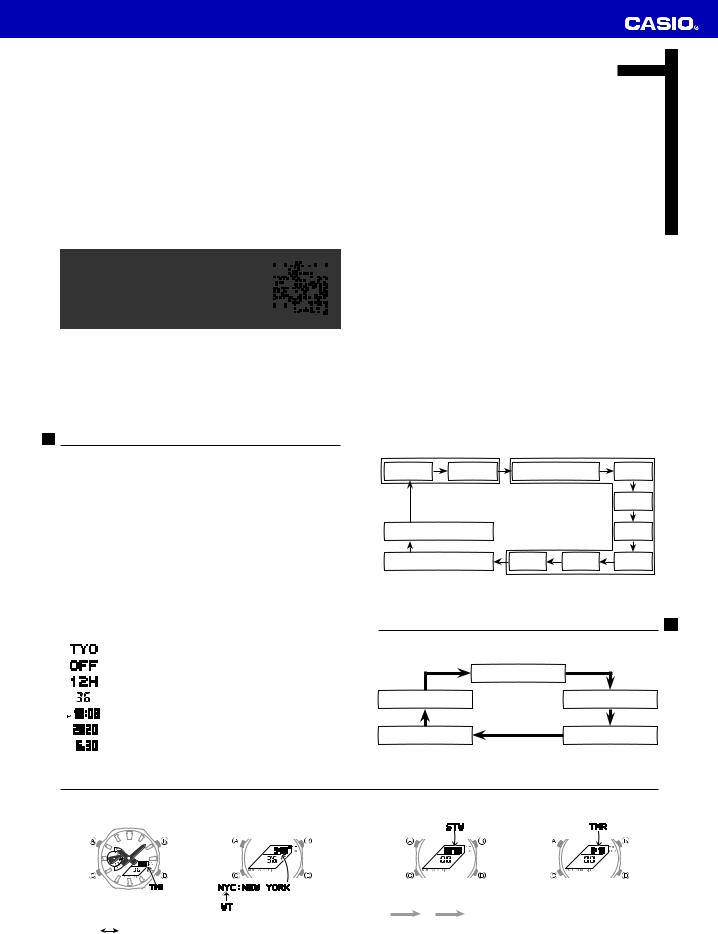
Configuring Home City, Time and Date Settings
x Configure Home City and summer time settings first. After that, configure time and date settings.
1.In the Timekeeping Mode, hold down A until the flashing SET indicator disappears from the display and the currently selected city code appears on the display.
2. Press C to move the flashing in the sequence shown below to select a setting.
|
Home City and Summer Time |
Time and Date |
|||
|
C |
C |
C |
||
|
Home City |
DST |
12/24-Hour Format |
Seconds |
|
|
C |
||||
|
C |
Hour |
|||
|
C |
||||
|
Illumination Duration |
Minute |
|||
|
C |
C |
|||
|
Button Operation Tone On/Off |
Day |
Month |
Year |
|
|
C |
C |
C |
3. Use D and B to change the selected setting.
|
Screen |
To do this: |
Do this: |
|
Change the city code |
Use D (East) and B (West). |
|
|
Toggle between Daylight Saving Time (ON) |
Use D and B. |
|
|
and Standard Time (OFF) |
||
|
Toggle between 12-hour (12H) and 24-hour |
Use D and B. |
|
|
(24H) timekeeping |
||
|
Reset the seconds to 00 |
Press D. |
|
|
Change the hour or minute |
Use D (+) and B (–) to |
|
|
Change the year |
change these settings. |
|
|
x Holding down either button |
||
|
Change the month or day |
scrolls at high speed. |
|
4. Press A to exit the setting mode.
E-6
Mode Selection and Operations
x Press C to change the mode.
x To return to the Timekeeping Mode from any other mode, hold down C for at least two seconds.
|
Timekeeping Mode |
|
|
C |
C |
|
Alarm Mode |
World Time Mode |
|
C |
C |
|
Countdown Timer Mode |
Stopwatch Mode |
|
C |
E-7
|
Timekeeping Mode |
World Time Mode |
Stopwatch Mode |
Countdown Timer Mode |
||
|
Turns on |
Turns on |
Turns on |
Turns on |
||
|
illumination. |
illumination. |
Split/Reset |
illumination. |
Reset |
illumination. |
|
Scrolls the |
Start/Stop |
||||
|
selected city. |
|||||
|
D |
D |
A |
|||
|
x D: Changes display contents. |
x Holding down A for at least two seconds |
Start |
Stop |
Reset |
|
|
Month, day |
Hour, minute |
toggles summer time (DST) on and off. |
Start/Stop
x Hold down A until the hour flashes, then release.
C: Selects hours, minutes, or seconds. B, D: Change selected setting.
A: Exits setting mode.
-page-1.jpg)
MA1211-ED
Operation Guide 10B+7L(Ver.C)
Reading the display Stopwatch operation
[Regular timekeeping [Daily alarm mode] [Stopwatch mode] [Time/calendar A signal confirms start/stop operation.
mode] setting mod…
Brands:CASIO

SERVICE MANUAL (with price)
ELECTRONIC CASH REGISTER
110CR/PCR250 (EX-266)
150CR (EX-267)
JAN. 1995
Printer Model : M42V
INDEX
…
Brands:CASIO

SERVICE MANUAL (with price)
ELECTRONIC CASH REGISTER
110CR/PCR250 (EX-266)
150CR (EX-267)
JAN. 1995
Printer Model : M42V
INDEX
…
Brands:CASIO
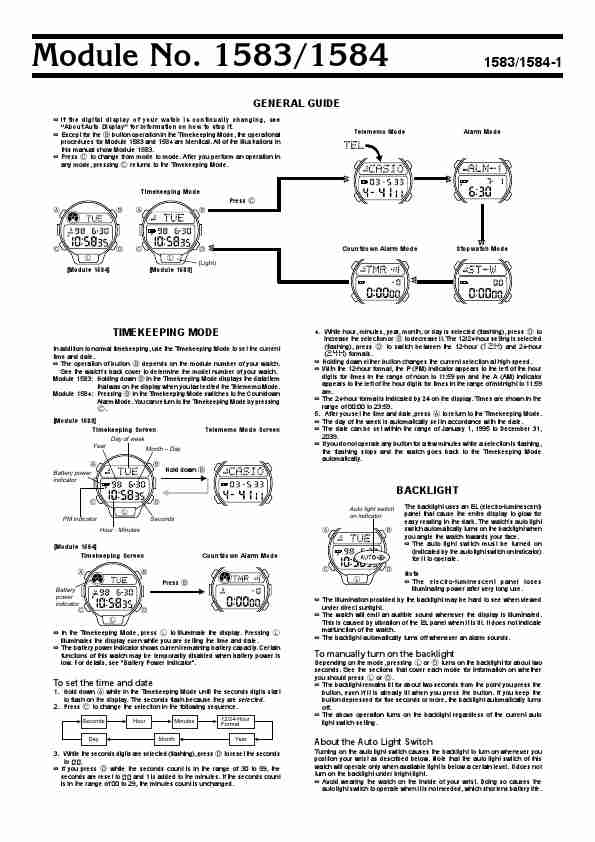
Module No. 1583/1584 1583/1584-1
GENERAL GUIDE
If the digital display of your watch is continually changing, see
«About Auto Display» for information on how to stop it.
Except for the B button operation in the Timekeeping Mode, the operational …
Brands:CASIO

Module No. 1583/1584 1583/1584-1
GENERAL GUIDE
If the digital display of your watch is continually changing, see
«About Auto Display» for information on how to stop it.
Except for the B button operation in the Timekeeping Mode, the operational …
Brands:CASIO

Module No.1627/2023
GENERAL GUIDE
Press C to change from mode to mode.
In the Timekeeping Mode and Alarm Mode, press D to illuminate the display for about two seconds. In the Countdown Alarm Mode and Stopwatch Mode, press E to illuminate the
display. The watch can be set so that the backlight flashes whenever an alarm sounds.
Timekeeping Mode …
Brands:CASIO
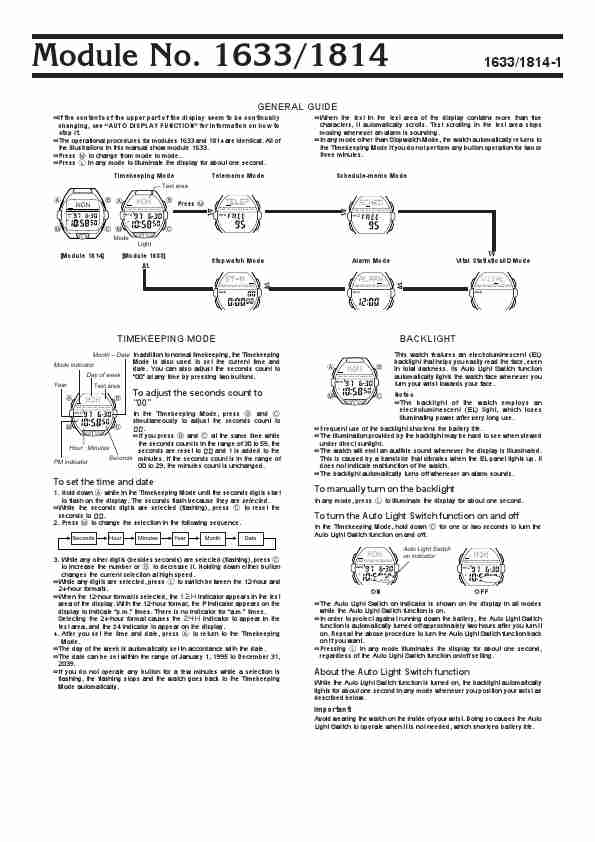
Module No. 1633/1814 1633/1814-1
GENERAL GUIDE
If the contents of the upper part of the display seem to be continually When …
Brands:CASIO
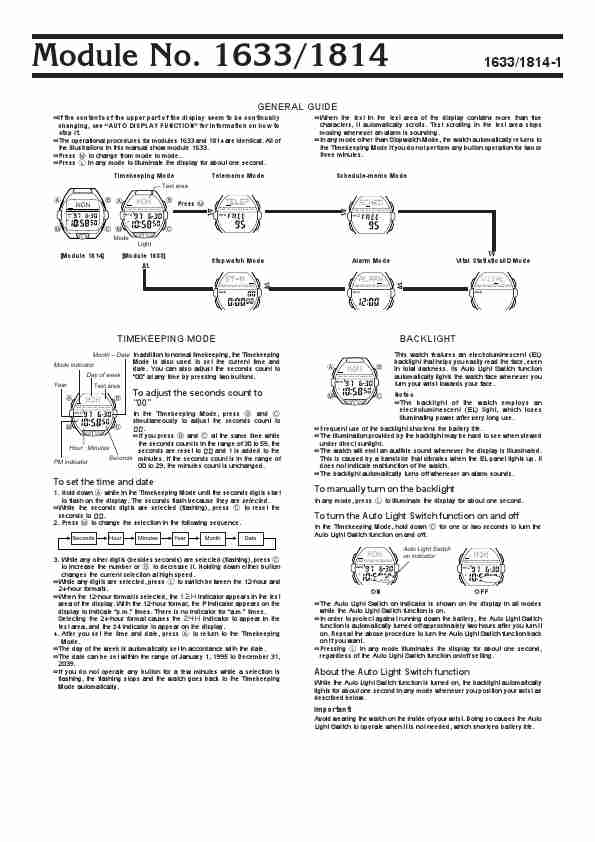
Module No. 1633/1814 1633/1814-1
GENERAL GUIDE
If the contents of the upper part of the display seem to be continually When …
Brands:CASIO
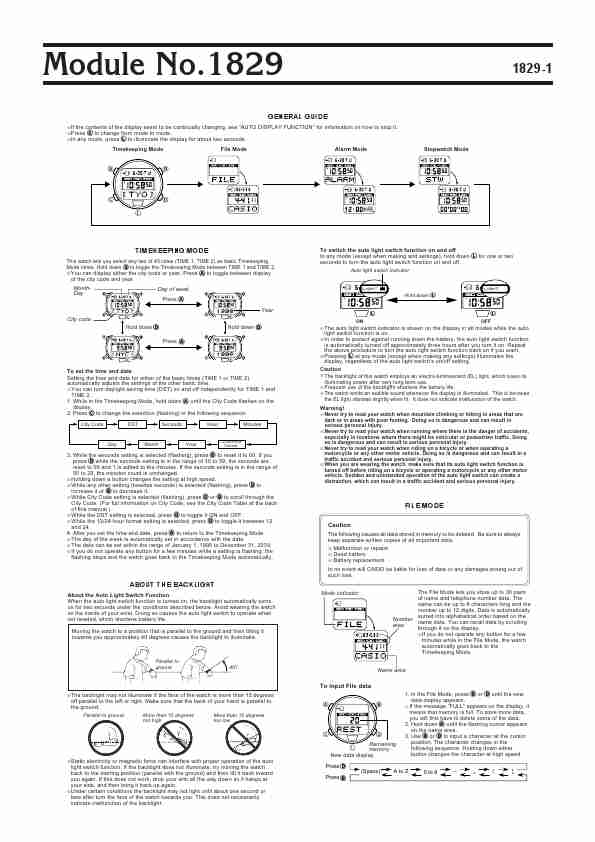
Module No.1829 1829-1
GENERAL GUIDE
If the contents of the display seem to be continually changing, see «AUTO DISPLAY FUNCTION» for information on how to stop it.
Press C to change from mode to mode.
In any mode, press L to i…
Brands:CASIO
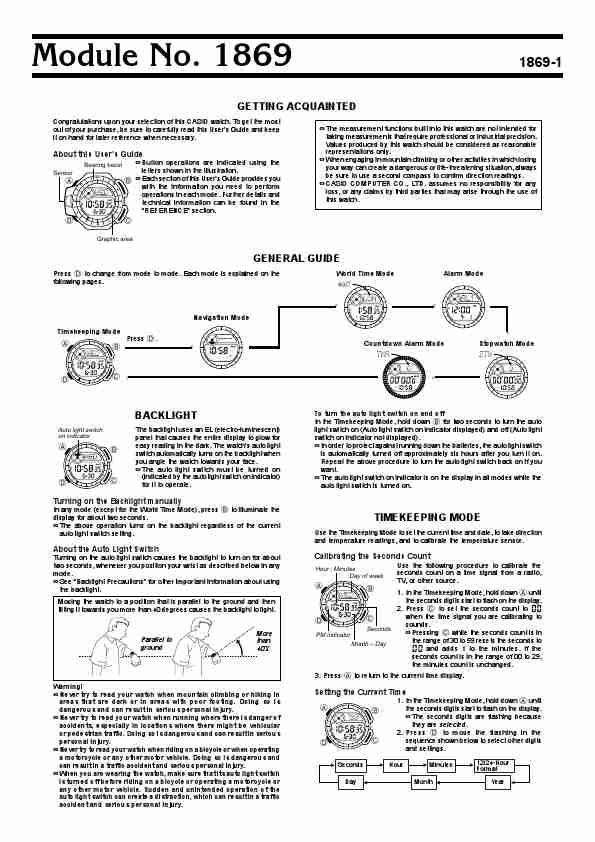
Module No. 1869 1869-1
GETTING ACQUAINTED
Congratulations upon your selection of this CASIO watch. To get the most
out of your purchase, be sure to carefully read this User’s Guide and keep The measurement functions buil…
Brands:CASIO

Module No.1922 1922-1
GENERAL GUIDE
Press C to change from mode to mode.
After you perform an operation in any mode, pressing C returns to the Timekeeping Mode.
If you do not press any button for a few minutes while making se…
Brands:CASIO
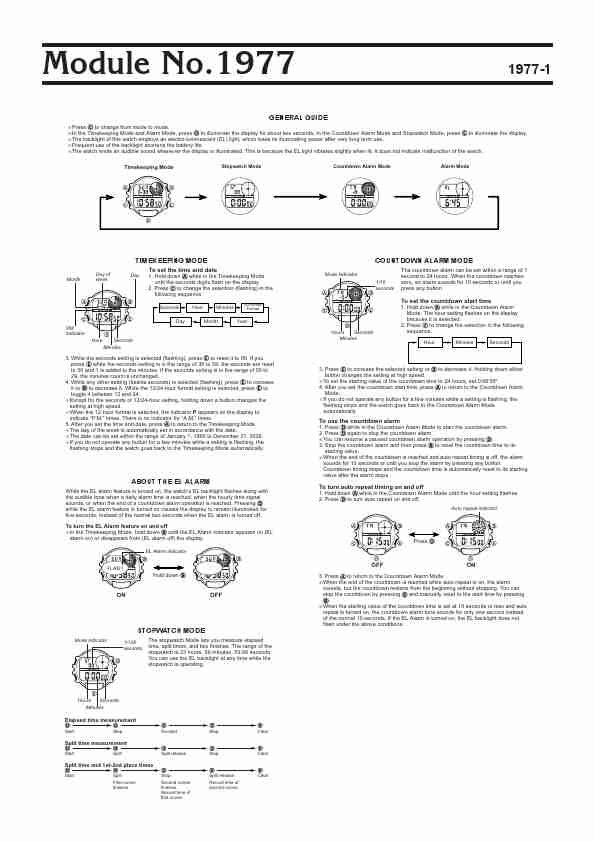
Module No.1977 1977-1
GENERAL GUIDE
Press C to change from mode to mode.
In the Timekeeping Mode and Alarm Mode, press D to illuminate the display for about two seconds. In the Countdown A…
Brands:CASIO
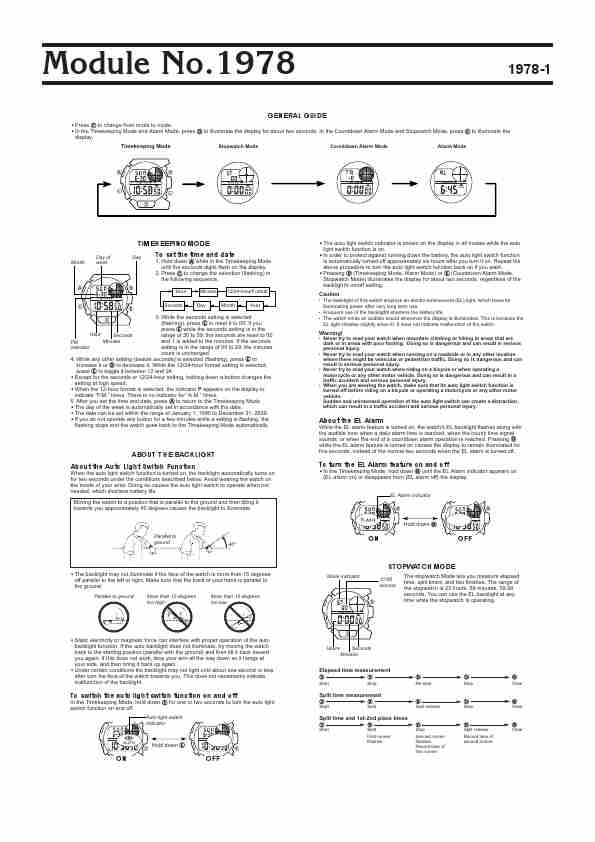
Module No.1978 1978-1
GENERAL GUIDE
Press C to change from mode to mode.
In the Timekeeping Mode and Alarm Mode, press D to illuminate the display for about two seconds. In the Countdown Alarm Mode and Stopwatch Mode, press E t…
Brands:CASIO
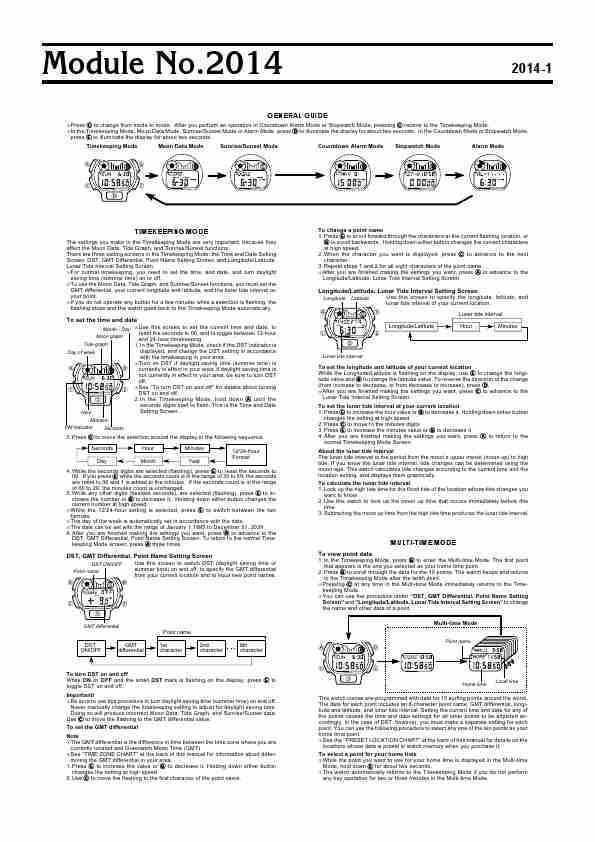
Module No.2014 2014-1
GENERAL GUIDE
Press C to change from mode to mode. After you perform an operation in Countdown Alarm Mode or Stopwatch Mode, pressing C returns to the Timekeeping Mode.
In the Timekeeping Mode, Moon Data Mode, …
Brands:CASIO
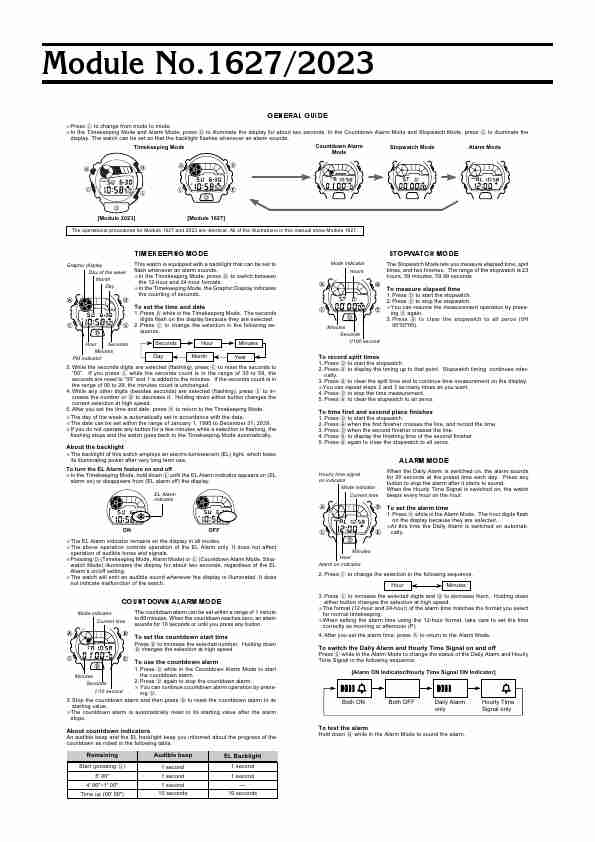
Module No.1627/2023
GENERAL GUIDE
Press C to change from mode to mode.
In the Timekeeping Mode and Alarm Mode, press D to illuminate the display for about two seconds. In the Countdown Alarm Mode and Stopwatch Mode, press E to illuminate the
display. The watch can be set so that the backlight flashes whenever an alarm sounds.
Timekeeping Mode …
Brands:CASIO
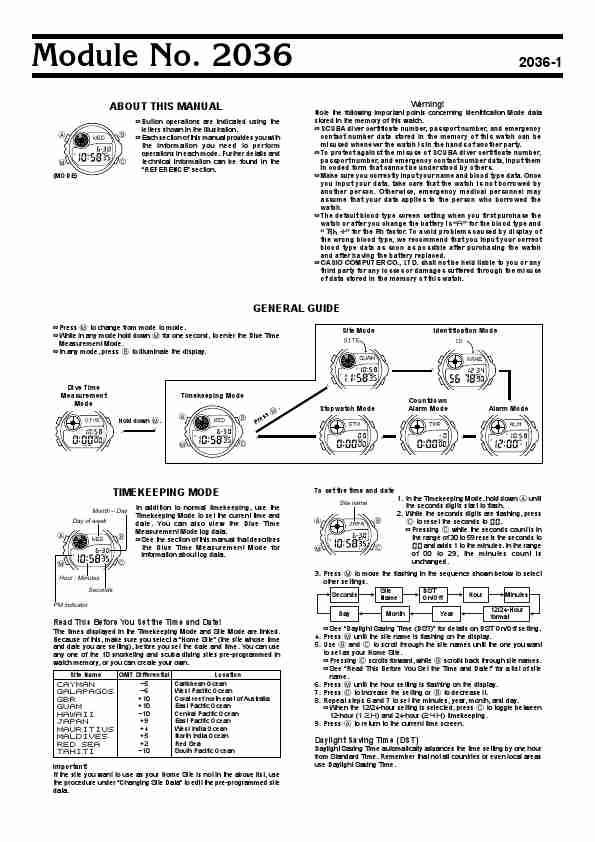
Module No. 2036 2036-1
ABOUT THIS MANUAL Warning!
Note the following important points concerning Identification Mode data
…
Brands:CASIO

Module No.2039 2039-1
ABOUT THIS USER’S GUIDE
Congratulations upon your selection of this CASIO watch. To get the most out of your purchase, be sure to carefully read this User’s Guide and keep it on hand for later reference when
necessary.
…
Brands:CASIO
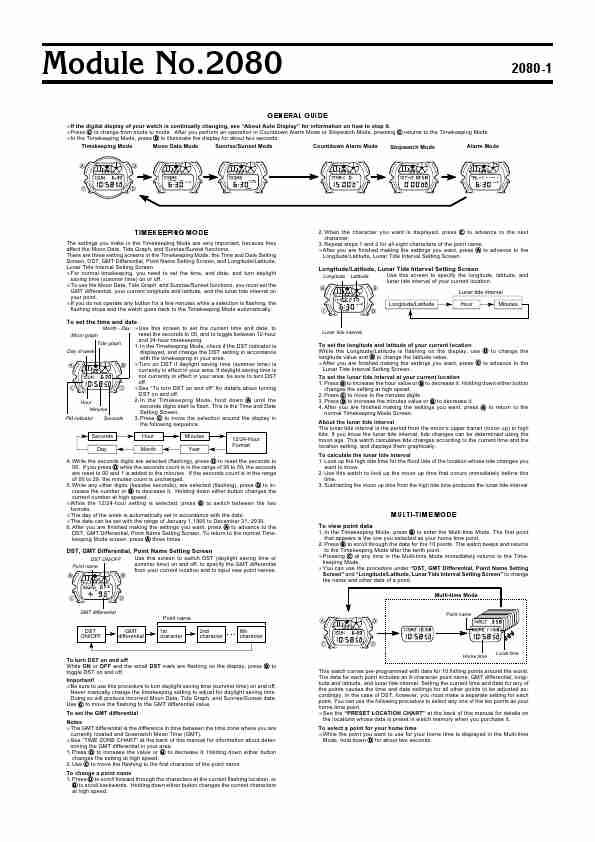
Module No.2080 2080-1
GENERAL GUIDE
If the digital display of your watch is continually changing, see «About Auto Display» for information on how to stop it.
Press C to change from mode to mode. After you perform an operation i…
Brands:CASIO
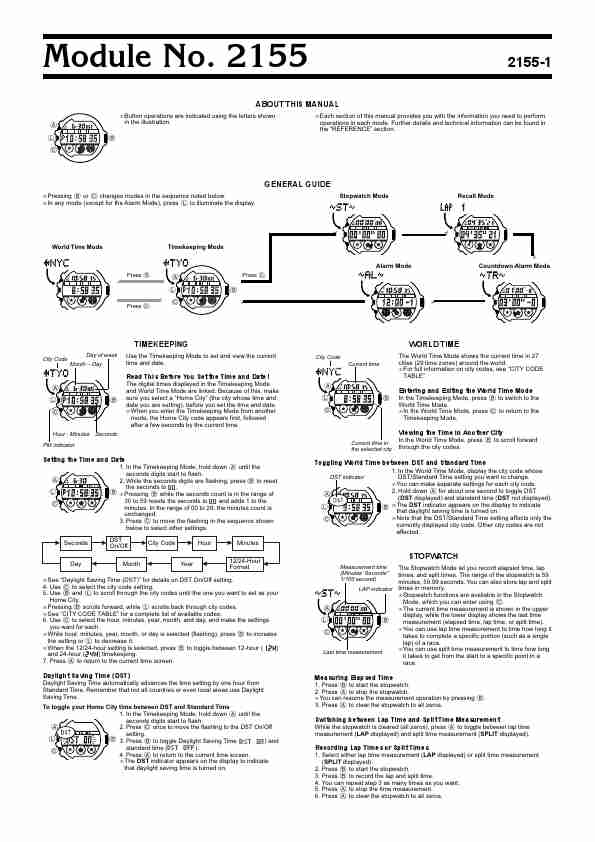
Module No. 2155 2155-1
ABOUT THIS MANUAL
Button operations are indicated using the letters shown Each section of this manual provides you with the information you need to perform
A in the i…
Brands:CASIO
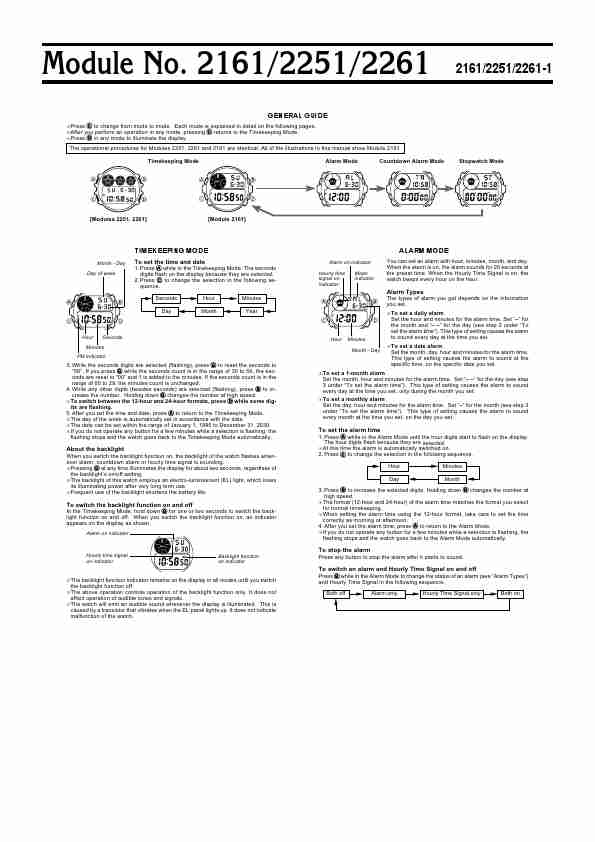
Module No. 2161/2251/2261 2161/2251/2261-1
GENERAL GUIDE
Press C to change from mode to mode. Each mode is explained in detail on the following pages.
After you perform an operation in any mode, pressing C returns to the Timekeeping Mode.
Press D in any mode to il…
Brands:CASIO
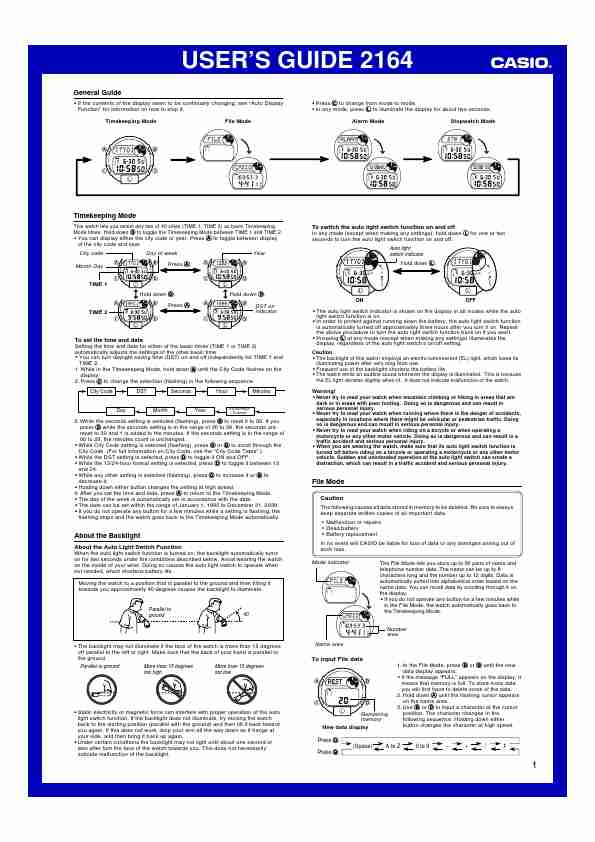
USER’S GUIDE 2164
General Guide
If the contents of the display seem to be continually changing, see «Auto Display Press C to change from mode to mode.
Function» for information on how to stop it. In any mode, press L to illuminate the display for about two seconds.
Timekeeping Mode File Mode …
Brands:CASIO
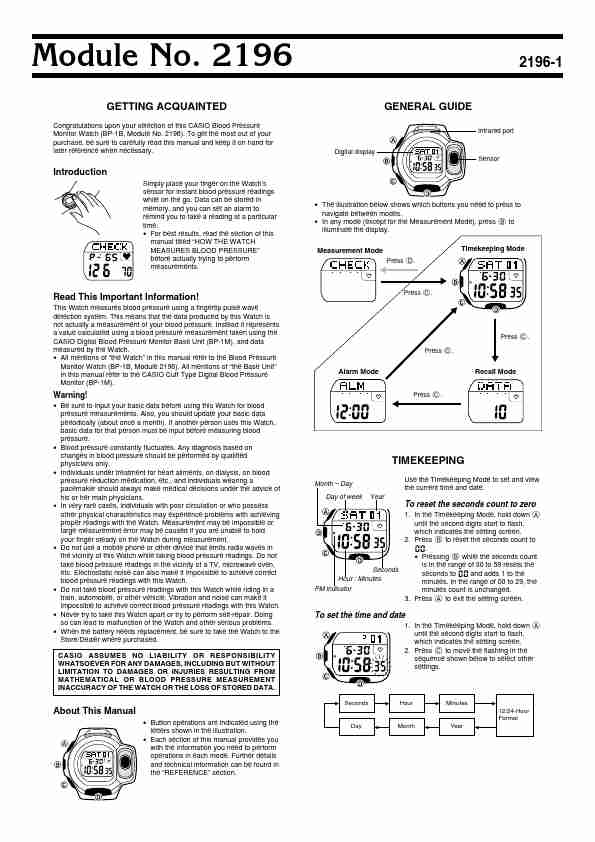
Module No. 2196 2196-1
GETTING ACQUAINTED GENERAL GUIDE
Congratulations upon your selection of this CASIO Blood Pressure
Infrared port
Mon…
Brands:CASIO
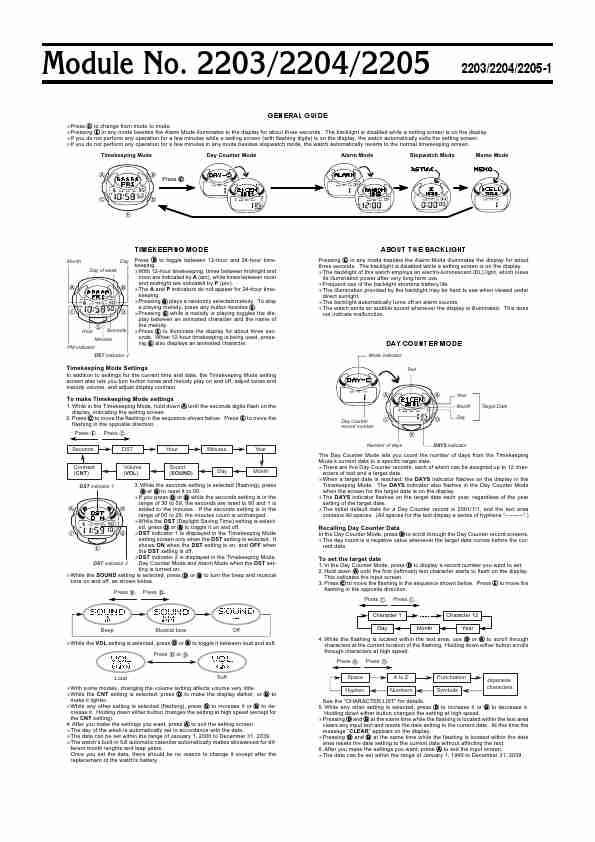
Module No. 2203/2204/2205 2203/2204/2205-1
GENERAL GUIDE
Press C to change from mode to mode.
Pressing E in any mode besides the Alarm Mode illuminates to the display for about three seconds. The backlight is disabled while a setting screen is on t…
Brands:CASIO
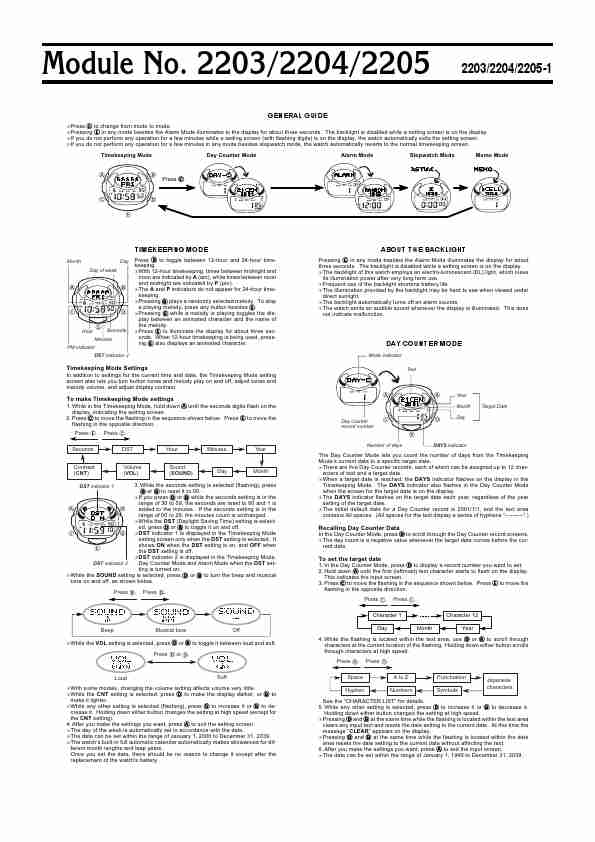
Module No. 2203/2204/2205 2203/2204/2205-1
GENERAL GUIDE
Press C to change from mode to mode.
Pressing E in any mode besides the Alarm Mode illuminates to the display for about three seconds. The backlight is disabled while a setting screen is on t…
Brands:CASIO
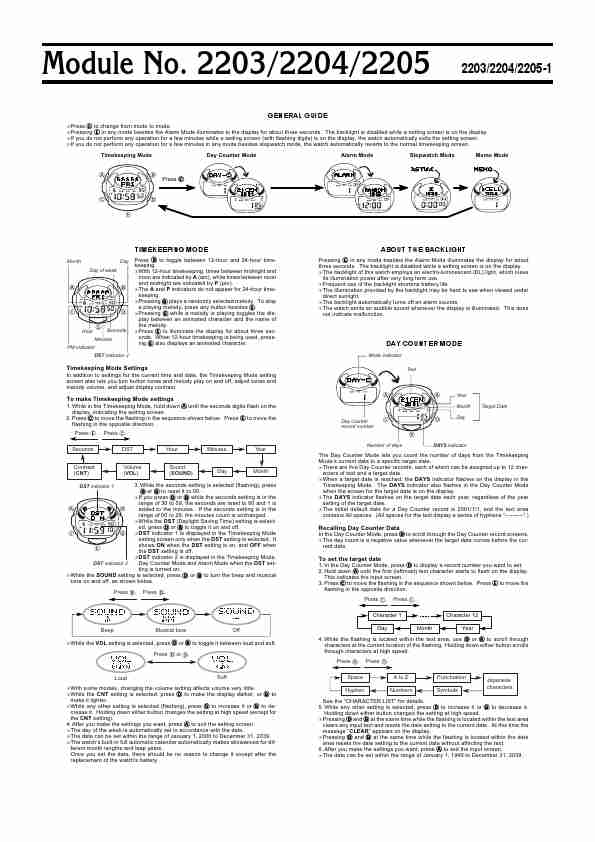
Module No. 2203/2204/2205 2203/2204/2205-1
GENERAL GUIDE
Press C to change from mode to mode.
Pressing E in any mode besides the Alarm Mode illuminates to the display for about three seconds. The backlight is disabled while a setting screen is on t…
Brands:CASIO