
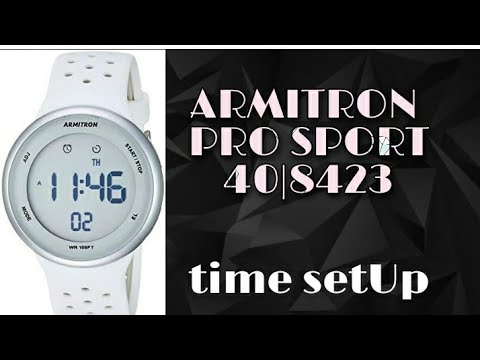
Содержание
- Шаг 1
- Шаг 2
- Шаг 3
- Шаг 4
- Шаг 5
- Шаг 6
Armitron производит спортивные часы профессионального качества, которые могут носить все типы спортсменов. Спортивные часы Armitron оснащены цифровым или аналоговым дисплеем или их комбинацией. Спортивные часы серии Armitron All-Sports оснащены секундомером, который позволяет измерять время ваших кругов на трассе или время, когда вы бегаете трусцой. Четыре кнопки, которые окружают лицо ваших спортивных часов Armitron, позволяют вам регулировать время, а также выполнять другие необходимые процедуры.
Шаг 1
Положите спортивные часы Armitron на запястье доминирующей руки. Нажмите верхнюю левую кнопку, известную как кнопка A, чтобы перевести ваши цифровые часы в режим установки времени. Нажмите верхнюю правую кнопку, известную как кнопка C, чтобы изменить секунды на ноль.
Шаг 2
Нажмите нижнюю левую кнопку, известную как кнопка B, чтобы выделить часы на цифровом экране. Нажмите кнопку C, чтобы увеличить количество часов на экране. Нажмите кнопку B второй раз, чтобы выделить минуты на цифровом экране. Нажмите и удерживайте кнопку C, чтобы увеличить минуты.
Шаг 3
Нажмите кнопку B в третий раз, чтобы выделить месяц на цифровом экране. Нажмите кнопку C, чтобы выбрать соответствующий месяц. Нажмите кнопку B в четвертый раз, чтобы выбрать дату. Нажмите кнопку C, чтобы выбрать дату месяца.
Шаг 4
Нажмите кнопку B еще раз, чтобы выделить день недели. Используйте кнопку C, чтобы выбрать правильный день недели. Нажмите кнопку A, чтобы сохранить настройки и переключить часы обратно в режим, чтобы указать время.
Шаг 5
Вытяните круглую ручку с правой стороны ваших аналоговых или цифровых часов Armitron. Поверните ручку, также известную как заводная головка, большим и указательным пальцами, чтобы повернуть стрелки часов на нужное время. Нажмите на головку, чтобы отрегулировать время.
Шаг 6
Используйте кнопки A, B и C, чтобы установить месяц, дату и день недели на ваших аналоговых или цифровых часах Armitron. Выполните ту же процедуру регулировки, которая требуется для цифровых спортивных часов Armitron.
- Home
- Brands
- Armitron Manuals
- Armitron pro sport MD0346
- Armitron pro sport MD0346 Instruction Manual
Download or browse on-line these Instruction Manual for Armitron pro sport MD0346 Watch.
Armitron pro sport MD0346 Manual Information:
|
This manual for Armitron pro sport MD0346, given in the PDF format, is available for free online viewing and download without logging on. |
Download Manual |
Summary of Contents:
|


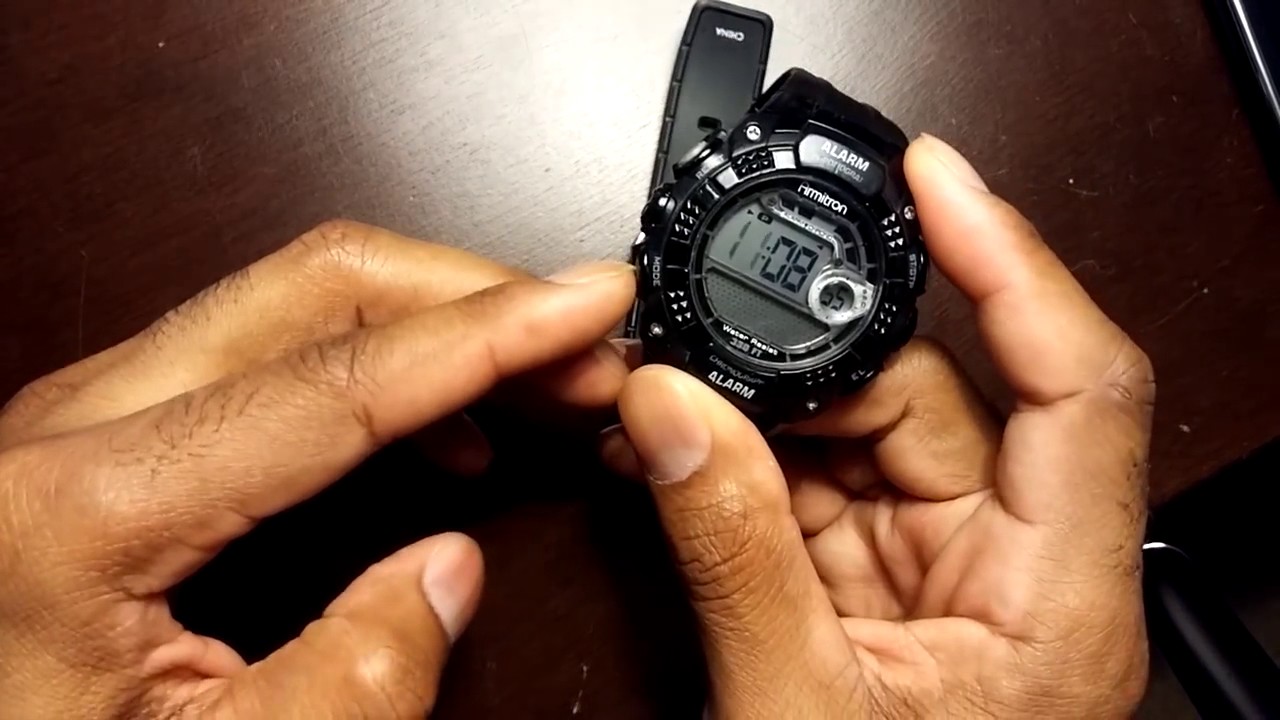
Checking the Batteries
Before setting up your Armitron Pro Sport Watch, it’s important to make sure that the batteries are in good condition. Follow these simple steps to check the battery status:
- Locate the battery cover on the back of the watch. It is usually a small compartment secured by screws or a sliding latch.
- Using a small screwdriver or your fingernail, open the battery cover. Be careful not to apply too much force as this could damage the cover.
- Once the cover is open, check the batteries for any signs of leakage or corrosion. If you notice any, carefully remove the batteries and clean the compartment using a soft cloth or cotton swab.
- Inspect the batteries to ensure they are properly inserted. Check for any loose connections or signs of wear and tear.
- If the batteries are in good condition, proceed to check their charge level. For watches with a digital display, press any button to see if the screen lights up. If the display is dim or does not light up at all, it’s time to replace the batteries.
- If your Armitron Pro Sport Watch has an analog display, check the second hand movement. A slow or irregular movement may indicate low battery power.
Remember to always replace the batteries with ones of the same type and check the user manual or manufacturer’s guidelines for specific instructions on battery replacement. Regularly checking the battery status will ensure that your Armitron Pro Sport Watch functions optimally and keeps accurate time.
Setting the Time and Date
Setting the time and date on your Armitron Pro Sport Watch is a straightforward process. Follow these steps to ensure you have the correct time and date displayed:
- Press and hold the “Mode” button until the display enters the time-setting mode. The “Mode” button is usually located on the side of the watch.
- Use the “Start/Stop” or “Reset” button to navigate through the different settings. Select the set of numbers you want to adjust, such as hours or minutes, by pressing the corresponding button.
- To change the selected number, use the “Reset” button to decrease the value and the “Start/Stop” button to increase it. Keep pressing the buttons until you reach the desired value.
- Once you have set the time, press the “Mode” button again to switch to the date-setting mode.
- Follow the same process as before to adjust the date. Use the “Start/Stop” or “Reset” button to move between the day, month, and year, and use the “Reset” button to decrease the value and the “Start/Stop” button to increase it.
- After setting the date, press the “Mode” button one last time to save the changes and exit the time-setting mode.
It’s important to ensure that the time and date are accurately set to ensure the proper functioning of additional watch features, such as alarms and countdown timers. Regularly check the time and date on your Armitron Pro Sport Watch to ensure it remains accurate, particularly after traveling across time zones or during daylight saving time changes.
Using the Alarm Function
The Armitron Pro Sport Watch comes equipped with a convenient alarm function to help you stay on schedule. Follow these steps to set and use the alarm:
- Press the “Mode” button to enter the alarm mode. The “Mode” button is typically located on the side of the watch.
- Use the “Start/Stop” or “Reset” button to navigate through the available alarms and select the one you want to set or modify.
- Press and hold the “Reset” button to enter the alarm settings. This will likely display the hours and minutes for the selected alarm.
- Use the “Start/Stop” or “Reset” button to adjust the hours and minutes to your desired alarm time.
- Once the alarm time is set, press the “Mode” button to save the changes and exit the alarm settings.
- To activate the alarm, ensure you are in the regular timekeeping mode and not in any other setting such as stopwatch or countdown timer. When the set alarm time is reached, your Armitron Pro Sport Watch will emit a beep or sound to alert you.
- To stop the alarm, press any button on the watch. The alarm will automatically repeat at the same time every day until you deactivate it.
- To turn off the alarm completely, enter the alarm mode and navigate to the specific alarm you want to disable. Press and hold the “Reset” button until the alarm symbol disappears from the display.
The alarm function on your Armitron Pro Sport Watch is a handy feature to help you manage your time effectively. Use it to wake up in the morning, set reminders, or stay on schedule throughout the day.
Using the Stopwatch Function
The Armitron Pro Sport Watch is equipped with a stopwatch function, allowing you to time various activities with precision. Here’s how to use the stopwatch:
- Press the “Mode” button to enter the stopwatch mode. The “Mode” button is typically located on the side of the watch.
- Press the “Start/Stop” button to start the stopwatch. The display will begin counting upward, showing the elapsed time.
- Press the “Start/Stop” button again to pause the stopwatch if needed. You can resume the stopwatch by pressing the same button.
- To record lap times, press the “Split/Reset” button while the stopwatch is running. The display will freeze the current lap time and continue counting for the next lap.
- Press the “Split/Reset” button again to review the recorded lap times. The stopwatch will display the individual lap times one by one.
- To reset the stopwatch to zero, press and hold the “Split/Reset” button. This will clear all recorded laps and reset the stopwatch to its original state.
- Exit the stopwatch mode by pressing the “Mode” button, allowing you to return to the regular timekeeping mode of the watch.
The stopwatch function on your Armitron Pro Sport Watch is a versatile tool for tracking time during workouts, races, or any activity where precise timing is crucial. Whether you’re a professional athlete or a casual fitness enthusiast, the stopwatch function can help you monitor and improve your performance.
Adjusting the Backlight
The backlight feature on the Armitron Pro Sport Watch allows you to view the display in low-light or dark environments. Here’s how to adjust the backlight:
- Locate the “Light” or “Indiglo” button on the watch. This button is usually positioned on the side of the watch or integrated with other function buttons.
- Press the “Light” button once to activate the backlight. The display will illuminate, making it easier to read in dim lighting conditions.
- If you want to adjust the duration of the backlight, press and hold the “Light” button for a few seconds. This will bring you to the backlight settings.
- Use the “Start/Stop” or “Reset” button to navigate through the backlight settings options. Select the desired backlight duration, such as 2 seconds, 4 seconds, or always on.
- Press the “Mode” button to save the backlight setting and exit the menu.
- To test the adjusted backlight duration, simply press the “Light” button and observe how long the display remains illuminated.
- If you want to turn off the backlight completely, you can do so by adjusting the setting to “off” in the backlight menu.
Adjusting the backlight on your Armitron Pro Sport Watch ensures optimal visibility, especially in low-light situations. Experiment with different backlight durations to find the setting that works best for your preferences and needs.
Using the Dual Time Feature
The Armitron Pro Sport Watch offers a dual time feature, allowing you to keep track of two different time zones simultaneously. Here’s how to use this convenient feature:
- Press the “Mode” button to enter the timekeeping mode. The “Mode” button is typically located on the side of the watch.
- Hold down the “Mode” button for a few seconds until the display enters the settings mode.
- Use the “Start/Stop” or “Reset” button to navigate to the dual time setting. This option is often labeled as “Dual Time” or “2nd Time Zone”.
- Once you have selected the dual time setting, use the “Start/Stop” or “Reset” button to adjust the hour and minutes for the second time zone.
- Press the “Mode” button to save the changes and exit the settings mode.
- To view the dual time, press the “Mode” button once. This will switch the display between the primary time and the dual time zone.
- While viewing the dual time, you can still perform other functions on the watch, such as using the stopwatch or setting alarms, without affecting the displayed dual time.
- If you want to revert to the primary time zone, simply press the “Mode” button again to switch back to the normal time display.
- Note that the dual time feature is especially useful for travelers, allowing you to easily keep track of the time in your home location while being in a different time zone.
Make the most of the dual time feature on your Armitron Pro Sport Watch to effortlessly stay informed about multiple time zones, ensuring you’re always on schedule, no matter where you are.
Setting the Countdown Timer
The countdown timer function on the Armitron Pro Sport Watch allows you to set a specific amount of time and track its progress. Here’s how to set the countdown timer:
- Press the “Mode” button to enter the countdown timer mode. The “Mode” button is typically located on the side of the watch.
- Use the “Start/Stop” or “Reset” button to navigate to the countdown timer setting. This option may be labeled as “Timer” or “Countdown”.
- Once you have selected the countdown timer setting, press and hold the “Reset” button to enter the timer settings mode.
- Use the “Start/Stop” or “Reset” button to adjust the hours, minutes, and seconds for the countdown timer. You can increase or decrease the values to set the desired countdown duration.
- Press the “Mode” button to save the countdown timer settings and exit the settings mode.
- To start the countdown timer, press the “Start/Stop” button. The display will begin counting down from the set duration.
- To pause or stop the countdown timer, press the “Start/Stop” button. You can resume the timer by pressing the same button again, or completely reset it by pressing and holding the “Reset” button.
- Once the countdown timer reaches zero, an alarm will sound to alert you.
- To use the countdown timer repeatedly, simply reset it after it reaches zero by following the steps above.
The countdown timer feature on your Armitron Pro Sport Watch is handy for activities that require precise timing, such as cooking, workouts, or time-limited tasks. Use it to enhance your efficiency and stay on top of your schedule.
Using the Chime Feature
The chime feature on the Armitron Pro Sport Watch provides audible alerts at regular intervals, helping you stay aware of the passing time. Here’s how to use the chime feature:
- Press the “Mode” button to enter the timekeeping mode. The “Mode” button is typically located on the side of the watch.
- Hold down the “Mode” button for a few seconds until the display enters the settings mode.
- Use the “Start/Stop” or “Reset” button to navigate to the chime setting. This option may be labeled as “Chime” or “Hourly Chime”.
- Once you have selected the chime setting, press the “Start/Stop” or “Reset” button to toggle the chime on or off.
- Press the “Mode” button to save the chime setting and exit the settings mode.
- If the chime is enabled, the watch will emit a short beep at the top of every hour.
- To disable the chime, repeat the steps above and toggle it off.
- Note that some Armitron Pro Sport Watch models may provide additional chime settings, allowing you to customize when and how often the chime sounds. Consult your user manual for specific instructions on advanced chime settings if applicable.
Utilize the chime feature on your Armitron Pro Sport Watch to conveniently keep track of time throughout the day, especially when you may not have the watch in sight. Whether it’s a reminder of the hour or a prompt to stay on schedule, the chime feature is a valuable tool for time management.
Changing the Time Format
The Armitron Pro Sport Watch allows you to choose between different time formats to display the time in either a 12-hour or 24-hour format. Follow these steps to change the time format:
- Press the “Mode” button to enter the timekeeping mode. The “Mode” button is typically located on the side of the watch.
- Hold down the “Mode” button for a few seconds until the display enters the settings mode.
- Use the “Start/Stop” or “Reset” button to navigate to the time format setting. This option may be labeled as “Time Format” or “Format”.
- Once you have selected the time format setting, press the “Start/Stop” or “Reset” button to toggle between the available options, such as 12-hour or 24-hour format.
- Press the “Mode” button to save the time format setting and exit the settings mode.
- The time display on your Armitron Pro Sport Watch will now reflect the chosen time format.
- If you wish to change the time format in the future, repeat the steps above and select the desired format.
Changing the time format on your Armitron Pro Sport Watch allows you to display the time in a format that suits your preference or convenience. Whether you prefer the traditional 12-hour format or the more precise 24-hour format, the ability to switch between them adds flexibility to your timekeeping experience.
Adjusting the Watch Band
The watch band on your Armitron Pro Sport Watch may require adjustment to ensure a comfortable and secure fit on your wrist. Here’s how you can adjust the watch band:
- Identify the type of watch band on your Armitron Pro Sport Watch. It could be a metal, leather, rubber, or nylon strap, each with its own adjustment mechanism.
- For a metal watch band with links, locate the removable links on the backside of the band. Use a watch link removal tool or a small pointed object, like a paperclip or pin, to push out the pins or screws holding the links together. Remove enough links to achieve the desired band length, ensuring a comfortable fit on your wrist.
- If your watch band has a clasp, it may have micro-adjustment holes or a fold-over clasp with adjustable settings. Manipulate these small holes or settings to adjust the length of the band in small increments.
- For a leather or rubber watch band with holes, simply buckle the band using a hole that provides the desired fit. Avoid using the tightest hole, as it may cause discomfort, and leave enough room for your wrist to move freely.
- If your watch band is secured with a hook-and-loop (Velcro) closure or a buckle strap, adjust the strap length to your preference. Trim any excess length if necessary, following the manufacturer’s instructions.
- After making adjustments to the watch band, wear the watch and check for comfort and secure fit. It should fit snugly on your wrist without feeling too tight or loose.
- If you are unsure about making the adjustments yourself, consider visiting a professional jeweler or watch specialist who can assist you with resizing the watch band.
Ensuring the proper fit of your Armitron Pro Sport Watch band is crucial for comfortable and secure wear. By following these instructions, you can easily adjust the watch band to achieve the perfect fit for your wrist.
Armitron pro sport – это стильные, функциональные и надежные часы, которые пользуются популярностью у активных людей. Но как настроить эти часы и использовать все их функции? Если вы новичок и не знакомы с этими часами, не волнуйтесь — вам поможет специально разработанная инструкция.
Прежде всего, важно ознакомиться с основными функциями Armitron pro sport часов. Они могут предлагать различные режимы — отображение времени, даты, будильника, секундомера, таймера и даже индикатора уровня водостойкости. Благодаря функции подсветки, вы сможете использовать часы даже в темное время суток. Эти часы также могут быть водонепроницаемыми и устойчивыми к ударам, что делает их идеальным выбором для занятий спортом и активного отдыха.
Инструкция по настройке Armitron pro sport часов очень проста и понятна для каждого. В первую очередь, убедитесь, что у вас есть инструкция на русском языке — это гарантирует, что вы правильно поймете все действия и настройки. Затем, следуйте указанным шагам: установка времени и даты, настройка будильника, использование секундомера и таймера, настройка других функций, если необходимо.
Содержание
- Приобретение Armitron pro sport часов
- Основы работы с Armitron pro sport
- 1. Кнопки
- 2. Настройка времени
- 3. Использование таймера
- 4. Использование секундомера
- 5. Остальные функции
- Изучение инструкции для новичков
- Понимание основных функций часов
- Настройка времени и даты
- Установка будильника и таймера
- Настройка сигнала и подсветки
- Регулировка ремешка и водонепроницаемость
Приобретение Armitron pro sport часов
Armitron pro sport — это спортивные часы, предлагающие широкий спектр функций и возможностей. Если вы интересуетесь приобретением этих часов, вам потребуется рассмотреть следующие вопросы:
- Выбор модели: Armitron pro sport предлагает различные модели часов с разными функциями. Определитесь, какие функции вам необходимы (например, секундомер, будильник, календарь) и выберите модель, соответствующую вашим потребностям.
- Цена и бюджет: Установите свой бюджет для покупки часов и найдите модель Armitron pro sport, которая соответствует вашим финансовым возможностям.
- Где приобрести: Изучите различные места, где можно купить Armitron pro sport часы. Магазины спортивных товаров, онлайн-магазины и официальный сайт могут быть хорошими вариантами. Сравните цены и условия доставки, чтобы выбрать наиболее удобный и выгодный вариант.
После того, как вы определитесь с выбором модели, бюджетом и местом покупки, вы можете приступить к заказу и приобретению Armitron pro sport часов. Важно внимательно изучить характеристики и инструкцию по использованию, чтобы быть готовыми к использованию часов сразу после покупки.
Основы работы с Armitron pro sport
Armitron pro sport — это спортивные часы со множеством функций и настроек. В этом разделе мы расскажем вам основные понятия и инструкции по работе с Armitron pro sport.
1. Кнопки
Armitron pro sport имеет несколько кнопок для управления функциями:
- Кнопка Mode: используется для переключения между различными режимами и настройками.
- Кнопка Start/Stop: используется для запуска и остановки функций, таких как таймер или секундомер.
- Кнопка Light: используется для подсветки дисплея в условиях низкой освещенности.
2. Настройка времени
Armitron pro sport позволяет настраивать время в формате часов, минут и секунд. Чтобы настроить время:
- Нажмите кнопку Mode до тех пор, пока на дисплее не появится режим настройки времени.
- Используйте кнопки Start/Stop и Mode для выбора и изменения значений часов, минут и секунд.
- Нажмите кнопку Mode, чтобы сохранить настройки времени.
3. Использование таймера
Armitron pro sport имеет встроенный таймер, который можно использовать для отсчета времени. Чтобы использовать таймер:
- Нажмите кнопку Mode до тех пор, пока на дисплее не появится режим таймера.
- Используйте кнопки Start/Stop и Mode для выбора и изменения значений таймера.
- Нажмите кнопку Start/Stop, чтобы запустить таймер.
4. Использование секундомера
Armitron pro sport также имеет секундомер, который можно использовать для измерения промежутков времени. Чтобы использовать секундомер:
- Нажмите кнопку Mode до тех пор, пока на дисплее не появится режим секундомера.
- Нажмите кнопку Start/Stop, чтобы запустить секундомер.
- Нажмите кнопку Start/Stop снова, чтобы остановить секундомер.
- Нажмите кнопку Mode, чтобы сбросить секундомер.
5. Остальные функции
Armitron pro sport также предлагает ряд других функций, таких как отображение даты, будильник и сигнал. Вы можете узнать больше о них в инструкции пользователя.
Теперь, когда вы знакомы с основными функциями Armitron pro sport, вы можете начать настраивать и использовать часы в соответствии со своими потребностями.
Изучение инструкции для новичков
Настройка часов Armitron pro sport может показаться сложной задачей для новичков. Однако, с помощью детальной инструкции и тщательным изучением каждого шага, вы сможете настроить часы самостоятельно.
Важно: перед началом настройки, убедитесь, что в инструкции указаны правильные модель и номер вашего часов.
- Изучение дисплея: ознакомьтесь с дисплеем часов и обратите внимание на различные кнопки и функции. Инструкция должна содержать подробное описание каждого элемента дисплея.
- Описание кнопок: изучите функции каждой кнопки на часах. Обратите внимание на кнопки, отвечающие за настройку времени, даты и других параметров.
- Шаги настройки: следуйте описанию шагов в инструкции. Обычно настройка начинается с установки текущей даты и времени. Будьте внимательны и следуйте инструкции по порядку.
- Использование таблицы настроек: инструкция может содержать таблицу настроек, в которой указаны различные параметры и их значения. Изучите эту таблицу и убедитесь, что ваши часы настроены в соответствии с указанными значениями.
В процессе изучения инструкции будьте внимательны и не пропускайте ни одного шага. Если у вас возникнут затруднения, обратитесь к разделу с часто задаваемыми вопросами или свяжитесь с технической поддержкой Armitron.
Не беспокойтесь, если вам потребуется несколько попыток, чтобы правильно настроить часы. С опытом вы станете все лучше в этом.
Рекомендуется сохранить инструкцию, чтобы иметь возможность обратиться к ней в случае необходимости позже.
Понимание основных функций часов
Armitron Pro Sport предлагает ряд полезных функций, которые могут быть важными на вашей ежедневной деятельности. Вот несколько основных функций, которыми вы можете пользоваться с помощью этой модели часов:
-
Отображение времени: Основная функция любых часов — отображение текущего времени. Большинство моделей Armitron Pro Sport показывают текущее время в цифровом формате на главном дисплее. Зачастую они также показывают дату и день недели.
-
Будильник: Armitron Pro Sport имеет встроенную функцию будильника, которую вы можете настроить на нужное вам время. Будильник может использоваться для того, чтобы вас разбудить по утрам или для установки напоминаний в течение дня.
-
Хронограф: Хронограф позволяет измерять промежутки времени, включая секунды, минуты и часы. Вы можете использовать эту функцию для замера времени при выполнении спортивных упражнений, тренировок или просто для измерения промежутков времени в повседневной жизни.
-
Таймер обратного отсчета: Эта функция позволяет вам установить таймер на определенное количество времени и отслеживать, сколько времени осталось до его завершения. Она может быть полезной при различных активностях, таких как приготовление пищи, спортивные тренировки или проведение определенных задач.
-
Световой индикатор: Часы Armitron Pro Sport обычно имеют подсветку, которая позволяет легко видеть время в темноте или при недостатке освещения. Обычно кнопка подсветки находится на боковой стороне или внизу часов.
-
Водонепроницаемость: Многие модели Armitron Pro Sport обладают свойством водонепроницаемости. Это означает, что вы можете носить часы во время плавания, принятия душа или других водных видов активностей без опасения повредить их.
Это основные функции часов Armitron Pro Sport, которыми вы можете воспользоваться для удобства, развлечения и повседневной деятельности.
Настройка времени и даты
Для настройки времени и даты на Armitron pro sport часах следуйте инструкциям ниже:
- Нажмите кнопку «Mode» («Режим»), чтобы переключиться в режим настройки.
- Используйте кнопки «Start» («Старт») и «Reset» («Сброс») для выбора настройки времени или даты.
- Когда нужный элемент выбран, нажмите кнопку «Mode» для подтверждения выбора.
- Используйте кнопки «Start» и «Reset» для настройки выбранного элемента.
- После настройки времени или даты, нажмите кнопку «Mode» для сохранения настроек.
Вы также можете использовать таблицу рядом с часами для настройки времени и даты. Для этого:
| Время | Дата |
|
|
Теперь вы знаете, как настроить время и дату на Armitron pro sport часах с помощью инструкции для новичков!
Установка будильника и таймера
Часы Armitron pro sport имеют функцию установки будильника и таймера, которая позволяет вам настраивать определенные события и напоминания. Вот как вы можете использовать эти функции:
Установка будильника:
- Нажмите и удерживайте кнопку «Mode» (Режим), пока не загорится иконка будильника.
- Используя кнопки «Start» (Старт) и «Reset» (Сброс), установите желаемое время для будильника.
- Нажмите кнопку «Mode» (Режим), чтобы сохранить настройки будильника.
Использование таймера:
- Нажмите и удерживайте кнопку «Mode» (Режим), пока не загорится иконка таймера.
- Используя кнопки «Start» (Старт) и «Reset» (Сброс), установите желаемое время для таймера.
- Нажмите кнопку «Mode» (Режим), чтобы запустить таймер.
- Когда таймер достигнет установленного времени, он издаст звуковой сигнал.
Обратите внимание, что часы Armitron pro sport могут иметь некоторые нюансы в установке и использовании будильника и таймера. Пожалуйста, обратитесь к инструкции пользователя для получения более подробной информации о настройке этих функций.
Настройка сигнала и подсветки
Armitron Pro Sport предлагает несколько опций настройки сигнала и подсветки для более удобного использования часов. Чтобы настроить сигнал и подсветку, следуйте инструкциям ниже:
- Нажмите и удерживайте кнопку «Mode» (Режим) в течение нескольких секунд, пока часы не перейдут в режим «Настройка».
- Используйте кнопки «Set» (Установить) и «Adjust» (Настроить) для прокрутки настроек и выбора опции «Signal» (Сигнал) или «Light» (Подсветка).
- После выбора опции «Signal» (Сигнал) можно настроить звуковой сигнал, который будет проигрываться при определенных событиях (например, будильник). Используйте кнопки «Set» (Установить) и «Adjust» (Настроить) для выбора и настройки опции.
- После выбора опции «Light» (Подсветка) можно настроить яркость подсветки или длительность времени, в течение которого подсветка будет включена. Используйте кнопки «Set» (Установить) и «Adjust» (Настроить) для выбора и настройки опции.
- После завершения настройки опции сигнала или подсветки, нажмите кнопку «Mode» (Режим) для сохранения изменений и выхода из режима «Настройка».
Теперь у вас есть возможность настроить сигнал и подсветку Armitron Pro Sport в соответствии с вашими предпочтениями. Это позволит сделать использование часов более удобным и индивидуальным.
Регулировка ремешка и водонепроницаемость
Чтобы настроить Armitron pro sport часы для максимального комфорта ношения, регулируйте ремешок:
- Найдите пряжку на ремешке часов.
- Снимите часы с руки.
- При необходимости, перекиньте излишнюю часть ремешка через пряжку.
- Проведите ремешок через пряжку в противоположном направлении и уложите его на запястье.
- Застегните пряжку так, чтобы часы плотно сидели на запястье, но не пережимали его.
Armitron pro sport часы имеют водонепроницаемость, но стоит помнить, что это не значит, что вы можете с ними заняться любыми видами водных видов спорта. В зависимости от модели и применения, водонепроницаемость часов может различаться, поэтому следуйте приведенным ниже рекомендациям:
- Проверьте инструкцию к вашей модели Armitron pro sport для определения уровня водонепроницаемости и рекомендации о пределах использования.
- Если часы имеют индикатор глубины погружения, не погружайтесь глубже, чем указано.
- Избегайте непосредственного контакта с соляной водой, так как она может повредить часы.
- Если после погружения часы стали влажными, просушите их мягкой салфеткой непосредственно после использования.
Следуя этим рекомендациям, вы сможете настроить ремешок Armitron pro sport часов и правильно использовать их в водных условиях.