All coolers shipped by ARCTIC are already compatible with LGA1700 processors.
Coolers purchased from resellers may have been delivered without the corresponding accessories. In this case, please contact our customer support.
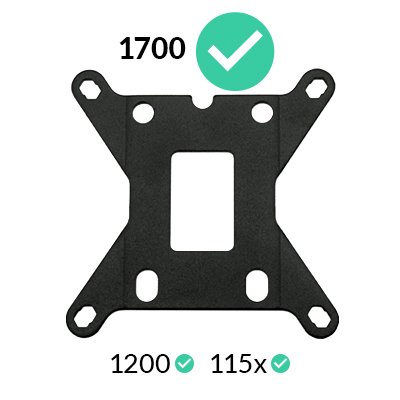
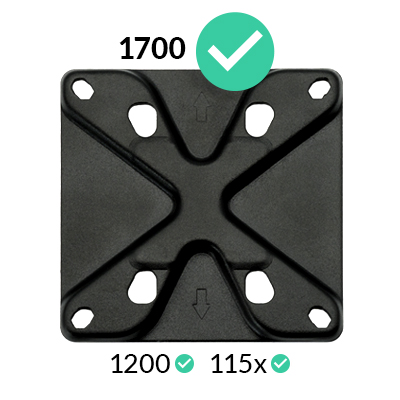
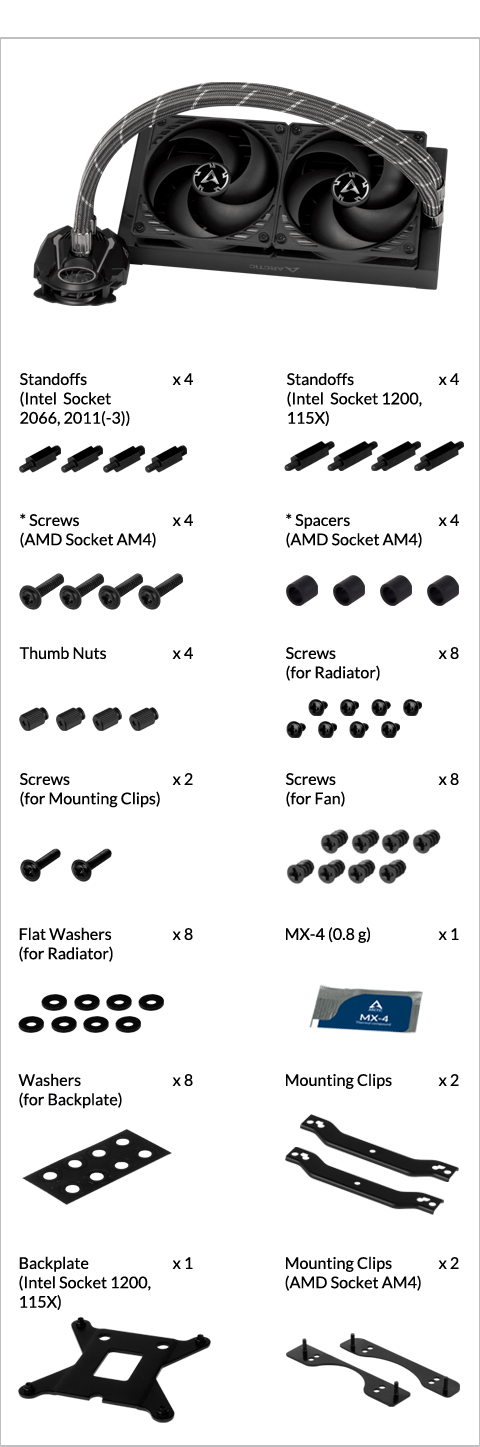
* packed in the same bag
How (not) to mount your water cooling AIO?
(by GamersNexus)
Steve from GamersNexus explains you the mistakes to avoid while assembling your water cooling AIO in your PC case.
The featured video is independently produced by GamersNexus, ARCTIC has been authorized to use by GamersNexus.
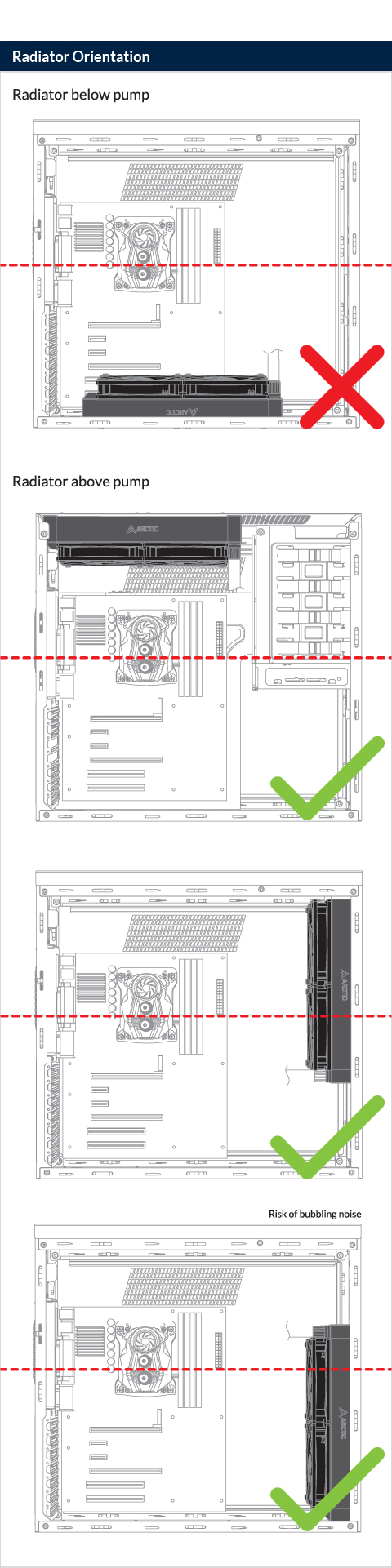
Do not use excessive force if the screw cannot be screwed in. Make sure correct screw is used. It will screw into the thumb nut easily.
** If your Liquid Freezer II does not come with the LGA 1700
upgrade kit, please contact us through the contact form to get
upgrade kit shipped to you. Tap to go to the installation.
How (not) to mount your water cooling AIO?
(by GamersNexus)
Steve from GamersNexus explains you the mistakes to avoid while assembling your water cooling AIO in your PC case.
The featured video is independently produced by GamersNexus, ARCTIC has been authorized to use by GamersNexus.
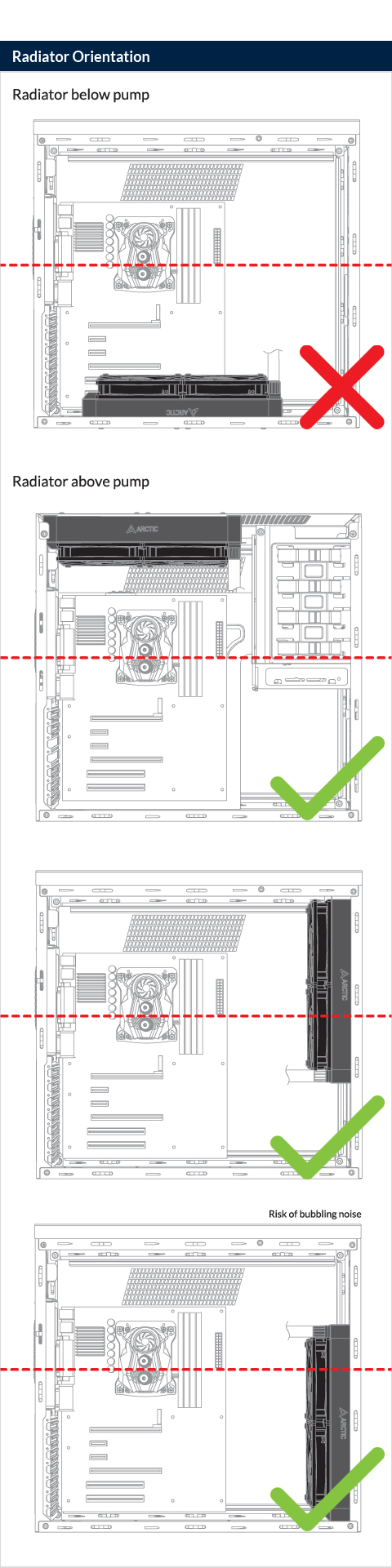

Do not use excessive force if the screw cannot be screwed in. Make sure correct screw is used. It will screw into the thumb nut easily.
How (not) to mount your water cooling AIO?
(by GamersNexus)
Steve from GamersNexus explains you the mistakes to avoid while assembling your water cooling AIO in your PC case.
The featured video is independently produced by GamersNexus, ARCTIC has been authorized to use by GamersNexus.
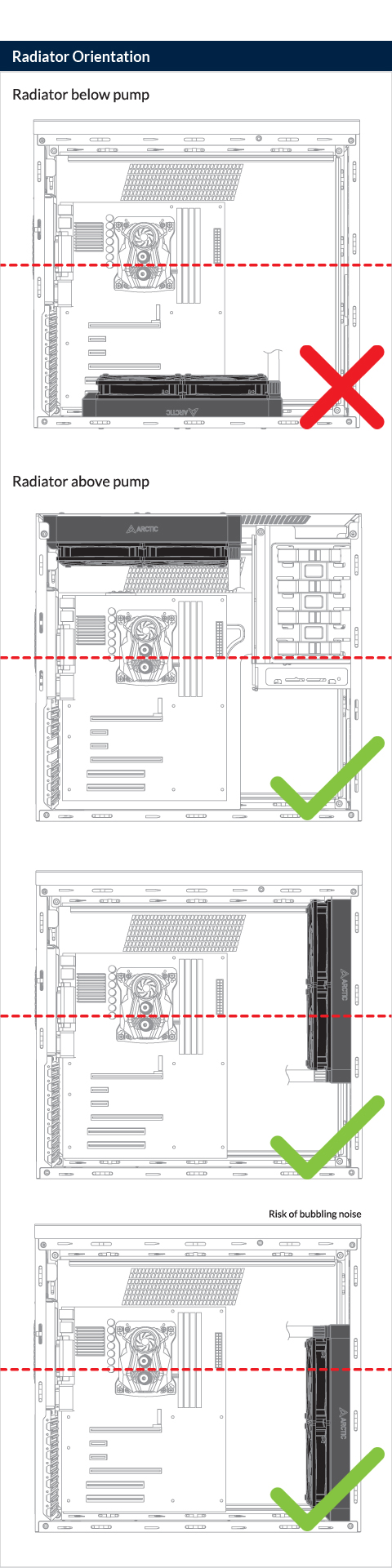
Do not use excessive force if the screw cannot be screwed in. Make sure correct screw is used. It will screw into the thumb nut easily.

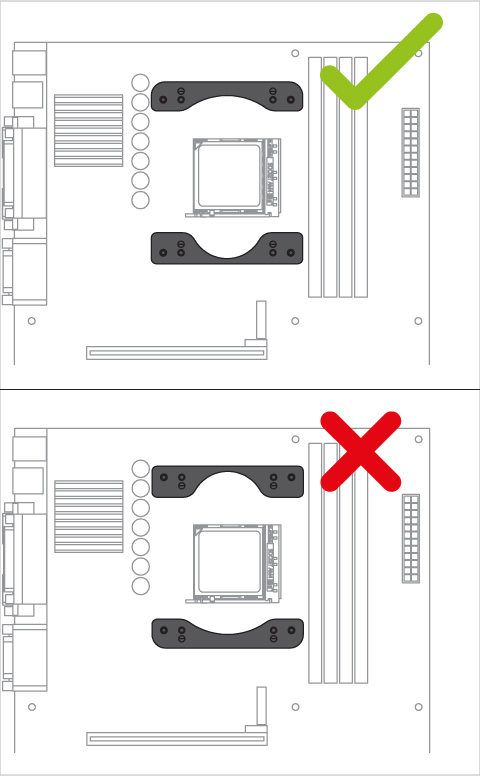
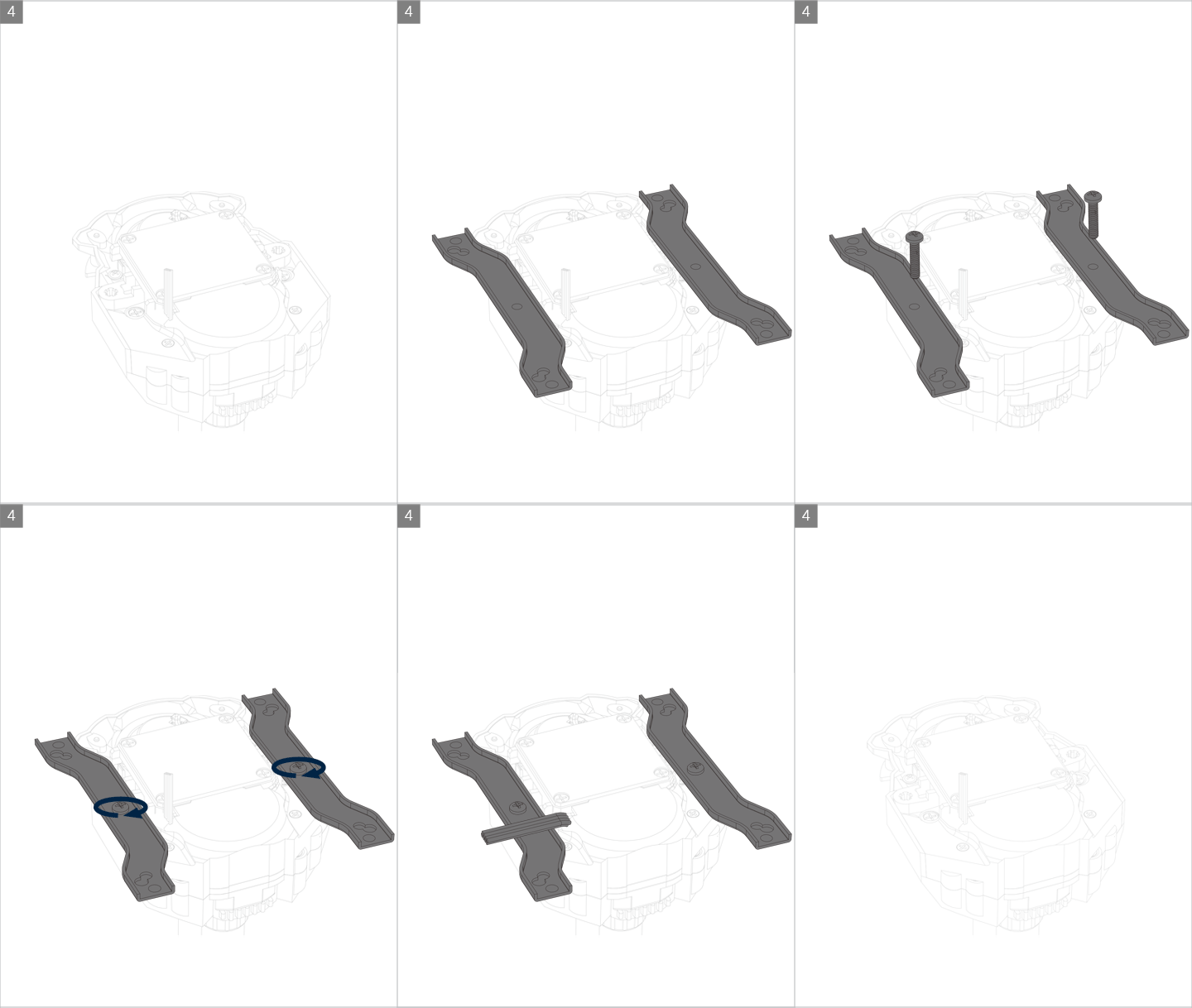
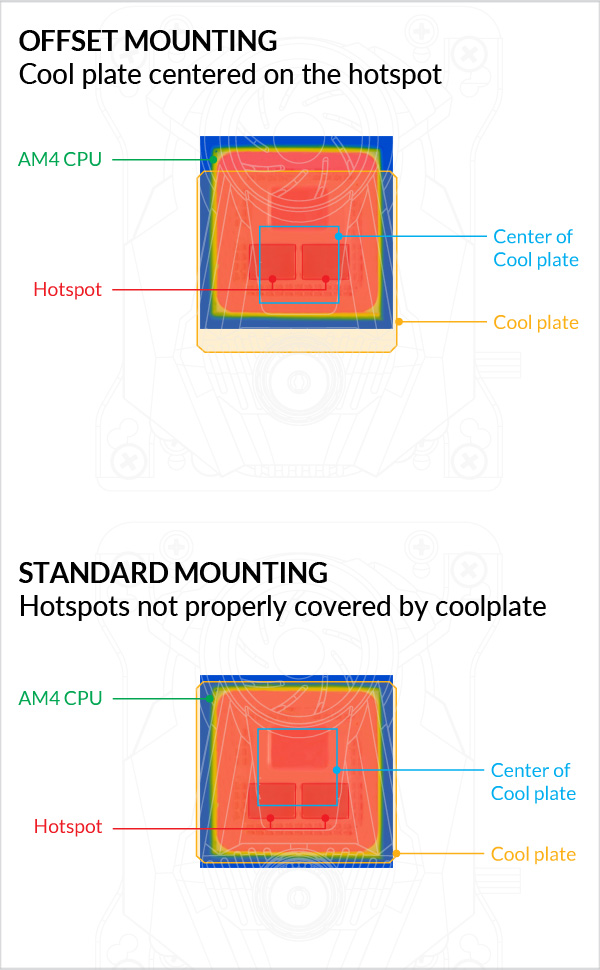
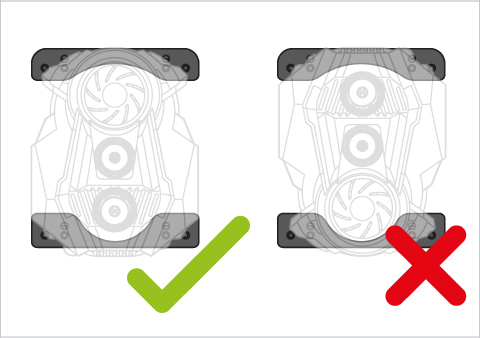
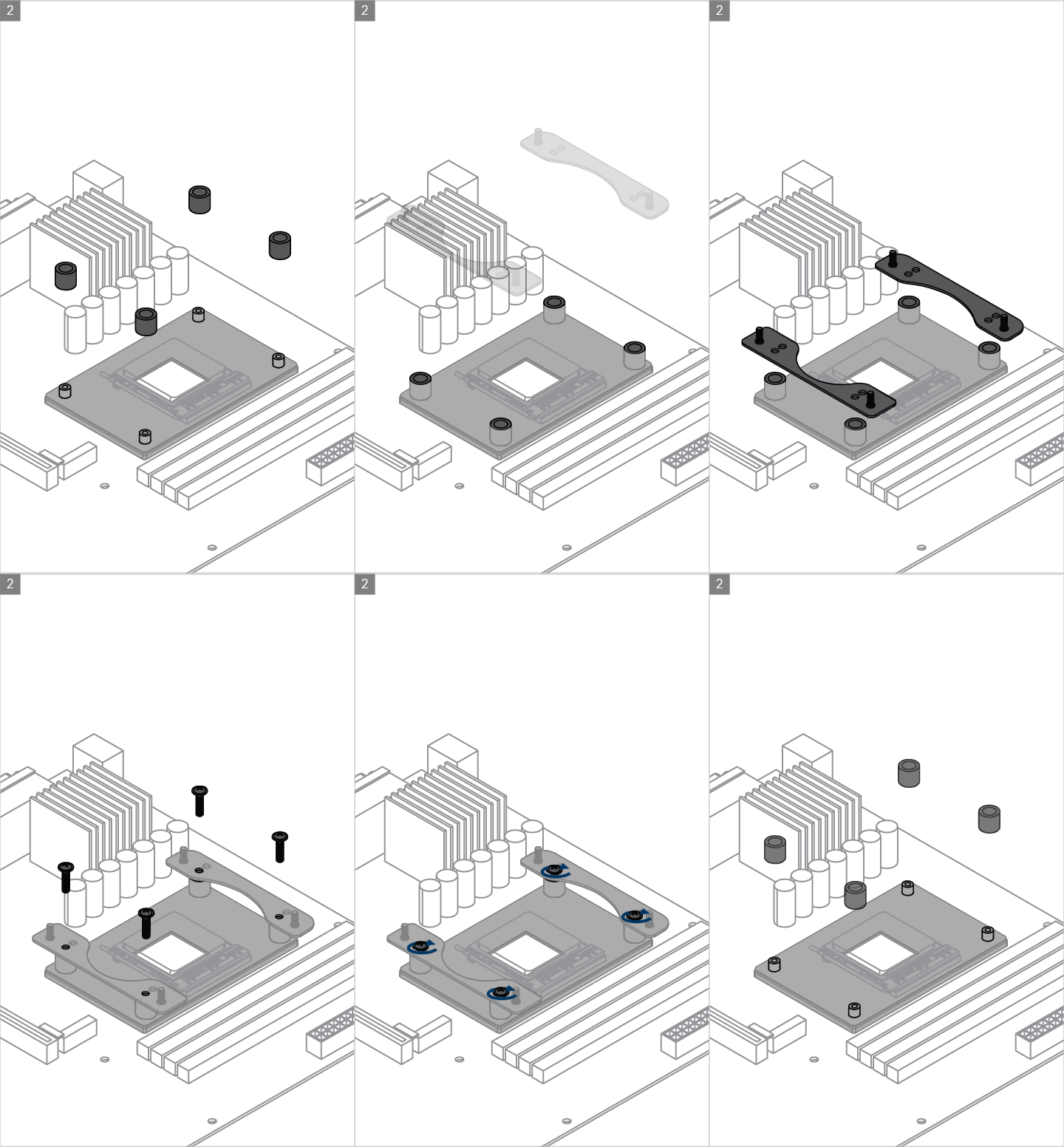
AMD Ryzen 3000/5000/7000 series processor has a chiplet-based CPU construction. It shifts the hot spots from center of the package to bottom side. To provide better cooling to the hot chiplets, Liquid Freezer II provides an offset mounting, so that the cooler is in the optimal position.
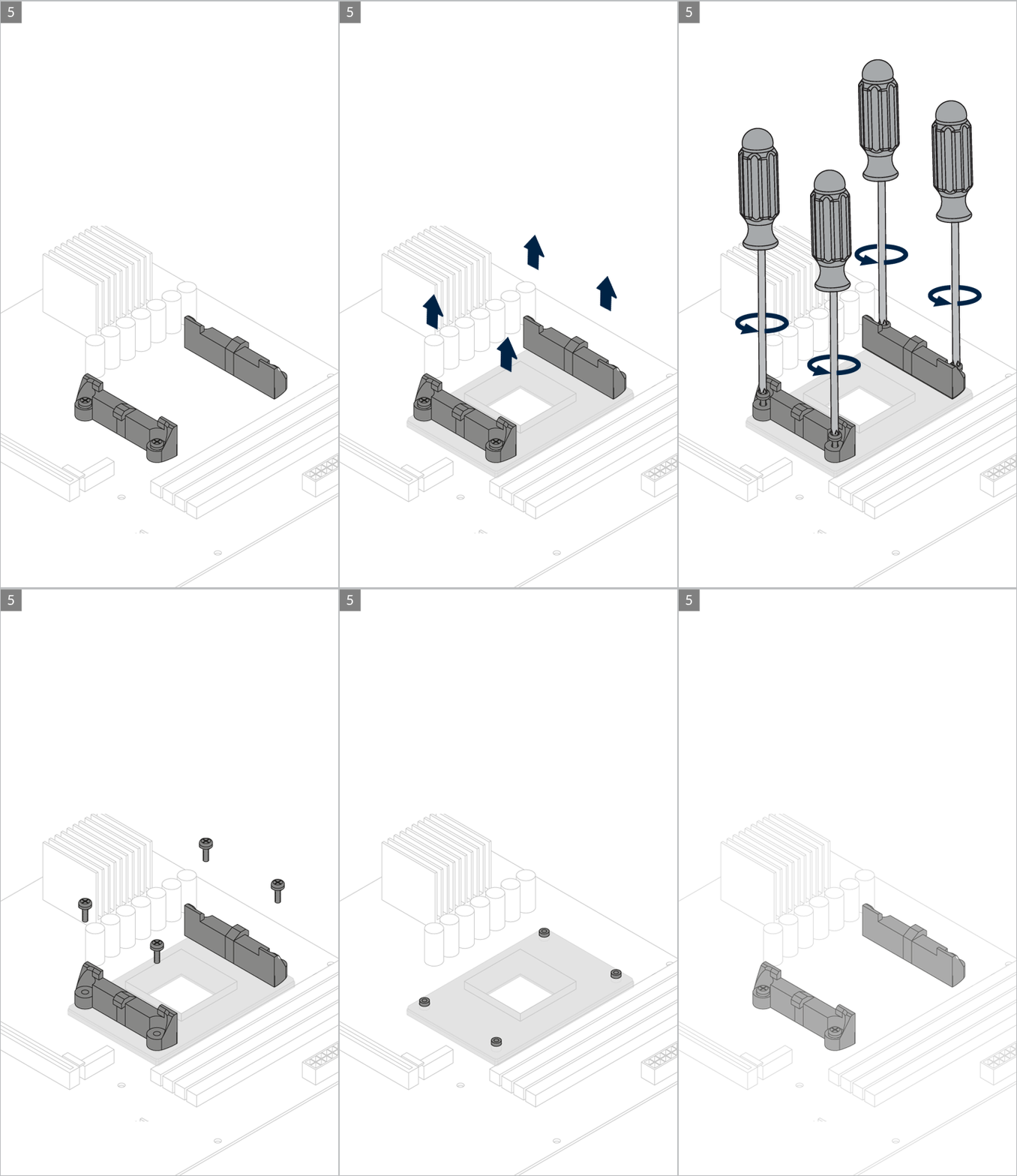
Contact ARCTIC Support if the AMD clips are not available on your product version.
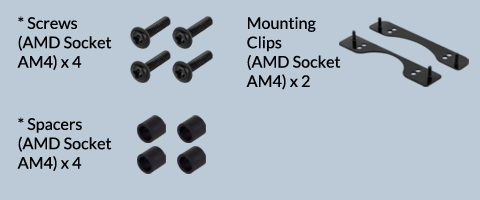
* packed in the same bag
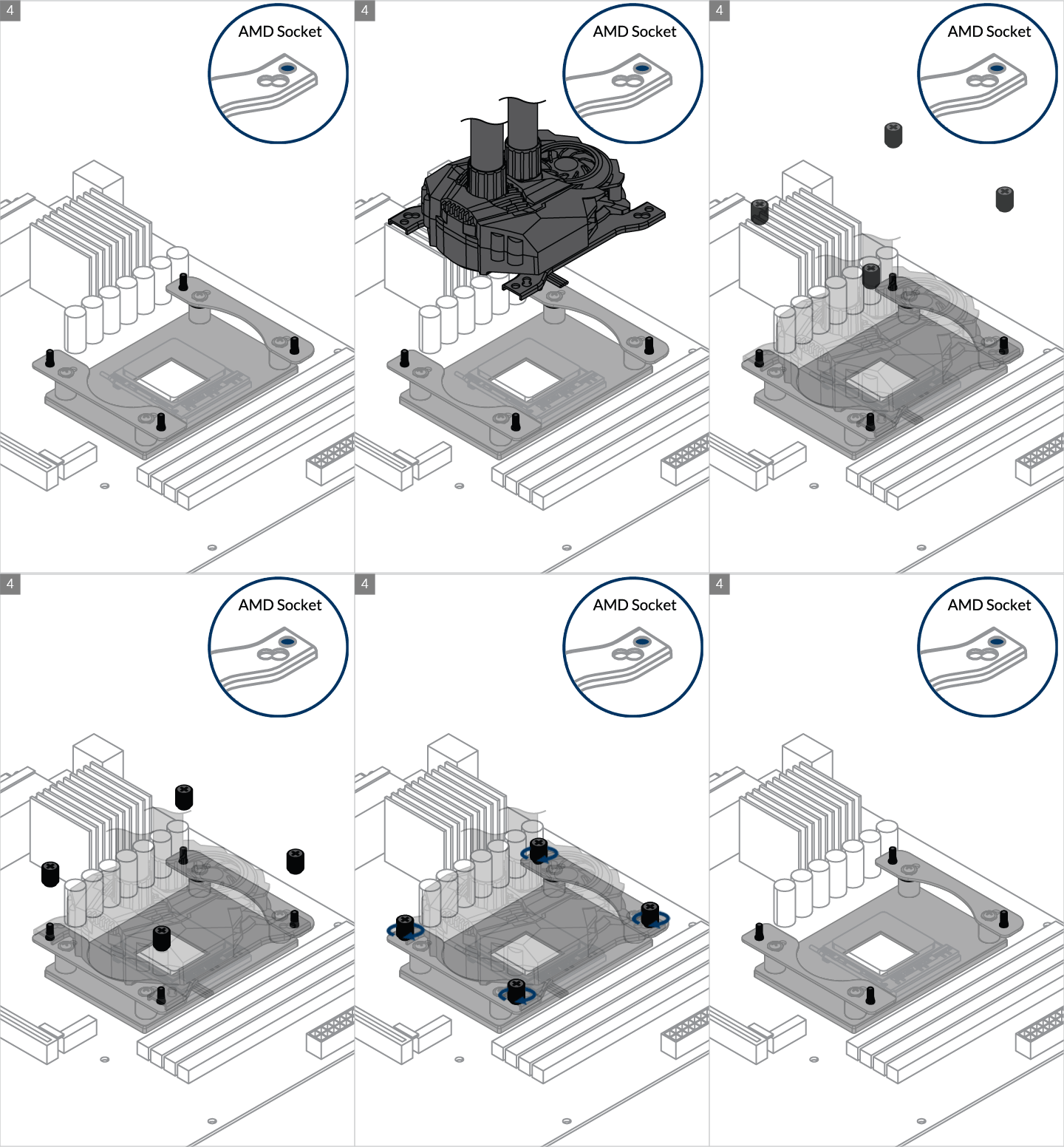

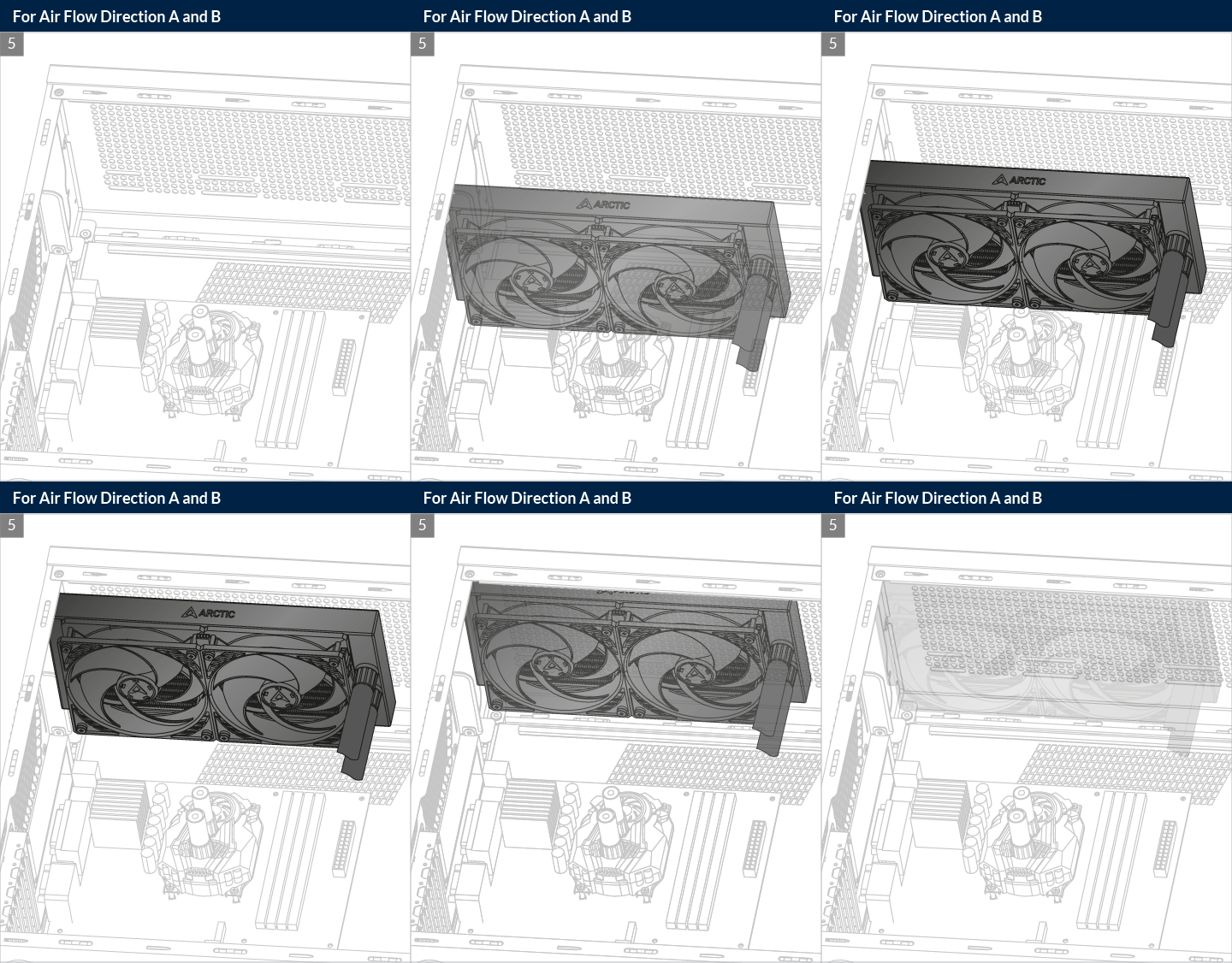
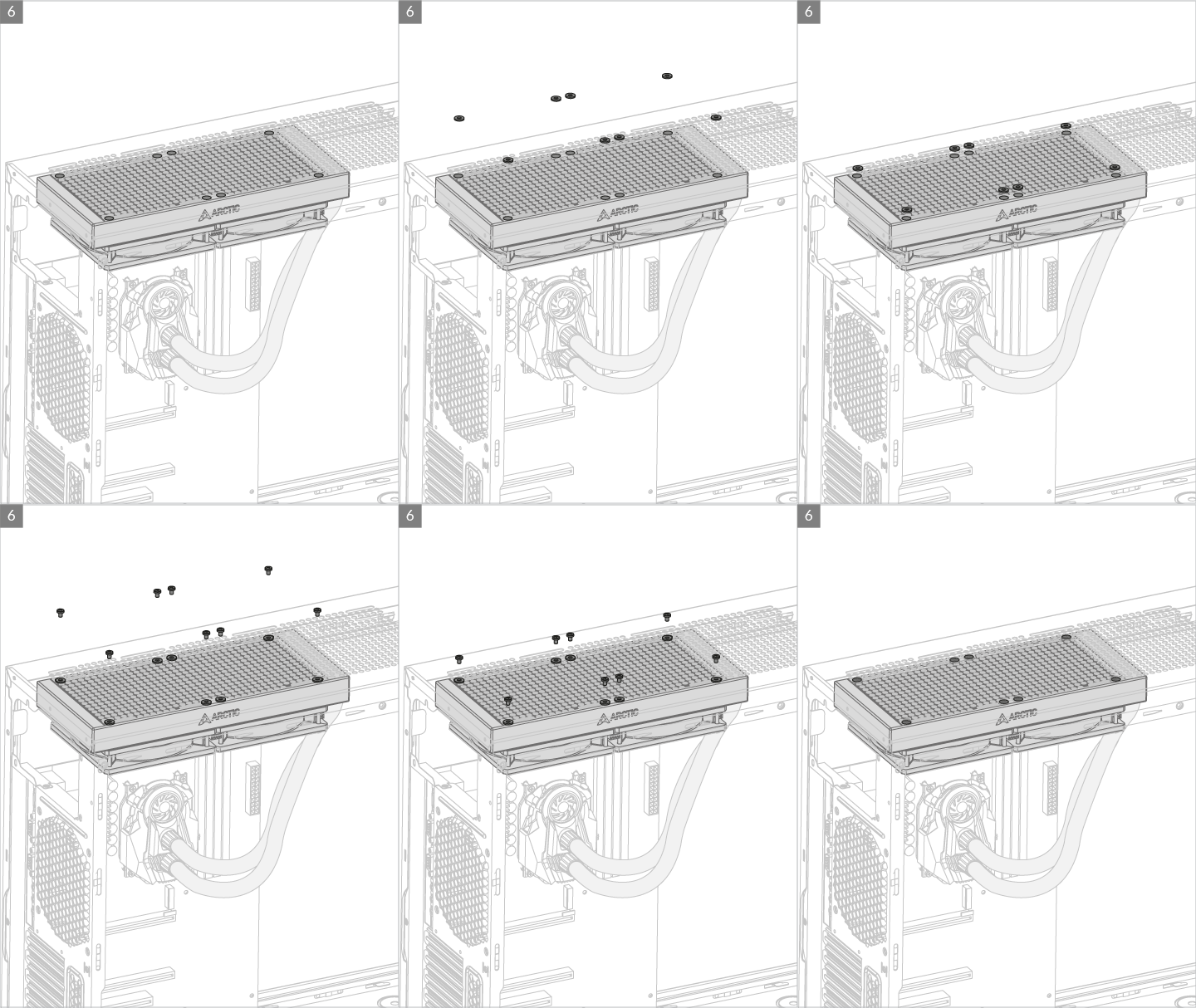

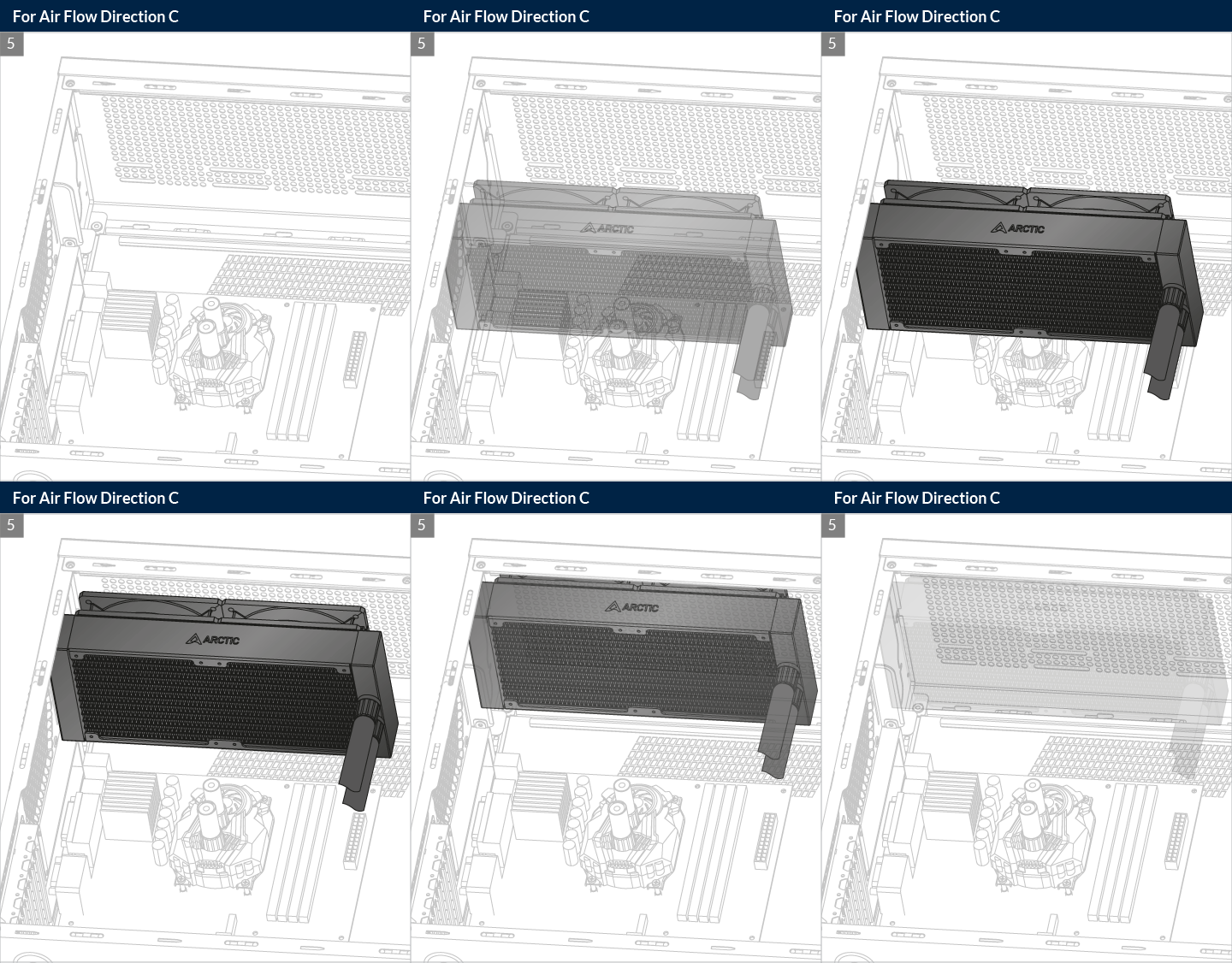
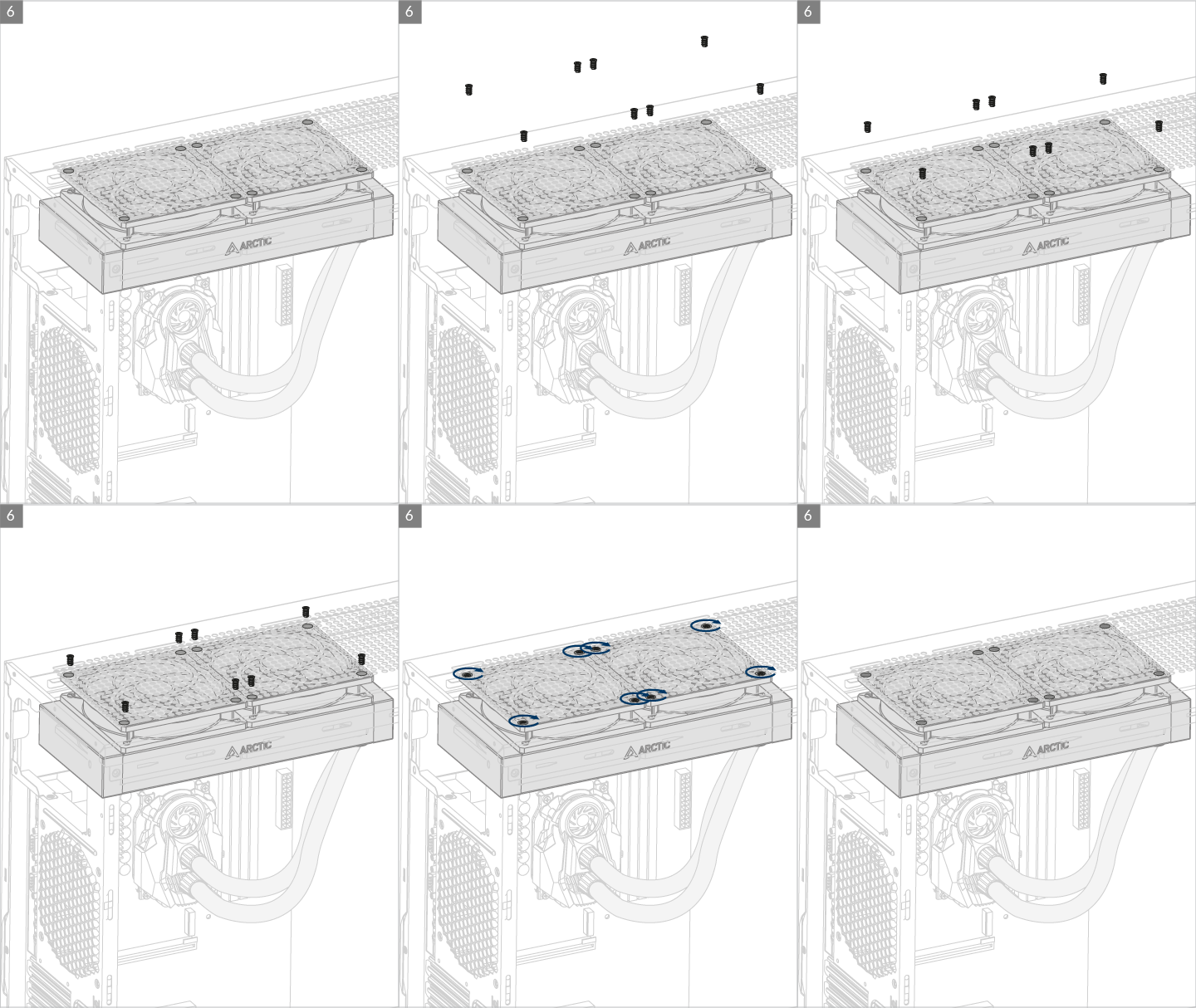
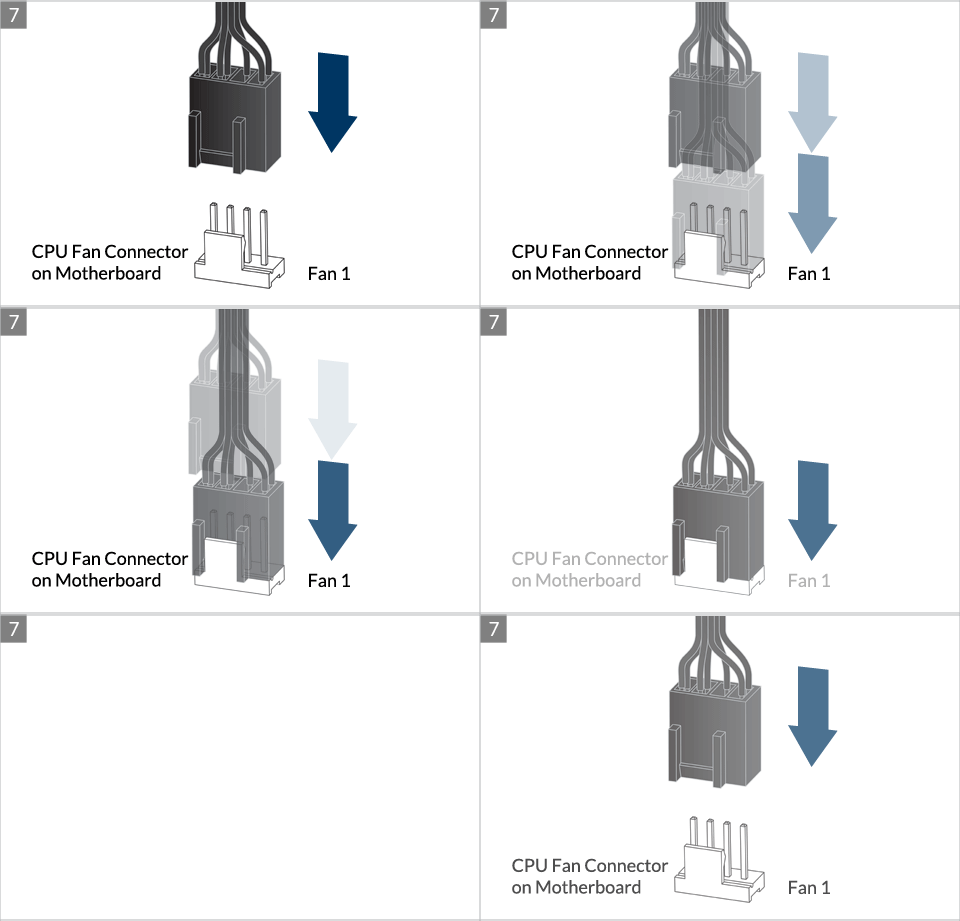
* Some mechanical interference with surrounding components may appear. The fan will not be controllable by PWM.

To get the best out of your cooler, it is recommended to adjust the fan speed control in the Bios, follow this guide to adjust your PWM.
To get the best out of your cooler, it is recommended to adjust the fan speed control in the Bios, follow this guide to adjust your PWM.

Liquid Freezer II 240
Multi-Kompatible Kompaktwasserkühlung
• Kompatibel mit Intel & AMD Sockeln
• Eigenentwickelte, PWM-gesteuerte Wasserpumpe
• Hohe Performance ermöglicht Overclocking
• Motherboard VRM Kühllösung
• Lüfter optimiert für hohen statischen Druck
• Vollummantelte Schläuche
• Integriertes Kabelmanagement
• Wartungsfreier Wasserkreislauf
• Sicherer Halt durch Backplate
Wirvon ARCTIC sind stolz auf unseren komplett neuen All-in-One CPU Wasserkühler. Für den Liquid Freezer II haben wir unsere Erfahrung im Bereich der CPU Wasserkühlung genutzt, um eine komplett neue Pumpe zur Kompaktwasserkühlung zu entwickeln. Leistungsstark und PWM-gesteuert, sorgt die neue Pumpe des Liquid Freezer II für ein ideales Verhältnis aus hoher CPU Kühlleistung und geringer Lautstärke. Der CPU AiO Wasserkühler verfügt über ein integriertes Kabelmanagement in den vollummantelten Schläuchen für einen cleanen Look im Gehäuse. Unsere leistungsstarken P-Lüfter sorgen dank ihren hohes statischen Drucks und ihrer herausragenden Performance für einen schnellen Abtransport der Wärme.
Technische Daten
Pumpe/Bodenplatte
|
VRM Lüfter |
40 mm, 1000 – 3000 RPM (PWM gesteuert) |
|
|
Pumpe |
800 – 2000 RPM (PWM gesteuert) |
|
|
Stromverbrauch |
1,0 W – 2,7 W (Pumpe + VRM Lüfter) |
|
|
Bodenplatte |
Kupfer, Micro Skived Fin |
|
|
Schlauchlänge |
450 mm |
|
|
Schlauch Durchmesser |
Außen: 12,4 mm |
|
|
Innen: 6,0 mm |
||
|
Abmessungen |
98 mm x 78 mm x 53 mm |
|
|
(ohne Schläuche) |
||
|
Lüfter |
||
|
Lüfter |
2 x ARCTIC P12 – 120 mm Lüfter |
|
|
Lüftergeschwindigkeit |
200 – 1800 RPM (PWM gesteuert) |
|
|
Luftstrom |
56,3 CFM |
|
|
Statischer Druck |
2,2 mm H2O |
|
|
Strom/Spannung |
0,08 A/12 V DC |
|
|
Lager |
Hydrodynamisches Gleitlager |
|
|
Geräuschpegel |
0,3 Sone |
|
|
Anschluss |
4-Pin-Stecker |
|
|
Abmessungen |
120 x 120 x 25 mm |
|
Allgemein
|
Kompatibilität |
Intel™ 115X, 2011-3*, 2066* |
||
|
AMD™ AM4 |
*Square ILM |
||
|
Wärmeleitpaste |
MX-4 (0,8 g) |
||
|
Gesamtgewicht |
1191 g (Lüfter, Radiator, Pumpe, Schläuche) |
||
|
Radiator |
|||
|
Material |
Aluminium |
||
|
Abmessungen |
277 x 120 x 38 mm |
||
Designed by ARCTIC

Liquid Freezer II 240
Multi-Kompatible Kompaktwasserkühlung
Eigenentwickelte, PWM-kontrollierte Wasserpumpe
Der Liquid Freezer II verfügt über eine komplett eigententwickelte, PWM-gesteuerte Pumpe mit Kupfer-Bodenplatte, verbesserter Effizienz, niedrigem Stromverbrauch und leisem Betriebsgeräusch.
WartungsfreierWasserkreislauf
Der Wasserkreislauf ist versiegelt, wodurch niemals Wasser oderAdditive nachgefüllt werden müssen.
MotherboardVRM Lüfter
Ein an der Pumpe befindlicher 40 mm Lüfter kühlt die Spannungswandler des Motherboards. Gerade bei Overclocking verhindert dies ein Überhitzen und erlaubt so kontinuierlich hohe Last.
Stromverbrauch
Konkurrenz 3.6 W
Liquid Freezer II 2.7 W
PWM-Signal
50 %
Verbesserte Effizienz
Anders als die meisten anderen Pumpen der Konkurrenz, welche auch im Idle-Modus unterVolllast laufen, reduziert unsere Pumpe bei geringer Last die Drehzahl und verbraucht so, trotz zusätzlichem Lüfter zurVRM Kühlung, weniger Strom und läuft gleichzeitig ruhiger.
Designed by ARCTIC
 Loading…
You can only view or download manuals with
Sign Up and get 5 for free
Upload your files to the site. You get 1 for each file you add
Get 1 for every time someone downloads your manual
Buy as many as you need
Listing Results Arctic Liquid Freezer Ii 240
About 17 results and 8 answers.
Liquid Freezer II 240 – Liquid Freezer II Series — ARCTIC
Liquid Freezer II 240. Pump/Cold Plate. VRM Fan. 40 mm, 1000 – 3000 RPM (Controlled by PWM) Pump. 800 – 2000 RPM (Controlled by PWM) Power Consumption. 1.0 W – …
Show more
See More
Amazon.com: ARCTIC Liquid Freezer II 240 — Multi
ARCTIC Liquid Freezer II 240 RGB — Multi-Compatible All-in-one CPU AIO Water Cooler with RGB, Compatible with Intel & AMD, efficient PWM-Controlled Pump, Fan Speed: 200-1800 RPM — Black EVGA CLC 120mm All-In-One CPU Liquid Cooler, 1x 120mm Fan, Intel, 5 YR Warranty, 400-HY-CL11-V1
Show more
See More
Amazon.com: ARCTIC Liquid Freezer II 240 A-RGB — Multi
ARCTIC Liquid Freezer II 240 — Multi Compatible All-in-One CPU AIO Water Cooler, Compatible with Intel & AMD, Efficient PWM Controlled Pump, Fan Speed: 200-1800 RPM (Controlled via PWM) — Black Cooler Master MasterLiquid ML240L RGB V2, Close-Loop AIO CPU Liquid Cooler, 240 Radiator, Dual SickleFlow 120mm, RGB Lighting, 3rd Gen Dual Chamber Pump for AMD Ryzen/Intel LGA1151
Show more
See More
ARCTIC COOLING Liquid Freezer II — 240 ACFRE00046A
. The radiator fan is PWM controlled, delivering high static pressure to push heat out of the computer case. The tube that connects between the pump and the radiator is leak proof, with dense sleeve that invokes a sleek, refined look. The Liquid Freezer II is available with 120mm radiator (one 120mm fan), 240mm radiator (two 120mm fans), and 280mm radiator (two 140mm fans) to suit …
Show more
See More
Liquid Freezer II 240 — ARCTIC GmbH
The Liquid Freezer II has been tested numerous times by independent reviewers and has been awarded for its performance, price and quiet operation. It exceeds all expectations and has set new standards in the field of compact water cooling. The Liquid Freezer II was also awarded the «European Hardware Award 2020» for the best liquid cooler in the 240 variant.
Show more
See More
The Arctic Cooling Liquid Freezer II 240 & 420 AIO
The Arctic Cooling Freezer II 240 / 420 Coolers. As expected, the main difference between the 240 and 420 versions of the Freezer II is the size of …
Show more
See More
Liquid Freezer II Series — ARCTIC GmbH
The Liquid Freezer II Series features an all-new, in-house developed PWM-controlled pump with a copper base, improved efficiency, low power usage and quiet operation. Unlike most pumps from our competitors, which run at full load even when idle, our pump clocks down consuming less power and producing less noise if no cooling is needed, even with its additional fan for VRM cooling.
Show more
See More
ARCTIC Liquid Freezer II 240 A-RGB — Multi-Compatible
ARCTIC Liquid Freezer II 240 AIO CPU Cooler, 240mm Radiator. $116.27. Free shipping Free shipping Free shipping. Picture Information. Image not available. Mouse over to Zoom-Click to enlarge. Hover to zoom. X. ARCTIC Liquid Freezer II 240 A-RGB — Multi-Compatible AIO Water Cooler — Black …
Show more
See More
ARCTIC COOLING Liquid Freezer II 240+ Lian Li Lancool 2
ARCTIC COOLING Liquid Freezer II 240+ Lian Li Lancool 2 mesh.
Show more
See More
Slim 120mm fans on ARCTIC Liquid Freezer II 240 : buildapc
Slim 120mm fans on ARCTIC Liquid Freezer II 240. The stock fans on the ARCTIC Liquid Freezer II 240 makes it to thick to top mount in my pc case, has anyone tried to use the ARCTIC-P12-Slim-PWM-Pressure-optimised On the ARCTIC Liquid Freezer II 240? 1 …
Show more
See More
ARCTIC Liquid Freezer II 240 — User Manual
Get your ARCTIC Liquid Freezer II 240 user manual. Detailed explanation with coloured schematics, photos, animations and videos.
Show more
See More
Arctic Liquid Freezer II 240 A-RGB review — Article
Arctic Liquid Freezer II A-RGB (240mm — ACFRE00093A) It has been a while since we have tested an Arctic liquid cooling unit. Let’s check out how well they do with the Arctic Liquid Freezer II …
Show more
See More
Liquid Freezer 240 A-RGB AiO CPU Water Cooler … — ARCTIC
A whole new aesthetic with extremely low noise and equally low temperatures – with the Liquid Freezer II 240 A-RGB.
Show more
See More
ARCTIC Liquid Freezer II 240 Review — The best AIO (almost
Freezer II 240 on Amazon: https://techteamgb.co.uk/freezerII240Products provided by ARCTICThis is the ARCTIC Liquid Freezer II 240, and it is ALMOST the perf…
Show more
See More
Arctic Liquid Freezer II Cooler Review: New Best CPU
Our review and benchmark of the Arctic Liquid Freezer II features tests on the 3950X and 3800X, but also talks VRM thermals and whether the fan is a gimmick …
Show more
See More
ARCTIC Liquid Freezer II 240 Rev 4 — User Manual
Get your ARCTIC Liquid Freezer II 240 Rev 4 user manual. Detailed explanation with coloured schematics, photos, animations and videos.
Show more
See More
Frequently Asked Questions
-
What is the Arctic liquid freezer II 240 AIO?
With the Liquid Freezer II 240 AIO, ARCTIC has completely redesigned their pump for maximum performance and low noise output. Equipped with a few unique features, the Liquid Freezer II 240 is next up on our new liquid cooling test bed, so let’s take a closer look!
-
What’s the packaging for the Arctic liquid freezer II?
Special thanks to ARCTIC for providing the Liquid Freezer II 240 review sample! ARCTIC’s retail packaging for the Liquid Freezer II 240 is quite compact when you consider that there is a full AIO system within. The cardboard box offers a matte finish, with a black and white illustration of the cooler on the front panel.
-
What are the radiators on Arctic Cooling freezer II?
The nylon sleeve also hides the cable that powers the fans. Chromed metal press fittings are used to secure the tubing on both ends. The radiators of the Arctic Cooling Freezer II AIO coolers are dual-pass cross-flow designs with tiny fins soldered on thin oblong tubes, yet they are not based on the same exact design that most AIO coolers use.
-
Is the liquid freezer 240 an a-RGB fan?
Liquid Freezer 240 — A-RGB The Liquid Freezer II A-RGB combines the efficient, award-winning PWM pump of the Liquid Freezer II with new A-RGB fans optimised for static pressure. This gives you a whole new aesthetic with extremely low noise and equally low temperatures.
-
What makes the Arctic liquid freezer II series so special?
At ARCTIC, we are proud of our completely new all-in-one CPU water cooler series. For the Liquid Freezer II Series, we have used our experience in CPU water cooling to develop a completely new compact water cooling pump. The new pump of the Liquid Freezer II Series ensures an ideal ratio of high CPU cooling performance to low noise levels.
-
What kind of fan does liquid freezer II have?
Liquid Freezer II 240 Pump/Cold Plate VRM Fan 40 mm, 1000 – 3000 RPM (Controlled by PW … Pump 800 – 2000 RPM (Controlled by PWM) Power Consumption 1.0 W – 2.7 W (Pump and VRM Fan) Cold Plate Copper, Micro Skived Fin 19 more rows …
-
Is the liquid freezer II a-RGB for children?
Not for children under 3 yrs. The Liquid Freezer II A-RGB combines the efficient, award-winning PWM pump of the Liquid Freezer II with new A-RGB fans optimised for static pressure. This gives you a whole new aesthetic with extremely low noise and equally low temperatures.
-
Which is the best liquid freezer in the market?
It exceeds all expectations and has set new standards in the field of compact water cooling. The Liquid Freezer II was also awarded the «European Hardware Award 2020» for the best liquid cooler in the 240 variant. The all-in-one cooling handles the entire cooling requirements — even of the most powerful processors from Intel® and AMD®.
Have feedback?
If you have any questions, please do not hesitate to ask us.
Question
Nick name / email (option)
Для работы проектов iXBT.com нужны файлы cookie и сервисы аналитики.
Продолжая посещать сайты проектов вы соглашаетесь с нашей
Политикой в отношении файлов cookie
Выбрать нужную систему охлаждения для процессора при сборке компьютера достаточно непросто. На рынке существует огромный ассортимент различных видов охлаждения, но лично я своё предпочтение отдаю СЖО и на это есть ряд причин: эффективность, тишина при работе и необычный вид всей сборки. В этот раз мой выбор пал на водянку от компании Arctic, а именно на модель Liquid Freezer II 240 RGB.
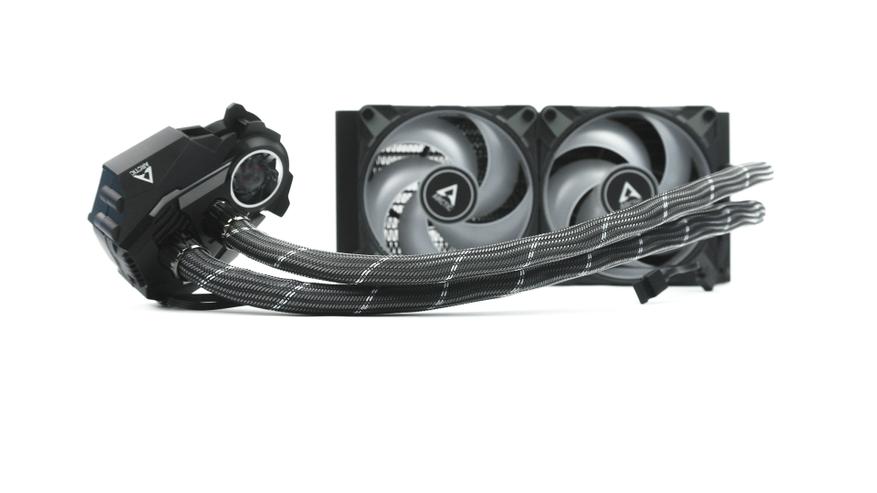
Характеристики
Упаковка и комплектация
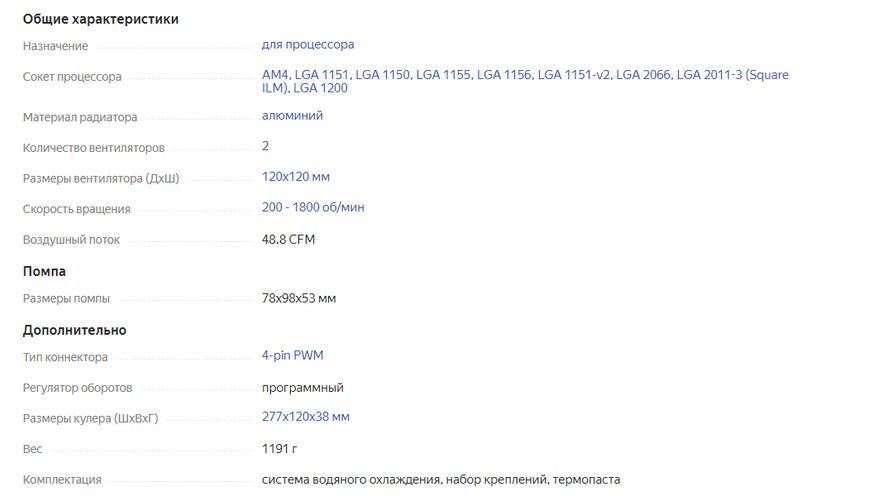
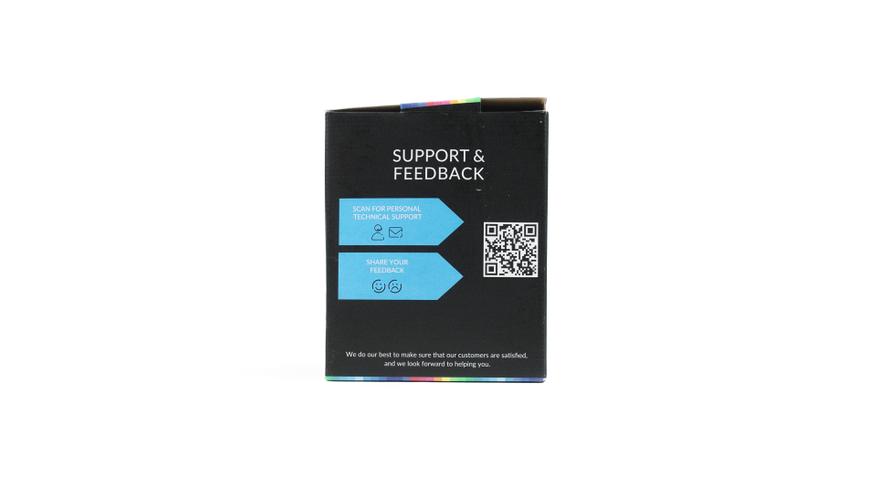
Первое, что мы видим — это упаковка продукта. Коробка от Arctic Liquid Freezer II 240 RGB сразу привлекает внимание ярким дизайном и качественной полиграфии. Сама упаковка, выполненная из переработанных материалов, имеет небольшие размеры и при этом обеспечивает безопасную транспортировку СЖО.
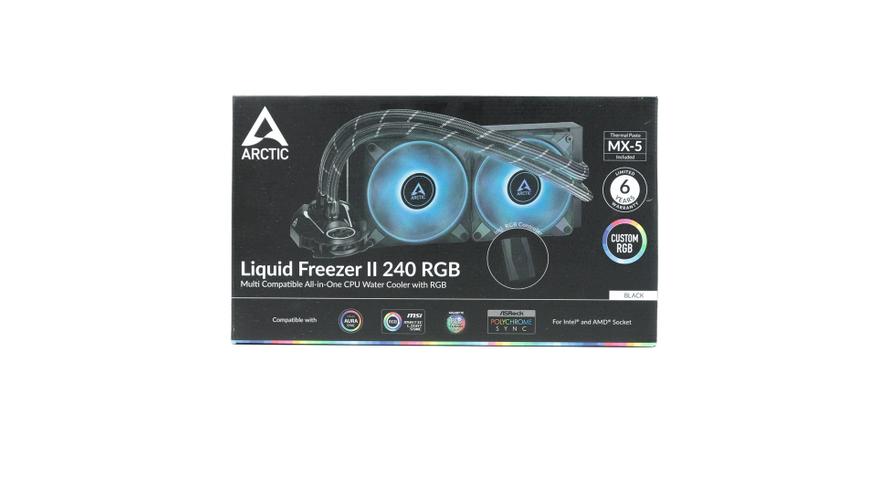
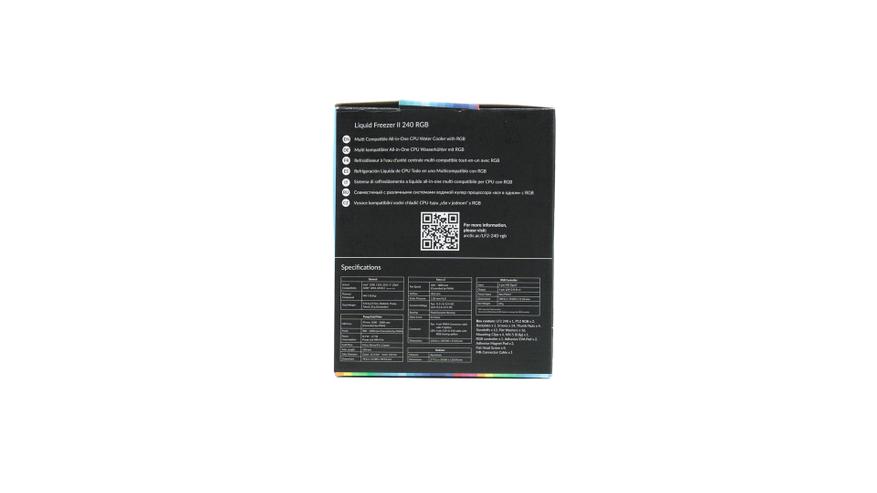
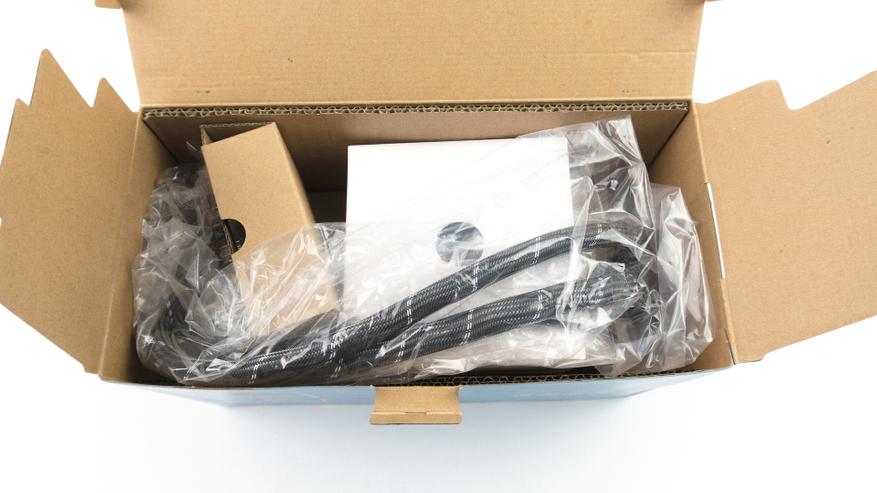
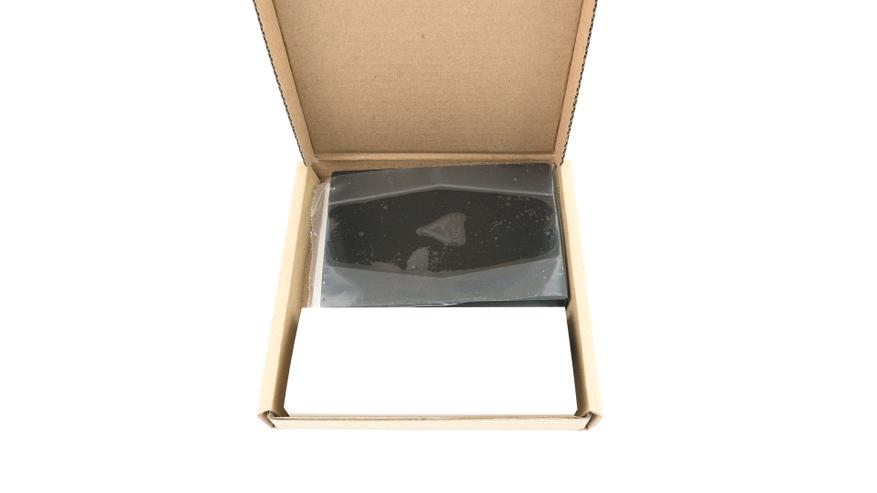
Внутри нас встречает радиатор с уже предустановленными вентиляторами, он, как и помпа, в целях безопасности спрятан в картон и целлофан. Также мы видим коробочку с огромным количеством креплений под любую систему, а также небольшой тюбик новой термопасты Arctic MX5.
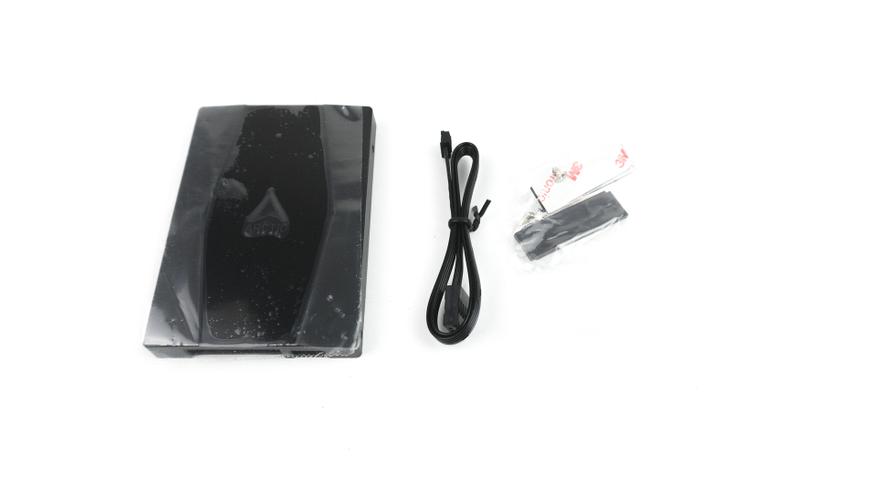
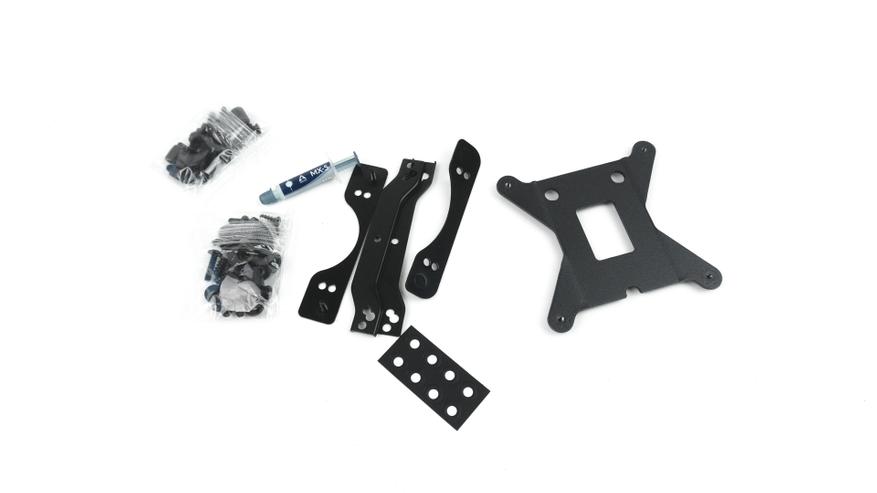
Бумажной инструкции по установки СЖО в комплекте нет, так как она представлена в цифровом виде после сканирования QR-кода на одной из боковых сторон коробки.
Внешний вид
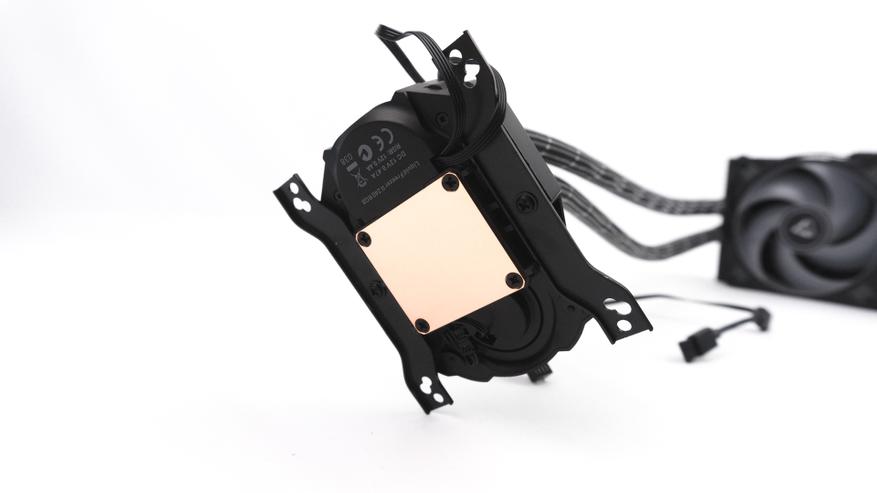
Первое, на что обращаешь внимание при осмотре Arctic Liquid Freezer II 240 RGB, — это помпа, имеющая достаточно необычный дизайн. На водоблоке с помпой имеется дополнительный вентилятор диаметром 40мм для охлаждения пространства вокруг сокета. Скорость помпы находится в диапазоне от 800 до 2000 об/мин, а вентилятор способен крутится на скорости 1000-3000 об/мин. Основание водоблока Arctic Liquid Freezer II 240 RGB медное и хорошо отшлифовано. От помпы отходят два шланга в черной тканевой оплетке с белыми полосками. Их длина составляет 450мм.
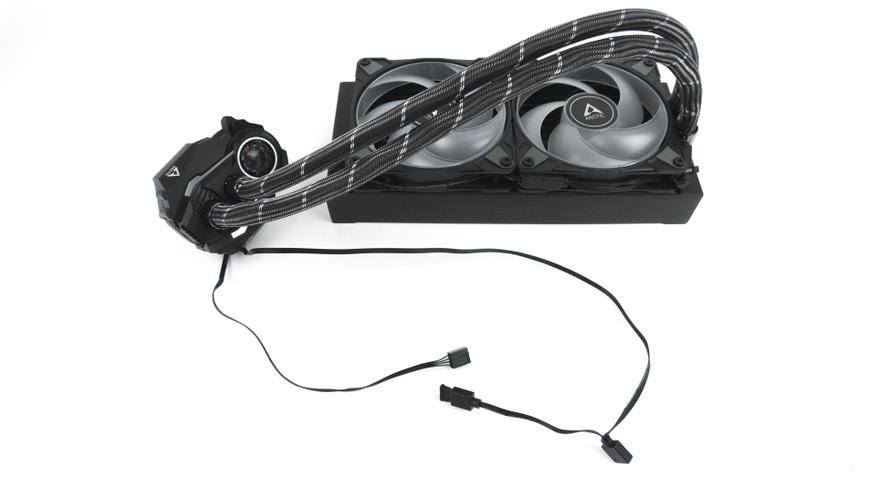
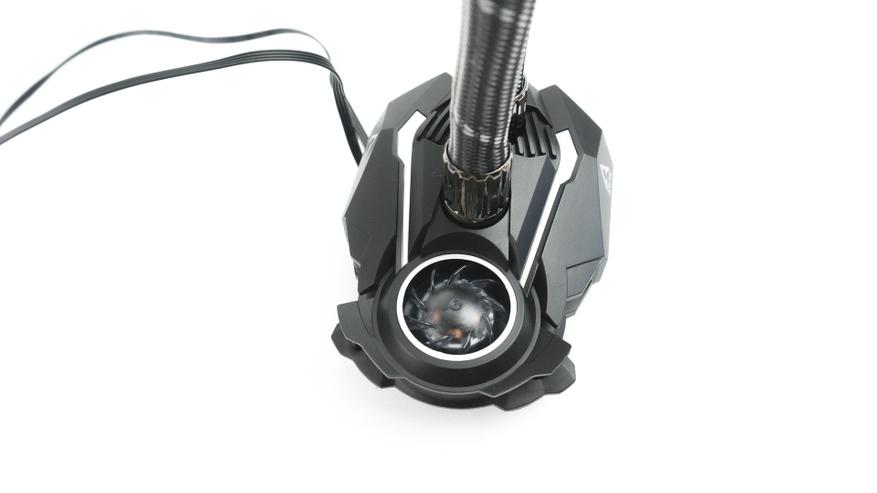
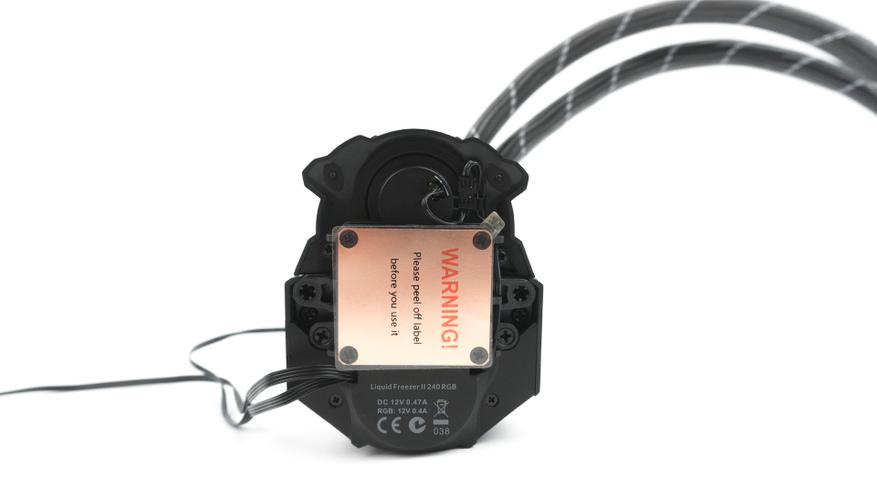
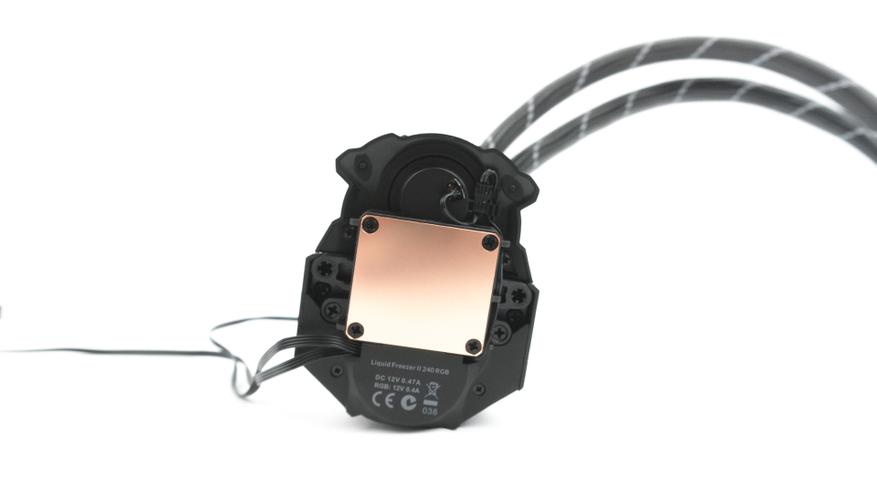
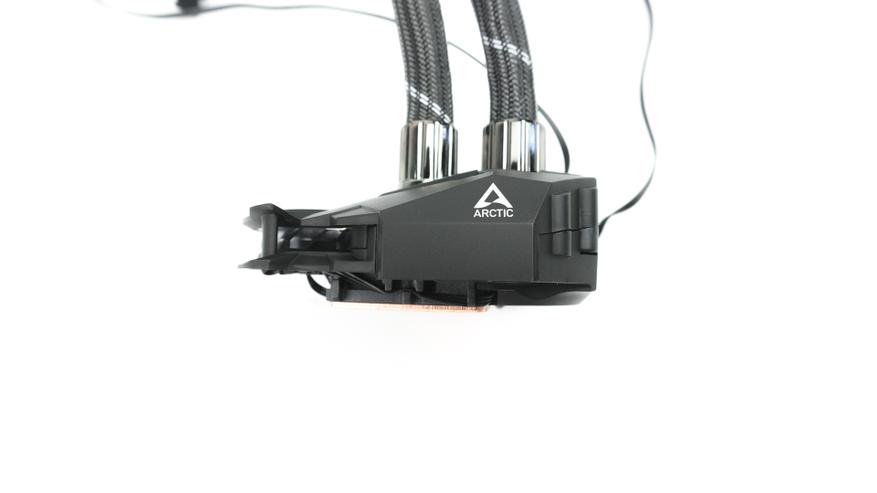
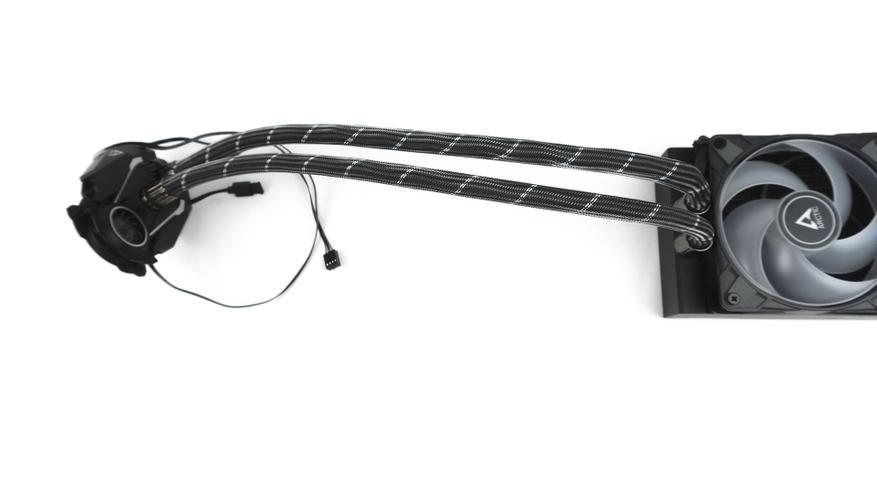
Сам же радиатор выполнен из алюминия, выглядит строго имеет лишь название бренда на боковой стороне. Его размеры 277мм x 120мм x 38мм. На нем уже предустановленны фирменные вентиляторы.
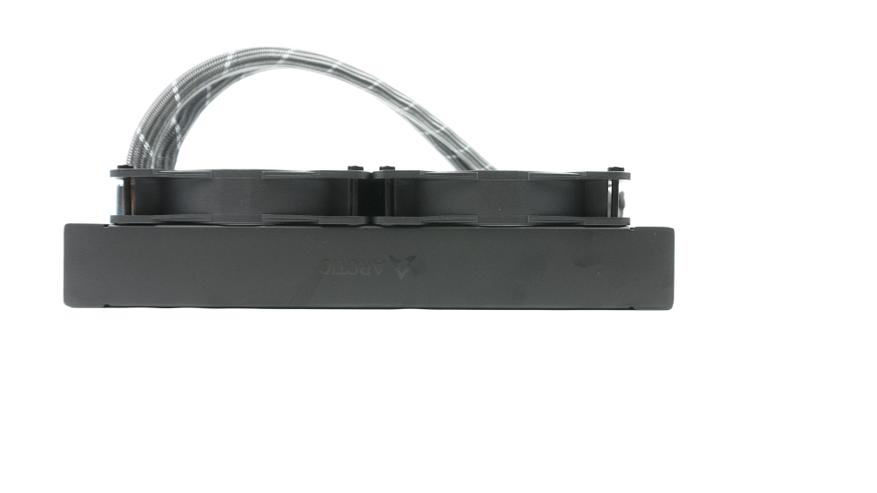
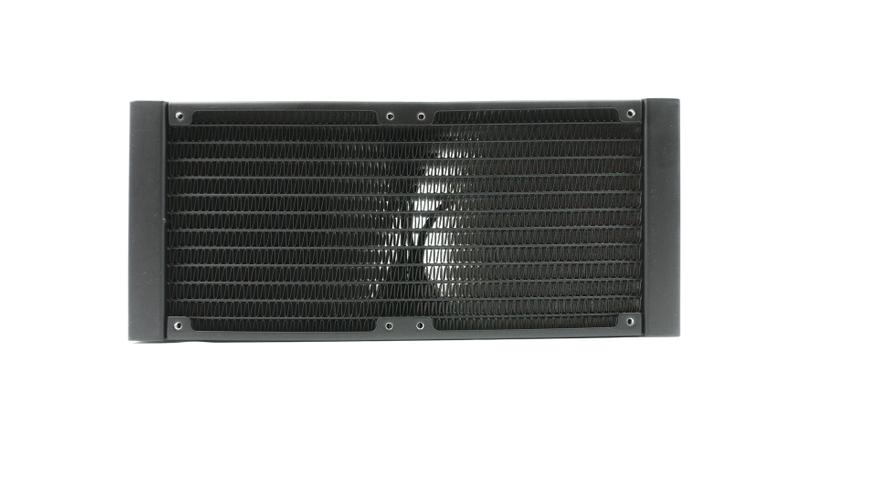
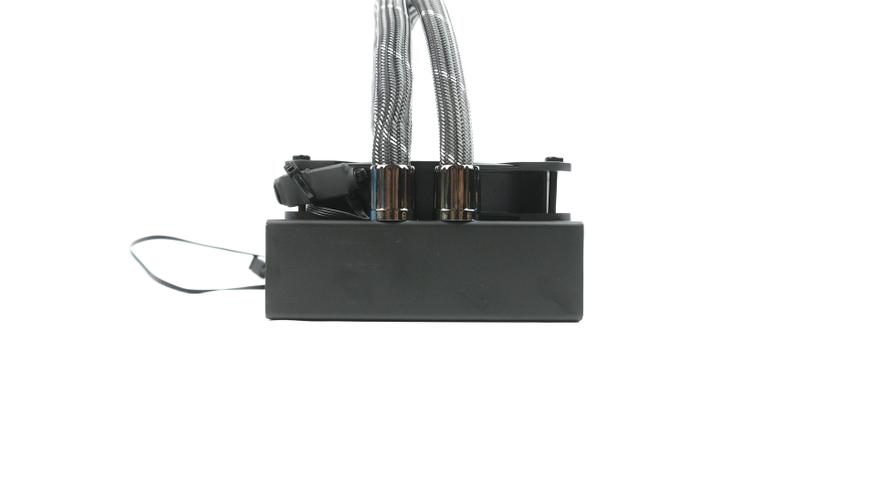
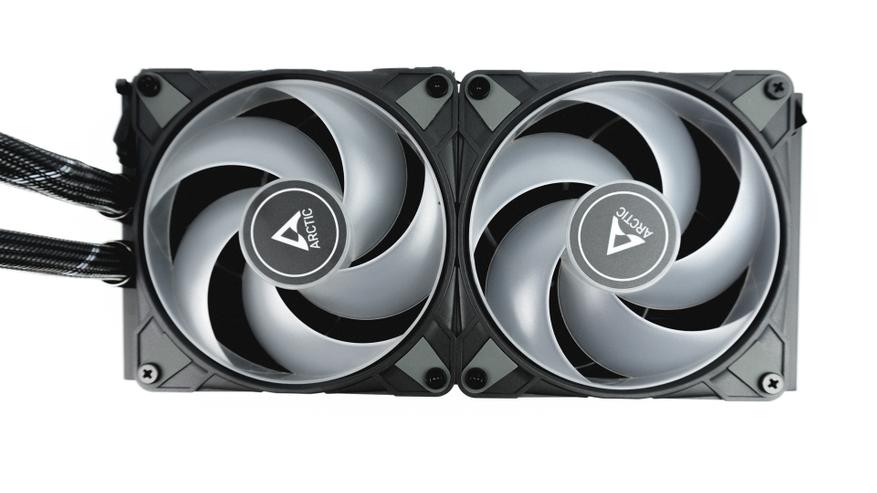
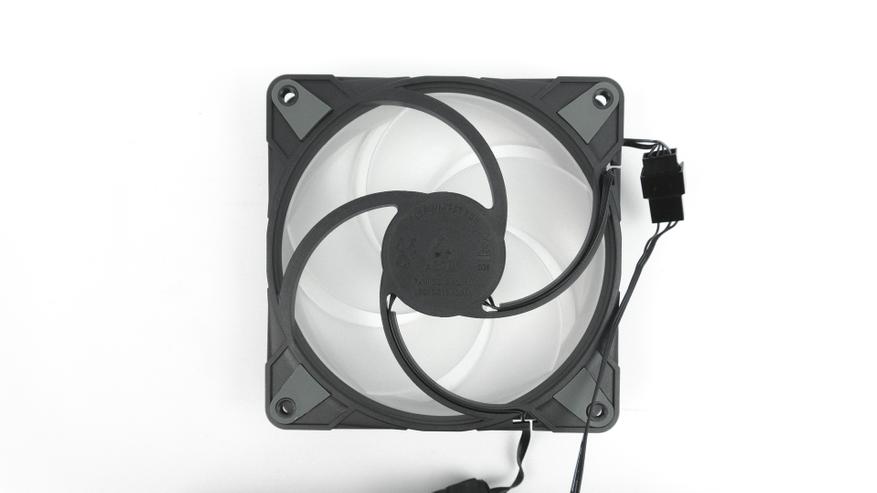
Такой подход в предустановке вентиляторов от производителя я встречаю впервые. Модель вентиляторов — P12 PWM PST RGB 0dB [ACFAN00186A]. В их основе гидродинамические подшипники, скорость вентиляторов может изменяться в диапазоне от 0 — 2800 об/мин, кроме того, они оснащены подсветкой, которая может синхронизироваться с практически любой материнской платой через её программное обеспечение.
Процесс установки
Для тех, кто будет впервые устанавливать СЖО Arctic Liquid Freezer II 240 RGB на свой процессор или у кого возникнут трудности, на упаковке СЖО имеется QR код. Наведя на него камеру своего смартфона, вы получите подробную инструкцию по установке.
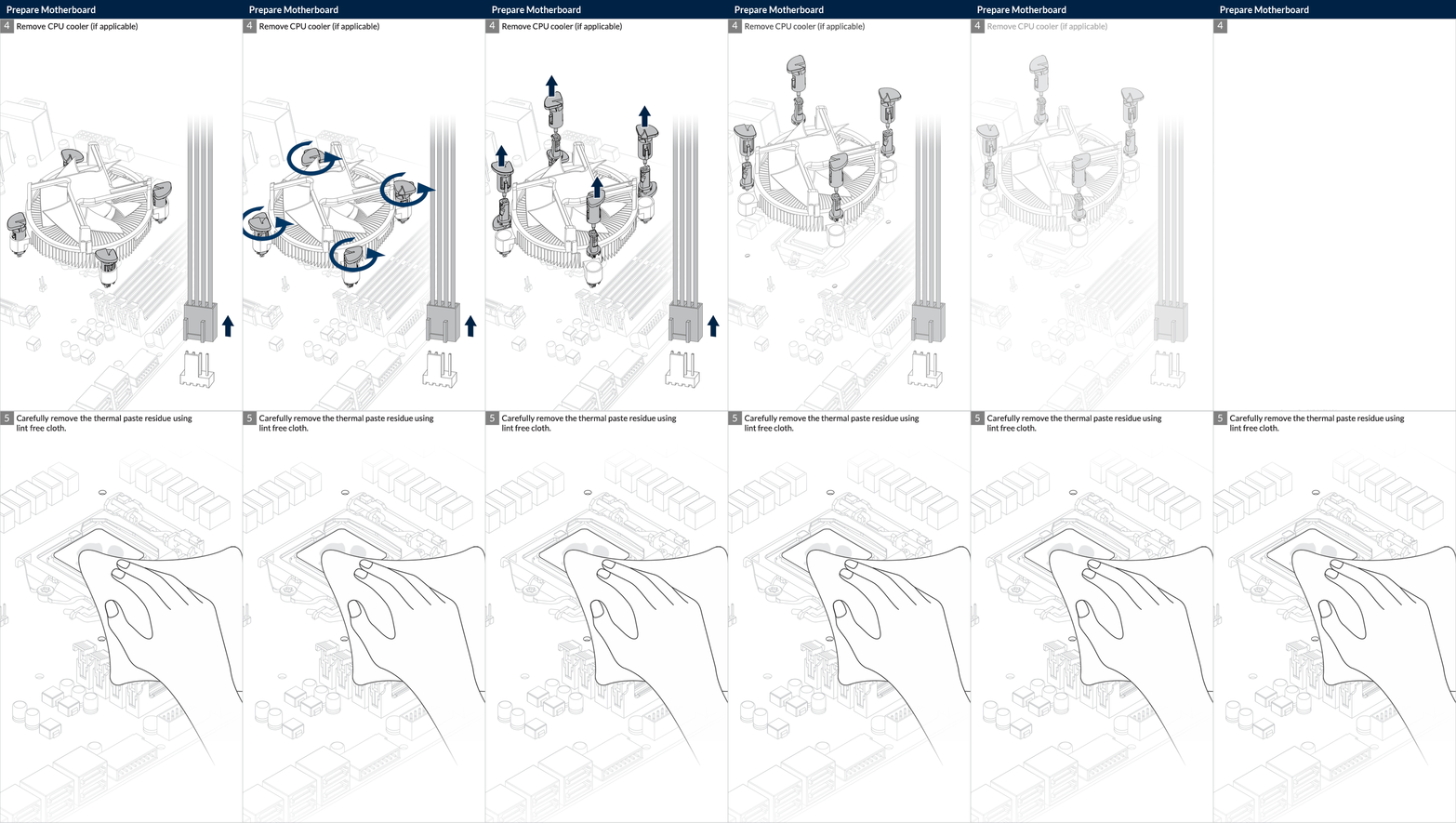
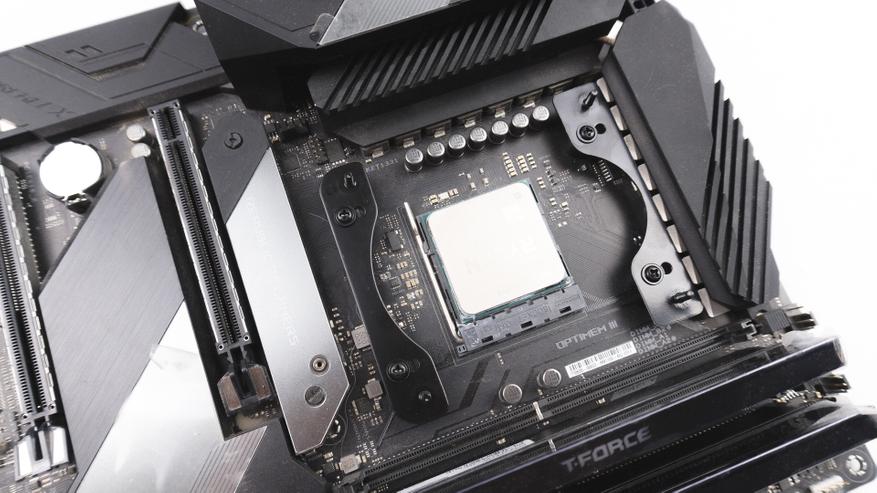
- Шаг первый. Прикручиваем соответствующую крепежную рамку на подходящую материнскую плату.
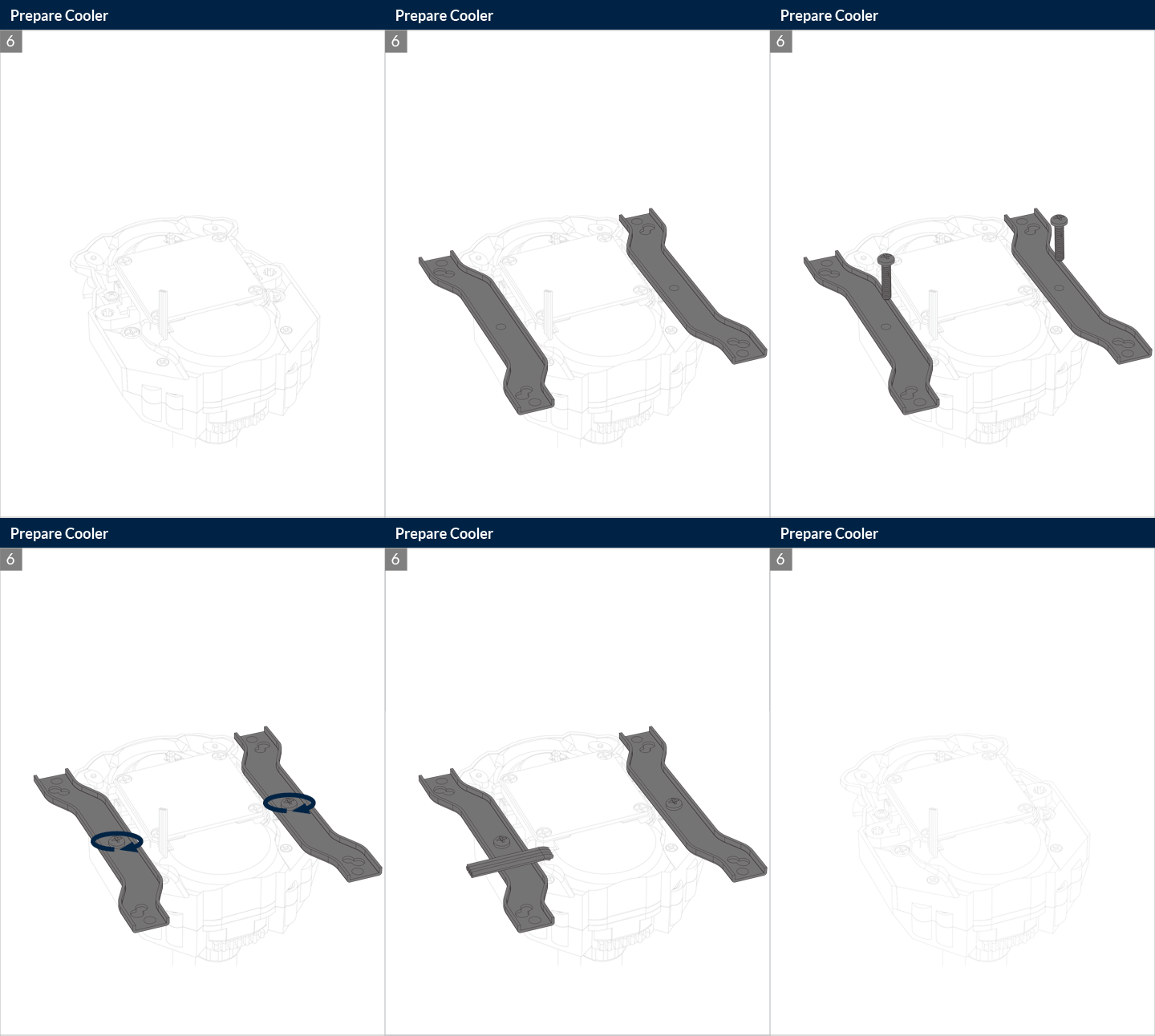
- Шаг второй. Прикручиваем нужный крепеж к водоблоку с помпой.
- Шаг третий. Устанавливаем радиатор в подходящие крепежные места в корпусе компьютера.
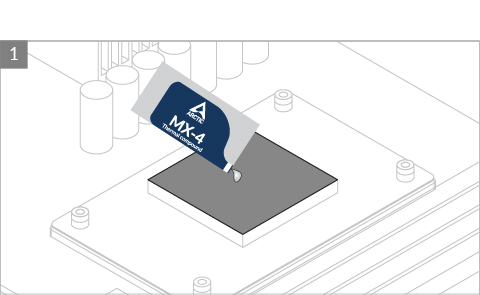
- Шаг четвертый. Наносим ровным слоем термопасту.
- Шаг пятый. Фиксируем водоблок к материнской плате с помощью крепежа.
- Шаг шестой. Подключаем кабеля от СЖО к материнской плате.
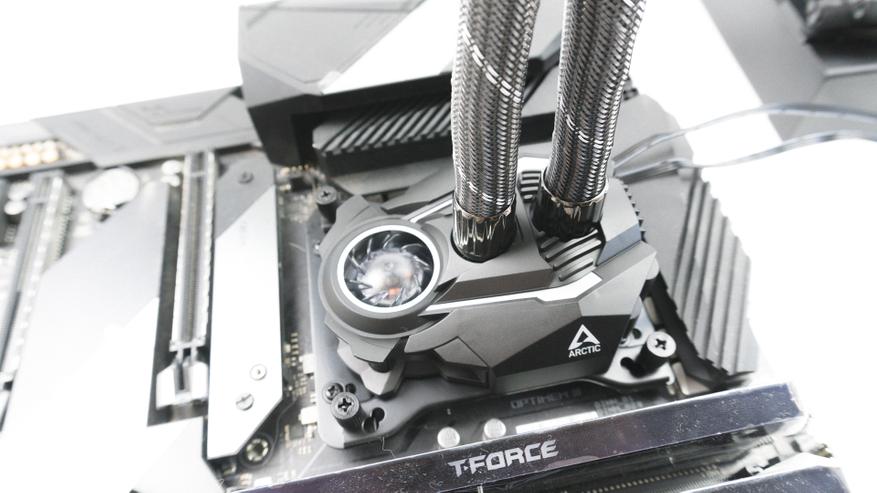
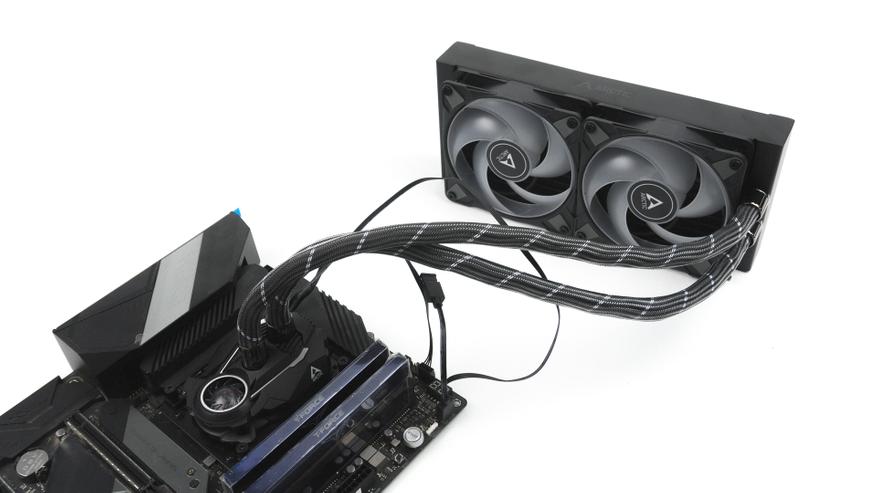
При установке Arctic Liquid Freezer II 240 RGB, как можно было заметить, пропущен шаг установки вентиляторов. Компания Arctic с завода устанавливает вентиляторы на радиатор, тем самым облегчая процесс сборки и установки СЖО. Также нельзя не отметить, что тут красиво спрятаны кабели и кабель менеджемт в корпусе смотрится эстетичнее.
Тесты
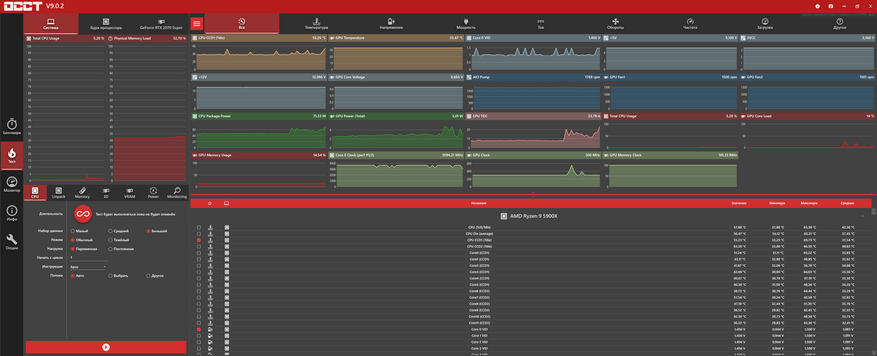
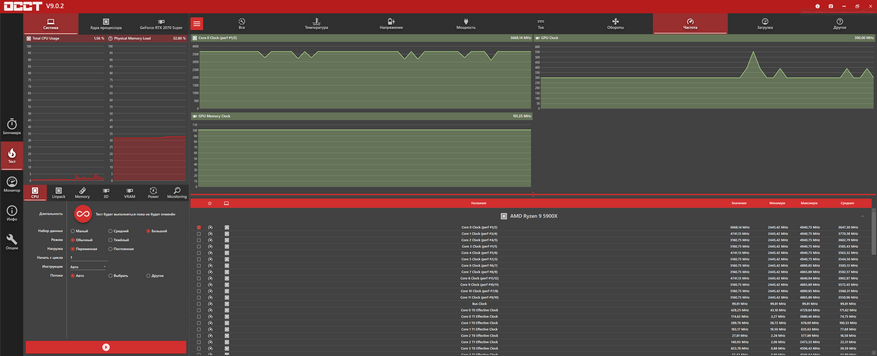
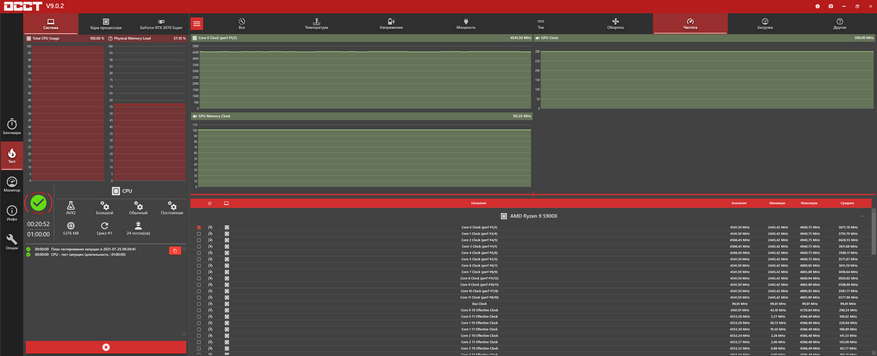
Данную СЖО было решено протестировать на процессоре Ryzen 9 5900х с новой термопастой Arctic MX5. Тесты проходили с помощью программы OCCT. Результаты ниже на скриншотах.
В простое
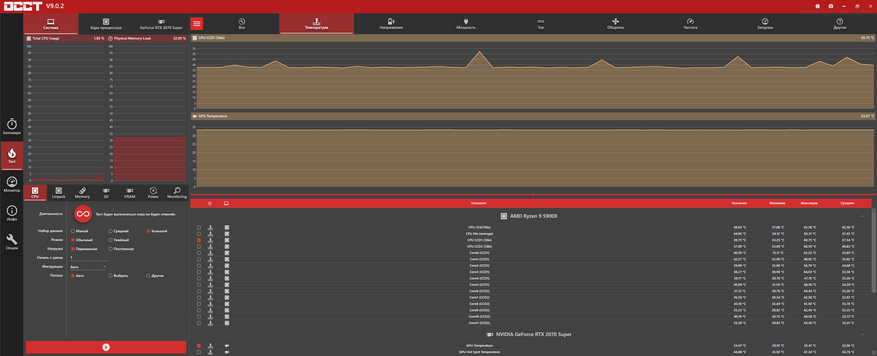
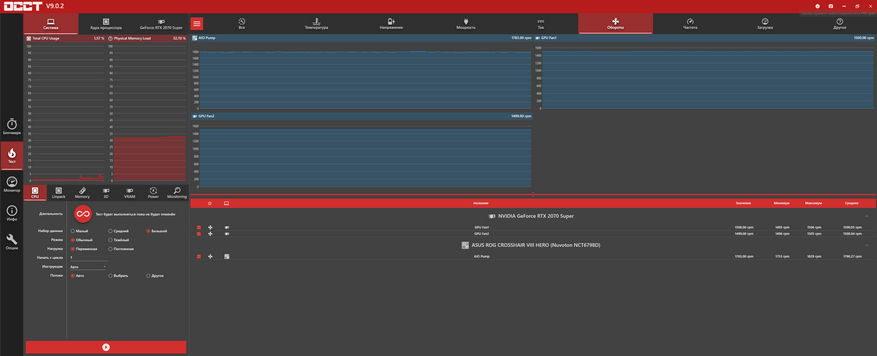
В нагрузке
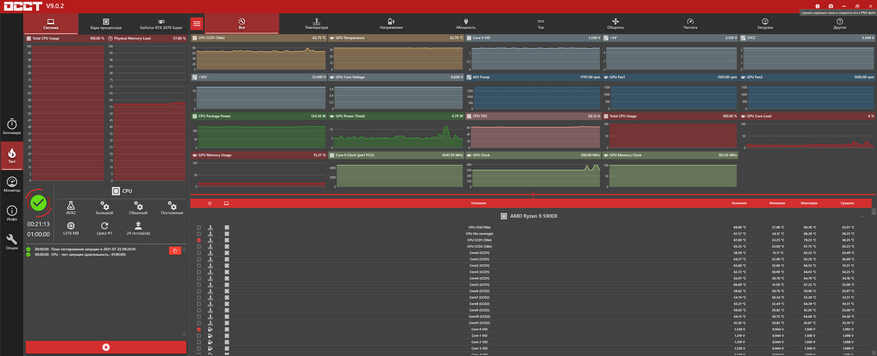
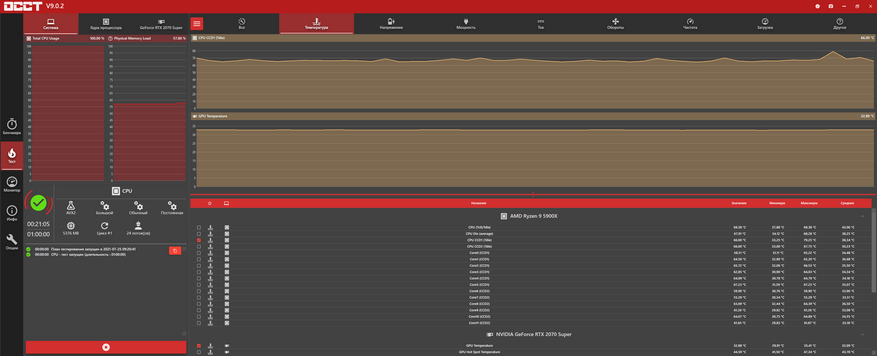
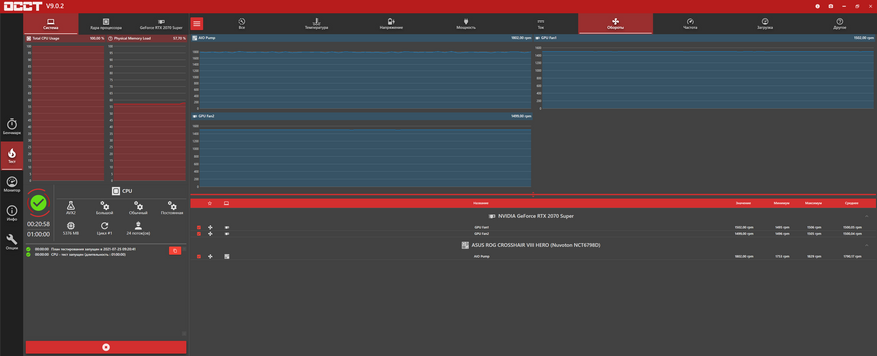
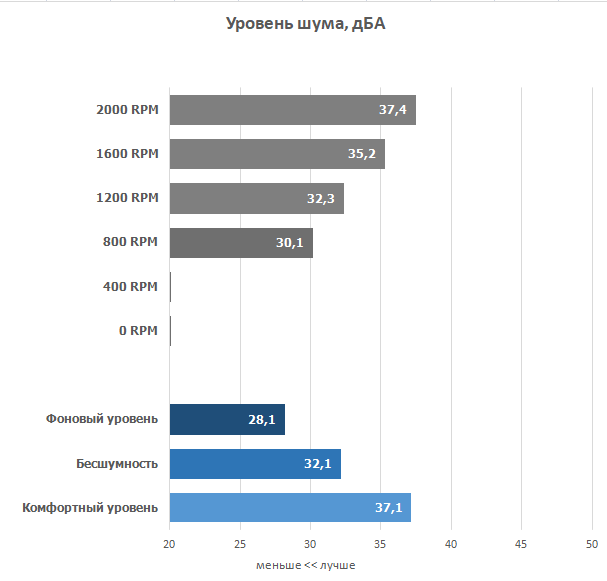
Уровень шума замерялся с помощью шумомера UT353 BT на открытом стенде на расстоянии в 50 сантиметров.
Вывод
По итогам тестирования СЖО Arctic Liquid Freezer II 240 RGB устроила меня абсолютно по всем параметрам. Она оказалось достаточно эффективной и при этом очень тихой. Свечение вентиляторов приятное, не режет глаз и удобно управляется. Очень порадовала входящая в комплект термопаста Arctic MX5. Смело могу рекомендовать данную систему жидкостного охлаждения к покупке.
Сейчас на главной
Новости
Публикации

Вспомнился случай. На одном сабантуйчике заскочил в туалет и испытал настоящий шок: все стены были обклеены стикерами и списками английских слов. С тех пор прошло около десяти лет, а моя знакомая,…

Совсем недавно я рассказывал об отличной линейке крепких детских
велосипедов американского бренда Nukeproof. Теперь сообщается, что дополнить свою линейку еще одним трейловым
аппаратом для…

Пульт-кликер — это устройство, которое позволяет управлять презентацией дистанционно. Фактически, это гибрид манипулятора (мышки) и пульта ДУ, на который завязаны горячие клавиши для…
Наушники-огонь, так высказываются о них пользователи,
и я, пожалуй, присоединюсь к их числу. В этом обзоре идет речь о беспроводных полноразмерных наушниках
с шумоподавлением UGREEN HiTune Max 5….

Почему большинство людей, ложась спать, плотно закрывают шторы на окнах? Почему мы просыпаемся под утро, когда начинает светлеть на улице и больше не можем нормально спать, даже если спим не рядом…

В этой статье я расскажу о крепости в кофе в автоматических кофемашинах: на что она влияет, от чего зависит, и как правильно настроить под себя. В конце также поделюсь подборками, включающие в себя…
Liquid coolers that are all-in-one have been available for decades. ARCTIC has kept its emphasis on device quality and performance. In contrast, many firms have changed their approach to AIOs to the aesthetic side of things with RGB pumps and fans. The Liquid Freezer II 240 comes with many distinctive features.
ARCTIC has newly revamped it is Liquid Freezer II 240 AIO pump for optimal productivity and lower noise output. The Liquid Freezer II 240, like any other AIO cooler, comes with all the mounting gear. You will need such mounting kits for the need for both Intel and AMD devices.
The Arctic includes a variety of fasteners, standoffs, attachment clips, brackets, and other accessories. A tiny packet of MX-4 thermal paste is fit for a single-use application. It also supplied a little instruction card with a QR code, directing consumers to a digital edition of the installation manual.

With the advent of new and improved cooling technologies, the demand for AIO coolers continues to rise. Such newer and better coolers fuel competition across dozens of vendors, who go to great lengths to deliver the most incredible AIO coolers possible. Boast A-RGB fans and a futuristic pump design are excellent features.
Among PC lovers, ARCTIC is a very well-known brand. You may know ARCTIC for making high-quality, durable computer accessories, focusing on low-noise computer coolers. Besides PC coolers, ARCTIC manufactures blowers and other items like wall brackets and display tech equipment.
ARCTIC has conquered the hearts of countless PC users in recent decades; that is why it is renowned in over 45 countries. ARCTIC is known for supplying high-quality things at a reasonable cost to many PC users. It has two P 120mm elevated fans and a 240mm radiator.
Accessories of Arctic Liquid Freezer ii 240
Only with ARCTIC Liquid Freezer II 240 A-RGB can we access a wide choice of LGA socket accessories. It included the following accessories in it;
- 4 Intel Socket 1200, 115x Standoffs
- 4 × AMD Socket AM4 Screws
- 4x AMD Socket AMD Spacers
- 4 x Intel Socket 2066, 2011 (-3) Standoffs
- Four Thumb Nuts
- 2 x Mounting Clips Screws
- 8 x Radiator Screws
- Radiator Flat Washers, 8 pcs.
- 8 Pieces of Fan Screws
- Backplate Washers, 8 pcs.
- MX-5 (one) (0.8g)
- 1 Intel Socket 1x Intel Socket 1x Intel Socket 1x (1200, 115x)
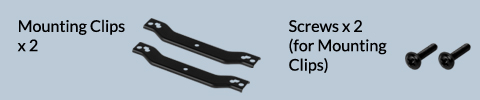
- 2 x Clips for Mounting Backplate
- AMD Socket AM4 Mounting Clips (Set of 2)
The installation process of Arctic Liquid Freezer ii 240
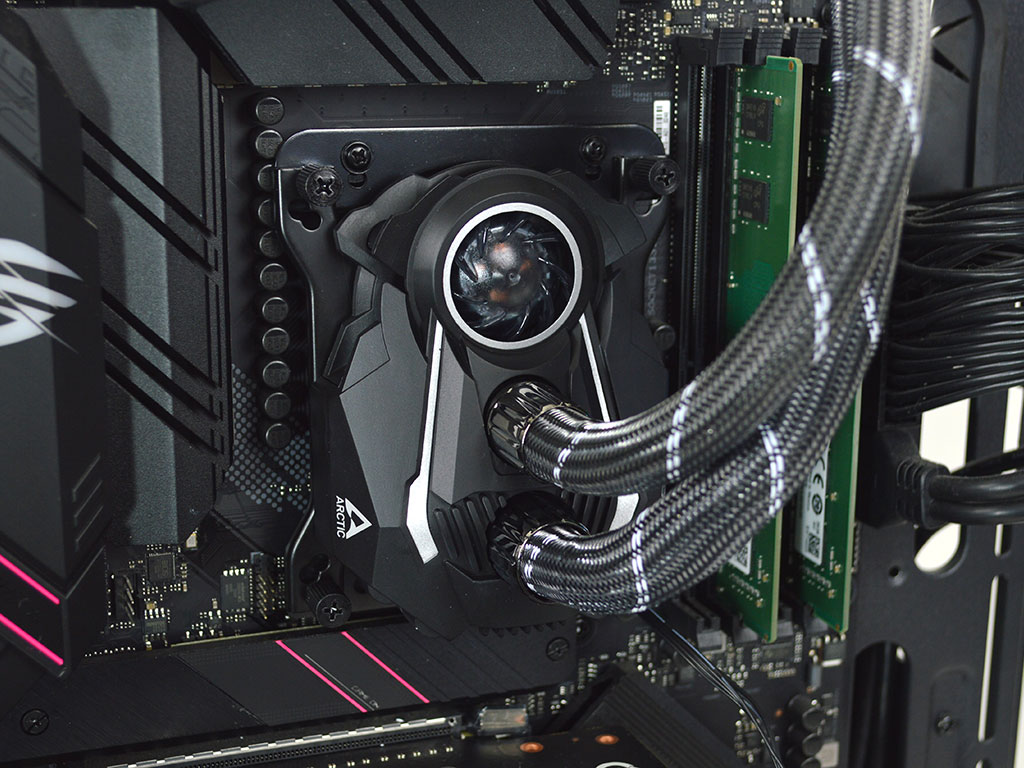
When evaluating the Arctic Liquid Freezer II 240 A-RGB, you may be pretty anxious about installation. The ARCTIC Liquid Freezer II 240 A-RGB is easy to set up. There is a URL given on the package to receive adequate installation instructions. You may not find any installation instructions on the box.
In this installation, you will use an Intel 115x socket chipset. Please double-check your understanding of the installation process before, as AMD and other sockets might be different. Ensure your CPU is clean of any prior thermal paste by cleaning it away with cotton and alcohol before proceeding.
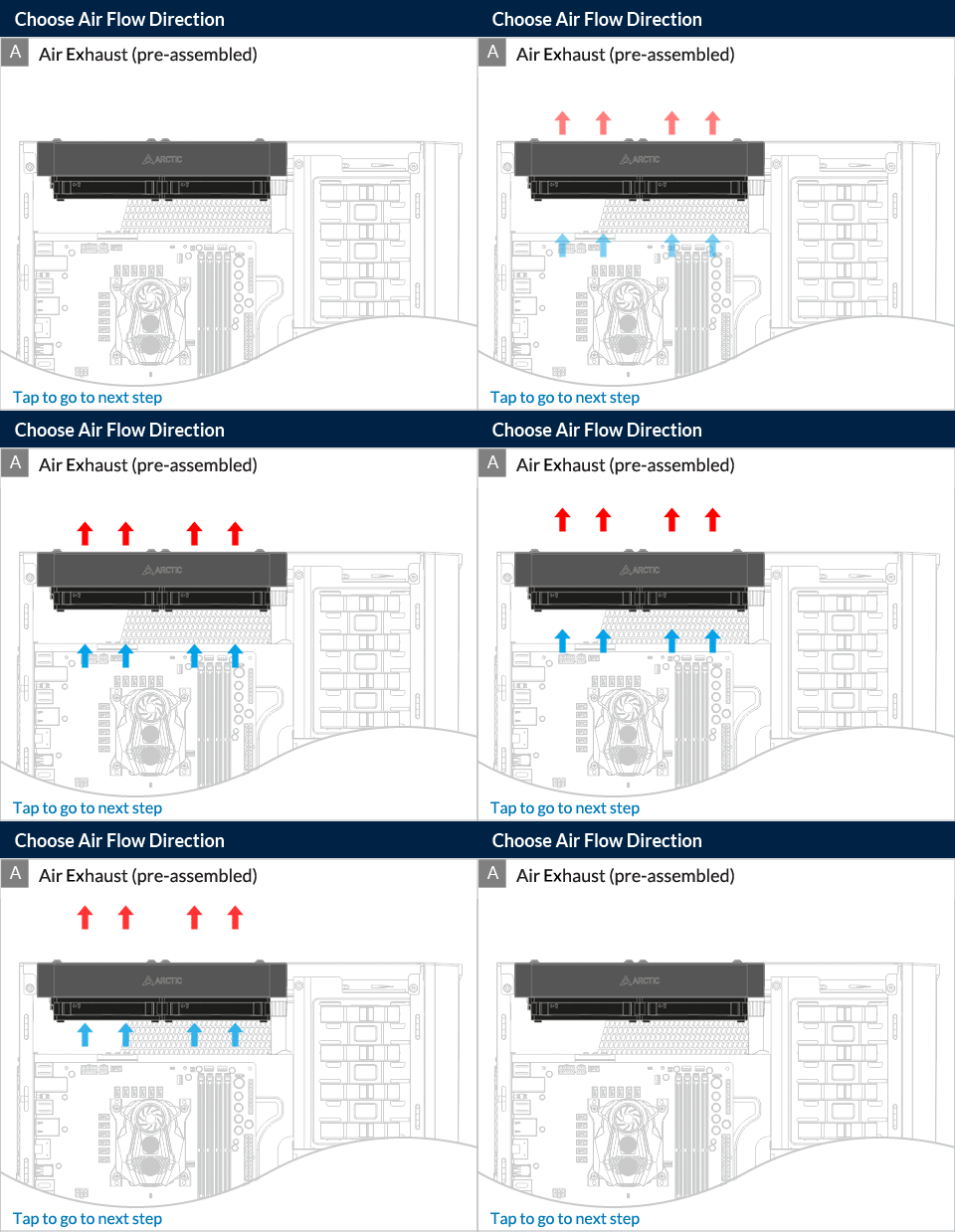
Using 8x screws and plain washers, attach the radiator to the top or front of the box in the desired airflow direction. Insert the insulation washers over top of the motherboard. Enclose the backplate screw sockets once the radiator is in place. The insulating screws must stick to the motherboard properly.
Install the backplate in the upward position. Ensure that all openings are perfectly aligned. Attach the backplate in place with the Intel Socket 115x standoff. Make sure the connection is robust and rigid. Choose the correct mounting holes for your CPU socket. Secure it to the pumping header with the two provided mounting screws.
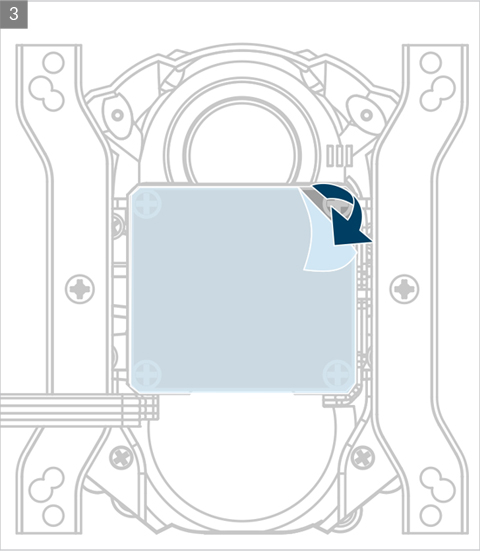
Ensure that the attachment is straight, and you fastened both brackets to the pump head. Apply some of the MX-4 and MX-5 thermal paste that came with your CPU on top of it. Before connecting the pump head to the CPU, peel away the plastic labeling from the copper base.
After the pump head is in place, use the thumb screw to secure it to your CPU. If everything is in its right position, it is an opportunity to introduce the cords. Attach the 4-pin PWM to any accessible Fan header on the motherboard, then the 3-pin A-RGB header toward an RGB header.

Once both connections have been established, turn on your computer. The installation process should carry with care. In case of any problem, the whole installation process may go wrong.
Is Arctic Liquid Freezer worth buying?
This ARCTIC model is one-of-a-kind and is nearly free at roughly 110 bucks. Considering its cooling abilities and appearance, we feel that ARCTIC Liquid Freezer II 240 A-RGB is a decent value for money. ARCTIC is a global leader in cooling software, which is just one more example.

The cooling capabilities of the AIO are exceptional, especially compared to similar AIO coolers within its price range. The AIO cooler performed wonderfully in tests, as it’s one of the best coolers we’ve seen so far. Many people love the sturdy construction and appearance besides the cooling.
The ARCTIC P12 PWM PST A-RGB blades are already installed in the 240mm radiator’s all-aluminum construction. The radiator’s dimensions are 277x120mm in length and width, with a thickness of 38mm. The radiator is around 13mm thicker than a standard 240mm AIO, showing that it is heavier.
The cooler enables a wide range of Chipsets. You may have a lot of parts with ARCTIC Liquid Freezer II 240. Some may argue that the cold plate made of copper is too tiny for some sockets. The online instruction aids in the installation process. On-hand installation instruction would have been helpful for a greater understanding right away.
Overall, at roughly 110 dollars, the ARCTIC is a good deal. The looks are on point, with excellent RGB symmetry in the fan blades. Others would have gone with an RGB pump. The radiator is sturdy and well-balanced, offering it a long-term companion, but its larger size might sometimes make installation more challenging.
Final Words
ARCTIC Liquid Freezer ii 240 is a 240 CLC cooling solution. This cooler is a long-term buddy with RBG aesthetics uniformity. ARCTIC Liquid Freezer ii 240 is the most price justifying available PC cooling device. Its installation process is easy but demands professional expertise.